
1. انتهى المنتجview
The Vormooi V15 is a compact and portable digital voice recorder designed for high-quality audio capture in various environments, including lectures, meetings, and classes. It features a large internal storage capacity and advanced noise reduction technology.
المميزات الرئيسية:
- Massive 64GB built-in memory: Stores up to 750 hours of voice recordings in WAV and MP3 formats.
- تصميم صغير الحجم وقابل للحمل: فائق النحافة للمحترفينfile (0.25 x 1.3 x 2.2 inches) and lightweight (0.7 ounces) for maximum portability.
- بطارية قابلة للشحن تدوم طويلاً: Provides extended recording sessions.
- تقليل الضوضاء بالذكاء الاصطناعي: Equipped with an intelligent 2155P AI chip for enhanced noise cancellation and pure recording.
- التسجيل الصوتي المُفعّل (VAR): Intelligently skips silent passages to save memory and time.
- عملية بسيطة: One-button recording and saving.
- التوافق العالمي: Connects via USB Type-C to Windows and macOS computers.

Image: Key features of the Vormooi V15 recorder, including its recording capacity, memory, and battery life.
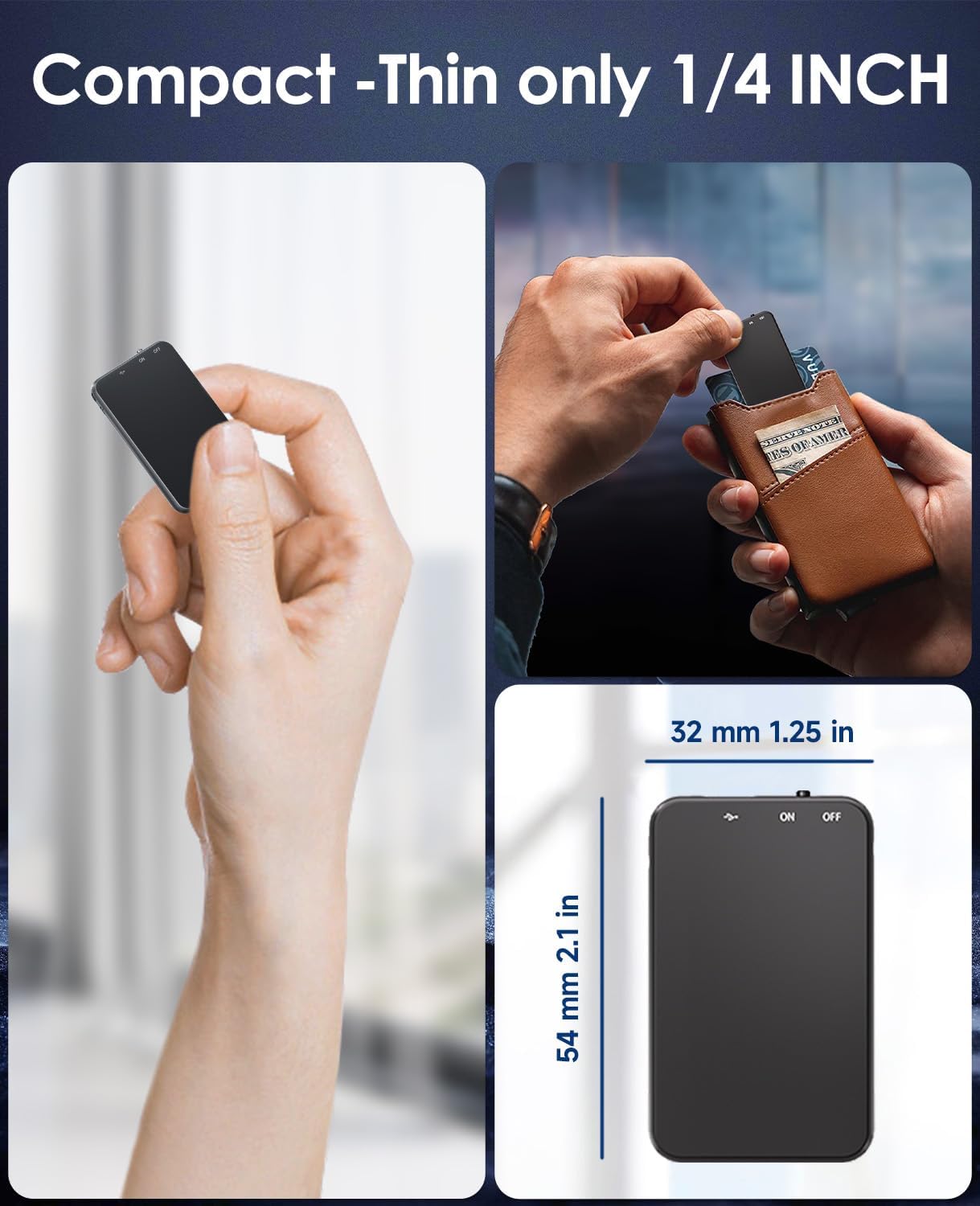
Image: Demonstrates the compact and thin design of the Vormooi V15, showing its small dimensions and portability.

Image: Illustrates the advanced AI noise cancellation technology and supported recording formats (MP3, WAV) of the V15 recorder.
2. محتويات العبوة
عند فتح العبوة، يرجى التأكد من وجود جميع العناصر وأنها في حالة جيدة:
- 1 x Vormooi V15 Digital Voice Recorder
- 1 x USB Type-C Cable (for charging and data transfer)
- 1 × دليل المستخدم (هذه الوثيقة)
3. الإعداد
3.1 شحن الجهاز
Before first use, fully charge the Vormooi V15 recorder. Connect the included USB Type-C cable to the recorder's Type-C port and the other end to a USB power adapter (not included) or a computer's USB port. The indicator light will show charging status.
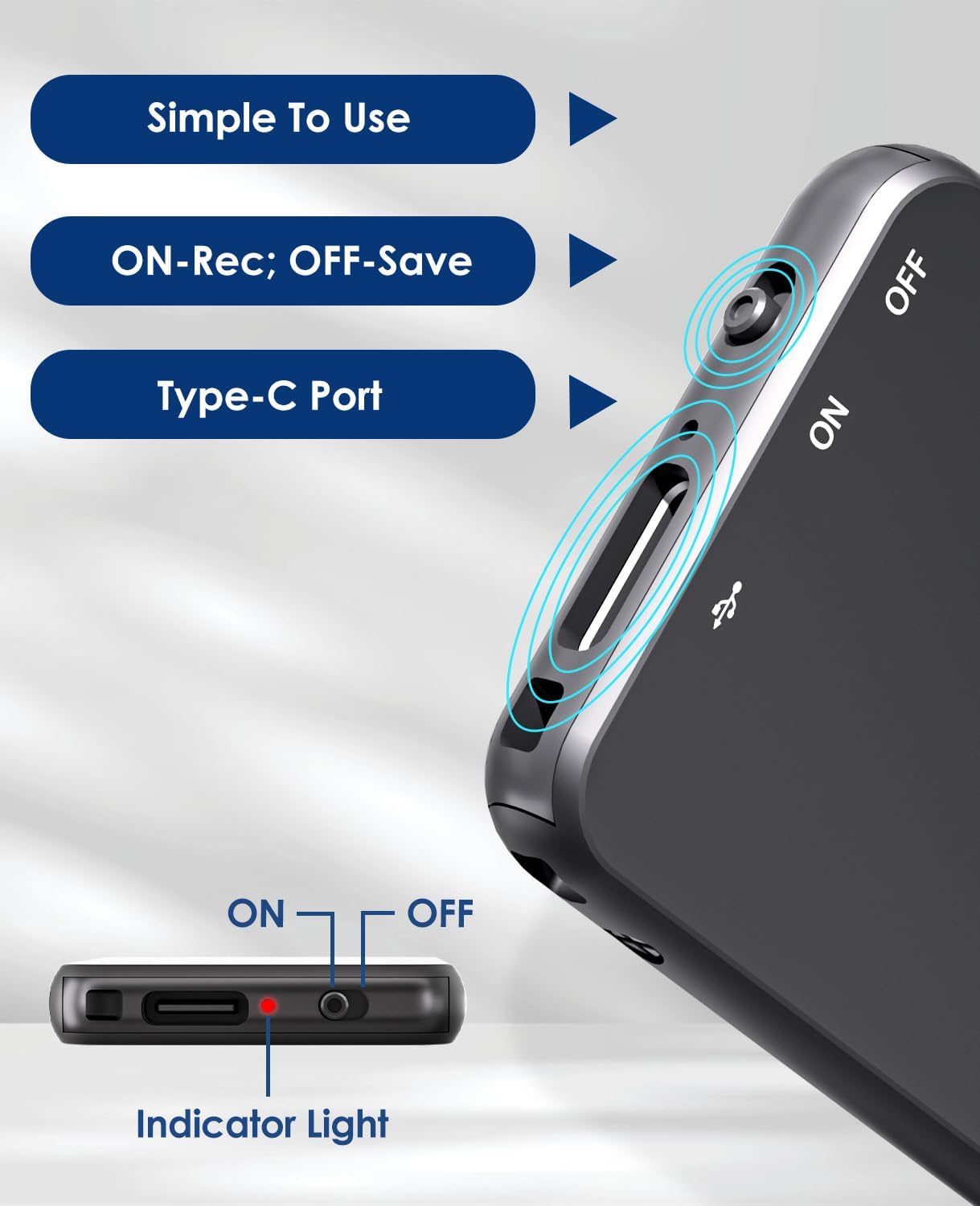
Image: Details of the recorder's side, highlighting the ON/OFF switch, Type-C port, and indicator light for simple operation.
3.2 تشغيل/إيقاف التشغيل
To power on the device, slide the ON/OFF switch to the "ON" position. To power off, slide it to the "OFF" position. The indicator light will briefly illuminate.
4. تعليمات التشغيل
4.1 تسجيل الصوت
To start recording, simply slide the ON/OFF switch to the "ON" position. The device will automatically begin recording. The indicator light may flash or change color to indicate recording status. To stop recording and save the fileحرك المفتاح إلى وضع "إيقاف التشغيل".
4.2 التسجيل الصوتي المُفعّل (VAR)
The V15 features a voice-activated recording function. When enabled, the recorder will automatically pause recording during periods of silence and resume when sound is detected, optimizing memory usage. The sensitivity of the voice activation can be adjusted (though specific instructions for adjustment are not provided in the product images, it's a common feature).

Image: Depicts the Voice-Activated Recording (VAR) feature, illustrating how it saves memory by skipping silent blanks and showing different sensitivity levels.
4.3 النقل Files للكمبيوتر
Connect the Vormooi V15 to your computer using the provided USB Type-C cable. The device will appear as a removable storage device (like a USB drive). You can then drag and drop your recorded audio files (MP3 or WAV format) to your computer. The device is compatible with Windows and macOS operating systems.

Image: Shows the Type-C connection and compatibility with Windows, Mac, and Linux operating systems for easy file نقل.
4.4 التشغيل
While the device supports playback, specific controls for direct playback (e.g., built-in speaker, headphone jack) are not detailed in the provided information. Typically, playback is done by connecting headphones to the device's headphone jack (if available) or by transferring files to a computer and playing them there.
Note: The product specifications mention "Headphones Jack: 1", confirming the presence of a jack for direct playback.
5. الصيانة
- تنظيف: استخدم قطعة قماش ناعمة وجافة لتنظيف الجهاز. لا تستخدم المنظفات السائلة أو المذيبات.
- تخزين: قم بتخزين المُسجل في مكان بارد وجاف بعيدًا عن أشعة الشمس المباشرة ودرجات الحرارة القصوى.
- العناية بالبطارية: لإطالة عمر البطارية، تجنب تفريغها بالكامل بشكل متكرر. اشحن الجهاز بانتظام، حتى في حال عدم استخدامه لفترات طويلة.
- النسخ الاحتياطي للبيانات: قم بعمل نسخة احتياطية منتظمة للتسجيلات المهمة على جهاز الكمبيوتر الخاص بك لمنع فقدان البيانات.
6. استكشاف الأخطاء وإصلاحها
- الجهاز لا يعمل: تأكد من شحن البطارية. وصّل الجهاز بمصدر طاقة وحاول مرة أخرى.
- لا يمكن التسجيل: Check if the memory is full. Transfer fileقم بتحميل s إلى جهاز الكمبيوتر الخاص بك لتحرير المساحة.
- جودة التسجيل رديئة: Ensure the microphone is not obstructed. Reduce background noise. Check if AI Noise Reduction is functioning.
- الجهاز غير معترف به بواسطة الكمبيوتر: Try a different USB port or cable. Ensure the device is powered on. Restart your computer.
- إعادة ضبط الجهاز: If the device becomes unresponsive, locate the small "RESET" hole (often requiring a pin or paperclip) and gently press it to restart the device.

الصورة: الأمامية والخلفية views of the V15, indicating the location of the reset button and overall dimensions.
7. المواصفات
| ميزة | التفاصيل |
|---|---|
| رقم الموديل | رقم V15 |
| سعة التخزين | 64 جيجا بايت |
| تسجيل القدرات | تصل إلى 750 ساعة |
| تنسيقات التسجيل | WAV ، MP3 |
| أبعاد المنتج | 0.25 × 1.3 × 2.2 بوصة (0.25 بوصة عمق × 1.3 بوصة عرض × 2.2 بوصة ارتفاع) |
| وزن العنصر | 0.705 أونصة (20 جرامًا) |
| نوع البطارية | Lithium-ion (1 A battery included) |
| عمر البطارية | 40-50 ساعة (تقريبًا) |
| منفذ الشحن | يو إس بي من النوع سي |
| ميكروفون | مدمج |
| مقبس سماعات الرأس | 1 |
| الأجهزة المتوافقة | Windows/macOS Computer |
| الشركة المصنعة | فورموى |
8. الضمان والدعم
For warranty information and technical support, please refer to the documentation included with your purchase or visit the official Vormooi webالموقع. احتفظ بإثبات الشراء الخاص بك لتقديم مطالبات الضمان.
For further assistance, you may contact Vormooi customer service through their official channels. Details are typically found on the product packaging or the brand's official online presence.
9. الاستخدام المقصود
The Vormooi V15 Digital Voice Recorder is intended for personal and professional audio recording purposes, including but not limited to:
- Recording lectures and academic presentations.
- Documenting business meetings and conferences.
- Conducting interviews.
- Capturing personal memos and ideas.

الصورة: السابقamples of typical usage scenarios for the V15 recorder, such as in classes, interviews, meetings, and for personal notes.