
1. المقدمة
This manual provides detailed instructions for the setup, operation, maintenance, and troubleshooting of your NETUM RD-1950 2D QR Industrial Bluetooth Barcode Scanner. Please read this manual thoroughly before using the device to ensure proper functionality and to maximize its lifespan.
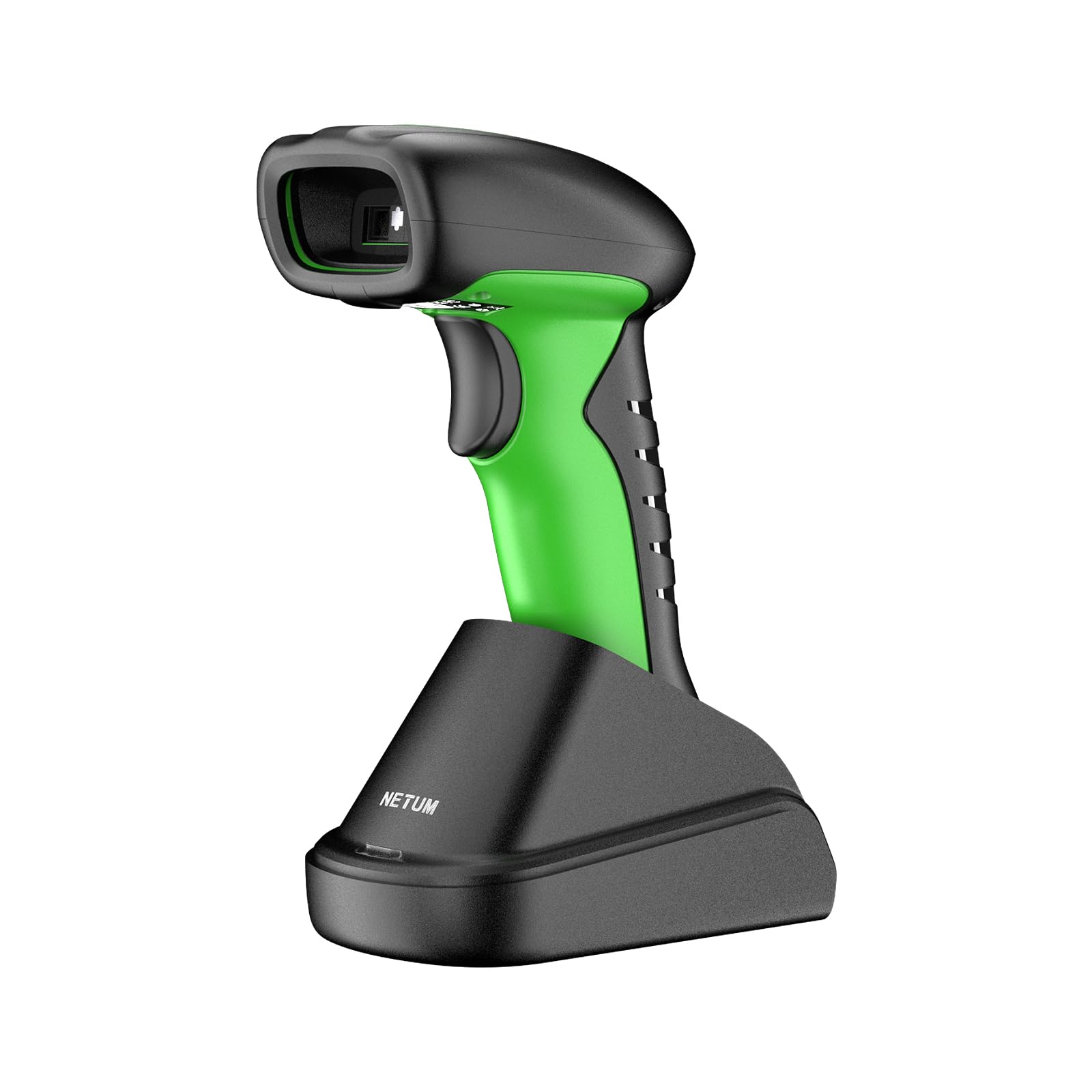
Image: The NETUM RD-1950 barcode scanner with its charging dock, showcasinج- تصميمه ومكوناته.
2. الميزات الرئيسية
- Industrial-Grade Protection: The RD-1950 features an IP67 rating for dust, splash, and waterproof capabilities. Its rugged construction and durable silicone casing provide protection against drops from up to 12 ft (3.65 m), making it suitable for demanding industrial environments.
- الاتصال المزدوج: Supports both 2.4G wireless and Bluetooth connections. The charging dock includes a built-in 2.4G receiver for plug-and-play operation. Bluetooth connectivity supports HID, SPP, and BLE modes for compatibility with various devices including laptops, PCs, smartphones, tablets, iPhones, iPads, and POS systems.
- Automatic Scanning & Storage Mode: Offers three scanning modes: manual trigger, continuous scanning, and auto-sensing for both handheld and hands-free use. A storage mode is available for offline operation, capable of storing up to 100,000 barcodes.
- قدرات المسح المتقدمة: Equipped with a 1280H × 800V (1M) CMOS sensor, providing fast scanning speeds up to 60 FPS. It accurately reads 1D barcodes ≥4 mil and 2D barcodes ≥5 mil (HD).
- عمر بطارية ممتد: Powered by a 2600mAh battery, offering up to 30 days of use (based on 2,000 scans per day) on a full charge. The cradle serves as a charging station.
3. دليل الإعداد
3.1 فك التغليف والشحن الأولي
Carefully remove all components from the packaging. Before first use, ensure the scanner is fully charged. Place the scanner into the charging dock. Connect the charging dock to a power source using the provided USB cable.
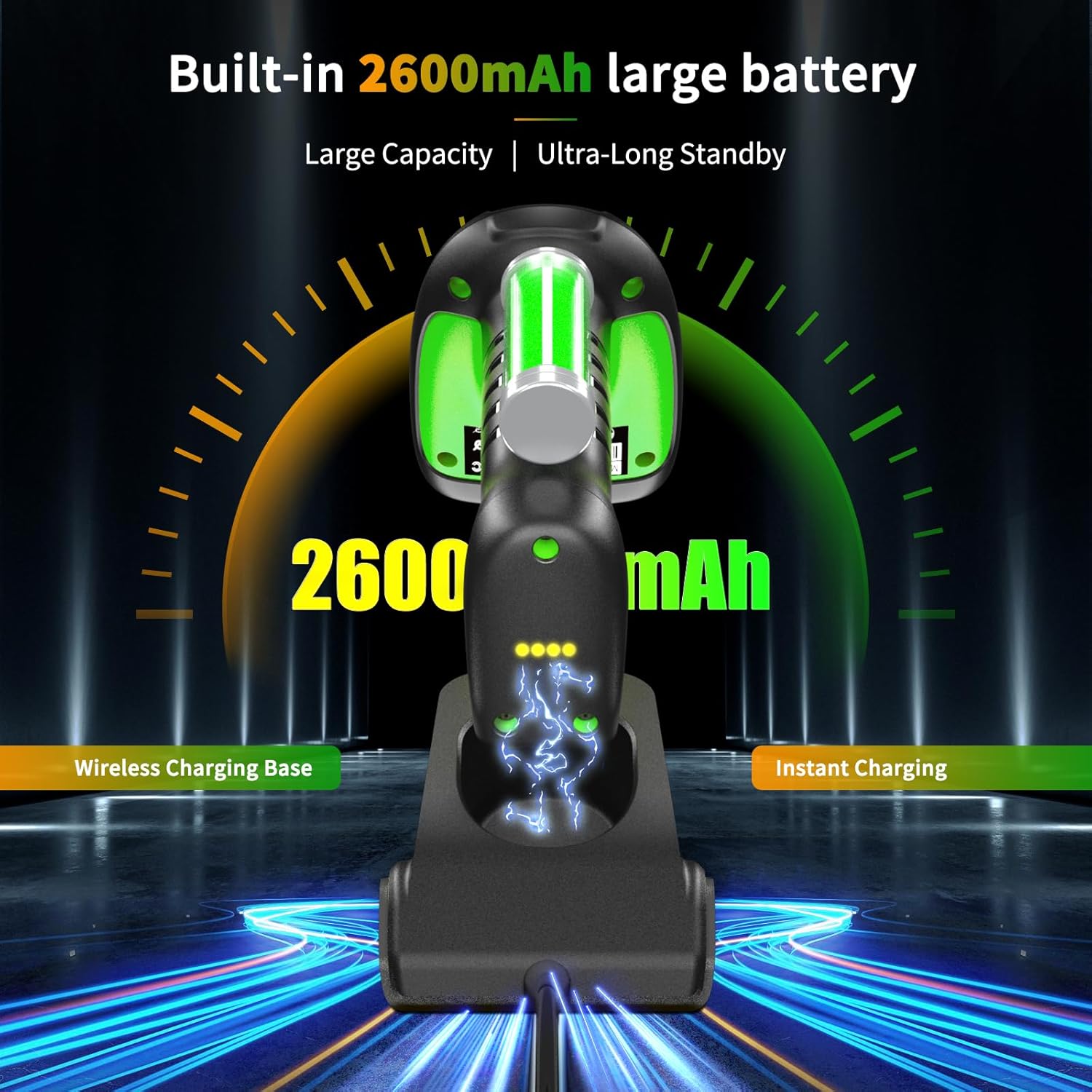
Image: The barcode scanner docked in its charging station, illustrating the charging process and battery indicator.
3.2 2.4G Wireless Connection (via Charging Dock)
- Connect the charging dock's USB cable to your computer's USB port.
- سيقوم الكمبيوتر تلقائيًا باكتشاف وتثبيت برامج التشغيل اللازمة.
- The scanner is now ready for use in 2.4G wireless mode.

Image: Diagram showing the barcode scanner wirelessly connected to a computer via the 2.4G USB receiver in the charging dock.
3.3 اتصال البلوتوث
The RD-1950 supports HID, SPP, and BLE Bluetooth modes. Refer to the full user manual for specific configuration barcodes to switch between modes if needed. The default mode is typically HID (Human Interface Device).
- تأكد من تشغيل الماسح الضوئي.
- على جهازك المضيف (الهاتف الذكي، الجهاز اللوحي، الكمبيوتر الشخصي)، قم بتمكين البلوتوث وابحث عن الأجهزة المتاحة.
- Select "RD Barcode Scanner" from the list of found devices to pair.
- بمجرد الاقتران، يصبح الماسح الضوئي جاهزًا للاستخدام.

Image: The barcode scanner demonstrating wide compatibility with various operating systems and devices via Bluetooth connection.
ملحوظة: Before using storage mode or specific advanced features, you may need to scan corresponding configuration barcodes found in the comprehensive user manual (not this summary).
4. التشغيل
4.1 أوضاع المسح
The scanner offers three primary scanning modes:
- وضع التشغيل اليدوي: اضغط على زر التشغيل لمسح كل رمز شريطي.
- وضع المسح المستمر: يصدر الماسح الضوئي شعاع مسح بشكل مستمر، ويقرأ الرموز الشريطية أثناء مرورها عبر مجال view دون الحاجة إلى الضغط على الزناد.
- وضع الاستشعار التلقائي: يكتشف الماسح الضوئي تلقائيًا الرمز الشريطي ضمن نطاقه view and scans it without manual trigger activation. This mode is ideal for hands-free operation when placed in the charging dock.

Image: The barcode scanner in its multifunctional cradle, highlighting Auto-Sense and Continuous scanning modes, along with wireless charging and 2.4G wireless transmission capabilities.
4.2 أنواع الباركود المدعومة
The RD-1950 is capable of reading a wide range of 1D and 2D barcodes:
- رموز 2D: Aztec, Data Matrix, Maxicode, PDF417, QR-Code, and more.
- رموز 1D: EAN, UPC, Code 39, Code 93, Code 128, UCC/EAN 128, Codabar, Interleaved 2 of 5, ITF-6, ITF-14, ISBN, ISSN, MSI-Plessey, GS1 Databar, Code 11, Industrial 25, Standard 25, Plessey, Matrix 2 of 5.

Image: The barcode scanner targeting a QR code on a package, with examples of various 1D and 2D barcode types it can read, including PDF417, Aztec, GS1 Code128, QR (7mils, 8mils), Data Matrix, HanXin, Maxi, Dotcode, Bank Code, Grid Matrix, and Composite codes.
4.3 وضع التخزين
When Bluetooth or 2.4G wireless connections are unavailable, the scanner can store up to 100,000 barcodes internally. To activate and manage storage mode, refer to the specific configuration barcodes in the full user manual.
5. الصيانة
5.1 تنظيف الماسح الضوئي
To maintain optimal performance, keep the scanner's scanning window clean. Use a soft, lint-free cloth lightly dampened with water or a mild, non-abrasive cleaning solution. Do not use harsh chemicals or abrasive materials, as these can damage the scanning window or casing.
5.2 العناية بالبطارية
The scanner is equipped with a 2600mAh lithium-polymer battery. For best battery life:
- Charge the scanner fully before its first use.
- Avoid completely discharging the battery regularly.
- قم بتخزين الماسح الضوئي في مكان بارد وجاف إذا لم يتم استخدامه لفترات طويلة.
6. استكشاف الأخطاء وإصلاحها
6.1 Scanner Not Connecting
- 2.4G لاسلكي: Ensure the charging dock's USB receiver is securely plugged into the computer. Verify the scanner is within range.
- بلوتوث: Check if Bluetooth is enabled on your host device. Ensure the scanner is in pairing mode and visible. Try unpairing and re-pairing the device.
- بطارية: Confirm the scanner has sufficient battery charge.
6.2 مشاكل المسح الضوئي
- لا يوجد مسح ضوئي: Ensure the scanner is in the correct scanning mode (manual, continuous, auto-sense). Check if the barcode is damaged or poorly printed.
- عمليات المسح غير الدقيقة: Ensure the scanning window is clean. Position the scanner correctly over the barcode, allowing for proper focus.
- Specific Barcodes (e.g., Driver's Licenses): Some barcodes may require specific configuration settings (e.g., line feed characters). Refer to the full user manual or contact support for advanced configuration barcodes.
6.3 Bluetooth Latency
Some users may experience noticeable latency when using Bluetooth, especially in high-volume scanning environments. For faster, more consistent data transmission, consider using the 2.4G wireless connection via the charging dock.

Image: Illustration of the scanner's Bluetooth transmission range, showing reduced range with obstacles (10m/32ft) and extended range in barrier-free environments (20m/65ft).
7. المواصفات الفنية
7.1 أداء المسح الضوئي
- المستشعر: 1280×800 CMOS (1M)
- إضاءة: الصمام الثنائي الباعث للضوء الأبيض
- الهدف: الصمام الثنائي الباعث للضوء الأحمر
- Reading Precision: ≥4 mil (1D), ≥5 mil (2D, HD)
- Reading Depth of Field:
- EAN-13 (13 mil): 35mm - 420mm
- Code 39 (5 mil, 10 characters): 45mm - 165mm
- QR-Code (20 mil, 16 characters): 25mm - 330mm
- Data Matrix (10 mil, 20 characters): 40mm - 150mm
- PDF417 (6.67 mil, 7 characters): 25mm - 180mm
- مقابلة: ≥25%
- Scanning Angles: Rotation 360°, Tilt ± 55°, Skew ± 55°
- مجال View: أفقي 42 درجة، عمودي 28 درجة
7.2 الميزات اللاسلكية
- تكنولوجيا الراديو: 2.4 جيجا هرتز ، بلوتوث
- مسافة الاتصال: 30-100 م (خط البصر)
7.3 Electrical & Environmental
- سعة البطارية: 2600mAh ليثيوم بوليمر
- عمر البطارية: Up to 20 hours of continuous scanning (or 30 days based on 2,000 scans/day)
- وقت الشحن: 4 ساعات
- ذاكرة: 2MB of flash storage (up to 100,000 barcodes)
- درجة حرارة التشغيل: -20 درجة مئوية إلى +50 درجة مئوية (-4 درجة فهرنهايت إلى +122 درجة فهرنهايت)
- درجة حرارة التخزين: -40 درجة مئوية إلى +70 درجة مئوية (-40 درجة فهرنهايت إلى +158 درجة فهرنهايت)
- رطوبة التشغيل: 5% إلى 95% (بدون تكاثف)
- مقاومة الضوء المحيط: 0 إلى 100,000 لوكس
- تصنيف الحماية: IP67 (Dust, Splash, Waterproof)
- مقاومة السقوط: حتى 12 قدم (3.65 متر)
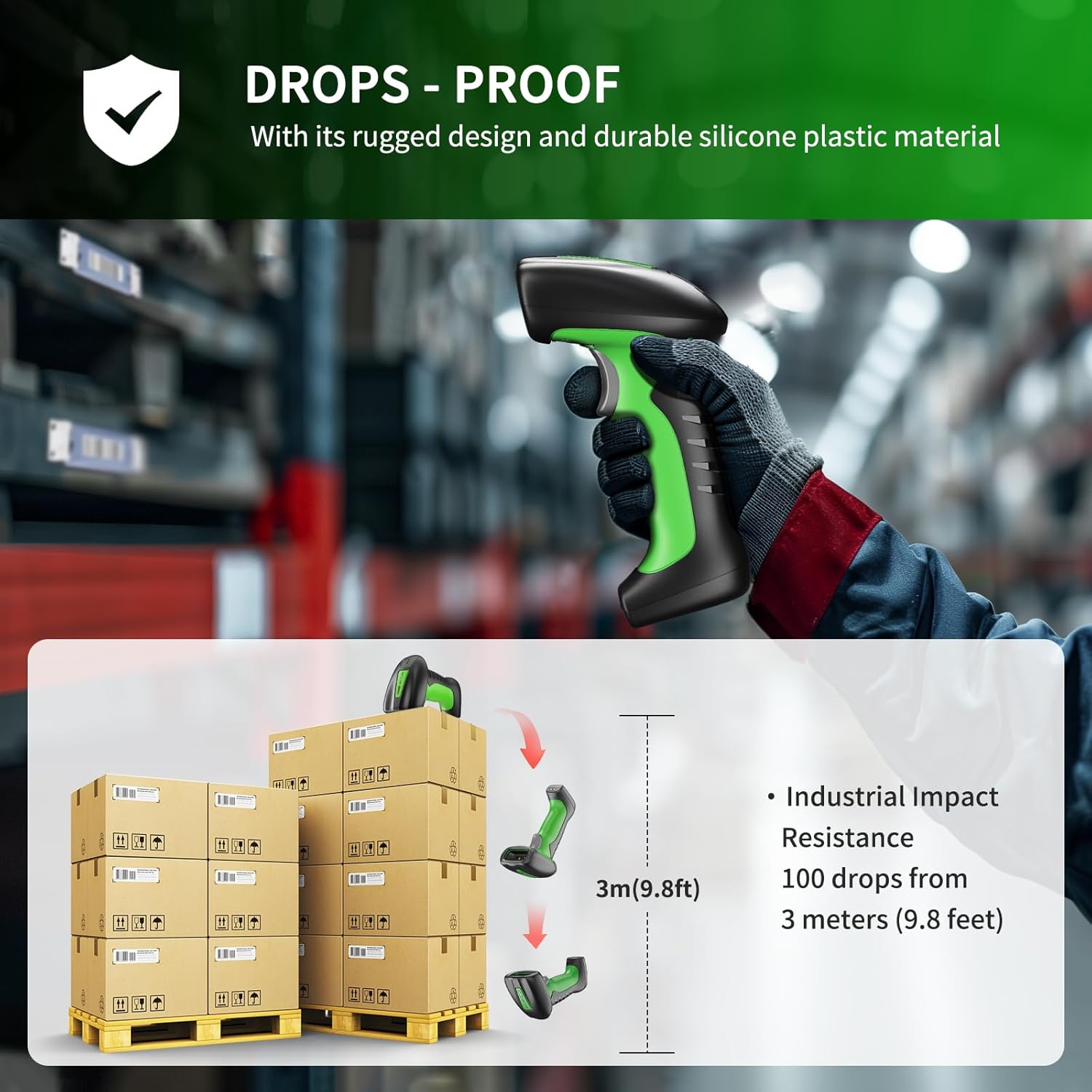
Image: Illustration demonstrating the scanner's drop-proof capability, showing it can withstand drops from 3 meters (9.8 feet).

Image: The barcode scanner partially submerged in water, demonstrating its IP67 waterproof rating and ability to pass a 30-minute waterproof resistance test.
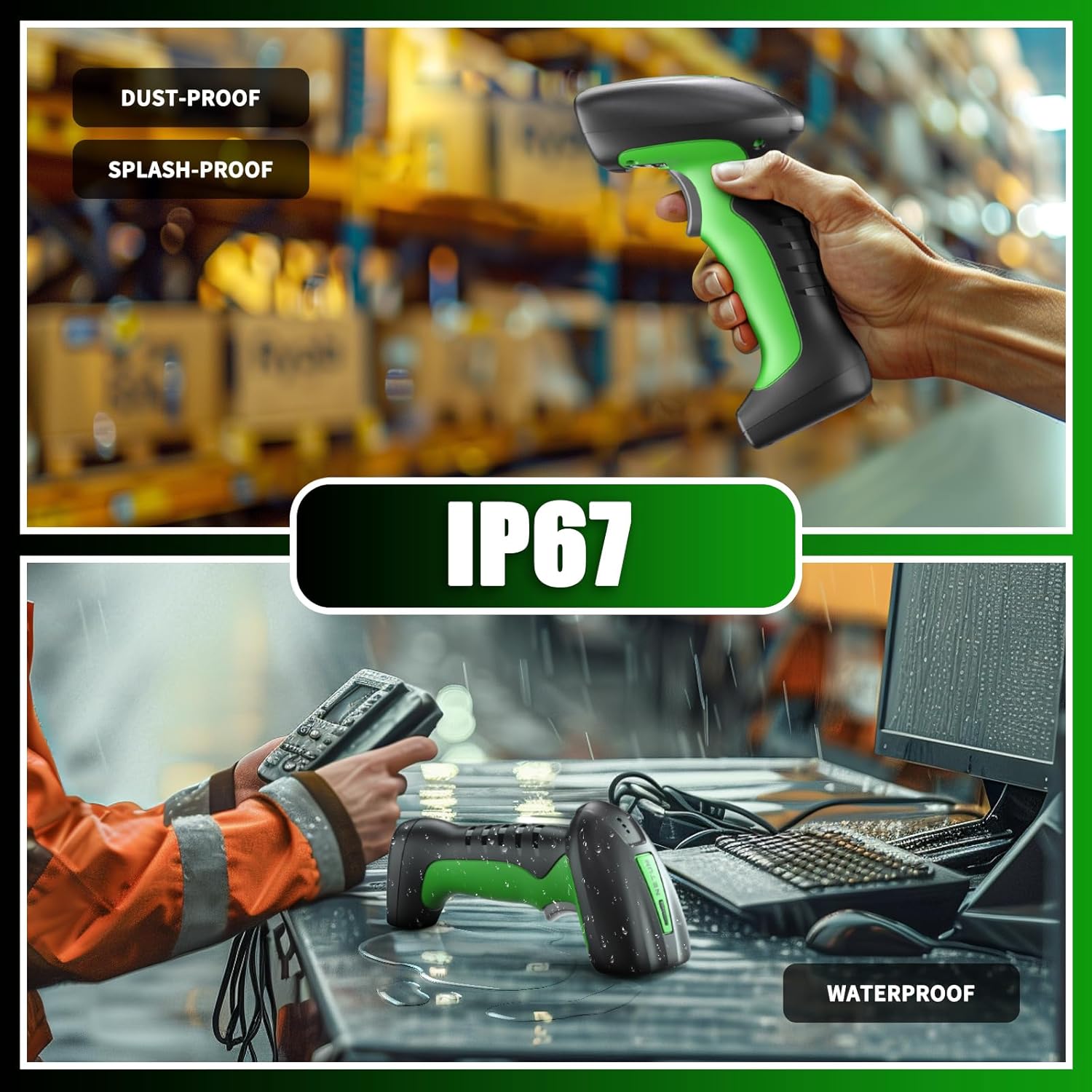
Image: Two scenes illustrating the scanner's IP67 rating, showing it being used in a dusty warehouse and on a wet desk, emphasizing its dust-proof, splash-proof, and waterproof capabilities.
7.4 التوافق
- الأجهزة المتوافقة: Laptop, PC, Smartphone, Tablet, iPhone, iPad, POS System.
- Incompatible Software: This scanner is not compatible with Square POS, LightSpeed, Clover, or Shopify.
8. الضمان والدعم
The NETUM RD-1950 Barcode Scanner comes with a ضمان لمدة 1 سنوات يسري هذا الضمان من تاريخ الشراء. ويغطي عيوب التصنيع ويضمن أن المنتج يفي بمعايير الأداء المحددة له.
For technical assistance, troubleshooting, or warranty claims, please contact NETUM customer support. Refer to the contact information provided with your product packaging or visit the official NETUM webموقع للحصول على تفاصيل الدعم.