
مقدمة
Thank you for choosing the ILIFE V5s Plus Robot Vacuum and Mop. This device is designed to provide efficient cleaning for your home, combining both vacuuming and mopping functions. It features smart navigation, app control, and automatic self-charging for convenience. Please read this manual thoroughly before use to ensure proper operation and maintenance.
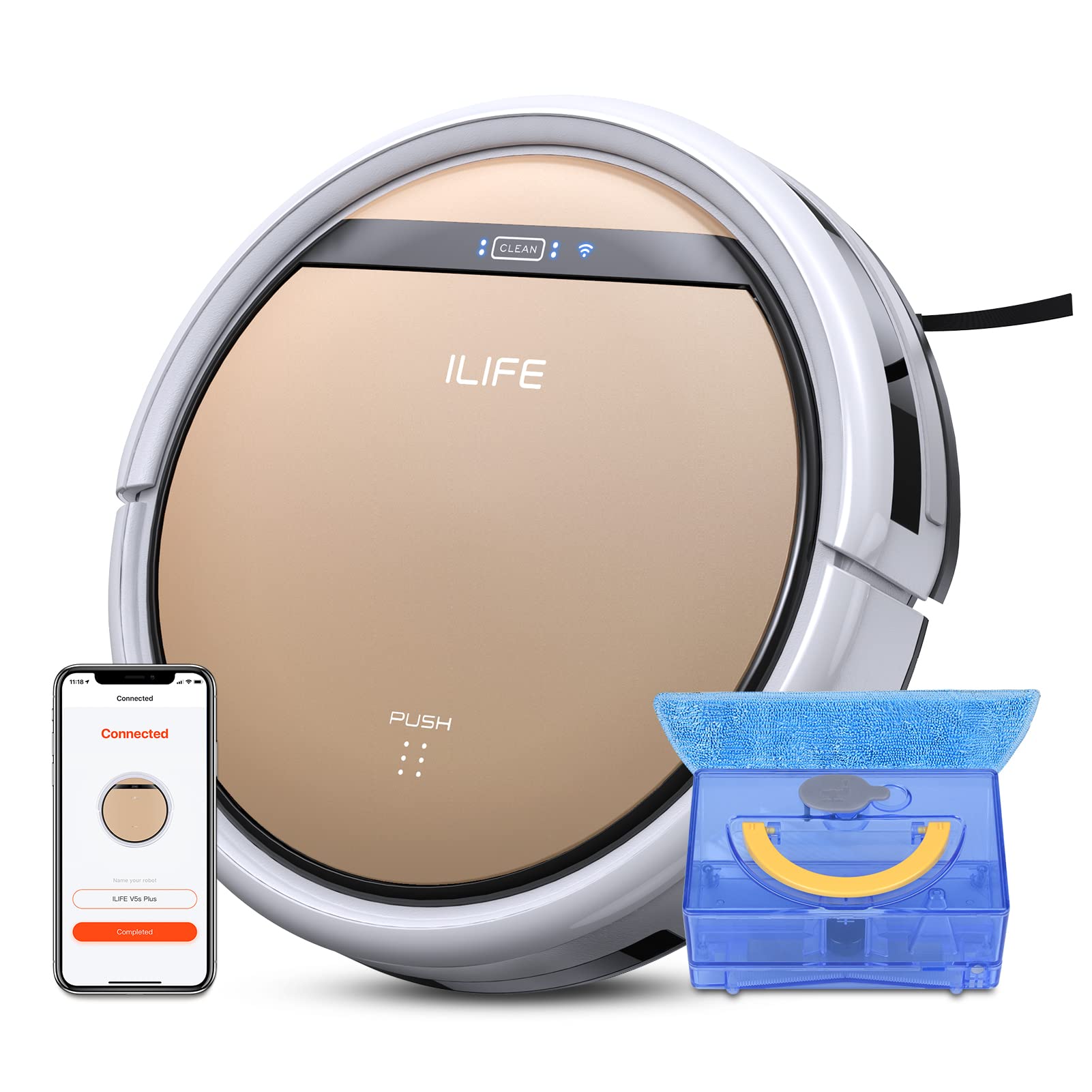
The ILIFE V5s Plus Robot Vacuum and Mop, ready for use.
تعليمات السلامة
Before operating the ILIFE V5s Plus, please observe the following safety precautions:
- اقرأ كافة التعليمات بعناية قبل استخدام الجهاز.
- Keep the robot and its accessories out of reach of children.
- لا تقم بتشغيل الروبوت في بيئات رطبة أو بالقرب من الماء.
- Ensure the charging dock is placed on a flat surface against a wall, with clear space around it.
- قم بإزالة أي كابلات سائبة أو أشياء صغيرة أو مواد هشة من مسار التنظيف لمنع التشابك أو التلف.
- لا تستخدم الروبوت لالتقاط الحطام الكبير أو الأشياء الحادة أو السوائل الأخرى غير الماء لأغراض المسح.
- Only use the original power adapter and charging dock provided with the robot.
ماذا يوجد في الصندوق
تأكد من وجود جميع المكونات في العبوة:
- الجسم الرئيسي (مع البطارية)
- قاعدة الشحن
- جهاز التحكم عن بعد (البطارية غير متضمنة)
- محول التيار المتردد
- أداة التنظيف
- قطعة قماش ممسحة
- خزان المياه
- دليل المستخدم
- مرشح عالي الأداء
- فرش جانبية إضافية
يثبت
1. الشحن الأولي
Place the charging dock against a wall in an open area. Connect the AC adapter to the charging dock and plug it into a power outlet. Place the robot onto the charging dock, ensuring the charging pins align. The robot will begin charging automatically. Allow for a full charge before first use (approximately 3-5 hours).
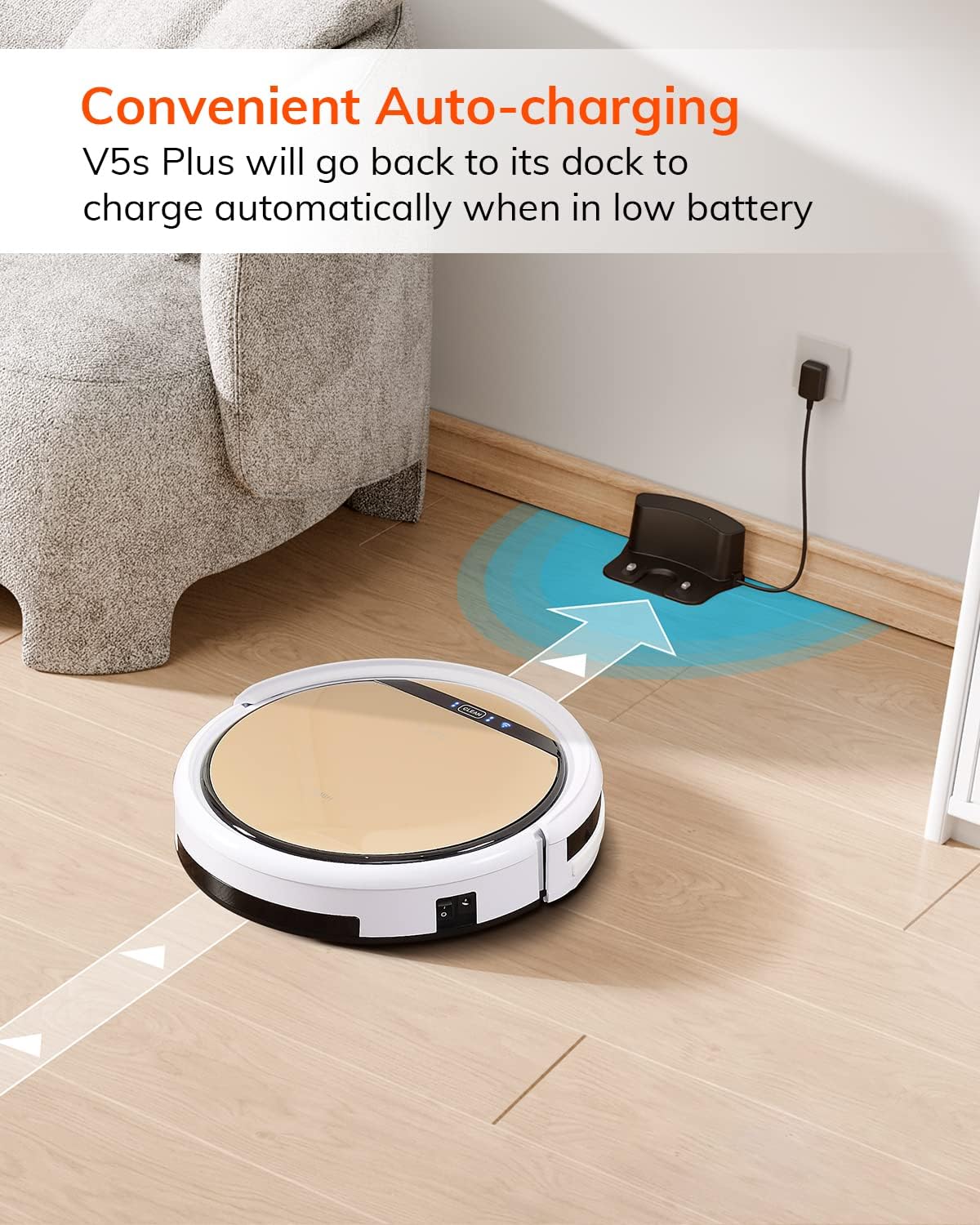
The robot automatically returns to its charging dock when the battery is low.
2. تنزيل التطبيق والاتصال بشبكة الواي فاي
Download the 'ILIFEHOME' app from your smartphone's app store. Follow the in-app instructions to connect your robot to your home WiFi network. Ensure your WiFi is 2.4GHz, as the app does not support 5G WiFi.

Control the robot and schedule cleaning via the ILIFEHOME app.
3. تجهيز منطقة التنظيف
Before each cleaning cycle, clear the floor of any obstacles such as cables, toys, or small rugs that could entangle the robot. For mopping, ensure the water tank is filled and the mop cloth is attached.
تعليمات التشغيل
1. تشغيل/إيقاف التشغيل
To power on the robot, press the 'CLEAN' button on the robot or use the remote control/app. To power off, press and hold the 'CLEAN' button until the indicator lights turn off, or use the app.
2. أوضاع التنظيف
The ILIFE V5s Plus offers multiple cleaning modes:
- نظام آلي: The robot automatically cleans the area, adjusting its path as needed.
- وضع البقعة: التركيز على منطقة متسخة محددة، وتنظيفها بنمط حلزوني.
- وضع الحافة: تنظيف على طول الجدران وحواف الأثاث.
- الوضع الأقصى: Increases suction power for deeper cleaning.
- Scheduling Cleaning Mode: Set a cleaning schedule via the app for automated cleaning.

The robot utilizes various cleaning modes to suit different needs.
3. التنظيف بالمكنسة الكهربائية والمسح
The V5s Plus functions as both a vacuum and a mop. For vacuuming, ensure the dustbin is installed. For mopping, replace the dustbin with the water tank and attach a clean mop cloth. The intelligent control water tank offers three-level water outlet: gentle, standard, and strong, which can be controlled by the App.

The ILIFE V5s Plus offers both vacuuming and mopping capabilities.
4. التحكم الصوتي
The ILIFE V5s Plus is compatible with Amazon Alexa and Google Assistant. Connect your robot to your smart home system to start or stop cleaning tasks using voice commands.

Control your robot with voice commands through Alexa or Google Assistant.
5. الشحن التلقائي
When the battery is low or a cleaning cycle is complete, the robot will automatically return to its charging dock. Ensure the charging dock is accessible and free from obstructions.

The robot automatically returns to its charging base when power is low.
صيانة
Regular maintenance ensures optimal performance and extends the lifespan of your ILIFE V5s Plus.
1. Emptying and Cleaning the Dustbin
Open the top cover of the robot and remove the dustbin. Empty the dustbin into a trash receptacle. Clean the dustbin and filter with the provided cleaning tool or a soft brush. Rinse the dustbin with water if necessary, ensuring it is completely dry before reinstallation.
2. Filling and Cleaning the Water Tank
Remove the water tank from the robot. Open the water tank cap and fill it with clean water. Securely close the cap and reinsert the water tank into the robot. After mopping, empty any remaining water and rinse the tank. Allow it to air dry.

The water tank for the mopping function.
3. تنظيف الفرش الجانبية
Regularly check the side brushes for tangled hair or debris. Remove any obstructions using the cleaning tool or scissors. Replace worn-out side brushes with new ones.
4. تنظيف الحساسات
Wipe the anti-drop sensors and anti-collision sensors on the robot's underside and front bumper with a clean, dry cloth to ensure proper navigation.
استكشاف الأخطاء وإصلاحها
If you encounter issues with your ILIFE V5s Plus, refer to the following common problems and solutions:
- لا يعمل الروبوت: Ensure the battery is charged. Check if the power switch on the side of the robot is turned on.
- الروبوت لا يشحن: Verify the charging dock is powered and the robot is correctly aligned with the charging pins. Clean the charging contacts on both the robot and the dock.
- الروبوت يتعطل بشكل متكرر: Clear the cleaning area of obstacles. Check for tangled hair in the side brushes or wheels.
- أداء تنظيف ضعيف: Empty the dustbin and clean the filter. Clean the side brushes. Ensure the water tank is properly filled for mopping.
- تعذر الاتصال بالتطبيق:
- Make sure to select the correct Wi-Fi and login with the correct Wi-Fi password.
- The ILIFE Robot does not support 5G Wi-Fi. Make sure to use a 2.4G Wi-Fi connection.
- Make sure the Wi-Fi signal is covered and strong.
- Allow the ILIFEHOME APP to have access to your location services and wireless data.
تحديد
| ميزة | التفاصيل |
|---|---|
| ماركة | اي لايف |
| اسم الموديل | في 5 اس بلس |
| توصية السطح | الارضيات الصلبة |
| قوة الشفط | 2 كيلو باسكال |
| وقت الاستخدام | حتى 110 دقيقة |
| سعة خزان المياه | 300مل |
| سعة صندوق الغبار | 300مل |
| Dust Box Filter Type | High efficiency filter + nylon mesh |
| أوضاع التنظيف | Auto/Spot/Edge/Max |
| نوع التحكم | Remote Control/ App Control/ Alexa/ Google Assistant |
| أبعاد المنتج | 30 طول × 30 عرض × 8.1 ارتفاع سم |
| نوع البطارية | أيون الليثيوم |
| المجلدtage | 110 فولت |
ضمان
The ILIFE V5s Plus Robot Vacuum and Mop comes with a ضمان الشركة المصنعة لمدة عامينيرجى الاحتفاظ بإثبات الشراء لتقديم مطالبات الضمان. يغطي الضمان عيوب المواد والتصنيع في ظل الاستخدام العادي. ولا يغطي الأضرار الناجمة عن سوء الاستخدام أو الحوادث أو التعديلات غير المصرح بها أو التلف الناتج عن الاستخدام العادي.
يدعم
For further assistance, technical support, or warranty inquiries, please contact ILIFE customer service:
- بريد إلكتروني: service_us_ca@iliferobot.com
المنتج انتهىview فيديو
شاهد هذا الفيديو للحصول على فكرة عامةview of the ILIFE V5s Plus features and operation.
المنتج الرسمي انتهىview of the ILIFE V5s Plus Robot Vacuum and Mop.