
مقدمة
This manual provides detailed instructions for the setup, operation, maintenance, and troubleshooting of your VLH 32 Inch Portable Smart TV. This device features a 1080P touchscreen, Android 15 operating system, 8GB RAM + 128GB storage, a movable base with wheels, a 5MP camera, and a 38,400 mAh battery. It offers versatile control options including touch, voice, remote, and airmouse functionality, along with a rotatable display for various viewزوايا متعددة.
المميزات الرئيسية:
- شاشة لمس عالية الدقة بالكامل مقاس 32 بوصة: Enjoy 1080P visuals with 100% sRGB color accuracy.
- نظام التشغيل أندرويد 15: Smooth navigation and access to Google Play Store applications.
- كاميرا 5MP: Integrated camera for video calls and streaming (compatibility with some apps may vary due to Android 15).
- ذاكرة وصول عشوائي 8 جيجابايت + ذاكرة تخزين داخلية 128 جيجابايت: Ample storage and memory for multitasking and app performance.
- 360° Mobile Base with Wheels: Easily move the TV between locations.
- عرض قابل للتعديل: 90° pivot, ±20° tilt, and 20cm height adjustment for optimal viewعمل.
- خيارات تحكم متعددة: Touch, voice commands ("Hey Google"), traditional remote, and airmouse gestures.
- بطارية 38,400 مللي أمبير: Extended battery life for portable use.
محتويات الحزمة
- VLH 32 inch Portable Smart TV
- جهاز التحكم عن بعد
- 5MP Camera (detachable)
- محول الطاقة
- دليل المستخدم
تعليمات الإعداد
- فك التعبئة: قم بإزالة جميع المكونات من العبوة بعناية. تأكد من وجود جميع محتويات العبوة المذكورة.
- تجميع الحامل: Attach the display panel to the mobile stand. Ensure all connections are secure. The stand is designed for stability and portability.

Image: The VLH Portable Smart TV is shown on its mobile stand, highlighting the screen and the stable base with universal wheels. The screen is in landscape orientation.
- اتصال الكاميرا: The 5MP camera is detachable. Plug it into the designated USB port at the top of the display if you intend to use it for video calls or streaming.
الصورة: لقطة مقربة view of the VLH Portable Smart TV screen, with the small, detachable camera clearly visible and plugged into the top edge of the display.
- الشحن الأولي: Connect the power adapter to the TV and a power outlet. Allow the device to fully charge before its first use to optimize battery life.
- إقران جهاز التحكم عن بعد: Insert two AAA batteries into the remote control. The remote should automatically pair with the TV when the USB switch is plugged into the TV's USB port. If not, follow the pairing instructions on the back of the remote or on the TV screen.
- إتصال شبكة: Power on the TV. Navigate to the settings menu to connect to your Wi-Fi network.
تعليمات التشغيل
1. تشغيل/إيقاف التشغيل
- Press the power button on the TV or the remote control to turn the device on or off.
2. الملاحة والتحكم
- شاشة تعمل باللمس: Interact directly with the display like a tablet.
- جهاز التحكم عن بعد: Use the provided remote for traditional navigation. The remote also functions as an airmouse; point and click to control the cursor on screen.
Video: A user demonstrates the airmouse functionality of the remote control, moving a cursor on the screen by pointing the remote. The video also shows the touchscreen being used for navigation, as well as the screen rotating and adjusting height.
- الأوامر الصوتية: Activate "Hey Google" for hands-free control and app launching.
3. Adjusting the Display
- تناوب: The screen can pivot 90° between landscape and portrait orientations.

Image: The smart TV screen is shown rotating from a horizontal (landscape) orientation to a vertical (portrait) orientation, demonstrating its flexible display.
- الإمالة: Adjust the screen tilt by ±20° for comfortable viewعمل.
- ضبط الارتفاع: يمكن تعديل ارتفاع الشاشة حتى 20 سم.
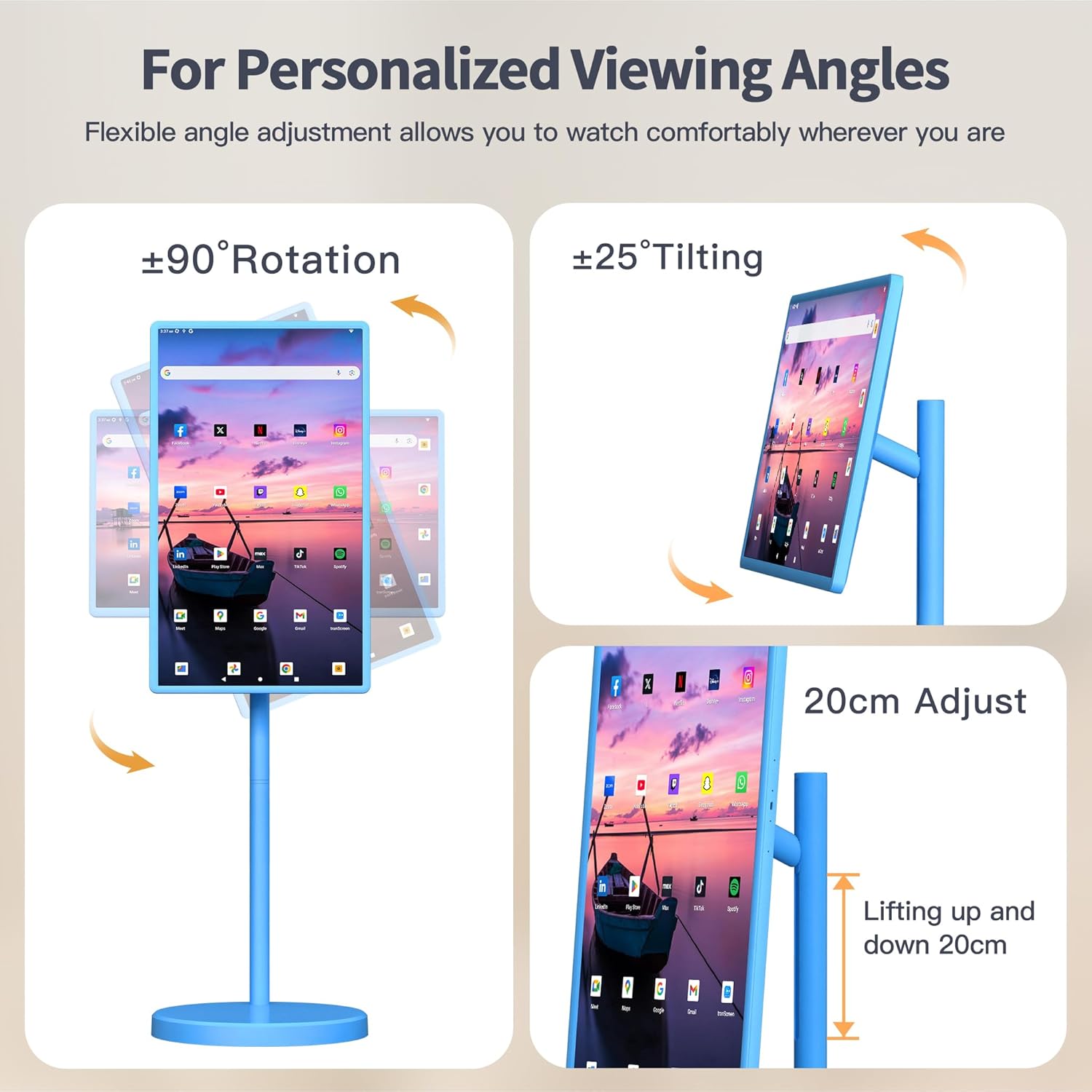
Image: This image illustrates the various adjustable features of the VLH Portable Smart TV, including 90-degree rotation, 25-degree tilting, and a 20cm height adjustment range.
4. استخدام التطبيق
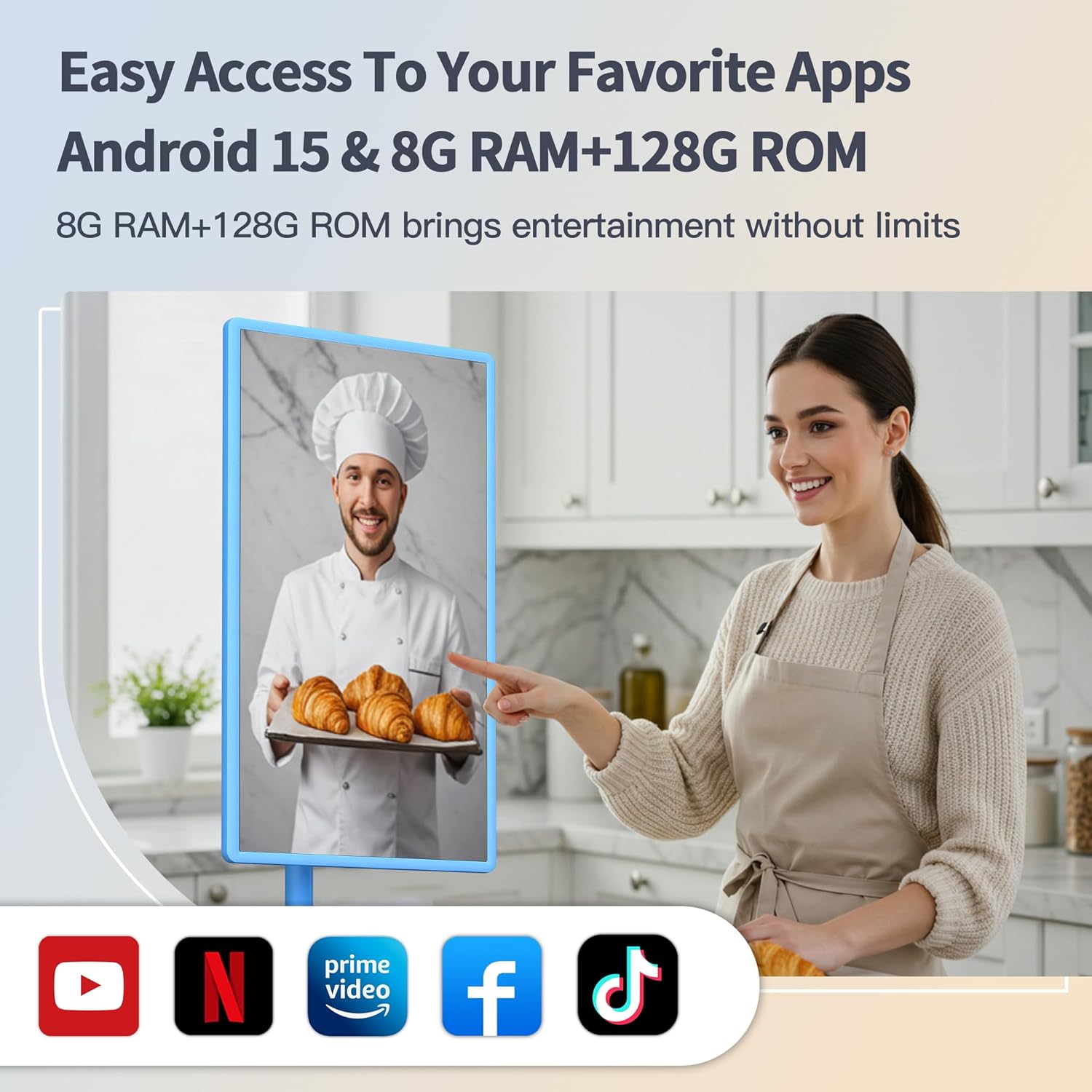
- Access the Google Play Store to download and install your favorite streaming, social media, and productivity applications.
- Pre-installed Google apps are available for immediate use.
- Screen mirroring from your phone is supported via the Android Switch app.
5. قابلية النقل
The VLH Smart TV is designed for easy movement around your home or even outdoors, thanks to its built-in battery and universal wheels. Simply unplug it from the charger and roll it to your desired location.
Video: This video demonstrates the portability of the VLH Smart TV, showing it being easily rolled between different rooms and used in various indoor and outdoor settings.
صيانة
- تنظيف: استخدم قطعة قماش ناعمة وجافة لتنظيف الشاشة والجزء الخارجي. تجنب المنظفات أو المذيبات الكاشطة.
- العناية بالبطارية: For optimal battery longevity, avoid fully discharging the battery frequently. Charge the device when the battery level is low.
- تحديثات البرامج: قم بالتحقق من تحديثات النظام وتثبيتها بشكل دوري لضمان الأداء والأمان الأمثل.
استكشاف الأخطاء وإصلاحها
- جهاز التحكم عن بعد لا يستجيب:
- Ensure the USB dongle for the remote is securely plugged into a USB port on the TV.
- قم بفحص واستبدال بطاريات AAA الموجودة في جهاز التحكم عن بعد.
- Refer to the pairing instructions on the back of the remote or in the TV's settings menu.
- تأخر/تجميد النظام:
- أعد تشغيل التلفزيون.
- أغلق التطبيقات الخلفية غير الضرورية.
- تأكد من وجود مساحة تخزين مجانية كافية.
- Check for and install any available system updates.
- Camera Incompatibility with Apps:
- Due to the latest Android 15 OS, some older applications may not be fully compatible with the camera. Check the app's requirements or look for updates.
- لا يوجد طاقة:
- Ensure the power adapter is correctly connected to both the TV and a working power outlet.
- تحقق من شحن البطارية.
تحديد
| ميزة | التفاصيل |
|---|---|
| حجم الشاشة | 32 بوصة |
| دقة | 1920 × 1080 بكسل (FHD 1080p) |
| نظام التشغيل | أندرويد 15 |
| كبش | 8 جيجا بايت |
| ROM (التخزين) | 128 جيجا بايت |
| آلة تصوير | 5MP (detachable) |
| سعة البطارية | 38,400 مللي أمبير |
| أبعاد المنتج | 16.54 × 28.74 × 45.28 بوصة |
| وزن العنصر | 45.2 رطل |
| إجمالي منافذ USB | 2 |
| نسبة العرض إلى الارتفاع | 16:9 |
| سطوع الصورة | 300-350 nits |
الضمان والدعم
Your VLH 32 Inch Portable Smart TV comes with a one-year product warranty. For any missing parts, installation assistance, or operational queries, please contact customer service. We are committed to providing a satisfactory solution for any issues you may encounter.
تتوفر خطط حماية إضافية للشراء:
- خطة الحماية لمدة عامين
- Complete Protect (monthly subscription covering eligible purchases)