
1. المقدمة
Thank you for choosing the Reolink E1 Outdoor S 4K PTZ Security Camera. This manual provides essential information for the safe and efficient use of your camera. Please read it thoroughly before installation and operation, and keep it for future reference.
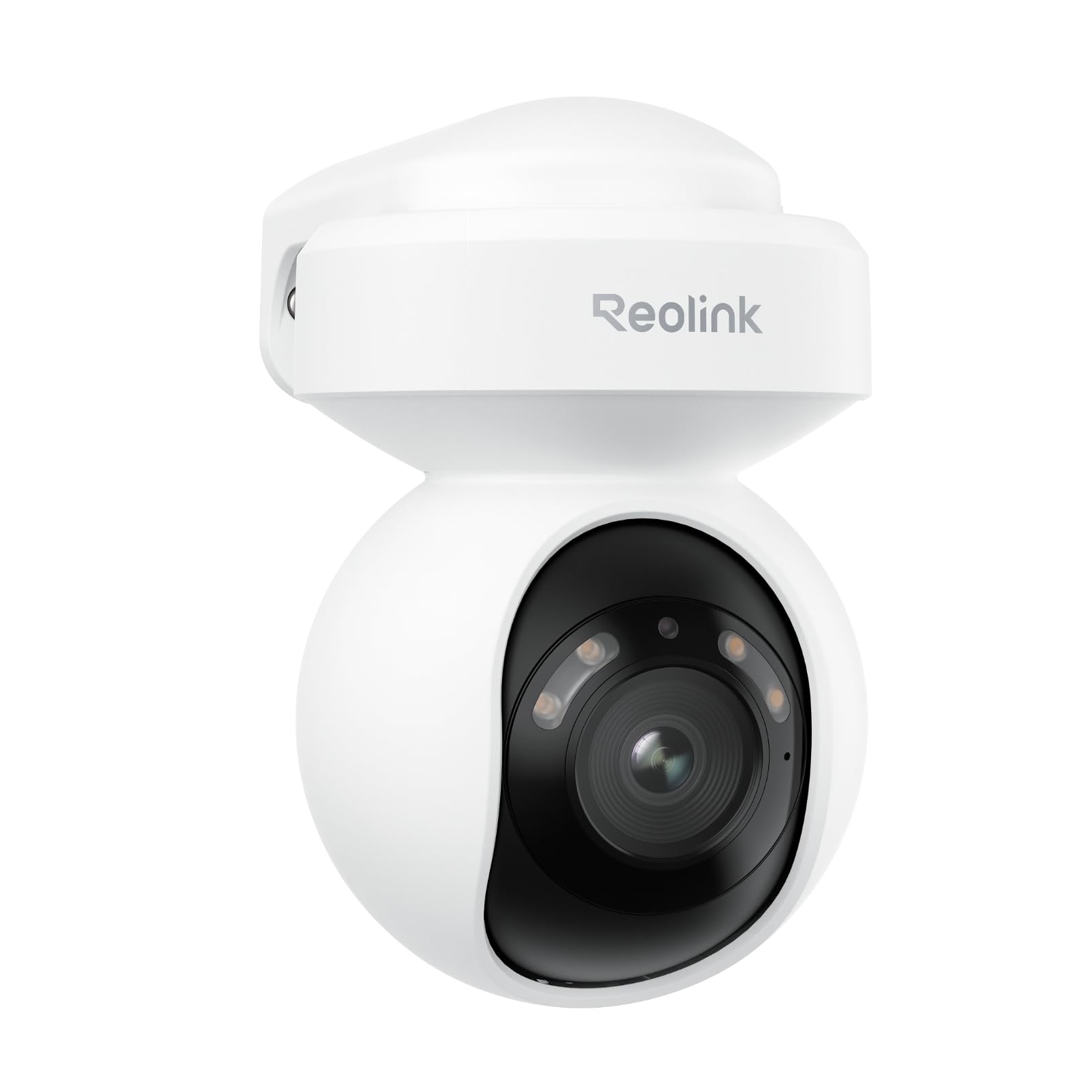
Image 1.1: Reolink E1 Outdoor S Camera Overview
2. انتهى المنتجview
2.1 الميزات الرئيسية
- Ultra HD 4K Clarity: Captures rich details with 8MP resolution, even in low-light conditions, thanks to its F1.6 large aperture lens.
- Dual-Band Wi-Fi 6 Connectivity: Experience faster and more stable streaming with next-generation Wi-Fi 6, supporting both 2.4GHz for reliable coverage and 5GHz for quicker data transfer.
- Smart Detection (Person/Vehicle/Pet): Advanced AI technology accurately detects people, vehicles, and pets, reducing false alerts. Customizable detection zones and sensitivity are available without monthly subscriptions.
- Two-Way Audio & Integrated Alerts: Built-in spotlights and a siren can be triggered to deter intruders. Receive real-time notifications and emails, and communicate effectively via two-way audio.
- 355° Pan & 50° Tilt with Auto Tracking: Monitor a wide area with flexible pan and tilt capabilities, and automatically track detected objects to keep them in view.
- رؤية ليلية ملونة: See vivid details in color even in darkness.
2.2 محتويات العبوة
- Reolink E1 Outdoor S Camera x1
- Power Adapter (12V 1A) with 140cm cable
- 6m (19ft) Power Extension Cable
- 1m (3ft) Network Cable
- قالب التركيب
- مسامير التثبيت
- دليل البدء السريع
2.3 مخطط الكاميرا

Image 2.1: E1 Outdoor S Component Diagram. Labels include microSD card slot (up to 512GB, not included), Aluminum Alloy Casing, Spotlights, Lens, Microphone, Reset Button, Power Cable, Network Cable (for initial setup only, PoE not supported), and IR LED.
3. الإعداد
3.1 التكوين الأولي
Follow these steps for the initial setup of your Reolink E1 Outdoor S camera:
- Connect the camera to your router using the provided Ethernet cable.
- Download the Reolink App from your device's app store.
- Open the app and follow the on-screen instructions to add your camera and configure Wi-Fi settings.
- Once Wi-Fi is configured and the camera is connected, you may disconnect the Ethernet cable.

Image 3.1: Initial setup process showing connecting the camera to a router, configuring Wi-Fi via the Reolink app, and disconnecting the Ethernet cable.
3.2 تركيب الكاميرا
The E1 Outdoor S camera can be mounted on a wall or ceiling. Choose a location that provides the desired viewزاوية التصوير وضمن نطاق شبكة الواي فاي الخاصة بك ومأخذ الطاقة.
- Use the mounting template to mark screw positions.
- قم بحفر ثقوب وإدخال مسامير التثبيت في الحائط إذا لزم الأمر.
- Secure the camera bracket with screws.
- Attach the camera to the bracket and adjust its angle.

Image 3.2: Flexible installation options for the E1 Outdoor S, including wall and ceiling mounting, and its weather-resistant design.
4. تعليمات التشغيل
4.1 Reolink App Usage
The Reolink App is the primary interface for controlling and monitoring your camera. It allows you to view live feeds, adjust settings, and receive alerts.
- يعيش View: Access real-time video from your camera.
- التشغيل: Review تم تسجيل فوtage stored on the microSD card or NVR.
- إعدادات: Configure motion detection, night vision, audio, and other camera parameters.
Image 4.1: Remote access to the camera feed via the Reolink app on a smartphone and laptop.
4.2 التحريك والإمالة والتكبير (PTZ)
Use the Reolink App to remotely control the camera's pan (horizontal rotation up to 355°) and tilt (vertical movement up to 50°) functions. The camera also supports digital zoom.

Image 4.2: The camera's auto-tracking feature following a person, illustrating its 355° pan and 50° tilt capabilities.
4.3 الكشف الذكي والتنبيهات
The camera's AI can differentiate between people, vehicles, and pets. Configure detection zones and sensitivity in the app to receive precise alerts.

Image 4.3: The camera's AI detection accurately identifying a person, a vehicle, and a pet in a garden setting.
4.4 الصوت ثنائي الاتجاه
Utilize the built-in microphone and speaker for two-way communication. You can speak to visitors or warn off intruders directly through the Reolink App.

Image 4.4: A delivery person interacting with someone via the camera's two-way audio feature.
4.5 خيارات التسجيل
The camera supports local storage via a microSD card (up to 512GB, not included) for continuous or motion-triggered recording. It also supports integration with Network Attached Storage (NAS) and FTP for extended storage solutions.

Image 4.5: The camera's microSD card slot for local storage and options for NAS/FTP integration.
4.6 الرؤية الليلية
The E1 Outdoor S features advanced night vision capabilities, including full-color night vision in low-light conditions and traditional black-and-white infrared night vision when light is minimal.

Image 4.6: Comparison showing vibrant color night vision versus standard black and white night vision.
5. الصيانة
- تنظيف: نظّف عدسة الكاميرا بانتظام بقطعة قماش ناعمة وجافة لضمان جودة صورة نقية. تجنّب استخدام مواد كيميائية قاسية.
- تحديثات البرامج الثابتة: تحقق من وجود تحديثات للبرامج الثابتة وقم بتثبيتها عبر تطبيق Reolink لضمان الأداء الأمثل والوصول إلى الميزات الجديدة.
- الاعتبارات البيئية: Ensure the camera is installed in a location that protects it from extreme weather conditions beyond its IP rating.
6. استكشاف الأخطاء وإصلاحها
6.1 المشكلات والحلول الشائعة
| مشكلة | السبب المحتمل | حل |
|---|---|---|
| الكاميرا غير متصلة/لا يمكن الاتصال | Weak Wi-Fi signal, incorrect Wi-Fi password, network issues. | Ensure camera is within Wi-Fi range. Verify Wi-Fi password. Restart router and camera. Try initial setup with Ethernet cable again. |
| جودة الصورة رديئة | عدسة متسخة، إضاءة منخفضة، عرض نطاق الشبكة. | نظّف العدسة. تأكد من وجود إضاءة كافية لرؤية ليلية مثالية. تحقق من سرعة الشبكة. |
| تنبيهات الحركة الكاذبة | حساسية عالية، عوامل بيئية (مثل الفروع المتحركة). | Adjust motion detection sensitivity and configure detection zones in the Reolink App. |
| لا يتم التسجيل على بطاقة SD | SD card full, faulty, or not inserted correctly. Recording schedule not set. | Check SD card status in the app. Format or replace the SD card. Ensure recording schedule is enabled. |
7. المواصفات
| ميزة | التفاصيل |
|---|---|
| نموذج المنتج | E1 خارجي S |
| مستشعر الصورة | 8 ميجابكسل (4K UHD) |
| تنسيق الفيديو | إم بي 4 |
| الاتصال | Wi-Fi (2.4GHz/5GHz), Wired (Ethernet) |
| مصدر الطاقة | AC Power (Plug-in) |
| نطاق التحريك/الإمالة | مقلاة 355 درجة ، إمالة 50 درجة |
| تخزين | MicroSD card (up to 512GB), NAS, FTP |
| صوتي | صوت ثنائي الاتجاه |
| المميزات الخاصة | Smart Person/Vehicle/Pet Detection, Auto Tracking, Color Night Vision, Spotlights, Siren |
| بيئة الاستخدام | في الهواء الطلق |
| أبعاد | 9 × 9 × 10 سم |
8. الضمان والدعم
Reolink products come with a limited warranty. For detailed warranty information, please refer to the official Reolink webالموقع الإلكتروني أو بطاقة الضمان المرفقة في العبوة.
For technical support, troubleshooting assistance, or any product-related inquiries, please visit the official Reolink support page at reolink.com/support. You can also find FAQs, firmware updates, and user forums there.
9. فيديو المنتجview
شاهد هذا الفيديو الرسمي للحصول على نظرة عامة.view of the Reolink E1 Outdoor S camera's features and capabilities.
Video 9.1: Official Reolink E1 Outdoor S Product Overview. This video highlights features such as 4K resolution, Wi-Fi 6 connectivity, 360° coverage with auto-tracking, and smart detection for people, animals, and vehicles.