
1. انتهى المنتجview
The PAXA Clipbuds 7 are open-ear wireless earbuds designed for comfort and situational awareness. They feature Bluetooth 5.4 connectivity, a dual LED battery display, touch controls, and IP45 water resistance.
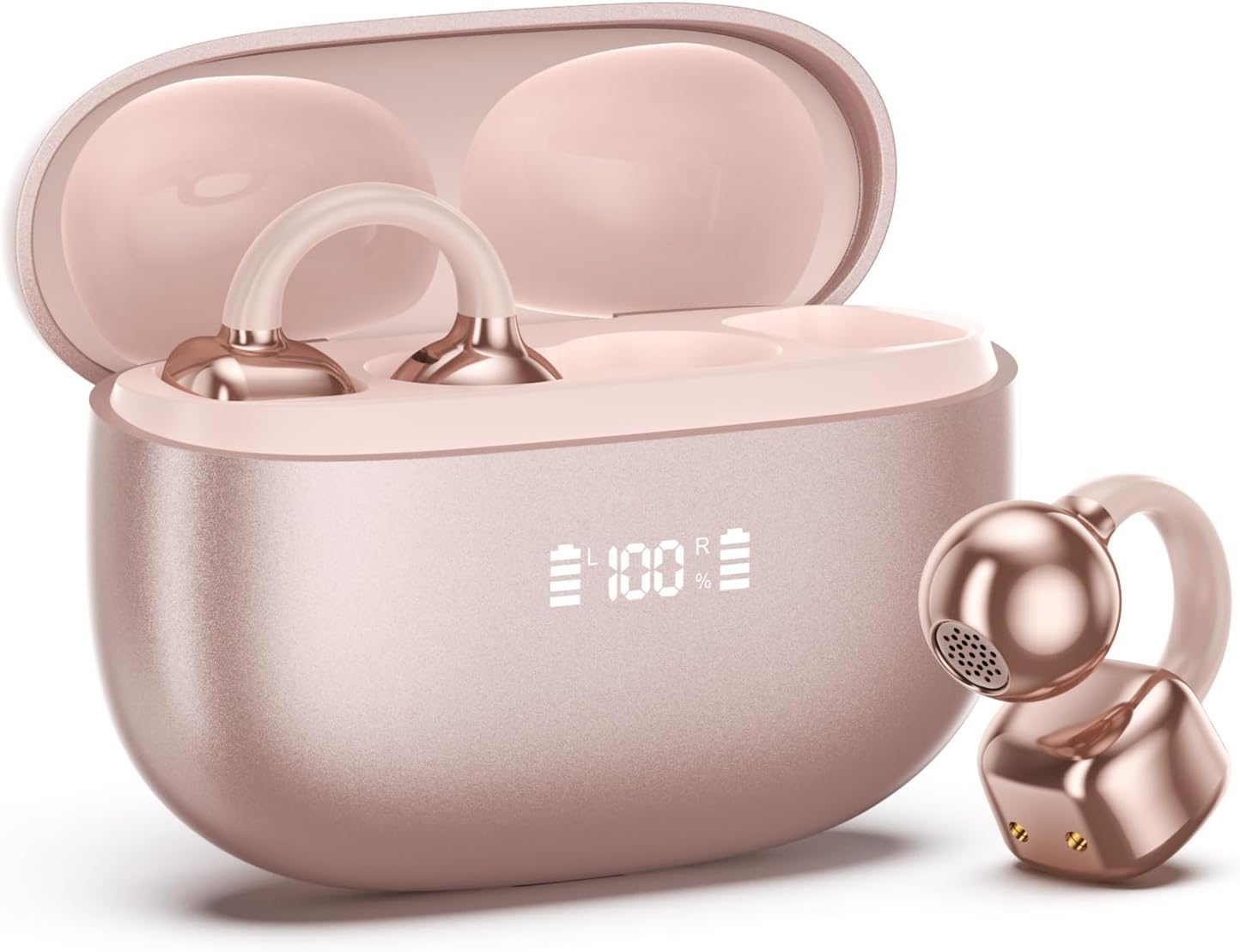
Image 1.1: PAXA Clipbuds 7 Rose Gold Earbuds and Charging Case. The earbuds are shown in their open charging case, which features an LED display indicating battery levels. One earbud is also shown outside the case.
المميزات الرئيسية:
- Open-ear design for comfort and environmental awareness.
- تقنية بلوتوث 5.4 لاتصال لاسلكي مستقر وفعال.
- Dual LED display on charging case for battery status.
- Touch controls for music, calls, and voice assistant.
- يصل وقت التشغيل الإجمالي إلى 44 ساعة مع علبة الشحن.
- مقاومة الغبار والماء IP45.
- Ultra-lightweight design (4.5g per earbud).
2. محتويات العبوة
تأكد من وجود جميع العناصر في العبوة:
- Clip on Earbuds (1 pair)
- Wireless Charging Case (1)
- كابل شحن (1)
- دليل المستخدم (1)
3. الإعداد والاقتران
3.1 الشحن الأولي
Before first use, fully charge the earbuds and the charging case. Connect the provided charging cable to the Type-C port on the charging case and a USB power source. The LED display on the case will indicate the charging status.
3.2 ارتداء سماعات الأذن
The Clipbuds 7 are designed to clip onto the thinnest part of your ear. Adjust the earbud tip to align with your ear canal for optimal sound and comfort.
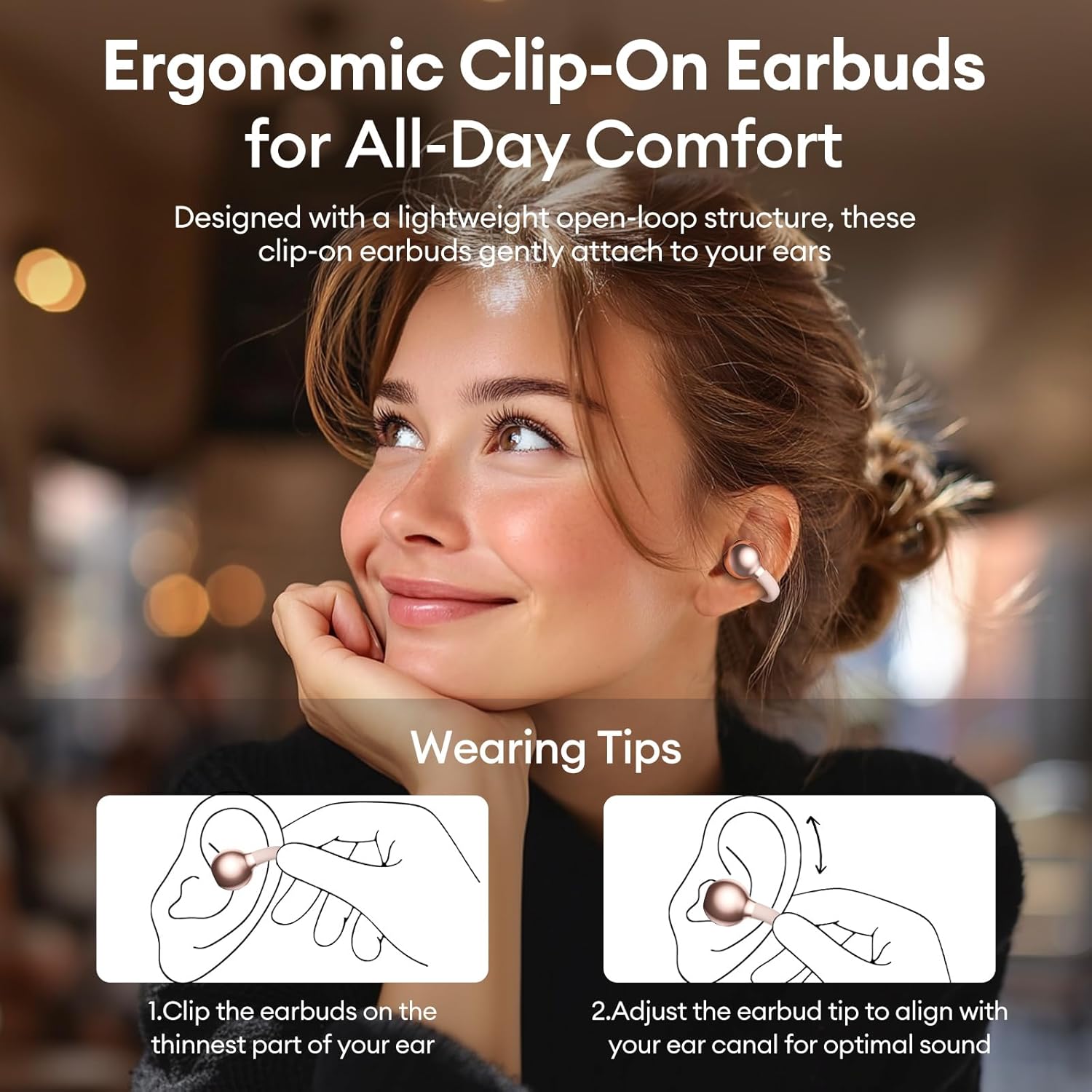
Image 3.2: Wearing instructions for PAXA Clipbuds 7. The diagram illustrates clipping the earbud onto the ear and adjusting for fit.
3.3 اقتران بلوتوث
- تأكد من شحن سماعات الأذن ووضعها داخل علبة الشحن.
- افتح علبة الشحن. ستدخل سماعات الأذن تلقائيًا في وضع الاقتران.
- على جهازك (الهاتف الذكي، الجهاز اللوحي، الكمبيوتر المحمول)، انتقل إلى إعدادات البلوتوث.
- بحث عن "Clipbuds 7" in the list of available devices and select it to connect.
- Once connected, the earbuds will automatically pair with your device in the future when removed from the case.
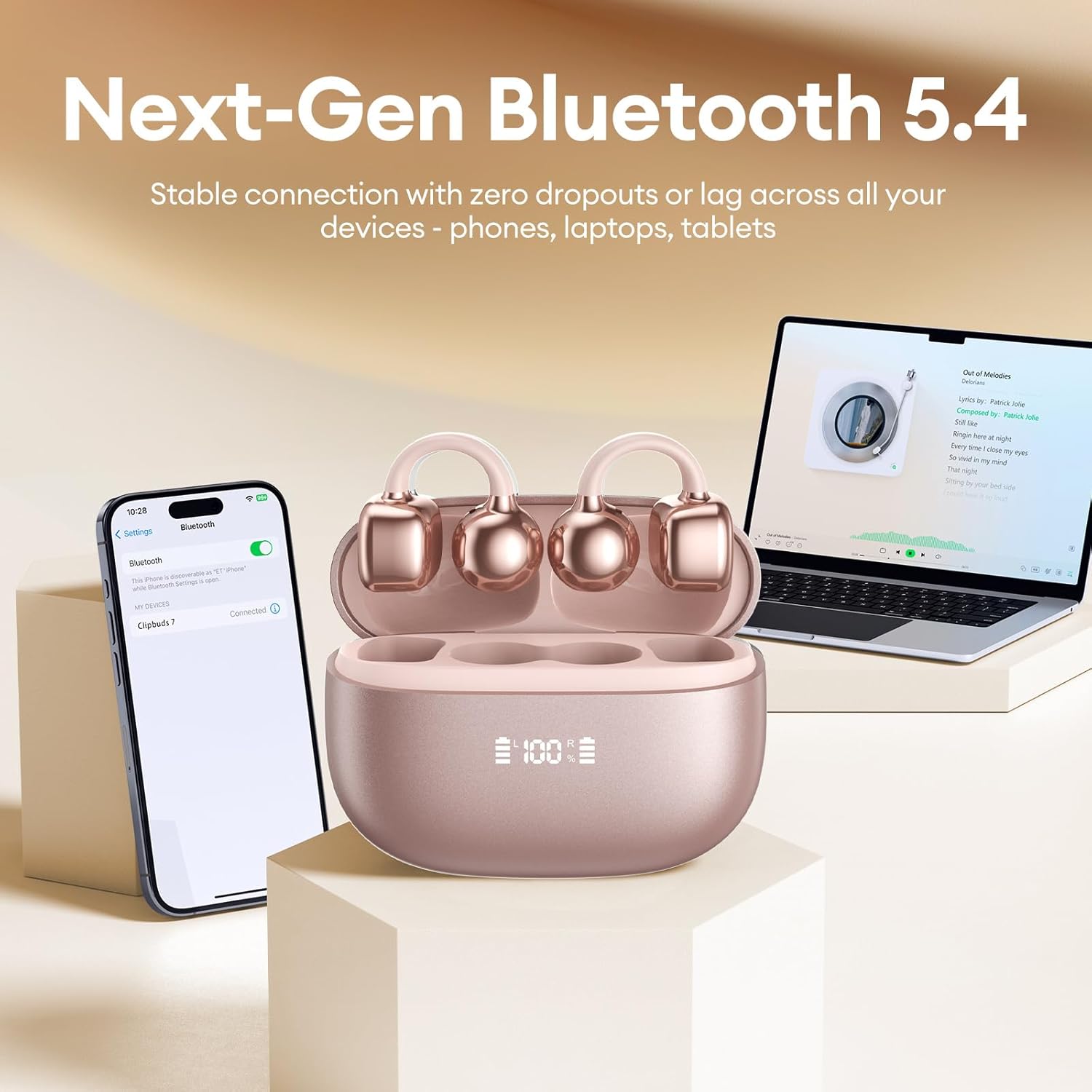
Image 3.3: PAXA Clipbuds 7 connected via Bluetooth to a smartphone and a laptop, demonstrating multi-device compatibility.
4. تعليمات التشغيل
4.1 الضوابط التي تعمل باللمس
The Clipbuds 7 feature sensitive touch controls on each earbud. Refer to the following table for functions:

Image 4.1: Visual guide for PAXA Clipbuds 7 touch controls, showing actions for calls, music, and voice assistant.
| وظيفة | فعل |
|---|---|
| الرد على المكالمة/إنهائها | Double-click either earbud |
| رفض المكالمة | اضغط مع الاستمرار على إحدى سماعات الأذن لمدة ثانيتين |
| تشغيل/إيقاف مؤقت | Double-click either earbud |
| الأغنية السابقة | Triple-click the left (L) earbud |
| الأغنية التالية | Triple-click the right (R) earbud |
| حجم + | Click the right (R) earbud |
| الصوت - | Click the left (L) earbud |
| Voice Assistant (Siri, Google Assistant) | Hold both earbuds for 2 seconds |
شاشة عرض البطارية LED مقاس 4.2 بوصة
The charging case features a dual LED display that shows the battery percentage of the case and each individual earbud (L and R).
4.3 Open-Ear Awareness
The open-ear design allows you to hear your audio while remaining aware of your surroundings. This feature is beneficial for activities like running, cycling, or commuting where situational awareness is important.

Image 4.3: Individuals using PAXA Clipbuds 7 during work, sports, and social gatherings, highlighting their versatility and open-ear design.
5. البطارية والشحن
The Clipbuds 7 offer extended battery life for prolonged use.
- وقت تشغيل سماعة الأذن: ما يصل إلى 8 ساعة بتهمة واحدة.
- إجمالي وقت اللعب: تصل إلى 44 ساعة مع علبة الشحن.
- الشحن السريع: 10 minutes of charging provides approximately 3 hours of playtime.

Image 5.1: Illustration of the PAXA Clipbuds 7 charging case, highlighting the 44-hour total battery life and fast charging capability.
6. الصيانة والعناية
6.1 مقاومة الماء والغبار
The Clipbuds 7 have an IP45 rating, making them resistant to dust and splashes of water. This means they can withstand sweat and light rain, making them suitable for workouts and outdoor activities. However, they are not designed for submersion in water.
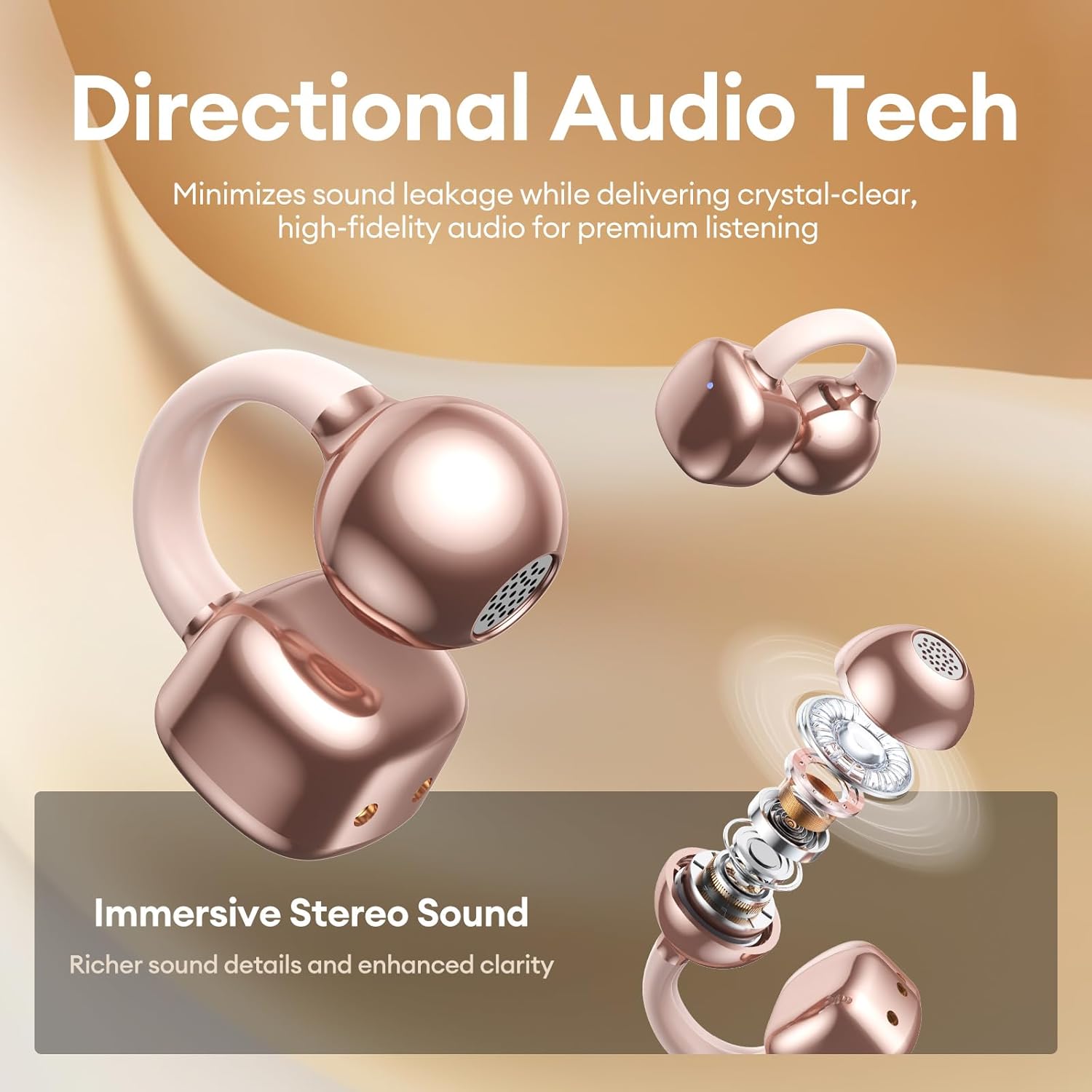
Image 6.1: A person wearing PAXA Clipbuds 7 during light rain, illustrating the IP45 water resistance feature.
6.2 التنظيف
To maintain optimal performance and hygiene, regularly clean your earbuds and charging case with a soft, dry, lint-free cloth. Avoid using abrasive materials or harsh chemicals.
7. استكشاف الأخطاء وإصلاحها
If you encounter issues with your Clipbuds 7, try the following solutions:
- لا توجد مشاكل في الصوت/الاتصال:
- تأكد من شحن سماعات الأذن.
- تأكد من تمكين البلوتوث على جهازك.
- Forget "Clipbuds 7" from your device's Bluetooth list and re-pair.
- Ensure earbuds are within Bluetooth range (up to 50 feet).
- سماعات الأذن لا تشحن:
- تأكد من توصيل كابل الشحن بشكل آمن بكل من العلبة ومصدر الطاقة.
- تأكد من أن علبة الشحن نفسها مزودة بالطاقة.
- قم بتنظيف نقاط اتصال الشحن الموجودة على سماعات الأذن والعلبة.
- عناصر التحكم باللمس لا تستجيب:
- تأكد من أن أصابعك نظيفة وجافة.
- أعد تشغيل سماعات الأذن عن طريق وضعها في العلبة وإغلاقها، ثم إعادة فتحها.
8. المواصفات
| ميزة | التفاصيل |
|---|---|
| اسم الموديل | كليب بودز 7 |
| ماركة | باكسا |
| تكنولوجيا الاتصال | لاسلكي (بلوتوث) |
| نسخة البلوتوث | 5.4 |
| مدى البلوتوث | حتى 50 قدم |
| وضع الأذن | أذن مفتوحة |
| نوع التحكم | التحكم باللمس |
| عمر البطارية (شحنة واحدة) | 8 ساعة |
| إجمالي عمر البطارية (مع العلبة) | 44 ساعة |
| مستوى مقاومة الماء | IP45 (Dust/Water Resistant) |
| التحكم في الضوضاء | Hybrid Noise Cancellation (ENC for calls) |
| مادة | Silicone Rubber + Plastic |
| وزن العنصر | 2.39 أونصات |
| المكونات المضمنة | Clip on Earbuds, Wireless Charging Case, Charging Cable, User Manual |
9. الضمان والدعم
For warranty information and customer support, please refer to the contact details provided with your purchase or visit the official PAXA webالموقع. احتفظ بإثبات الشراء الخاص بك لاستخدامه في أي مطالبات بالضمان.
10. مقاطع فيديو رسمية للمنتج
The following videos provide additional information and demonstrations of the PAXA Clipbuds 7.
PAXA Clipbuds7 Open Ear Clip On Earbuds with LED Display
Video 10.1: This video from PAXA Direct showcases the features of the Clipbuds 7, including the LED display and open-ear design. It demonstrates the product's appearance and some functionalities.
PAXA High-Street Jewelry Open Ear Clip On Earbuds
Video 10.2: This video from PAXA Direct highlights the aesthetic and design aspects of the Clipbuds 7, emphasizing their jewelry-like appearance and comfortable fit.