
1. المقدمة
Thank you for choosing the NBD K200 64MP 4K Digital Camera. This manual provides essential information for setting up, operating, and maintaining your camera to ensure optimal performance. Please read this manual thoroughly before using the camera and retain it for future reference.
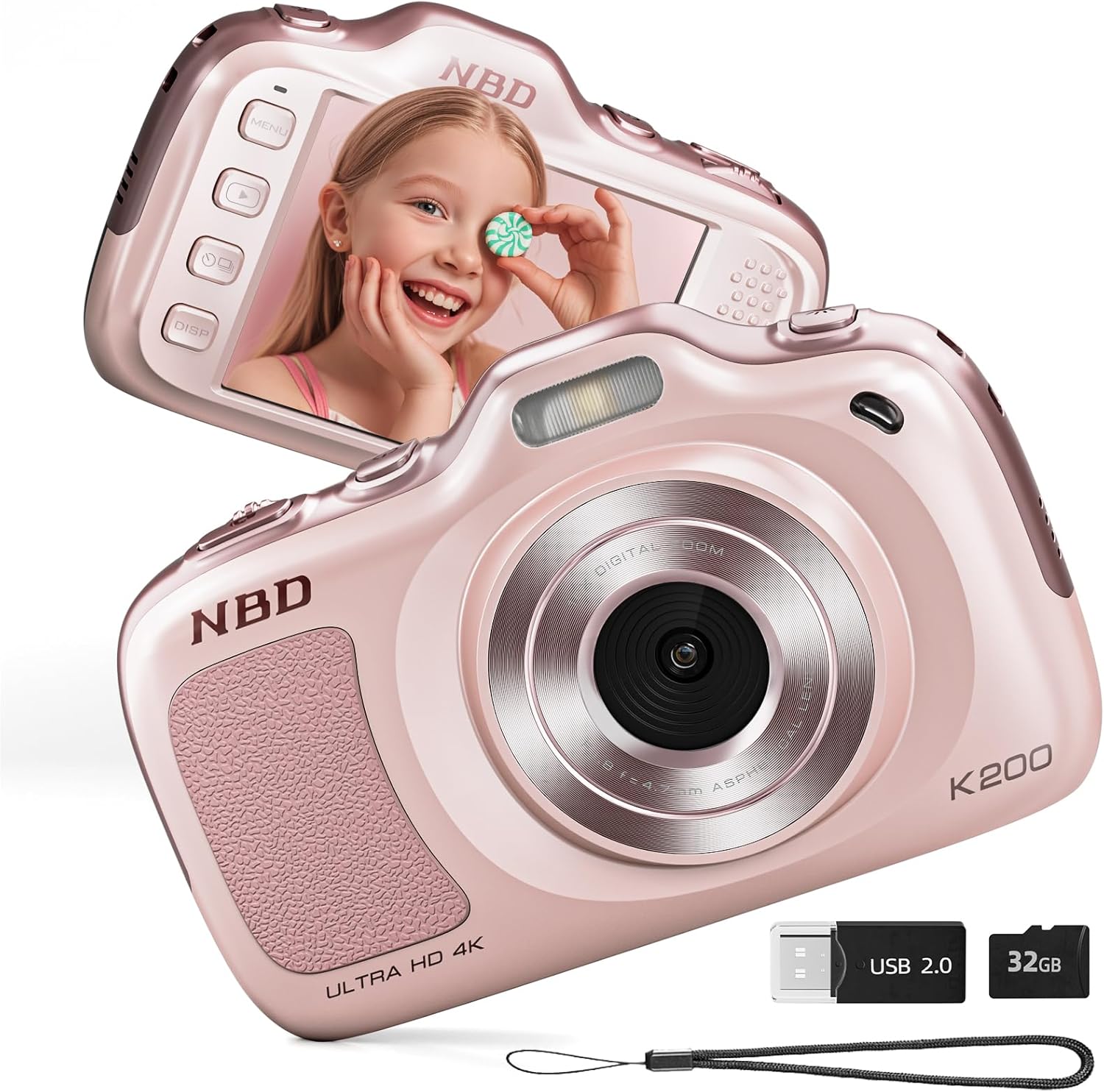
الصورة 1.1: الأمامي والخلفي view of the NBD K200 Digital Camera.
2. انتهى المنتجview
2.1 محتويات الصندوق
- NBD K200 Camera Body
- بطاقة ذاكرة TF سعة 32 جيجابايت (مثبتة مسبقًا أو منفصلة)
- كابل USB-C
- حزام الرقبة
- عدسة تنظيف القماش
- قارئ البطاقات

Image 2.1: Included accessories with the NBD K200 camera.
2.2 الميزات الرئيسية
- 64 Megapixel Photos: التقاط صور ثابتة عالية الدقة.
- تسجيل فيديو 4K: Record videos in Ultra HD resolution.
- تقريب رقمي 16X: Magnify distant subjects for detailed shots.
- التركيز التلقائي: Ensures subjects are sharp and clear.
- استقرار ضد الاهتزاز: يقلل من التشويش الناتج عن حركة الكاميرا.
- أوضاع المشهد المتعددة: Includes Sport, Portrait, Night, Beauty, and Burst modes.
- تصميم صغير الحجم وقابل للحمل: Lightweight for easy carrying.
- High-Speed USB Transfer: Facilitates quick transfer of files to other devices.
3. الإعداد
3.1 تركيب البطارية وشحنها
- Locate the battery compartment cover on the camera.
- Open the cover and insert the two included Lithium-Ion batteries, ensuring correct polarity.
- أغلق غطاء حجرة البطارية جيدًا.
- Connect the camera to a power source using the provided USB-C cable to fully charge the batteries before first use. A full charge allows for approximately 300 photos.
3.2 تركيب بطاقة الذاكرة
- حدد مكان فتحة بطاقة الذاكرة TF على جانب الكاميرا.
- Insert the included 32GB TF card into the slot until it clicks into place. Ensure the card is inserted in the correct orientation.
- To remove the card, gently press it inward until it springs out.
3.3 ربط حزام الرقبة
Thread the neck strap through the designated loop on the camera body to prevent accidental drops and for convenient carrying.

Image 3.1: The NBD K200 camera with an attached neck strap for portability.
4. تعليمات التشغيل
4.1 تشغيل/إيقاف التشغيل
- لتشغيل الجهاز، اضغط مع الاستمرار على زر التشغيل حتى تضيء الشاشة.
- لإيقاف التشغيل، اضغط مع الاستمرار على زر الطاقة مرة أخرى حتى تنطفئ الشاشة.
4.2 التقاط الصور
- Ensure the camera is in photo mode (indicated on the LCD screen).
- Frame your shot using the LCD screen. The camera features auto-focus to ensure clarity.
- Press the shutter button halfway to activate auto-focus, then press fully to capture the image.

Image 4.1: Demonstrating autofocus and timer for capturing photos.
4.3 تسجيل مقاطع الفيديو
- Switch the camera to video mode using the Multi-Functional Roller Button or menu options.
- Press the shutter button to start recording. A red indicator will typically appear on the screen.
- اضغط على زر الغالق مرة أخرى لإيقاف التسجيل.

Image 4.2: Capturing 4K video with the NBD K200 camera.
4.4 وظيفة التكبير
Utilize the 16X digital zoom by adjusting the Multi-Functional Roller Button. Roll it left to zoom out and right to zoom in. The zoom level will be displayed on the screen.
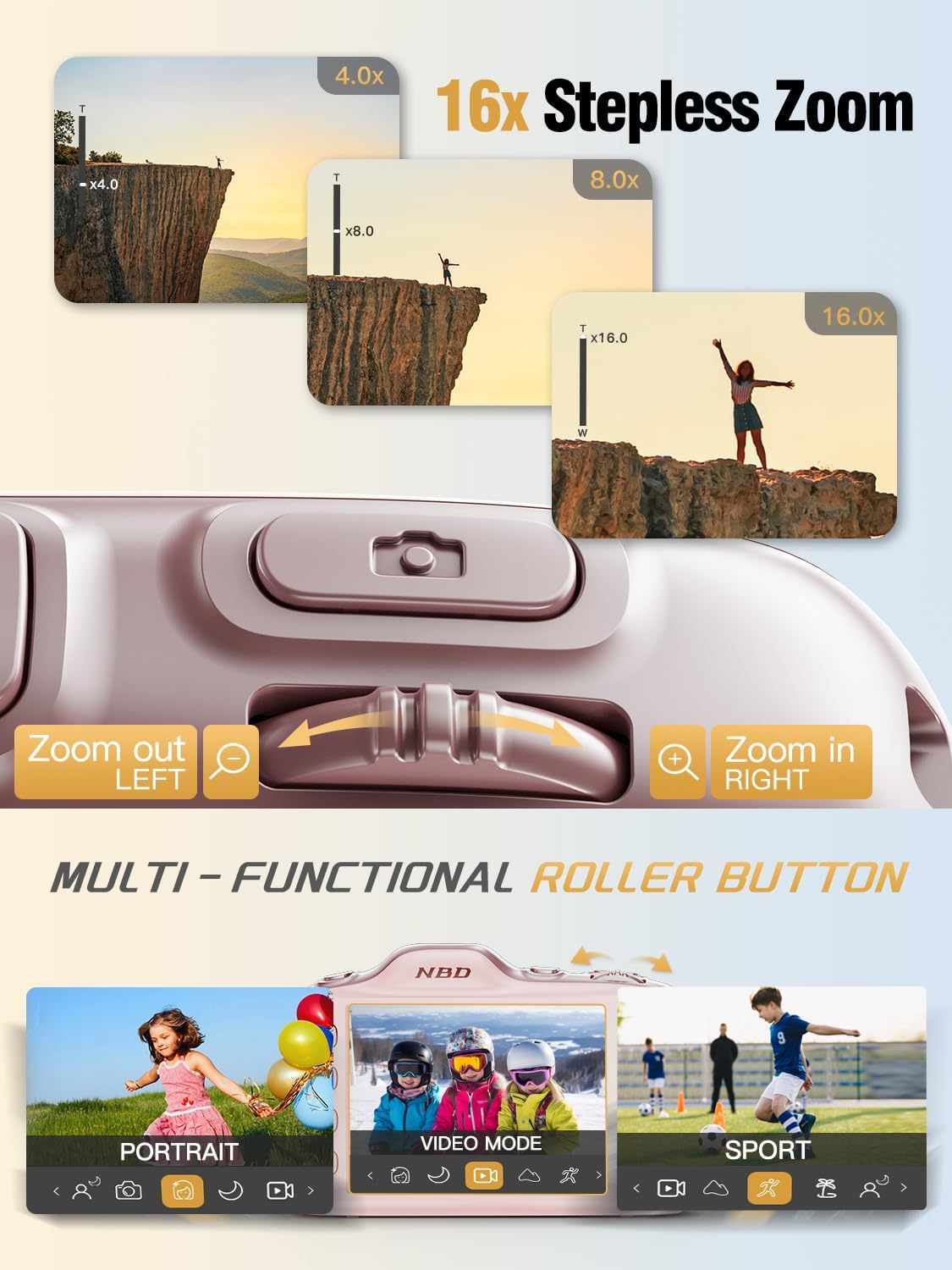
Image 4.3: Using the 16X stepless zoom feature.
4.5 Shooting Modes and Filters
The NBD K200 offers various shooting modes and built-in filters to enhance your photography:
- الوضع الرياضي: Optimized for capturing fast-moving subjects.
- الوضع الرأسي: Enhances facial features and softens backgrounds.
- الوضع الليلي: Improves image quality in low-light conditions.
- وضع الجمال: Applies subtle enhancements to portraits.
- وضع الانفجار: يلتقط سلسلة سريعة من الصور.
- Built-in Filters: Apply effects like Vintage, Warm Tone, Cool Tone, Sepia, Sketch, and Japan Style.

الصورة 4.4: انتهىview of K200's multiple shooting modes.
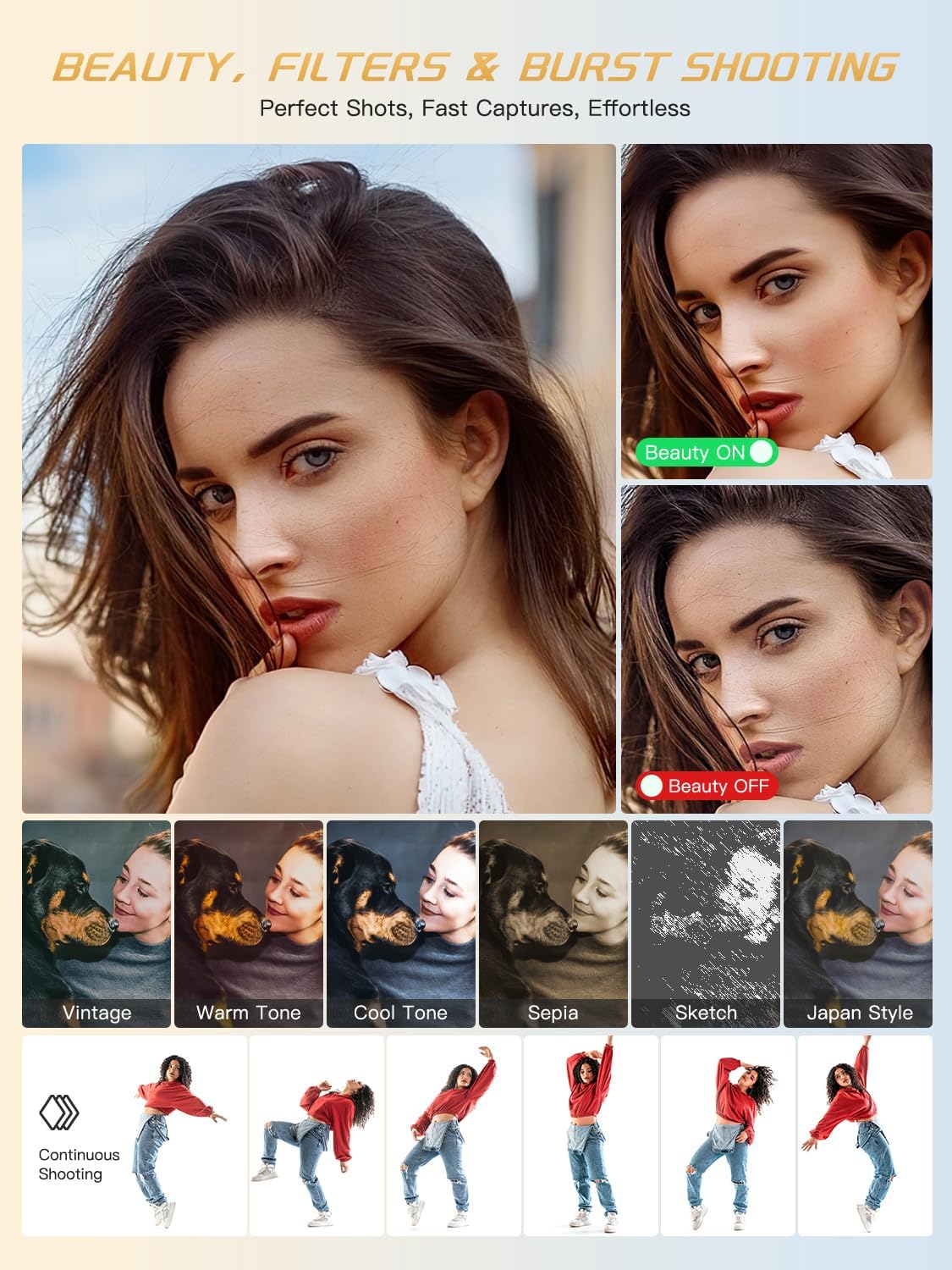
الصورة 4.5: مثالamples of beauty mode, filters, and burst shooting.
4.6 استخدام الفلاش
The camera features a built-in flash for illuminating subjects in low-light conditions. The flash can be activated or deactivated via a dedicated physical button or through the camera's menu settings.
4.7 النقل Files
To transfer photos and videos to a computer or smartphone:
- Connect the camera to your device using the provided USB-C cable.
- ستظهر الكاميرا كوحدة تخزين قابلة للإزالة على جهاز الكمبيوتر الخاص بك.
- السحب والإفلات files from the camera's memory card to your desired location.
- Alternatively, remove the TF card and use the included card reader to transfer files.
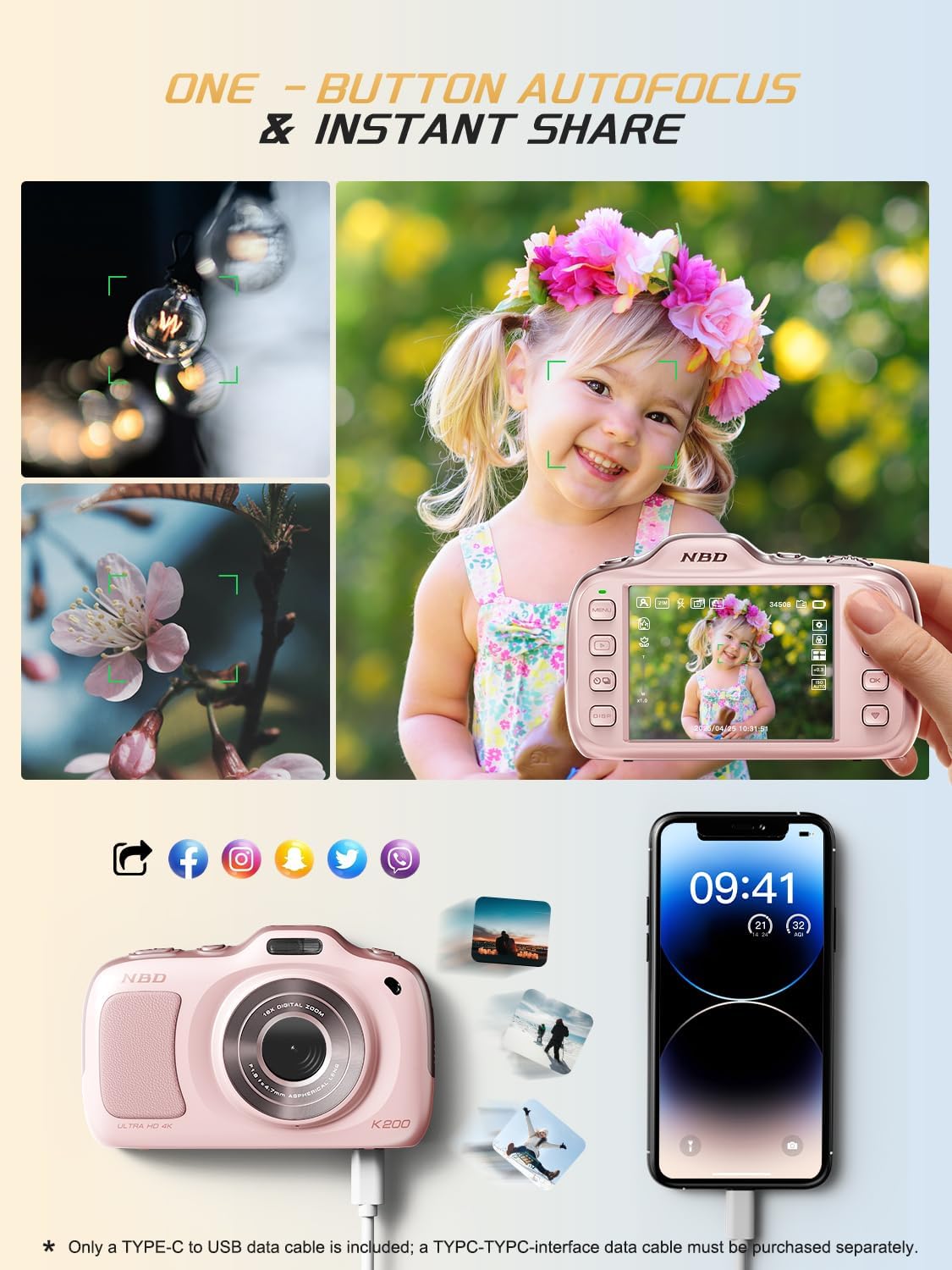
Image 4.6: One-button autofocus and instant sharing capabilities.
5. الصيانة
5.1 تنظيف الكاميرا
- Use the provided lens cleaning cloth to gently wipe the lens and screen.
- For the camera body, use a soft, dry cloth. Avoid using harsh chemicals or abrasive materials.
5.2 التخزين
- قم بتخزين الكاميرا في مكان بارد وجاف بعيدًا عن أشعة الشمس المباشرة ودرجات الحرارة القصوى.
- قم بإزالة البطاريات إذا كنت لن تستخدم الكاميرا لفترة طويلة.
6. استكشاف الأخطاء وإصلاحها
| مشكلة | الحل المحتمل |
|---|---|
| الكاميرا لا تعمل. | Ensure batteries are correctly inserted and fully charged. Try charging the camera for at least 30 minutes. |
| رسالة خطأ "لا توجد بطاقة". | Check if the TF card is inserted correctly. Reinsert the card or try a different compatible TF card. |
| الصور ضبابية. | Ensure auto-focus is engaged. Clean the lens. Use anti-shake stabilization if available. Ensure sufficient lighting. |
| لا يمكن النقل fileس إلى الكمبيوتر. | Verify the USB-C cable connection. Try a different USB port or computer. Ensure the camera is powered on during transfer. |
7. المواصفات
| ميزة | التفاصيل |
|---|---|
| اسم الموديل | ك200 |
| تقنية مستشعر الصور | سيموس |
| أقصى دقة للصورة | 64 ميجا بكسل |
| دقة الفيديو | 2160p (4K) at 30 FPS |
| تقريب رقمي | 16x |
| تثبيت الصورة | بصري |
| تقنية التركيز التلقائي | Contrast Detection (19 points) |
| فتحة | ف1.8 |
| حجم الشاشة | شاشة LCD مقاس 3 بوصة |
| تخزين الذاكرة | 32 GB TF Card (included) |
| مدعوم File شكل | جبيغ، MP4 |
| نوع البطارية | 2 بطاريات ليثيوم أيون (متضمنة) |
| وزن العنصر | 0.26 كيلوغرام |
| تكنولوجيا الاتصال | يو اس بي-سي |
| مستوى مقاومة الماء | غير مقاوم للماء |
8. الضمان والدعم
NBD products are manufactured to high-quality standards. For information regarding warranty coverage, technical support, or service inquiries, please refer to the contact information provided with your purchase or visit the official NBD webيرجى الاحتفاظ بإثبات الشراء الخاص بك للمطالبة بالضمان.