
1. المقدمة
This manual provides essential information for the proper setup, operation, and maintenance of your Veout 15.6-inch Portable Monitor. Please read these instructions thoroughly before using the product to ensure optimal performance and longevity.
2. محتويات العبوة
تأكد من وجود جميع العناصر المدرجة أدناه في عبوة المنتج:
- 1 × شاشة محمولة
- 1 × كابل USB-A إلى USB-C
- 1 × كابل USB-C إلى USB-C
- 1 × كابل HDMI صغير إلى HDMI
- 1 × دليل المستخدم

Figure 2.1: Included accessories with the portable monitor.
3. انتهى المنتجview
The Veout portable monitor features a 15.6-inch IPS display with a slim profile and integrated kickstand for versatile use.
3.1. السمات الجسدية

الشكل 3.1: الجبهة view of the Veout 15.6-inch Portable Monitor.

الشكل 3.2: خلفي view highlighting connectivity ports.

الشكل 3.3: الجانب الإيجابيfile demonstrating the monitor's thin design.
3.2. المنافذ وأدوات التحكم
- Full-Function USB-C Ports: For video, audio, data, and power delivery with a single cable.
- منفذ HDMI صغير: For video and audio input. Requires external power via USB-C when used.
- مقبس صوت 3.5 ملم: لتوصيل سماعات الرأس أو مكبرات الصوت الخارجية.
- Control Wheel/Buttons: Used for adjusting volume, brightness, and navigating the On-Screen Display (OSD) menu.
3.3. Integrated Kickstand
The monitor features a foldable kickstand for stable positioning at various viewزوايا متعددة.
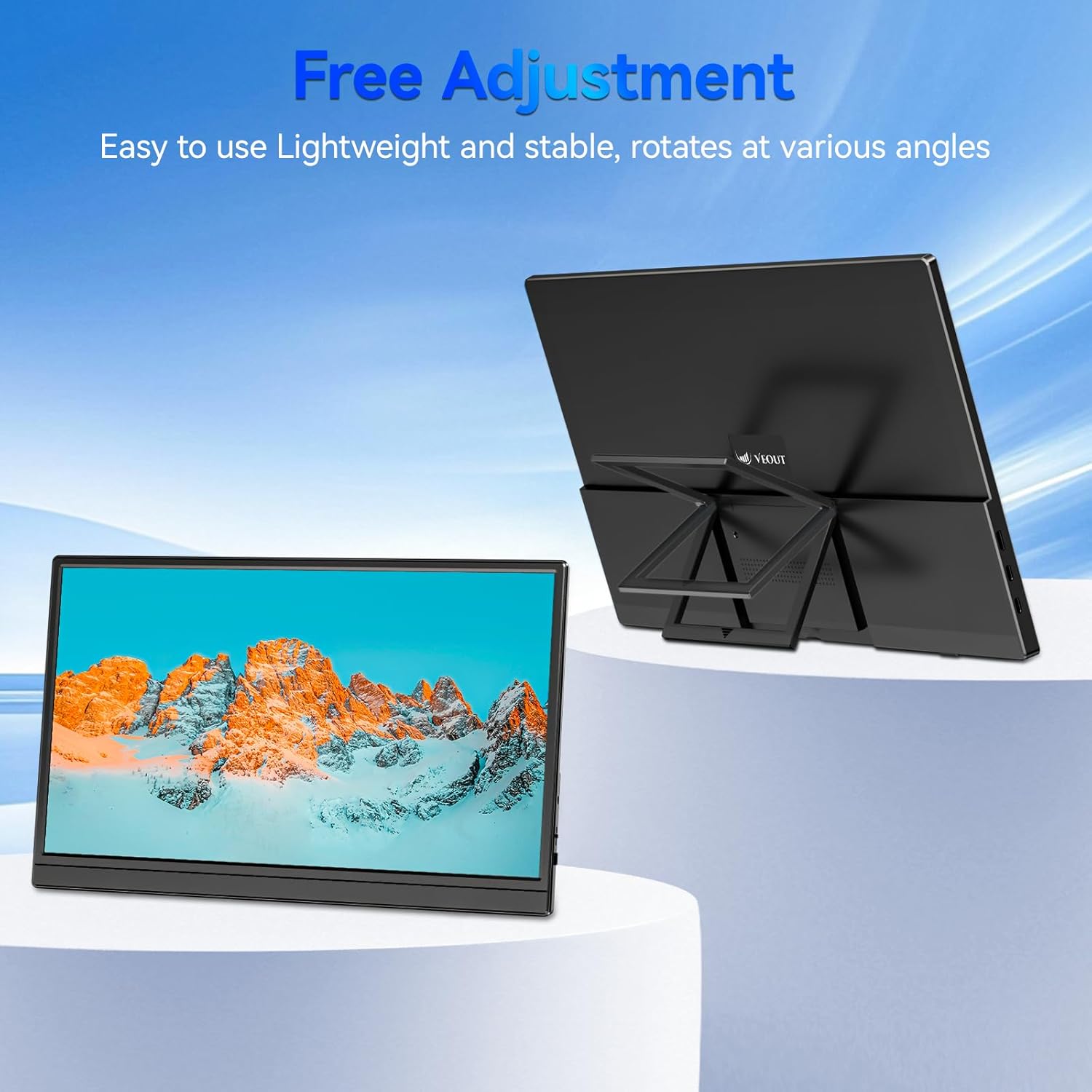
Figure 3.4: Monitor with kickstand for adjustable viewعمل.
4. الإعداد
The Veout portable monitor supports plug-and-play functionality, requiring no driver installation for most devices.
4.1. الاتصال بجهاز
- USB-C Connection (Single Cable):
- Connect one end of the USB-C to USB-C cable to a full-function USB-C port on your laptop, smartphone, or other compatible device.
- Connect the other end of the USB-C to USB-C cable to one of the full-function USB-C ports on the portable monitor.
- This connection provides video, audio, and power to the monitor.
- HDMI Connection (Requires Additional Power):
- Connect one end of the Mini-HDMI to HDMI cable to the Mini-HDMI port on the monitor.
- Connect the other end of the Mini-HDMI to HDMI cable to the HDMI port on your device.
- For power, connect the USB-A to USB-C cable or a USB-C to USB-C cable from your device's USB port or a power adapter (not included) to one of the monitor's USB-C ports.
4.2. Positioning the Monitor
Deploy the integrated kickstand to position the monitor on a flat surface. Adjust the angle for optimal viewing. The monitor can be used in both landscape and portrait orientations.

Figure 4.1: Monitor used in portrait mode for document viewعمل.
5. تعليمات التشغيل
5.1. أوضاع العرض
When connected to a computer, you can configure the display mode through your operating system's display settings:
- Copy Mode (Mirror Display): Duplicates your primary screen's content onto the portable monitor. Useful for presentations or sharing content.
- الوضع الموسع: Extends your desktop across both screens, providing additional workspace for multitasking.
- وضع الشاشة الثانية فقط: Displays content only on the portable monitor, with the primary device's screen turned off.
5.2. ضبط الإعدادات
The monitor features an intuitive control mechanism for quick adjustments:
- ضبط السطوع: Scroll the control wheel up or down to instantly adjust screen brightness.
- ضبط مستوى الصوت: Scroll the control wheel up or down to instantly adjust speaker volume.
- قائمة OSD: Press the control wheel or designated button to access the On-Screen Display menu for advanced settings like color, contrast, and input source selection.
5.3. تكنولوجيا العناية بالعيون
The monitor incorporates advanced eye-care technology designed to reduce blue light emission and screen flicker, promoting comfortable viewأثناء الاستخدام المطول.
6. الصيانة
To maintain your monitor's performance and appearance, follow these guidelines:
- تنظيف الشاشة: امسح الشاشة برفق بقطعة قماش ناعمة وخالية من الوبر. لإزالة البقع الصعبة، امسح برفقampاغسل قطعة القماش بالماء أو بمحلول تنظيف الشاشة. تجنب المواد الكيميائية القاسية أو المواد الكاشطة.
- تنظيف Casing: استخدم قطعة قماش ناعمة وجافة لتنظيف سطح الشاشة.asing.
- تخزين: When not in use, store the monitor in a cool, dry place, preferably in its original packaging or a protective sleeve.
- تجنب السوائل: Do not expose the monitor to excessive moisture or spill liquids directly onto it.
7. استكشاف الأخطاء وإصلاحها
إذا واجهت مشكلات مع شاشتك، فراجع المشكلات والحلول الشائعة التالية:
| مشكلة | السبب المحتمل | حل |
|---|---|---|
| لا يوجد عرض/رسالة "لا توجد إشارة" | توصيل الكابل غير صحيح، الطاقة غير كافية، مصدر الإدخال غير صحيح. | Ensure cables are securely connected. If using HDMI, ensure a separate power source is connected to the monitor's USB-C port. Check your device's display settings to ensure the monitor is detected and enabled. Select the correct input source via the OSD menu. |
| شاشة متذبذبة | Loose cable connection, incompatible resolution/refresh rate, power fluctuations. | Reconnect cables. Adjust display resolution or refresh rate on your connected device. Ensure stable power supply. |
| لا يوجد صوت من مكبرات الصوت للشاشة | Monitor volume too low, incorrect audio output selected on device. | Increase monitor volume using the control wheel. On your connected device, ensure the portable monitor is selected as the audio output device. |
| الشاشة لا تعمل | No power supply, faulty cable. | Ensure the monitor is receiving power via a USB-C connection from a compatible device or power adapter. Try a different USB-C cable. |
8. المواصفات
| ميزة | التفاصيل |
|---|---|
| رقم موديل المنتج | Veout-15.6 |
| حجم الشاشة | 15.6 بوصة |
| دقة | 1920 × 1080 بكسل (FHD 1080p) |
| نسبة العرض إلى الارتفاع | 16:9 |
| نوع اللوحة | اي بي اس |
| سطح الشاشة | مطفي |
| أبعاد المنتج | 1.97 × 13.78 × 11.02 بوصة |
| وزن العنصر | 3.08 رطل |
| حجم الإدخالtage | 5V |
| التيار المقدر | 3A |
| طاقة الإخراج | 5.5 واط |
| الشركة المصنعة | Guangdong Zhanwei electronic Technology Co., LTD |

Figure 8.1: Product information and certification details.
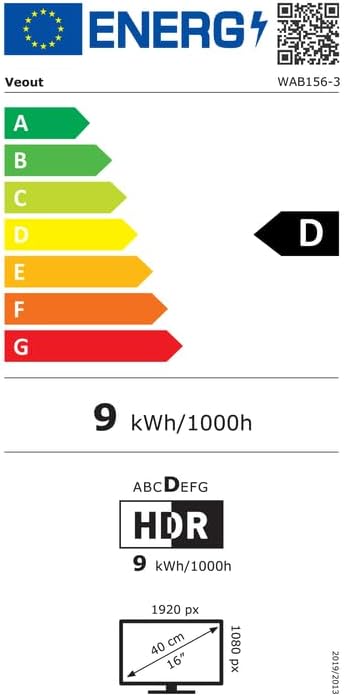
Figure 8.2: EU Energy Label for model WAB156-3. For more details, visit eprel.ec.europa.eu/qr/2209122.
9. الضمان والدعم
Your Veout Portable Monitor is backed by a 12-month warranty from the date of purchase. We are committed to providing customer service and support.
- فترة الضمان: 12 شهرًا
- سياسة العائدات: ضمان استرداد الأموال لمدة 30 يومًا
- خدمة العملاء: Available 24 hours

الشكل 9.1: معلومات الضمان والدعم.
For technical assistance or warranty claims, please contact Veout customer support at support@veout.com.