
1. المقدمة
The Elitech DIT-220 is a high-precision, non-contact infrared thermometer designed for safe and accurate temperature measurement across various applications. This device utilizes laser targeting for precise aim and features adjustable emissivity to ensure accurate readings on different surface types. It is suitable for use by professionals, DIY enthusiasts, and in household settings for monitoring temperatures in industrial, commercial, and domestic environments.
2. معلومات السلامة
يرجى قراءة جميع تحذيرات السلامة والتعليمات بعناية قبل استخدام هذا المنتج. قد يؤدي عدم اتباع هذه التعليمات إلى الإصابة أو تلف الجهاز.
- سلامة الليزر: Do not look directly into the laser beam or point it at people or animals. The laser is used for targeting only and should be used with caution.
- قياس عدم الاتصال: This thermometer measures surface temperature. It is not intended for measuring body temperature.
- السلامة الكهربائية: Do not use the device near strong electromagnetic fields. Keep the device dry and avoid exposure to moisture or extreme temperatures.
- سلامة البطارية: Use only the specified battery type (2x AAA). Ensure correct polarity when installing batteries. Remove batteries if the device will not be used for an extended period. Do not mix old and new batteries or different types of batteries.
- صيانة: لا تحاول تفكيك الجهاز أو تعديله. أحل جميع أعمال الصيانة إلى فنيين مؤهلين.
3. محتويات العبوة
تأكد من وجود جميع العناصر في العبوة:
- Elitech DIT-220 Infrared Thermometer
- 2 بطاريات AAA
- دليل المستخدم (هذا المستند)
4. مواصفات المنتج
- نطاق واسع لدرجة الحرارة: التدابير من -50 درجة مئوية إلى 530 درجة مئوية (-58 درجة فهرنهايت إلى 986 درجة فهرنهايت).
- وقت الاستجابة السريع: Provides readings in approximately 0.5 seconds.
- دقة عالية: ±1.5°C (±2.7°F) or ±1.5% for temperatures between -50°C and 50°C.
- استهداف الليزر: Integrated laser pointer for precise aiming at the target surface.
- الابتعاثية القابلة للتعديل: User-adjustable emissivity from 0.10 to 1.00 for accurate readings on various materials.
- نسبة المسافة إلى البقعة (D:S): 12:1, ensuring accurate measurement from a safe distance.
- MAX/MIN/AVG Mode: Automatically tracks maximum, minimum, and average temperatures during a measurement session.
- شاشة LCD بإضاءة خلفية: Provides clear visibility of readings in various lighting conditions.
- إغلاق ذاتي: يحافظ على عمر البطارية عن طريق إيقاف التشغيل تلقائيًا بعد فترة من عدم النشاط.
- تذكير البطارية منخفضة: يشير إلى متى تحتاج البطاريات إلى الاستبدال.
- مفتاح °C/°F: يمكنك التبديل بسهولة بين وحدات قياس درجة الحرارة المئوية والفهرنهايتية.

الشكل 1: Elitech DIT-220 Infrared Thermometer highlighting its main features.
5. الإعداد
5.1 تركيب البطارية
- حدد مكان غطاء حجرة البطارية على مقبض مقياس الحرارة.
- افتح غطاء حجرة البطارية.
- قم بإدخال بطاريتين AAA، مع التأكد من القطبية الصحيحة (+ و-) كما هو موضح داخل الحجرة.
- أغلق غطاء حجرة البطارية جيدًا.

الشكل 2: Elitech DIT-220 components and battery compartment location.
5.2 تشغيل/إيقاف التشغيل
To power on the device, simply press the measurement trigger. The device will automatically power off after a period of inactivity to conserve battery life.
6. تعليمات التشغيل
6.1 أخذ القياس
- Point the thermometer at the target surface. Ensure the laser pointer (if activated) is aimed at the center of the area you wish to measure.
- Press and hold the measurement trigger. The laser will activate, and the current temperature will be displayed on the LCD screen.
- Release the trigger to hold the measurement on the display. The 'HOLD' icon will appear.
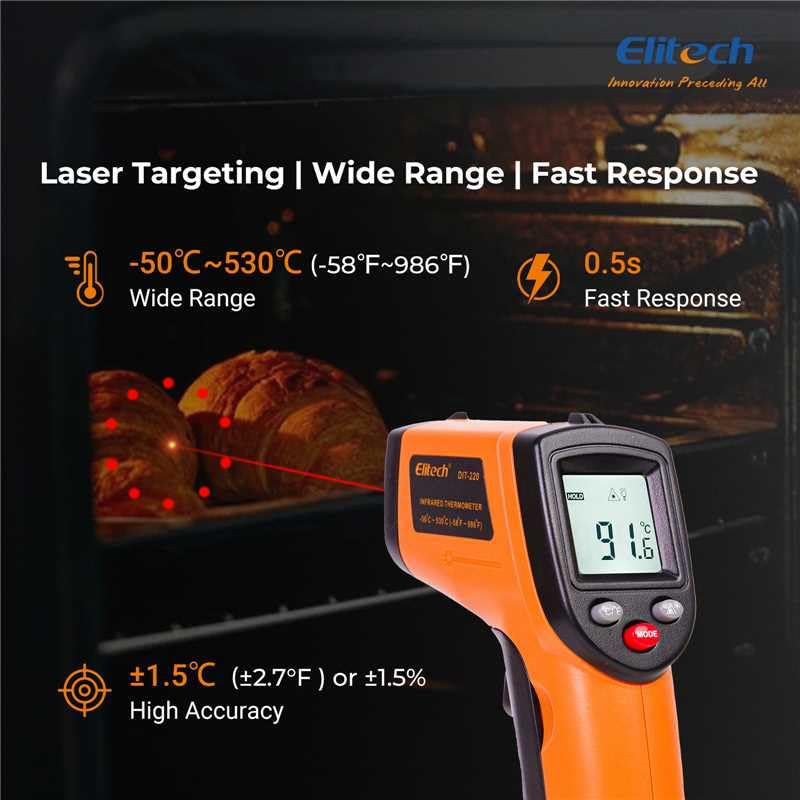
الشكل 3: Using the DIT-220 for non-contact temperature measurement with laser targeting.
6.2 Understanding Distance-to-Spot Ratio (D:S)
The DIT-220 has a Distance-to-Spot ratio of 12:1. This means that as you move further from the target, the area being measured (spot size) increases. For accurate readings, ensure the target area is larger than the spot size. For example, at a distance of 12 inches, the measurement spot will be 1 inch in diameter.

الشكل 4: Illustration of the 12:1 Distance-to-Spot ratio.

الشكل 5: Visual guide for maintaining correct measurement distance.
6.3 ضبط الابتعاثية
Different materials emit infrared energy differently. The DIT-220 allows you to adjust the emissivity (ε) from 0.10 to 1.00 to compensate for this and achieve more accurate readings. Refer to a standard emissivity table for common materials or adjust empirically.
- اضغط على وضع button to cycle through settings until 'EMS' (Emissivity) is displayed.
- Use the Up/Down arrow buttons to adjust the emissivity value.
- اضغط على وضع زر مرة أخرى للتأكيد والخروج.
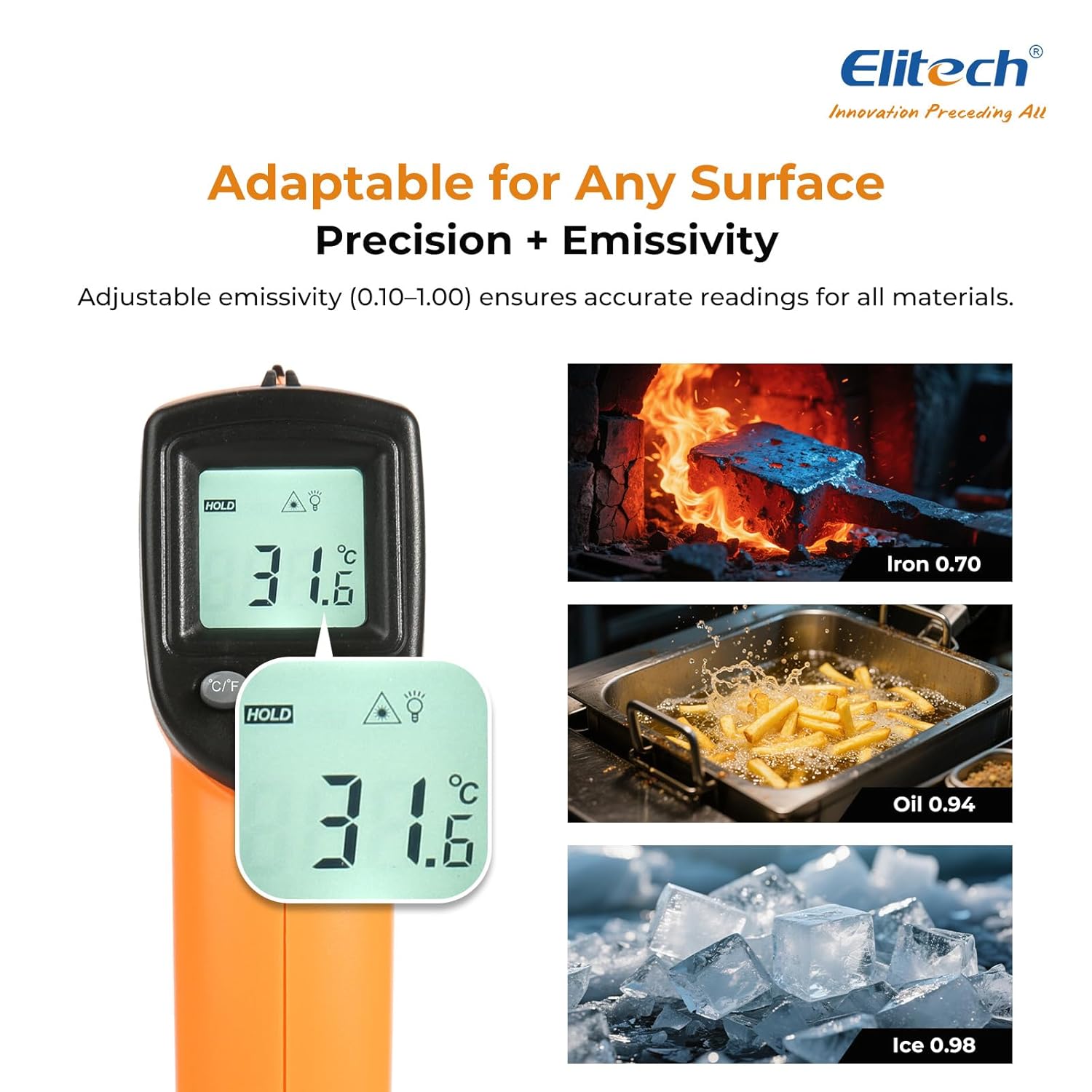
الشكل 6: Adjustable emissivity feature and examples for different materials.
6.4 Using MAX/MIN/AVG Modes
These modes are useful for monitoring temperature fluctuations over time.
- While holding the measurement trigger, press the وضع button repeatedly to cycle through MAX (Maximum), MIN (Minimum), and AVG (Average) display modes.
- The corresponding icon will appear on the screen, showing the respective temperature value recorded during the current measurement session.
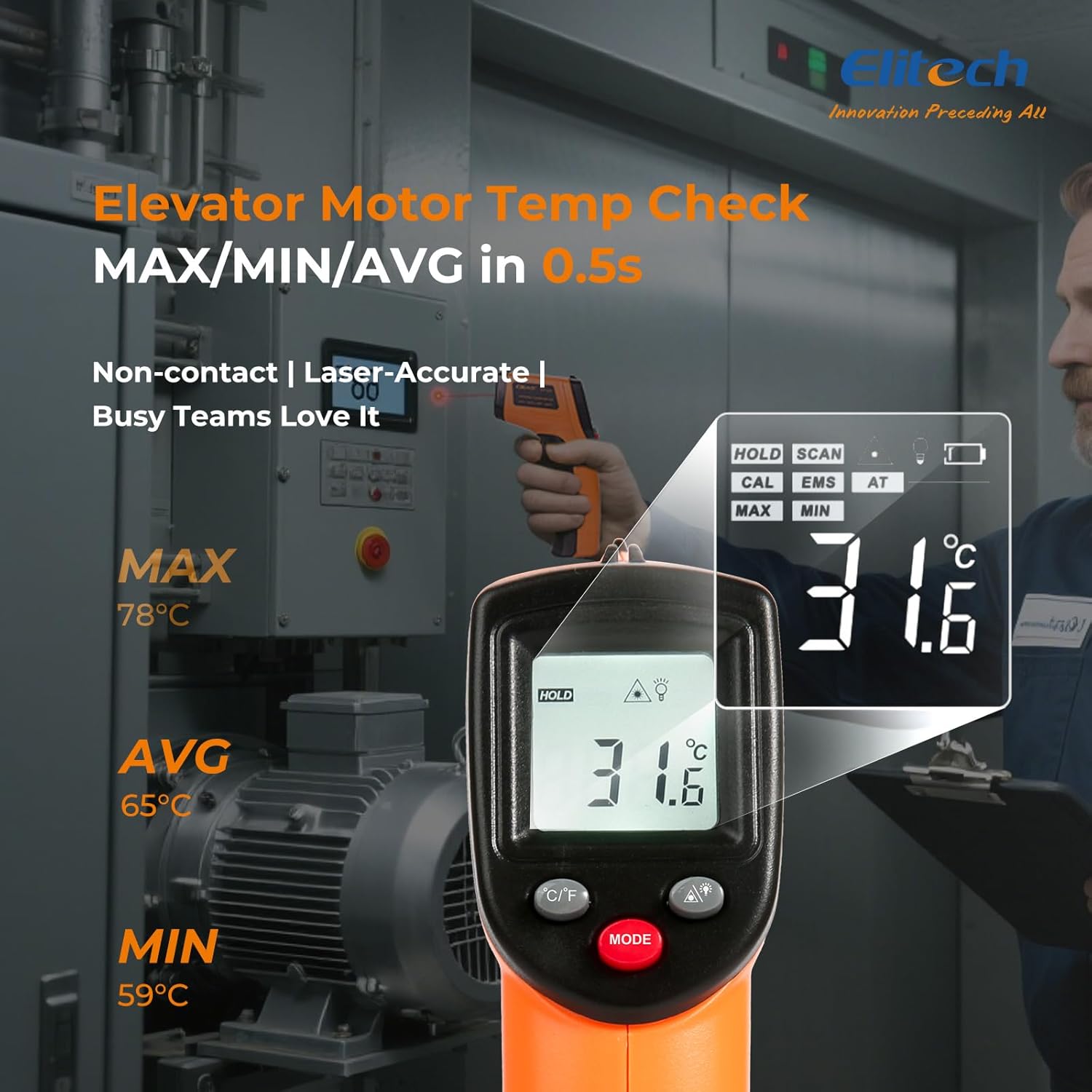
الشكل 7: Displaying MAX, MIN, and AVG temperature readings.
6.5 وحدات درجة حرارة التبديل (°م/°ف)
To switch between Celsius and Fahrenheit, press the °C/°F button located on the device.
7. الصيانة
7.1 التنظيف
- تنظيف العدسة مع لينة، دamp استخدم قطعة قماش أو عود قطني. لا تستخدم المنظفات الكاشطة أو المذيبات.
- امسح الجهاز جasinباستخدام قطعة قماش ناعمة وجافة.
7.2 استبدال البطارية
When the low battery indicator appears on the display, replace the two AAA batteries as described in the Setup section (5.1 Battery Installation).
7.3 التخزين
Store the thermometer in a cool, dry place, away from direct sunlight and extreme temperatures. Remove batteries if storing for extended periods.
8. استكشاف الأخطاء وإصلاحها
| مشكلة | السبب المحتمل | حل |
|---|---|---|
| تظهر الشاشة "Lo" أو "Hi" | درجة الحرارة خارج نطاق القياس. | Ensure the target temperature is within -50°C to 530°C (-58°F to 986°F). |
| قراءات غير دقيقة | Incorrect emissivity setting; measurement distance too far/close; lens dirty. | Adjust emissivity for the target material. Maintain appropriate D:S ratio. Clean the lens. |
| الجهاز لا يعمل | البطاريات فارغة أو تم تركيبها بشكل غير صحيح. | Replace batteries with new AAA batteries. Check battery polarity. |
| الليزر لا يعمل | Laser may be disabled or faulty. | Check if the laser function is enabled via the MODE button. If not, contact support. |
9. المواصفات
| ميزة | مواصفة |
|---|---|
| نموذج | DIT-220 (EU-DIT-220) |
| مدى درجة الحرارة | -50 درجة مئوية إلى 530 درجة مئوية (-58 درجة فهرنهايت إلى 986 درجة فهرنهايت) |
| دقة | ±1.5°C (±2.7°F) or ±1.5% (for -50°C to 50°C) |
| وقت الاستجابة | 500 مللي ثانية (0.5 ثانية) |
| نسبة المسافة إلى النقطة (D:S) | 12:1 |
| الانبعاثية | قابل للتعديل من 0.10 إلى 1.00 |
| مصدر الطاقة | بطاريات آا شينومكس x (وشملت) |
| نوع العرض | شاشة LCD رقمية بإضاءة خلفية |
| المميزات الخاصة | Non-contact, Laser Target, MAX/MIN Mode, Auto Calibration |
| مادة | بلاستيك |
| وزن العنصر | 30 جرام |
| أبعاد الحزمة | 18.7 × 9.7 × 3.6 سم |
10. الضمان والدعم
Elitech products are designed for reliability and performance. For warranty information, technical support, or service inquiries, please contact Elitech customer support through their official website or the retailer where the product was purchased. Please have your model number (DIT-220) and purchase date available when contacting support.