
مقدمة
This manual provides detailed instructions for the proper setup, operation, and maintenance of your ARAFUNA 10.5" Dual Portable DVD Player for Car. Please read this manual thoroughly before using the product to ensure optimal performance and safety. Keep this manual for future reference.
ما هو المشمول
تأكد من وجود جميع العناصر في العبوة:
- مشغلان DVD للسيارة
- 2 × سماعة رأس
- 2 × جهاز التحكم عن بعد
- 2 × تصاعد بين قوسين
- 1 x Car Charger Splitter
- شنومكس x محول التيار المتردد
- شنومكس x أف كابل
- شنومكس x رسيا كابل
- 1 × دليل المستخدم
- 1 × دليل البدء السريع

Image: All components included in the Arafuna dual portable DVD player package.
يثبت
1. تركيب مسند الرأس
- Attach the mounting bracket to the headrest posts in your vehicle.
- Secure the bracket firmly.
- Slide the DVD player onto the mounting bracket until it clicks into place.
- اضبط زاوية الشاشة للحصول على أفضل النتائج viewعمل.

Image: Step-by-step guide showing how to install the DVD player onto a car headrest using the provided mounting bracket.
2. توصيل الطاقة
The DVD players can be powered using the included car charger or AC adapter.
- استخدام السيارة: Connect the car charger splitter to your vehicle's 12V power outlet. Connect the DVD players to the splitter.
- الاستخدام المنزلي: Connect the AC adapter to a standard wall outlet and then to the DVD player.

Image: Illustration showing the DVD player being powered by an AC adapter for home use and a car charger for in-vehicle use.
3. Connecting Dual Screens
To play the same movie on both screens, connect the main DVD player to the secondary monitor using the provided AV cable.

Image: Two DVD players demonstrating the ability to play the same movie (connected via AV cable) or different movies independently.
تعليمات التشغيل
1. التشغيل الأساسي
Open the clamshell design to insert a DVD or CD. The player supports various formats including CD, DVD, CD-R/RW, DVD-R/+R, DVD+RW/-RW, VCD, and SVCD (Blu-ray discs are not supported).

Image: The clamshell design of the DVD player, illustrating how to easily insert a disc without removing the unit.
2. تشغيل USB/بطاقة SD
Insert a USB drive or SD card (up to 128GB, FAT32 format) into the designated slot. The player supports video formats such as MPEG/MPG/TS/TRP/VOB/FLV/RMVB/MP4/AVI/MOV/MKV/ASF/WMV.
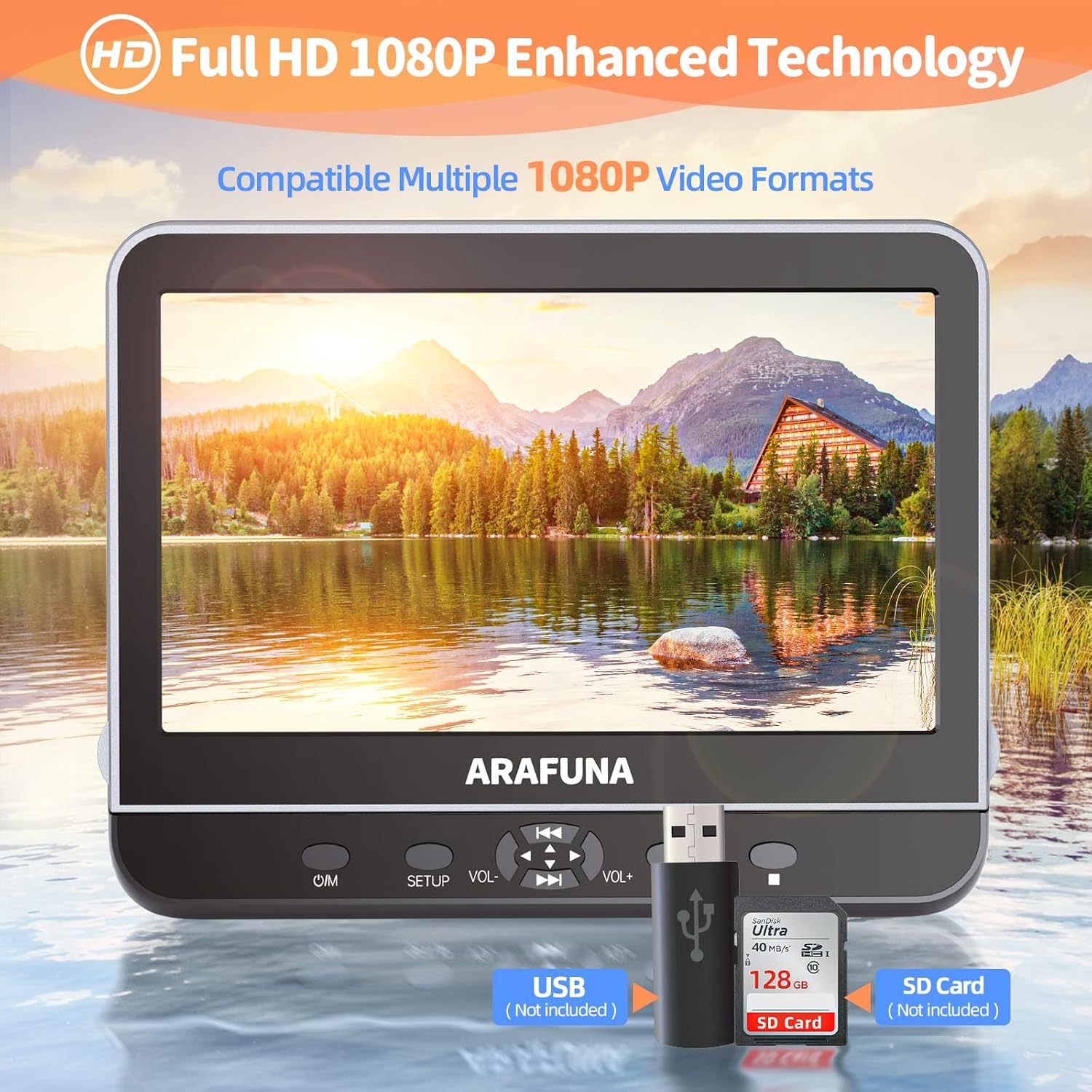
Image: Close-up of the DVD player highlighting the USB and SD card input slots for playing digital media files.
3. HDMI Input (Screen Mirroring)
Connect external devices such as mobile phones, computers, Raspberry Pi, Xbox, or Kindle Fire via an HDMI cable (not included) to mirror their screen content onto the DVD player. Ensure your device supports HDMI output.

Image: A mobile phone connected to the DVD player via an HDMI cable, demonstrating the screen mirroring capability.
4. AV In/Out Function
Use the AV Out function to connect the DVD player to a larger TV screen using the included RCA cable, allowing you to enjoy movies on a bigger display.

Image: The DVD player connected to a television, showing how to sync playback to a larger screen for family viewعمل.
5. وظيفة الذاكرة الأخيرة
The player features a last memory function, which allows playback to resume from where it was last stopped, even after the device is powered off and on again.

Image: Visual representation of the last memory function, showing the player resuming a movie from the exact point it was paused when powered off.
6. عناصر التحكم
The player features intuitive controls on the front panel:
- O/M: زر التشغيل / الإيقاف.
- اقامة: Accesses the setup menu.
- المجلد +/-: يضبط مستويات الصوت.
- تشغيل/إيقاف مؤقت: يبدأ التشغيل أو يوقفه مؤقتًا.
- تخطي/تقديم سريع/إرجاع: Navigates through tracks or fast forwards/rewinds content.
صيانة
- تنظيف: Use a soft, dry cloth to clean the screen and exterior. Do not use liquid cleaners or abrasive materials.
- معالجة القرص: Always handle discs by their edges. Store discs in their cases to prevent scratches and dust accumulation.
- تخزين: عند عدم الاستخدام، قم بتخزين مشغل أقراص DVD في مكان بارد وجاف بعيدًا عن أشعة الشمس المباشرة ودرجات الحرارة القصوى.
استكشاف الأخطاء وإصلاحها
- لا يوجد طاقة: Ensure the power adapter or car charger is securely connected and the power source is active.
- لا يمكن تشغيل الأقراص: Check if the disc is inserted correctly with the label side up. Ensure the disc is clean and free from scratches. Verify the disc format is supported.
- لا يوجد صوت: Check volume levels on the player and connected headphones. Ensure AV cables are properly connected if using external speakers.
- مشاكل عكس الشاشة: Confirm your external device supports HDMI output and the HDMI cable is connected securely.
- جهاز التحكم عن بعد لا يعمل: Check battery orientation and replace batteries if necessary. Ensure there are no obstructions between the remote and the player's IR sensor.
تحديد
| ماركة | عرفة |
| رقم الموديل | 1002 |
| حجم الشاشة | 10.5 بوصة |
| الدقة الأصلية | 1920x1080 (1080P Full HD) |
| نوع الوسائط المدعومة | CD-RW, DVD+R, DVD-R, DVD-RW, VCD, CD, DVD, CD-R/RW, DVD-R/+R, DVD+RW/-RW, SVCD |
| تكنولوجيا الاتصال | اتش دي ام اي، يو اس بي |
| الأجهزة المتوافقة | Headphone, Mobile Phone, Projector, Speaker |
| دعم بطاقة USB/SD | Max 128GB (FAT32), 1920*1080 pixels |
| صيغ الفيديو المدعومة | MPEG/MPG/TS/TRP/VOB/FLV/RMVB/MP4/AVI/MOV/MKV/ASF/WMV |
فيديو المنتج الرسمي
Video: An official product video from Arafuna demonstrating the features of the DVD player, including dual screens and headphone compatibility.
الضمان والدعم
Your Arafuna DVD player comes with a 1-year warranty. For technical support, warranty claims, or any questions regarding your product, please refer to the contact information provided in your Quick Start Guide or visit the official Arafuna webموقع.