
1. المقدمة
This manual provides detailed instructions for the safe and effective use of your ZOLAMENTE 4K 80MP Camcorder DV10. Please read this manual thoroughly before operating the device and retain it for future reference. Proper use will ensure optimal performance and longevity of your camcorder.
2. محتويات العبوة
تأكد من وجود جميع العناصر المدرجة أدناه في الحزمة الخاصة بك:
- ZOLAMENTE 4K 80MP Camcorder DV10
- Rechargeable Batteries (x2)
- بطاقة SD سعة 64 جيجابايت
- جهاز التحكم عن بعد
- كابل يو اس بي
- دليل المستخدم
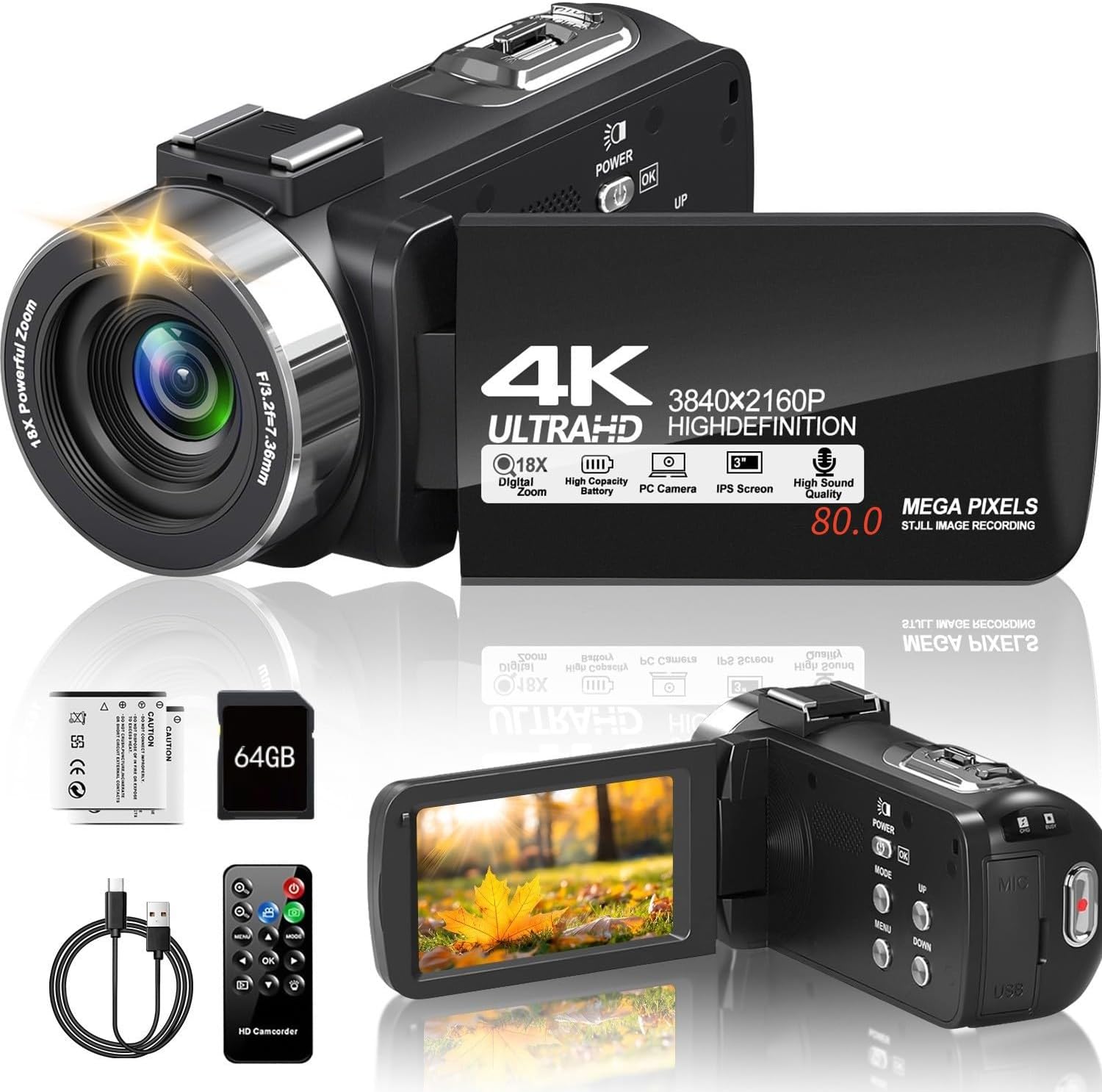
Image 2.1: The ZOLAMENTE 4K 80MP Camcorder DV10 shown with its included accessories, including two batteries, a 64GB SD card, a remote control, and a USB cable.
3. انتهى المنتجview
Familiarize yourself with the main components of your camcorder.
3.1 الميزات الرئيسية
- 4K Ultra HD Video Resolution (3840x2160)
- 80 Megapixel Image Resolution
- تقريب رقمي 18X
- 3.0-inch 270° Rotatable IPS Screen
- الرؤية الليلية بالأشعة تحت الحمراء (IR)
- Webوظيفة الكاميرا
- Support for external microphone (not included)

Image 3.1: The camcorder featuring its 3.0-inch IPS screen, capable of 270-degree rotation for flexible viewing angles during recording or playback.

Image 3.2: Visual representation of the camcorder's 18X digital zoom capability and its ability to capture images at 80 megapixels, highlighting detail capture.
4. الإعداد
4.1 شحن البطارية
Before first use, fully charge both included batteries. A full charge may take approximately 2 hours. A fully charged battery provides approximately one hour of recording time.
- Insert a battery into the battery compartment.
- قم بتوصيل كاميرا الفيديو بمصدر الطاقة باستخدام كابل USB المرفق.
- سيضيء مؤشر الشحن. سينطفئ أو يتغير لونه بمجرد اكتمال الشحن.
4.2 إدخال بطاقة SD
The camcorder supports SDHC (Class 10) and SDXC (Class 10) memory cards up to 256GB. A 64GB SD card is included.
- تأكد من إيقاف تشغيل كاميرا الفيديو.
- حدد مكان فتحة بطاقة SD.
- Gently push the SD card into the slot until it clicks into place. Ensure the card's metal contacts face the correct direction.
- لإزالتها، ادفع البطاقة برفق مرة أخرى حتى تخرج.
مهم: When inserting an SD card for the first time, the camera may prompt you to format it. It is recommended to format the card directly through the camera's menu system (Menu > Mode > Down buttons to navigate). If the camera repeatedly asks to format the card, initially format it using a computer, then re-format it using the camera.
5. تعليمات التشغيل
5.1 تشغيل/إيقاف التشغيل
- للتشغيل ، اضغط مع الاستمرار على قوة زر.
- لإيقاف التشغيل ، اضغط مع الاستمرار على قوة الزر مرة أخرى.
5.2 Basic Video Recording
- قم بتشغيل كاميرا الفيديو.
- تأكد من أن كاميرا الفيديو في وضع تسجيل الفيديو (يُشار إلى ذلك برمز على الشاشة).
- اضغط على تسجيل/إيقاف button to start recording. The recording indicator will flash.
- اضغط على تسجيل/إيقاف زر مرة أخرى لإيقاف التسجيل.
5.3 التقاط الصور
- قم بتشغيل كاميرا الفيديو.
- Switch to photo mode.
- قم بتأطير اللقطة باستخدام الشاشة.
- اضغط على صورة button to capture an image.
5.4 Using Digital Zoom
While recording or in standby mode, use the ث / ت (Wide/Telephoto) lever to adjust the digital zoom. Push towards T to zoom in and towards W للتصغير.
5.5 دوران الشاشة
The 3.0-inch IPS screen can rotate up to 270 degrees, allowing for various shooting angles and self-recording. Gently pivot the screen to your desired position.
5.6 التشغيل
- اضغط على وضع زر للدخول إلى وضع التشغيل.
- Use the navigation buttons to select the video or photo you wish to view.
- اضغط على OK button to play a video or view صورة.
6. الميزات المتقدمة
6.1 Infrared (IR) Night Vision
The camcorder is equipped with IR night vision for recording in low-light or dark environments, capturing black and white footage.
- In video or photo mode, press the IR button to activate night vision.
- اضغط على IR اضغط على الزر مرة أخرى لإلغاء التفعيل.

Image 6.1: The camcorder's infrared night vision feature shown capturing a clear black and white image in a dimly lit environment, with an 'ON' indicator.
6.2 Webوظيفة كام
Connect your camcorder to a computer to use it as a webكاميرا للبث المباشر أو مكالمات الفيديو.
- Connect the camcorder to your computer using the USB cable.
- Select 'PC Camera' or 'Webcam' option on the camcorder screen (if prompted).
- Your computer should recognize the camcorder as a webcam. Select it in your video conferencing or streaming software.

Image 6.2: The camcorder connected via USB to a laptop, displaying its live feed on the laptop screen, illustrating its webcam functionality for online platforms.
6.3 تشغيل جهاز التحكم عن بعد
The included remote control allows for convenient operation from a distance, useful for self-recording or group shots.
- Point the remote control directly at the camcorder's IR receiver.
- Use the corresponding buttons on the remote for functions like record, stop, zoom, and menu navigation.
6.4 Recording While Charging
The camcorder supports recording while connected to a power source, allowing for extended recording sessions without interruption.

Image 6.3: The camcorder actively recording footage while simultaneously connected to an external power bank via its USB cable, demonstrating the 'record while charging' feature.
6.5 أوضاع التسجيل الخاصة
The camcorder offers various modes to enhance your creative possibilities:
- تسجيل الفاصل الزمني: Captures images at set intervals to create a sped-up video.
- وظيفة الإيقاف المؤقت: Allows you to pause and resume recording within a single video file.
- الموقت الذاتي: Delays photo capture by 3, 5, or 10 seconds.
- اطلاق النار مستمر: يلتقط صوراً متعددة بسرعة متتالية.
- كشف الحركة: يبدأ التسجيل تلقائيًا عند اكتشاف الحركة.
- الحركة البطيئة: يسجل الفيديو بمعدل إطارات أعلى لتشغيله بالحركة البطيئة.

Image 6.4: A collage illustrating the diverse recording capabilities of the camcorder, including time-lapse, pause function, self-timer, continuous shooting, motion detection, timed photo, and slow motion.
7. الصيانة
7.1 تنظيف كاميرا الفيديو
- استخدم قطعة قماش ناعمة وجافة لتنظيف هيكل كاميرا الفيديو.
- استخدم قطعة قماش ومحلول تنظيف العدسات المخصصين. تجنب لمس العدسات بأصابعك.
- For the screen, use a soft, lint-free cloth.
7.2 العناية بالبطارية
- قم بتخزين البطاريات في مكان بارد وجاف عندما لا تكون قيد الاستعمال.
- لا تعرض البطاريات لدرجات حرارة عالية.
- If not using the camcorder for an extended period, remove the batteries.
7.3 التخزين
Store the camcorder in a protective case or bag to prevent dust and scratches. Avoid storing in direct sunlight or areas with high humidity.
8. استكشاف الأخطاء وإصلاحها
8.1 المشكلات والحلول الشائعة
- كاميرا الفيديو لا تعمل:
تأكد من شحن البطارية بالكامل وتركيبها بشكل صحيح. حاول استخدام البطارية الثانية. - SD card error / Camera asks to format repeatedly:
Ensure the SD card is correctly inserted and unlocked. Format the SD card using a computer first, then re-format it using the camera's menu. Ensure the SD card is Class 10 or higher. - جودة الصورة/الفيديو رديئة:
Check that the lens is clean. Ensure adequate lighting for your recording environment. Adjust settings like resolution and exposure in the menu. - عمر بطارية قصير:
Ensure batteries are fully charged. Battery life can be affected by continuous recording, zoom usage, and IR night vision. Consider recording while charging for extended use. - جهاز التحكم عن بعد لا يعمل:
Ensure there are no obstructions between the remote and the camcorder's IR receiver. Check the remote's battery.
9. المواصفات
| ماركة | زولامينتي |
| اسم الموديل | دي في 10 |
| نوع كاميرا الفيديو | كاميرا فيديو |
| دقة الفيديو | 4K Ultra HD (3840x2160) |
| دقة الصورة | 80 ميجا بكسل |
| تقريب رقمي | 18X |
| حجم الشاشة | 3.0 Inches IPS, 270° Rotatable |
| المميزات الخاصة | Night Vision, Webوظيفة كام |
| نوع ذاكرة فلاش | SD (Supports up to 256GB SDXC Class 10) |
| تكنولوجيا الاتصال | USB |
| وزن العنصر | 1.1 رطل |
10. الضمان والدعم
Your ZOLAMENTE Camcorder DV10 comes with a standard manufacturer's warranty. Please refer to the warranty card included in your package for specific terms and conditions.
10.1 دعم العملاء
If you encounter any issues or have questions not covered in this manual, please contact our customer service team. For prompt assistance, we recommend the following steps:
- Go to your order history on the platform where you purchased the product.
- Find your order ID for the ZOLAMENTE Camcorder DV10.
- Click on the 'Contact Seller' option.
Our customer service team is dedicated to assisting you within 24 hours.