
1. المقدمة
This manual provides essential information for setting up, operating, maintaining, and troubleshooting your Lenovo Laptop Computer 2026 Edition, Model IdeaPad Slim 3. Please read this manual thoroughly before using your device to ensure proper function and longevity.
2. محتويات العبوة
تأكد من وجود جميع العناصر في الحزمة الخاصة بك:
- Lenovo Laptop Computer 2026 Edition (IdeaPad Slim 3)
- محول الطاقة
- قارئ بطاقة SD
- دليل البدء السريع (إذا كان متضمنًا)
- Warranty Information Card (if included)
3. انتهى المنتجview
Familiarize yourself with the components and features of your Lenovo IdeaPad Slim 3 laptop.
3.1 الميزات الرئيسية

This image displays the Lenovo IdeaPad Slim 3 laptop and highlights its primary features. It includes an Intel Core i7-13620H processor, a 15.3-inch WUXGA IPS display (1920x1200 resolution), and an HD camera with a privacy shutter. The laptop is 0.70 inches thin and weighs 3.51 lbs. It comes with 24GB DDR5 RAM, upgradable to 40GB, and a 512GB SSD, upgradable to 4TB. Audio is provided by dual 2W speakers. The device supports Rapid Charge Boost and features a Metal A Cover for durability, meeting Military Grade standards.
3.2 Display and Keyboard

This image focuses on the laptop's display and keyboard. The 15.3-inch WUXGA IPS display offers a 1920x1200 resolution, 300 nits brightness, anti-glare properties, and a 16:10 aspect ratio. It boasts up to a 90% active area ratio and is an Eyesafe Display, TÜV Rheinland Certified for low blue light. The keyboard is non-backlit and includes a numeric keypad.
3.3 Power and Audio
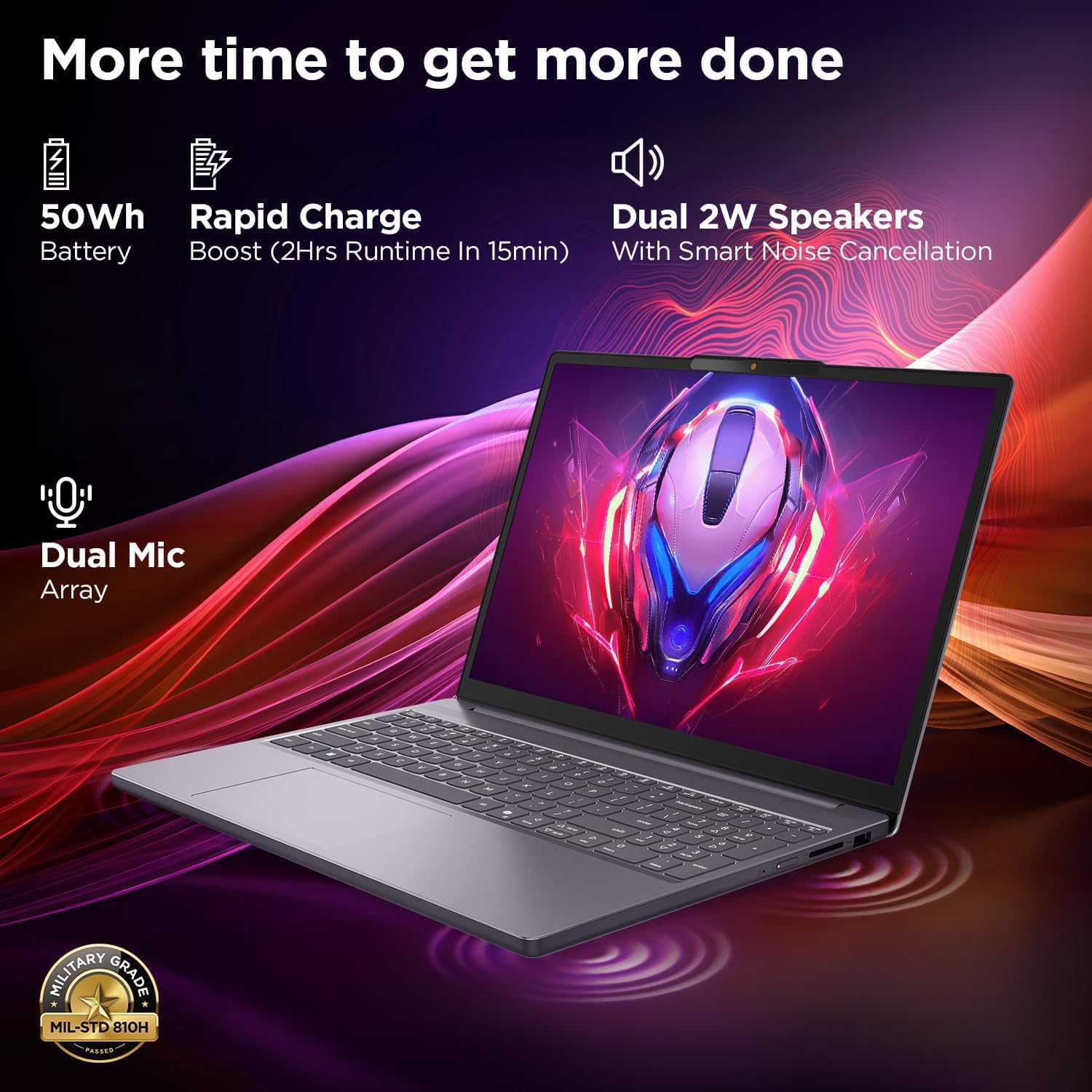
This image highlights the laptop's power and audio capabilities. It features a 50Wh battery with Rapid Charge Boost, providing 2 hours of runtime from a 15-minute charge. Dual 2W speakers with Smart Noise Cancellation and a Dual Mic Array enhance audio quality. The laptop also meets Military Grade MIL-STD 810H durability standards.
3.4 المنافذ والاتصال

This image illustrates the various ports available on the Lenovo IdeaPad Slim 3. These include a power button, an SD card reader, a power connector, two USB-A ports (5Gbps), an HDMI port, and a USB-C port (5Gbps) with USB Power Delivery 3.0 and DisplayPort 1.2 support for data transfer and external displays. A headphone/microphone combo jack (3.5mm) is also present.
3.5 Keyboard and Touchpad Layout
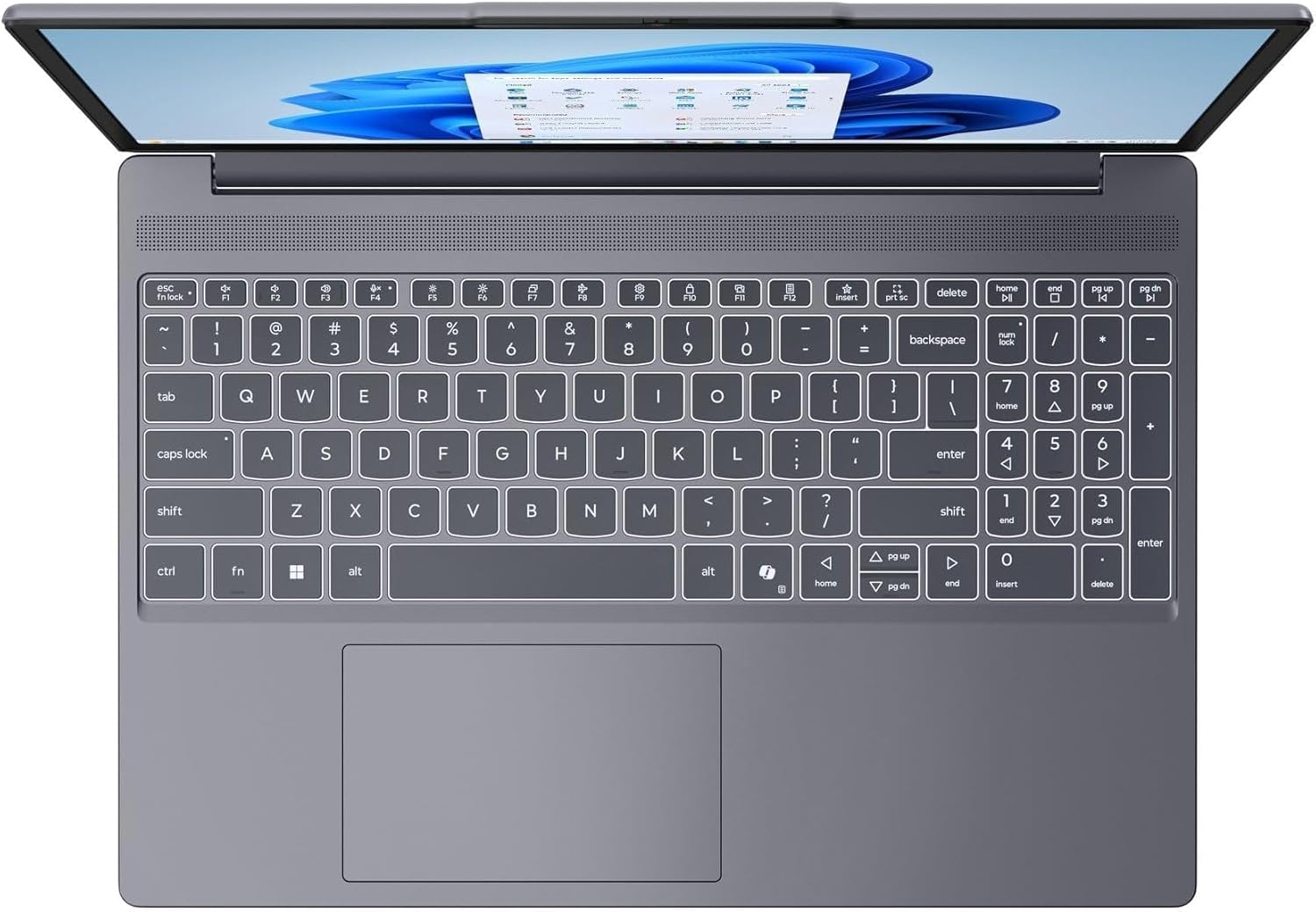
توفر هذه الصورة عرضًا من أعلى إلى أسفل view of the laptop's full-size keyboard with a numeric keypad and the integrated touchpad. It shows the standard QWERTY layout along with function keys and dedicated navigation keys.
3.6 Laptop Exterior (Closed)
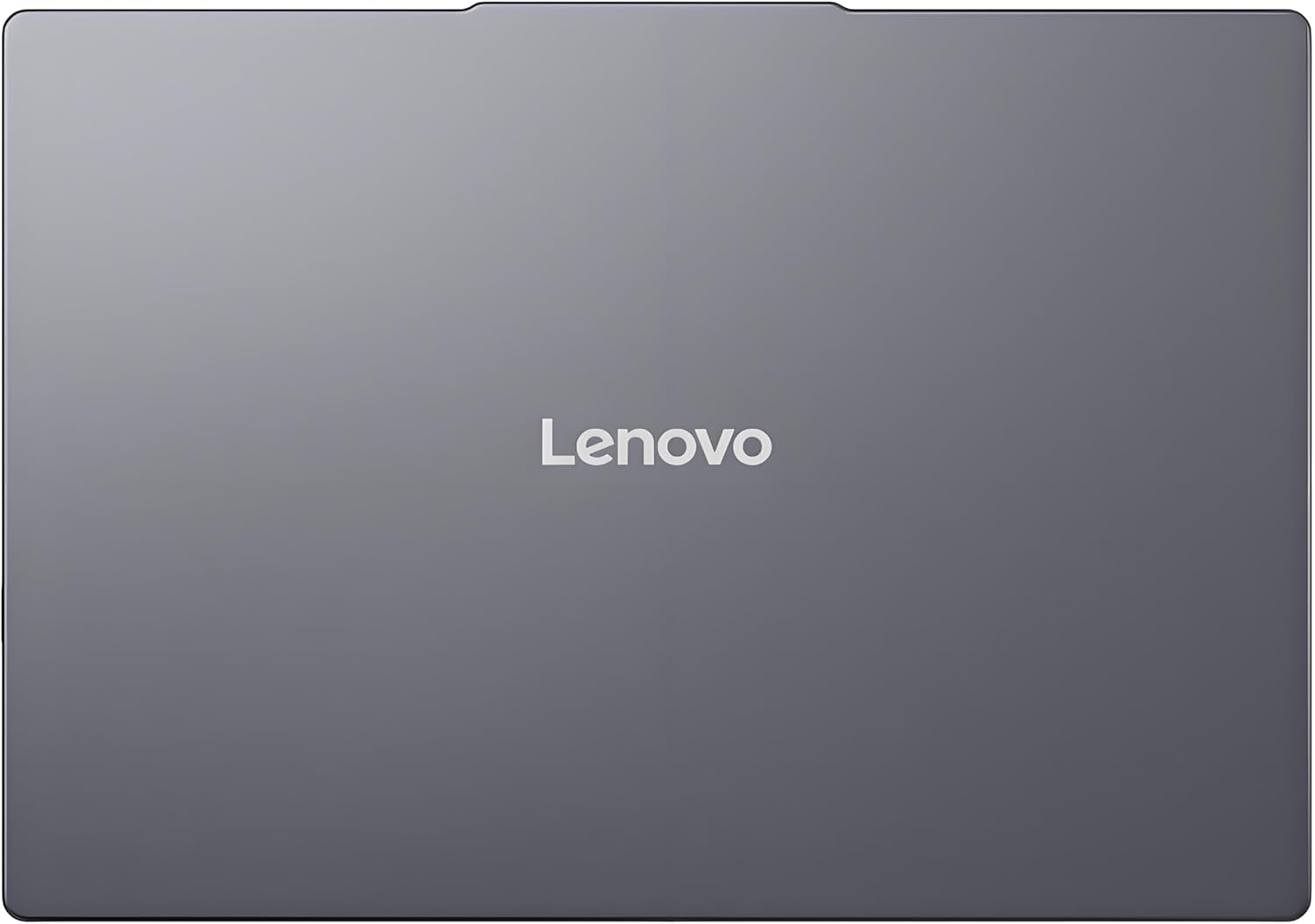
This image shows the top cover of the Lenovo IdeaPad Slim 3 laptop when closed, featuring the Lenovo brand logo centrally placed on the grey metallic surface.
3.7 Laptop Bottom View

This image displays the bottom panel of the Lenovo IdeaPad Slim 3 laptop, showing the ventilation grilles for cooling and rubber feet for stability.
4. الإعداد
4.1 التشغيل الأولي والشحن
- قم بتوصيل محول الطاقة: Plug the power adapter into the laptop's power connector and then into a wall outlet.
- شحن البطارية: اسمح للكمبيوتر المحمول بالشحن لمدة 30 دقيقة على الأقل قبل الاستخدام الأولي، أو حتى يشير مؤشر البطارية إلى وجود شحن كافٍ.
- تشغيل الطاقة: Open the laptop lid and press the power button located on the side or keyboard deck.
- إعداد ويندوز: اتبع الإرشادات التي تظهر على الشاشة لإكمال إعداد Windows 11 Home، بما في ذلك اللغة والمنطقة واتصال الشبكة وإنشاء حساب المستخدم.
4.2 الاتصال بالشبكة
- واي فاي: During Windows setup or later, click the Wi-Fi icon in the taskbar, select your network, enter the password, and click Connect.
- Ethernet (if applicable via adapter): Connect an Ethernet cable from your router/modem to a compatible USB-C adapter (not included) and then to the laptop's USB-C port.
5. تعليمات التشغيل
5.1 استخدام لوحة المفاتيح ولوحة اللمس
- لوحة المفاتيح: The laptop features a full-size keyboard with a numeric keypad. Use the Fn key in combination with function keys (F1-F12) for special functions like adjusting brightness, volume, or enabling/disabling Wi-Fi.
- لوحة اللمس: The integrated touchpad supports multi-touch gestures for navigation, scrolling, and zooming. Refer to Windows settings for customizing touchpad gestures.
5.2 توصيل الأجهزة الخارجية
- جهاز USB:٪ s: Connect USB peripherals (mouse, keyboard, external drives) to the available USB-A or USB-C ports.
- HDMI/DisplayPort: Use the HDMI port or USB-C (with DP 1.2 support) to connect an external monitor or projector.
- أجهزة البلوتوث: قم بتمكين تقنية البلوتوث في إعدادات ويندوز لإقران سماعات الرأس اللاسلكية أو مكبرات الصوت أو ملحقات البلوتوث الأخرى.
- بطاقة SD: Insert an SD card into the dedicated SD card reader slot for data transfer.
5.3 إدارة الطاقة
- وضع السكون: Close the lid or press the power button briefly to put the laptop into sleep mode.
- اغلق: Click the Start button, then Power, and select "Shut down" to turn off the laptop completely.
- إعادة تشغيل: Click the Start button, then Power, and select "Restart" to reboot the laptop.
6. الصيانة
6.1 تنظيف الكمبيوتر المحمول
- شاشة: استخدم قطعة قماش ناعمة وخالية من الوبر برفق دampاغسلها بالماء أو منظف الشاشة. لا ترش السائل مباشرة على الشاشة.
- لوحة المفاتيح والهيكل: استخدم قطعة قماش ناعمة وجافة. بالنسبة للأوساخ العنيدة، امسحها برفق.amp يمكن استخدام قطعة قماش مبللة بمحلول صابون خفيف، مع التأكد من عدم دخول أي سائل إلى الفتحات.
- تهوية: Periodically clean the ventilation grilles with compressed air to prevent dust buildup, which can affect cooling performance.
6.2 العناية بالبطارية
- تجنب درجات الحرارة القصوى.
- لا تقم بتفريغ البطارية بالكامل بشكل متكرر.
- إذا كنت تقوم بتخزين الكمبيوتر المحمول لفترة طويلة، قم بشحن البطارية إلى حوالي 50-60%.
6.3 تحديثات البرامج
- التحقق بانتظام من تحديثات Windows عبر الإعدادات > تحديث Windows.
- قم بزيارة موقع الدعم الرسمي لشركة Lenovo website for driver and firmware updates specific to your IdeaPad Slim 3 model.
7. استكشاف الأخطاء وإصلاحها
| مشكلة | الحل المحتمل |
|---|---|
| الكمبيوتر المحمول لا يعمل. | Ensure the power adapter is securely connected and the outlet is functional. Try a different outlet. If the battery is completely drained, allow it to charge for a while before attempting to power on. |
| الشاشة فارغة أو سوداء. | Check if the laptop is powered on. Adjust screen brightness using function keys. Connect an external monitor to check if the issue is with the laptop's internal display. |
| مشاكل في الاتصال بشبكة Wi-Fi. | Ensure Wi-Fi is enabled in Windows settings. Restart your router/modem. Check for updated Wi-Fi drivers on the Lenovo support webموقع. |
| الأداء بطيء. | Close unnecessary applications. Check Task Manager for resource-intensive processes. Ensure Windows and drivers are up to date. Run a disk cleanup. |
| لوحة المفاتيح أو لوحة اللمس لا تستجيب. | Restart the laptop. Check for driver updates. Ensure no physical obstructions are present. |
8. المواصفات
| ميزة | التفاصيل |
|---|---|
| ماركة | لينوفو |
| اسم الموديل | ايديا باد سليم 3 |
| حجم الشاشة | 15.3 Inches WUXGA IPS |
| دقة | 1920 × 1200 بكسل |
| المعالج | 13th Gen Intel Core i7-13620H (2.4 GHz, up to 4.9 GHz) |
| كبش | 24GB DDR5 RAM (Upgradable to 40GB) |
| تخزين | 1TB NVMe M.2 SSD (Upgradable to 4TB) |
| نظام التشغيل | ويندوز 11 هوم |
| الرسومات | مدمج |
| الاتصال اللاسلكي | واي فاي 6 (802.11ax) |
| بلوتوث | بلوتوث 5.2 |
| الموانئ | 2x USB-A (5Gbps), 1x USB-C (5Gbps, PD 3.0, DP 1.2), 1x HDMI, 1x Headphone/Mic Combo, 1x SD Card Reader, Power Connector |
| Webكاميرا | HD Camera with Privacy Shutter |
| صوتي | Dual 2W Speakers with Smart Noise Cancellation, Dual Mic Array |
| بطارية | 50Wh, Rapid Charge Boost |
| الأبعاد (الطول × العرض × السماكة) | 13.52 بوصة × 9.43 بوصة × 0.7 بوصة |
| وزن | 3.51 رطل |
| المميزات الخاصة | Privacy Shutter, Power Delivery, Military Grade Durability (MIL-STD 810H) |
9. معلومات الضمان
Your Lenovo Laptop Computer 2026 Edition (IdeaPad Slim 3) comes with a ضمان محدود. The specific terms and duration of your warranty may vary by region and purchase date. For detailed warranty information, including coverage, terms, and conditions, please refer to the warranty card included with your product or visit the official Lenovo support webموقع:
https://support.lenovo.com/warranty
It is recommended to register your product on the Lenovo website to facilitate warranty claims and receive important updates.
10. الدعم
For further assistance, technical support, or to download the latest drivers and manuals, please visit the official Lenovo Support webموقع:
You may also contact Lenovo customer service directly. Contact information can typically be found on the support webالموقع الخاص بمنطقتك المحددة.