
مقدمة
Thank you for choosing the Dyurwa ZY02 Portable Bluetooth Speaker. This manual provides essential information for setting up, operating, and maintaining your speaker to ensure optimal performance and longevity. The Dyurwa ZY02 offers wireless stereo sound, IPX7 waterproofing, dynamic RGB lights, and TWS pairing capabilities, making it ideal for various environments including outdoors, home parties, travel, and beach use.
ماذا يوجد في الصندوق
- 1 x Dyurwa Bluetooth Speaker
- 1 × دليل المستخدم
- 1 x Power Cable (Micro USB)
يثبت
شحن السماعة
Before first use, fully charge your Dyurwa ZY02 speaker. Connect the included Micro USB cable to the charging port on the speaker and a compatible USB power adapter (not included). A full charge typically takes 2-3 hours. The speaker features up to 12 hours of playtime, which may vary based on volume levels and light settings.

Image: The Dyurwa ZY02 speaker highlighting its 12-hour battery life, with a note that continuous playtime is achieved under 50% volume and light-off settings.
بلوتوث الاقتران
- تشغيل الطاقة: اضغط مع الاستمرار على زر التشغيل (⏻) on the speaker until you hear an audible prompt and the LED indicator flashes.
- تفعيل البلوتوث: On your mobile phone, tablet, or other Bluetooth-enabled device, go to the Bluetooth settings and enable Bluetooth.
- اختر جهاز: Look for 'Dyurwa ZY02' in the list of available devices and select it to pair.
- تأكيد: بمجرد نجاح عملية الاقتران، ستسمع نغمة تأكيد، وسيتحول مؤشر LED إلى اللون الأزرق الثابت.

Image: The Dyurwa ZY02 speaker wirelessly connected to a smartphone and a television, illustrating its Bluetooth 5.3 rock-solid connection for instant, skip-free pairing.
اقتران استريو لاسلكي حقيقي (TWS)
To achieve a true stereo sound experience, you can pair two Dyurwa ZY02 speakers together:
- تأكد من تشغيل كلا السماعتين وعدم توصيلهما بأي جهاز بلوتوث آخر.
- On one speaker (this will be the primary speaker), press and hold the TWS pairing button (often indicated by an infinity symbol or two interlocking circles) for a few seconds.
- سيقوم مكبر الصوت الرئيسي بالبحث عن مكبر الصوت الثانوي. بمجرد الاتصال، ستسمع نغمة تأكيد.
- Now, connect your device to the primary speaker via Bluetooth as described above. Both speakers will play audio in stereo.
تشغيل مكبر الصوت
وظائف الأزرار
The Dyurwa ZY02 features intuitive controls on its top panel:
- زر الطاقة (⏻): اضغط مع الاستمرار لتشغيل/إيقاف التشغيل. اضغط ضغطة قصيرة للتحقق من حالة البطارية.
- زر الوضع (M): Short press to switch between Bluetooth, AUX, or TF Card modes.
- اخفض الصوت (-): اضغط لفترة قصيرة لخفض الصوت. اضغط لفترة طويلة للانتقال إلى المقطع السابق.
- زر التشغيل/الإيقاف المؤقت (▶): ضغطة قصيرة لتشغيل الموسيقى أو إيقافها مؤقتًا.
- رفع الصوت (+): اضغط ضغطة قصيرة لرفع مستوى الصوت. اضغط ضغطة مطولة للانتقال إلى المقطع التالي.
- TWS/Connect Button (∞): Press and hold for TWS pairing. Short press to disconnect TWS.
- Bass Button (BASS): Short press to activate/deactivate enhanced bass mode.
- زر الضوء (💡): Short press to cycle through dynamic RGB light modes.

Image: The Dyurwa ZY02 speaker showcasing its control panel with buttons for power, mode, volume, play/pause, TWS, bass, and light functions.
عرض ضوئي ديناميكي RGB
Enhance your listening experience with the speaker's dynamic RGB light show. Press the Light button (💡) to cycle through various colored light modes that sync to the beat of your music. Customize the light effects to match your preference and elevate the atmosphere of any gathering.

Image: The Dyurwa ZY02 speaker with its dual drivers illuminated by vibrant, dynamic RGB lights, demonstrating the light show feature.
صيانة
مقاومة للماء (IPX7)
The Dyurwa ZY02 speaker boasts an IPX7 waterproof rating, meaning it can be submerged in up to 1 meter of water for 30 minutes. This makes it suitable for use in the shower, at the beach, by the pool, or during outdoor activities like hiking and kayaking. Ensure the charging port cover is securely closed before exposing the speaker to water.
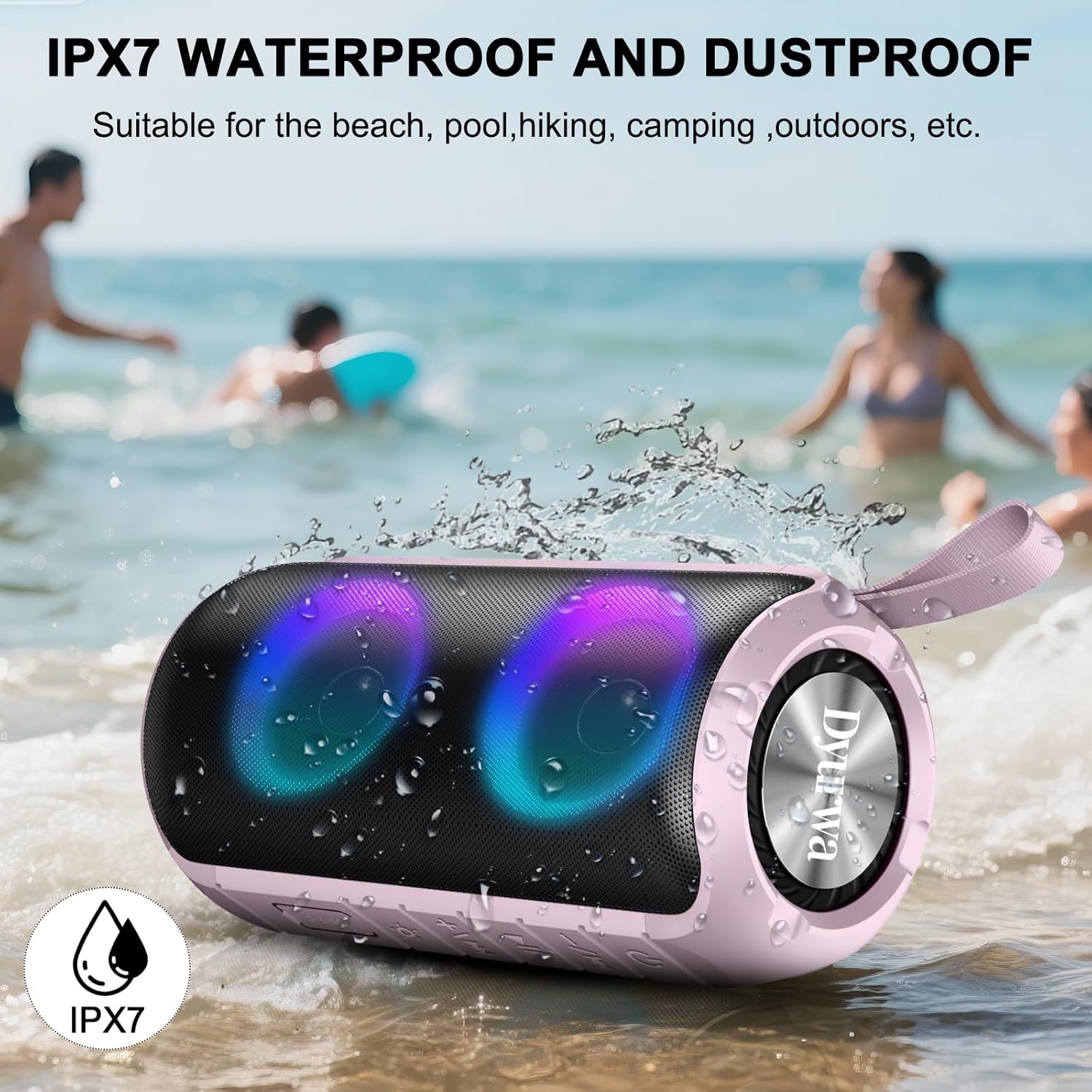
Image: The Dyurwa ZY02 speaker being splashed with water at a beach, illustrating its IPX7 waterproof and dustproof capabilities.
التنظيف والتخزين
لتنظيف مكبر الصوت، استخدم قطعة قماش ناعمة و...amp cloth. Avoid using harsh chemicals or abrasive cleaners. Store the speaker in a cool, dry place away from direct sunlight and extreme temperatures when not in use for extended periods.
استكشاف الأخطاء وإصلاحها
- لن يتم تشغيل مكبر الصوت: تأكد من شحن السماعة بالكامل. قم بتوصيلها بمصدر طاقة وحاول مرة أخرى.
- غير قادر على الاقتران عبر البلوتوث: Make sure the speaker is in Bluetooth pairing mode (flashing LED). Check that Bluetooth is enabled on your device and that the speaker is within range (up to 33 feet/10 meters). Forget previous pairings on your device and try pairing again.
- لا يوجد صوت: Check the volume levels on both the speaker and your connected device. Ensure the speaker is correctly paired and not in another mode (e.g., AUX, TF Card).
- جودة الصوت سيئة: Move the speaker closer to your device to improve Bluetooth signal. Ensure there are no obstructions between the speaker and your device.
- مشاكل اقتران TWS: Ensure both speakers are fully charged and not connected to any other device. Follow the TWS pairing instructions carefully.
تحديد
| ميزة | التفاصيل |
|---|---|
| ماركة | Dyurwa |
| اسم الموديل | زي واي 02 |
| تكنولوجيا الاتصال | بلوتوث 5.3 |
| نوع السماعة | في الهواء الطلق |
| ميزة خاصة | Music Player, RGB Lights, TWS Pairing, IPX7 Waterproof |
| الأجهزة المتوافقة | هاتف ذكي، جهاز لوحي، حاسوب |
| الحد الأقصى لقوة خرج السماعة | 180 واط |
| وقت اللعب | Up to 12 hours (varies by volume/light settings) |
| وقت الشحن | 2-3 ساعات |
| مستوى مقاومة الماء | مقاومة للماء بدرجة IPX7 |
| أبعاد المنتج | 2.54 بوصة عمق × 5 بوصة عرض × 4 بوصة ارتفاع |
| وزن العنصر | 1.36 رطل |
| البطاريات | 1 بطارية مطلوبة (متضمنة) |
الضمان والدعم
For warranty information or technical support, please refer to the contact details provided on the product packaging or visit the official Dyurwa webالموقع. احتفظ بإيصال الشراء الخاص بك كإثبات للشراء في حالة وجود أي مطالبات بالضمان.