
1. المقدمة
This manual provides detailed instructions for the proper use and maintenance of your ANYSECU W63-US 4G Network Radio. The W63-US is an intelligent handheld transceiver operating on Android 9.0, designed for Push-to-Talk (PTT) communication over 4G networks. It supports popular platforms like Zello and RealPTT, offering features such as GPS, Bluetooth, Wi-Fi, and a flashlight function. Its robust design includes IP68 waterproof and dustproof ratings, making it suitable for various environments.
2. محتويات العبوة
Please verify that all items listed below are included in your product package. If any items are missing or damaged, contact your vendor.
- ANYSECU W63-US Radio Body (x1)
- هوائي (×1)
- البطارية (x1)
- كابل الطاقة (x1)
- محول الطاقة (x1)
- مشبك الحزام (x1)
- دليل المستخدم (x1)
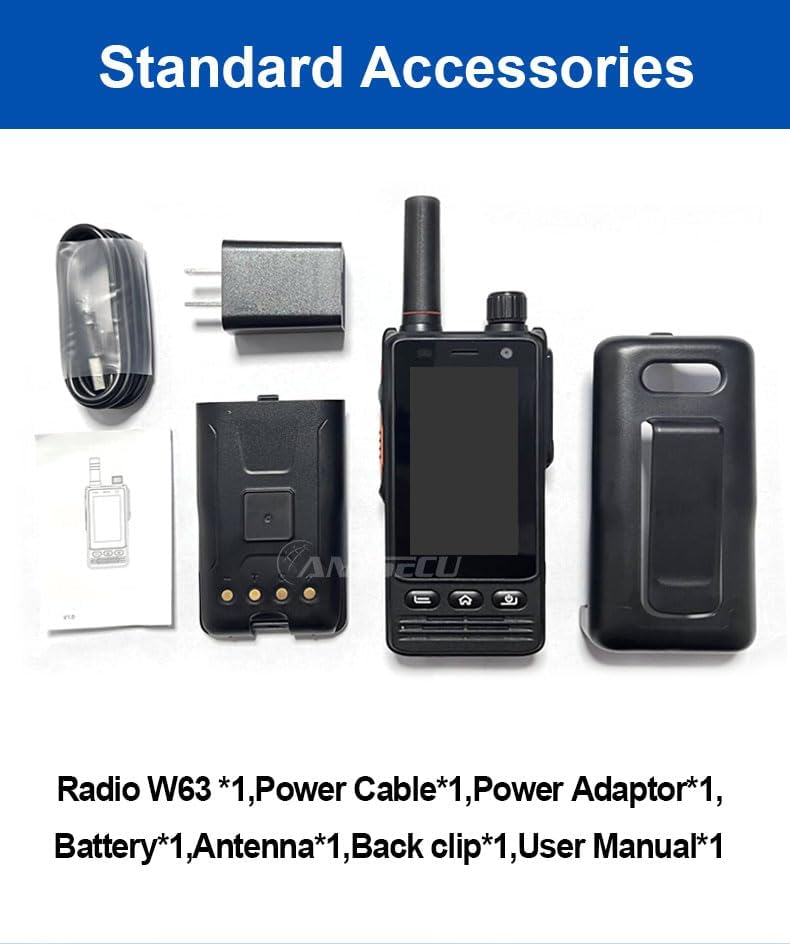
Image: Standard accessories included with the ANYSECU W63-US radio.
3. انتهى المنتجview
The ANYSECU W63-US features a compact design with a 2.95-inch high-definition touch screen and physical buttons for intuitive operation. It is equipped with both front and rear cameras, and a high-capacity battery for extended use.

الصورة: الجبهة view of the ANYSECU W63-US radio highlighting Android 9, touch screen, GPS/BT/WiFi, and flashlight function.

الصورة: الخلفية view of the ANYSECU W63-US radio, showing the 5MP front and 13MP rear cameras with built-in flash.
المكونات الرئيسية:
- الهوائي: For signal reception and transmission.
- مقبض الصوت: ضبط مستوى إخراج الصوت.
- زر الاستغاثة: للتنبيهات الطارئة.
- زر الضغط والتحدث: زر الضغط للتحدث للتواصل.
- عرض: 2.95-inch touch screen (854*480 pixels).
- أزرار التنقل: Home, Back, and Power buttons.
- منفذ USB-C: للشحن ونقل البيانات.
- مشبك الحزام: لسهولة الحمل.

Image: The ANYSECU W63-US radio shown with its high-quality waist clip for portability.
4. الإعداد
4.1 تركيب البطارية
- تأكد من إيقاف تشغيل الجهاز.
- حدد مكان غطاء حجرة البطارية على الجزء الخلفي من الراديو.
- قم بإزالة الغطاء بعناية.
- Insert the provided 4000mAh 3.8V battery, aligning the contacts.
- أعد تركيب غطاء حجرة البطارية، مع التأكد من إحكام إغلاقه.

Image: The ANYSECU W63-US radio highlighting its 4000mAh high-capacity battery.
4.2 SIM Card / SD Card Installation
The W63-US supports 4G network connectivity. Insert your SIM card into the designated slot. If desired, an SD card can also be installed for additional storage.
4.3 التشغيل المبدئي
- اضغط مع الاستمرار على زر الطاقة حتى تضيء الشاشة.
- Follow the on-screen prompts for initial setup, including language selection and network configuration.
Video: Demonstration of the ANYSECU W63-US radio's physical features and initial power-on sequence.
5. تعليمات التشغيل
5.1 الملاحة الأساسية
- شاشة اللمس: Navigate menus and applications by tapping and swiping on the 2.95-inch display.
- زر الصفحة الرئيسة: العودة إلى الشاشة الرئيسية.
- زر الرجوع: العودة إلى الشاشة السابقة.
- زر الطاقة: Short press to lock/unlock screen, long press to power off/restart.

Image: A hand interacting with the 2.95-inch high-definition touch screen of the ANYSECU W63-US radio.
5.2 PTT Communication (Zello/RealPTT)
The W63-US is compatible with Zello and RealPTT applications for Push-to-Talk communication. Ensure you have an active account and are logged into your preferred application.
- Open the Zello or RealPTT application from the home screen.
- Select your desired contact or channel.
- Press and hold the dedicated زر PTT on the side of the radio to transmit your voice.
- حرر زر اضغط للتحدث للاستماع.
5.3 الاتصال بالشبكة
The device supports global 4G networks, Wi-Fi, and Bluetooth for versatile connectivity.
- شبكة 4G: Automatically connects if a valid SIM card is inserted and configured.
- واي فاي: Access Wi-Fi settings through the Android interface to connect to available networks.
- بلوتوث: Pair with compatible Bluetooth accessories like headsets.
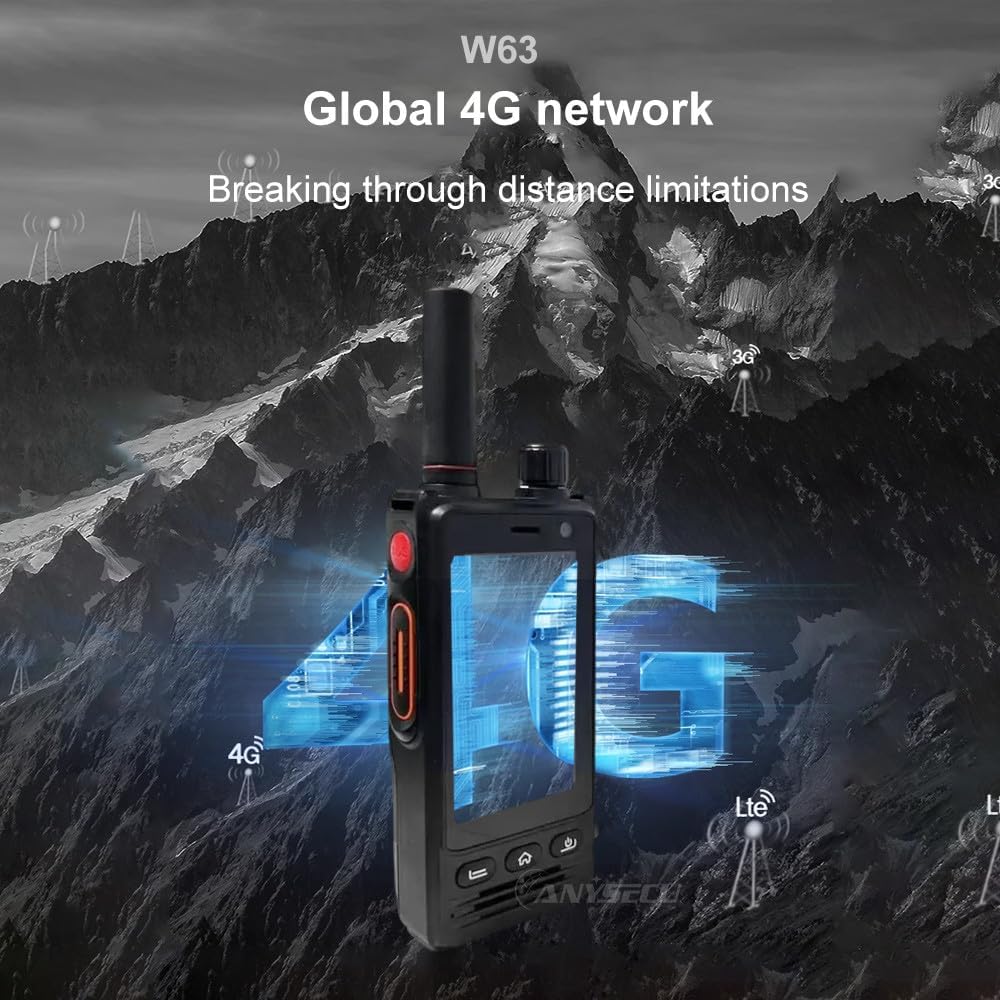
Image: The ANYSECU W63-US radio demonstrating its global 4G network capabilities.
6. الصيانة
6.1 تنظيف الجهاز
استخدمي قطعة قماش ناعمةamp cloth to clean the exterior of the radio. Avoid using harsh chemicals or abrasive materials that could damage the device or screen.
6.2 العناية بالبطارية
- اشحن البطارية بالكامل قبل الاستخدام لأول مرة.
- تجنب الشحن الزائد أو استنزاف البطارية بالكامل لإطالة عمرها الافتراضي.
- قم بتخزين الراديو والبطارية في مكان بارد وجاف عند عدم استخدامهما لفترات طويلة.
6.3 مقاومة الماء والغبار
The W63-US is rated IP68 waterproof and dustproof. This means it can withstand immersion in water up to 1.5 meters for 30 minutes and is protected against dust ingress. Ensure all ports and covers are securely closed before exposing the device to water or dust.

Image: The ANYSECU W63-US radio demonstrating its IP68 waterproof and dustproof features. An optional explosion-proof version may also be available.
7. استكشاف الأخطاء وإصلاحها
If you encounter issues with your ANYSECU W63-US radio, refer to the following common problems and solutions:
- الجهاز لا يعمل:
Ensure the battery is correctly installed and charged. Connect the radio to the charger and attempt to power on again. - لا يوجد اتصال بالشبكة:
Verify that your SIM card is properly inserted and active. Check network settings to ensure 4G is enabled. If using Wi-Fi, confirm you are connected to a valid network. - PTT function not working:
Ensure you are logged into your Zello or RealPTT account. Check the application settings to confirm the PTT button is correctly mapped. Verify you have an active internet connection. - Audio issues (no sound/distorted sound):
Adjust the volume knob. Check if a headset is connected and properly functioning. Restart the device. - شاشة اللمس لا تستجيب:
Restart the device. If the issue persists, ensure the screen is clean and free from debris.
8. المواصفات
| ميزة | التفاصيل |
|---|---|
| ماركة | أنيسكو |
| رقم الموديل | W63-الولايات المتحدة |
| لون | أسود |
| نظام التشغيل | أندرويد 9.0 |
| بروتوكول الاتصال | 4G |
| نوع الموالف | 4G |
| عرض | 2.95 inch High-definition (854*480 pixels) Touch Screen |
| مستوى مقاومة الماء | IP68 مقاوم للماء |
| بطارية | 4000mAh 3.8V (1 AA battery required, included) |
| عدد القنوات | 1000 |
| الحد الأقصى لمدى التحدث | 10 ميل |
| المميزات الخاصة | Long Range, GPS, Bluetooth, Wi-Fi, Flashlight |
| الأجهزة المتوافقة | Zello, RealPTT |
| الكاميرات | Front 5MP, Rear 13MP with Built-in Flash |
9. الضمان والدعم
9.1 معلومات الضمان
The ANYSECU W63-US radio body is covered by a ضمان لمدة 1 سنوات from the date of purchase. This warranty covers manufacturing defects under normal use. Please retain your proof of purchase for warranty claims. The warranty does not cover damage caused by misuse, accidents, unauthorized modifications, or normal wear and tear.
9.2 دعم العملاء
For technical assistance, troubleshooting beyond this manual, or warranty inquiries, please contact your authorized ANYSECU dealer or visit the official ANYSECU webموقع لموارد الدعم.