
1. المقدمة وما فوقview
Thank you for choosing the OHAYO A7 Clip-On Open Ear Headphones. These headphones are designed to provide a comfortable and immersive audio experience while keeping you aware of your surroundings. Featuring Bluetooth 5.4 connectivity, a lightweight clip-on design, and extended battery life, the A7 is suitable for various activities, from daily commutes to workouts.
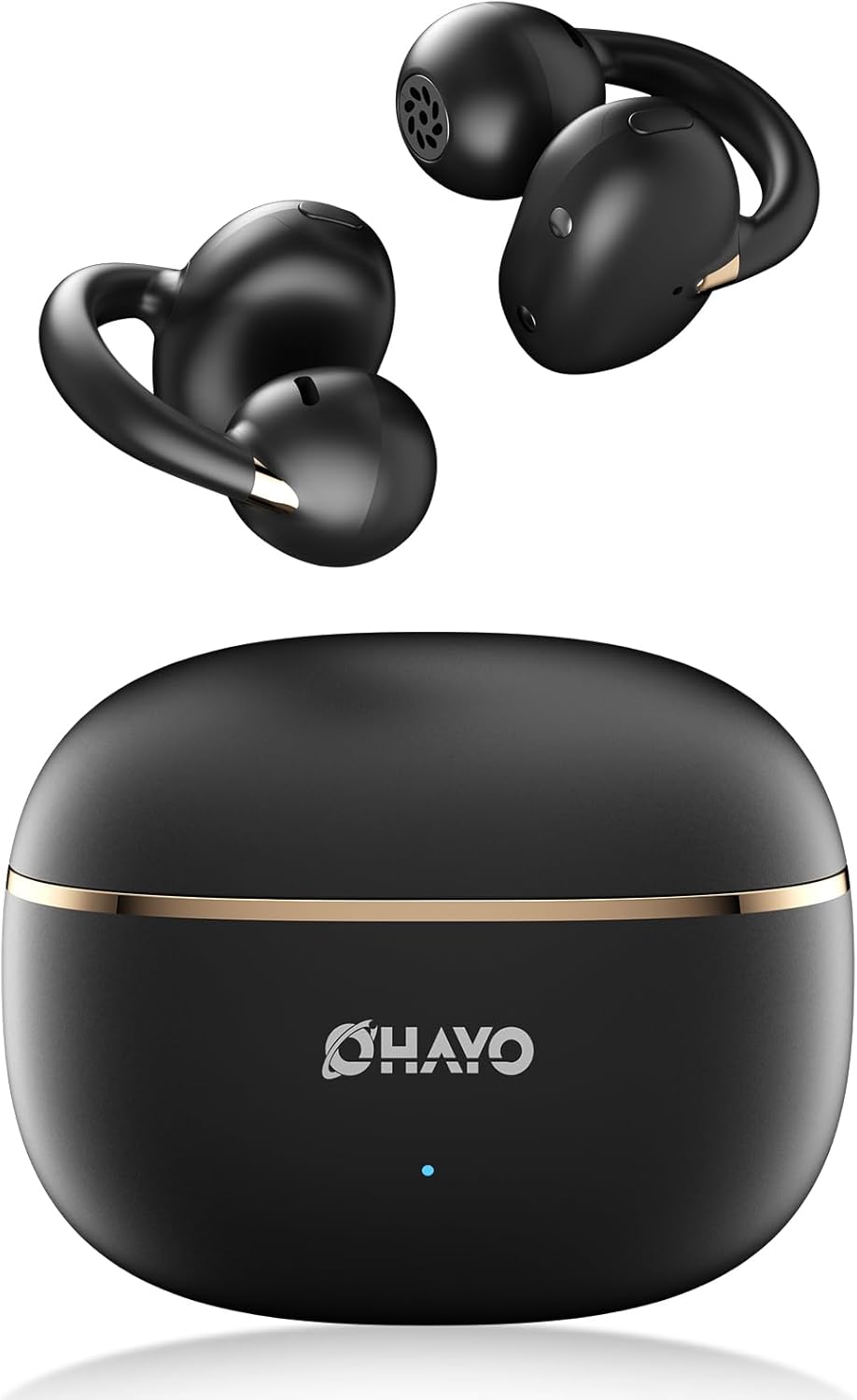
Image 1.1: The OHAYO A7 Clip-On Open Ear Headphones and their charging case. The earbuds feature a black finish with gold accents, designed for an open-ear fit. The compact charging case is also black with a gold stripe and the OHAYO logo.
تتضمن الميزات الرئيسية ما يلي:
- تصميم الأذن المفتوحة: Allows you to hear your audio while remaining aware of ambient sounds.
- خفيف الوزن للغاية: Each earbud weighs approximately 4.7g for comfortable, extended wear.
- بلوتوث شنومكس: Provides stable and efficient wireless connectivity with low latency.
- محركات ديناميكية مقاس 12 مم: يوفر صوتًا واضحًا مع صوت جهير محسّن.
- وقت اللعب الممتد: ما يصل إلى 6.5 ساعات بشحنة واحدة، مع إجمالي 40 ساعة باستخدام علبة الشحن.
- مقاومة الماء IPX6: Protects against sweat and splashes, suitable for active use.
2. ماذا يوجد في الصندوق
يرجى التحقق من محتويات الحزمة للتأكد من وجود جميع العناصر:
- OHAYO A7 Clip-On Open Ear Headphones (Left and Right)
- حافظة الشحن اللاسلكي
- كابل شحن USB-C
- دليل المستخدم

Image 2.1: The package contents for the OHAYO A7 headphones, including the earbuds, charging case, USB-C cable, and user manual.
3. مخطط المنتج
Familiarize yourself with the components of your OHAYO A7 headphones:

الصورة 3.1: لقطة مقربة view of a single OHAYO A7 earbud, highlighting its clip-on design and speaker grille.

Image 3.2: The OHAYO A7 earbuds placed inside their open charging case, showing the charging contacts and the compact design.
4. الإعداد
4.1 شحن سماعات الرأس
قبل الاستخدام الأول، قم بشحن سماعات الرأس وعلبة الشحن بالكامل.
- قم بتوصيل كابل الشحن USB-C المقدم بمنفذ الشحن الموجود على العلبة وبمصدر طاقة USB.
- سيُظهر مؤشر الضوء الموجود على العلبة حالة الشحن. يستغرق شحن العلبة بالكامل ساعتين تقريبًا.
- ضع سماعات الأذن في علبة الشحن. ستبدأ عملية الشحن تلقائيًا.

Image 4.1: The OHAYO A7 charging case with a USB-C cable inserted, indicating the charging process. The image also shows the earbuds and charging times.
يمكن للشحن السريع لمدة 10 دقائق أن يوفر ما يصل إلى ساعتين من وقت اللعب.
4.2 اقتران بلوتوث
To connect your OHAYO A7 headphones to a device:
- تأكد من شحن سماعات الأذن ووضعها في علبة الشحن.
- Open the charging case. The earbuds will automatically enter pairing mode, indicated by a flashing LED light (if applicable).
- على جهازك (الهاتف الذكي، الجهاز اللوحي، الكمبيوتر المحمول)، انتقل إلى إعدادات البلوتوث وقم بتشغيل البلوتوث.
- بحث عن available devices and select "OHAYO A7" from the list.
- Once connected, the LED indicator on the earbuds will turn off or show a solid light, and you will hear a confirmation tone.

Image 4.2: A smartphone screen displaying Bluetooth settings, with "OHAYO A7" listed as an available device for pairing.
The OHAYO A7 uses Bluetooth 5.4 for a stable connection up to 20 meters.
5. تعليمات الارتداء
للحصول على أفضل جودة صوت وراحة، تأكد من ارتداء سماعات الأذن بشكل صحيح.
- قم بتحديد سماعات الأذن اليسرى (L) واليمنى (R).
- Gently clip each earbud onto the corresponding ear, positioning the open-ring joint horizontally.
- Adjust the earbud slightly until it feels secure and comfortable, ensuring the speaker is aligned with your ear canal for the best sound delivery.

Image 5.1: A visual guide demonstrating the correct way to wear the OHAYO A7 clip-on earbuds, contrasting it with unstable, misaligned, and reversed fits.
The ergonomic C-shaped design and lightweight construction (4.7g per earbud) are engineered for comfort and stability, even for users with glasses or sensitive ears.
6. Operating Instructions (Button Controls)
The OHAYO A7 headphones feature physical buttons for easy control of various functions:

Image 6.1: A detailed diagram illustrating the various button controls on the OHAYO A7 earbuds for music playback, calls, and other functions.
| فعل | وظيفة |
|---|---|
| Single tap (L or R) | تشغيل/إيقاف الموسيقى مؤقتًا، الرد على المكالمة/إنهائها |
| Press and hold 1.5s (L) | المسار السابق |
| Press and hold 1.5s (R) | المسار التالي |
| اضغط مرتين (L) | الصوت - |
| اضغط مرتين (R) | حجم + |
| Triple tap (R) | تفعيل المساعد الصوتي |
| Triple tap (L) | تشغيل/إيقاف وضع اللعبة |
| Press and hold (L or R) during incoming call | رفض المكالمة |
7. المواصفات
Detailed technical specifications for the OHAYO A7 Clip-On Open Ear Headphones:
| ميزة | التفاصيل |
|---|---|
| اسم الموديل | A7 |
| تكنولوجيا الاتصال | لاسلكي (بلوتوث 5.4) |
| مدى البلوتوث | حتى 20 أمتار |
| حجم برنامج تشغيل الصوت | محرك ديناميكي 12 ملم |
| استجابة التردد | 20 KHz (Upper limit provided) |
| حساسية | 85 ديسيبل |
| مقاومة | 32 أوم |
| الكمون الصوتي | 6 Milliseconds (35ms in pro-gaming mode) |
| التحكم في الضوضاء | إلغاء الضوضاء التكيفي (ENC للمكالمات) |
| وقت تشغيل سماعة الأذن | 6.5 - 8 Hours (single charge) |
| إجمالي وقت اللعب (مع الحقيبة) | حتى ساعتين |
| مدة الشحن (العلبة) | 1.5 ساعة |
| سعة علبة الشحن | 500 مللي أمبير |
| مقاومة الماء | IPX6 (مقاوم للماء/مقاوم للعرق) |
| وزن ياربود | 4.7 جرام (كل واحد) |
| أبعاد العلبة | 2.4 × 1.96 × 1.18 بوصة |
| مادة | ABS، بلاستيك |
| الأجهزة المتوافقة | الهواتف المحمولة، أجهزة الكمبيوتر المكتبية، أجهزة الكمبيوتر المحمولة |
8. الصيانة
Proper care will extend the lifespan of your OHAYO A7 headphones:
- تنظيف: امسح سماعات الأذن وعلبة الشحن بانتظام بقطعة قماش ناعمة وجافة وخالية من الوبر. تجنب استخدام المواد الكاشطة أو المواد الكيميائية القاسية.
- تخزين: عندما لا تكون قيد الاستخدام، قم بتخزين سماعات الرأس في علبة الشحن الخاصة بها لحمايتها من الغبار والتلف.
- التعرض للماء: While the headphones are IPX6 water-resistant, avoid submerging them in water. Dry them thoroughly if they get wet from sweat or splashes before placing them back in the charging case.

Image 8.1: The OHAYO A7 earbuds shown with water droplets, demonstrating their IPX6 waterproof and splashproof capabilities.
9. استكشاف الأخطاء وإصلاحها
If you encounter issues with your OHAYO A7 headphones, refer to the following common solutions:
- لا يوجد صوت:
- تأكد من إقران سماعات الرأس وتوصيلها بجهازك بشكل صحيح.
- تحقق من مستويات الصوت في كل من سماعات الرأس والجهاز المتصل.
- Make sure the earbuds are correctly seated in your ears.
- لا يمكن الاقتران:
- تأكد من تمكين البلوتوث على جهازك.
- أعد وضع سماعات الأذن في علبة الشحن، وأغلق الغطاء، وانتظر بضع ثوانٍ، ثم افتحه مرة أخرى لإعادة الدخول إلى وضع الاقتران.
- Try forgetting "OHAYO A7" from your device's Bluetooth list and re-pairing.
- تأكد من شحن وسادات الأذن.
- مشاكل الشحن:
- تأكد من أن كابل الشحن متصل بإحكام بكل من العلبة ومصدر الطاقة.
- تأكد من أن نقاط اتصال الشحن الموجودة على سماعات الأذن وداخل العلبة نظيفة وخالية من الحطام.
- حاول استخدام كابل USB-C أو محول طاقة مختلف.
- اتصال متقطع:
- قم بتقليل المسافة بين سماعات الرأس وجهازك.
- Avoid environments with significant wireless interference (e.g., near Wi-Fi routers, microwaves).
- تأكد من عدم وجود أي عوائق مادية بين سماعات الرأس وجهازك.
10. الضمان والدعم
OHAYO provides a 1-Year Care Plan for your A7 Clip-On Open Ear Headphones. This includes:
- Industry-leading 24/7 customer support.
- Lifetime technical updates.
For warranty claims, technical assistance, or any other inquiries, please contact OHAYO customer support through the official channels provided at the time of purchase or on the OHAYO webموقع.
Image 10.1: An illustration highlighting the 1-Year Care Plan offered by OHAYO, alongside the product packaging and accessories.