
XINDADA HW S11
XINDADA HW S11 Smartwatch User Manual
Model: HW S11
1. المقدمة
The XINDADA HW S11 Smartwatch is a versatile device designed for communication, navigation, and activity tracking. Featuring a 2.02-inch HD display, Android 8.1 operating system, and a powerful quad-core processor, it supports independent calls, video calls, GPS positioning, and a wide range of applications.

الصورة 1.1: انتهىview of the HW S11 Smartwatch highlighting key features such as 4G video calls, GPS, music control, and access to popular apps.
2. ماذا يوجد في الصندوق
يرجى التحقق من محتويات العبوة عند فتح الصندوق:
- XINDADA HW S11 Smartwatch
- Charging Cable (Magnetic Wireless)
- دليل المستخدم
3. الإعداد الأولي
3.1 شحن الساعة الذكية
Before first use, fully charge your smartwatch. Connect the magnetic wireless charging cable to the charging points on the back of the watch and to a compatible USB power source. The watch has a 700 mAh battery.
3.2 تركيب بطاقة SIM
The HW S11 Smartwatch supports an independent SIM card for cellular connectivity. Locate the separate SIM card slot on the side of the watch. Carefully insert a Nano-SIM card into the slot, ensuring correct orientation.

Image 3.1: Detail of the smartwatch showing the 180° swivel camera and the dedicated SIM card slot for independent cellular connectivity.
3.3 تشغيل/إيقاف التشغيل
- لتشغيل: اضغط مع الاستمرار على زر الطاقة (عادةً ما يكون على الجانب) حتى تضيء الشاشة.
- لإيقاف التشغيل: اضغط مع الاستمرار على زر الطاقة، ثم حدد "إيقاف التشغيل" على الشاشة.
3.4 التكوين الأولي
Upon first power-on, follow the on-screen prompts to select your language, set the time and date, and connect to a Wi-Fi network if desired.
4. تعليمات التشغيل
4.1 التنقل عبر الواجهة
The smartwatch features a 2.02-inch HD touchscreen. Swipe left, right, up, or down to access different menus, notifications, and quick settings. Tap to select items and press the side button to return to the home screen or go back.
4.2 إجراء واستقبال المكالمات
With a SIM card installed, you can make and receive calls directly from your smartwatch. Access the 'Phone' application, dial a number, or select a contact to initiate a call. Incoming calls will display on the screen, allowing you to answer or reject.
4.3 مكالمات الفيديو
The HW S11 supports HD video calls. Utilize the built-in 180° swivel telescopic camera for video communication. Ensure you have a stable internet connection (Wi-Fi or cellular data) and a compatible video calling application installed.
4.4 تحديد الموقع عبر نظام تحديد المواقع العالمي (GPS)
The smartwatch integrates GPS, Beidou, and LBS Wi-Fi for precise real-time positioning. This feature allows for tracking your location, recording historical trajectories, and indoor positioning in large public spaces like malls or airports.
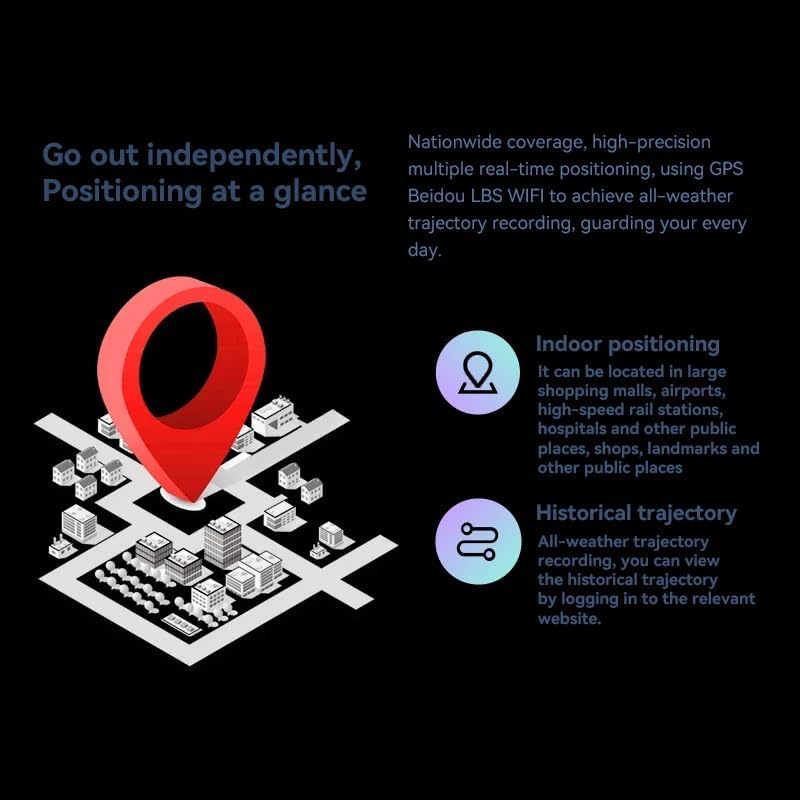
Image 4.1: Visual representation of the smartwatch's GPS and multi-location tracking features, including indoor and historical trajectory capabilities.
4.5 استخدام التطبيق
Running on Android 8.1 with 2GB RAM and 16GB internal storage, the smartwatch allows you to download and use various applications from its integrated app store. Popular apps like WeChat, TikTok, YouTube, and games are supported.

Image 4.2: The smartwatch interface showcasing a selection of popular applications available for download and use.
4.6 التحكم في الموسيقى
Control music playback on your connected smartphone or directly from the smartwatch if music files are stored on its internal memory. Access the music player app to play, pause, skip tracks, and adjust volume.
5. الصيانة
- تنظيف: Wipe the watch screen and body with a soft, dry, lint-free cloth. Avoid using harsh chemicals or abrasive materials.
- مقاومة الماء: While the device may have some resistance, avoid submerging it in water or exposing it to high-pressure water streams.
- تخزين: قم بتخزين الساعة الذكية في مكان بارد وجاف عند عدم استخدامها.
- العناية بالبطارية: To prolong battery life, avoid extreme temperatures and do not allow the battery to fully discharge for extended periods.
6. استكشاف الأخطاء وإصلاحها
6.1 Watch Does Not Power On
- تأكد من شحن الساعة بالكامل. وصلها بالشاحن لمدة 30 دقيقة على الأقل.
- حاول الضغط مع الاستمرار على زر الطاقة لمدة 10-15 ثانية لإجبار الجهاز على إعادة التشغيل.
6.2 ضعف إشارة نظام تحديد المواقع العالمي (GPS)
- تأكد من أنك في منطقة مفتوحة ذات رؤية واضحة view من السماء.
- Avoid areas with tall buildings or dense foliage that can obstruct the signal.
6.3 Apps Not Downloading/Working
- Check your Wi-Fi or cellular data connection.
- Ensure there is sufficient storage space on the device (16GB internal memory).
- أعد تشغيل الساعة الذكية.
6.4 شاشة اللمس لا تستجيب
- قم بتنظيف الشاشة لإزالة أي أوساخ أو رطوبة.
- أعد تشغيل الجهاز. إذا استمرت المشكلة، تواصل مع خدمة العملاء.
7. المواصفات

الصورة 7.1: داخلي view highlighting the Android 8.1 operating system and the quad-core ASR8601 processor, ensuring smooth operation.
| ميزة | التفاصيل |
|---|---|
| نموذج | HW S11 |
| ماركة | شيندادا |
| نظام التشغيل | أندرويد 8.1 |
| المعالج | Quad-core (ASR8601) |
| كبش | 2 جيجا بايت |
| التخزين الداخلي | 16 جيجا بايت |
| حجم العرض | 2.02 بوصة |
| نوع العرض | شاشة الكريستال السائل |
| دقة | 320 × 390 بكسل |
| سعة البطارية | 700 مللي أمبير |
| الاتصال | Bluetooth, Wi-Fi, 4G (SIM card support) |
| نظام تحديد المواقع العالمي (جي بي اس) | Integrated GPS, Beidou, LBS |
| آلة تصوير | 180° Swivel Telescopic Camera |
| أبعاد | 5 × 5 × 5 سم |
| وزن | 100 جرام |
8. الضمان والدعم
للحصول على معلومات الضمان والدعم الفني، يرجى الرجوع إلى الوثائق المرفقة مع عملية الشراء أو الاتصال بالبائع. احتفظ بإثبات الشراء لتقديم أي مطالبات ضمان.
Ask a question about this manual
Ask about setup, troubleshooting, compatibility, parts, safety, or missing instructions. Manuals+ will review the question and use this page’s manual context to help answer it.