
مقدمة
This manual provides detailed instructions for the setup, operation, and maintenance of your AJAZZ AF98Plus Tri-Mode Office Keyboard. Please read this manual thoroughly before using the product to ensure optimal performance and longevity.
المنتج انتهىview
The AJAZZ AF98Plus is a versatile 98-key office keyboard designed for efficiency and comfort. It features tri-mode connectivity, a high-capacity 4000mAh battery, ergonomic design, customizable RGB lighting, and dedicated multimedia function keys.
الميزات الرئيسية
- تخطيط 98 مفتاحًا: Compact yet functional, designed to improve posture and reduce wrist strain.
- اتصال ثلاثي الأوضاع: Supports wired (USB-C), 2.4GHz wireless, and Bluetooth connectivity.
- بطارية 4000 مللي أمبير: High-capacity battery for extended use with low power consumption.
- مقبض ضبط مستوى الصوت: تحكم مريح في مستويات الصوت.
- دعامة قدم قابلة للتعديل: Dual-position feet for ergonomic typing angles.
- إضاءة RGB: 8 distinct RGB lighting effects with adjustable brightness and speed.
- مفاتيح وظائف الوسائط المتعددة: 15 FN key combinations for quick access to common functions.
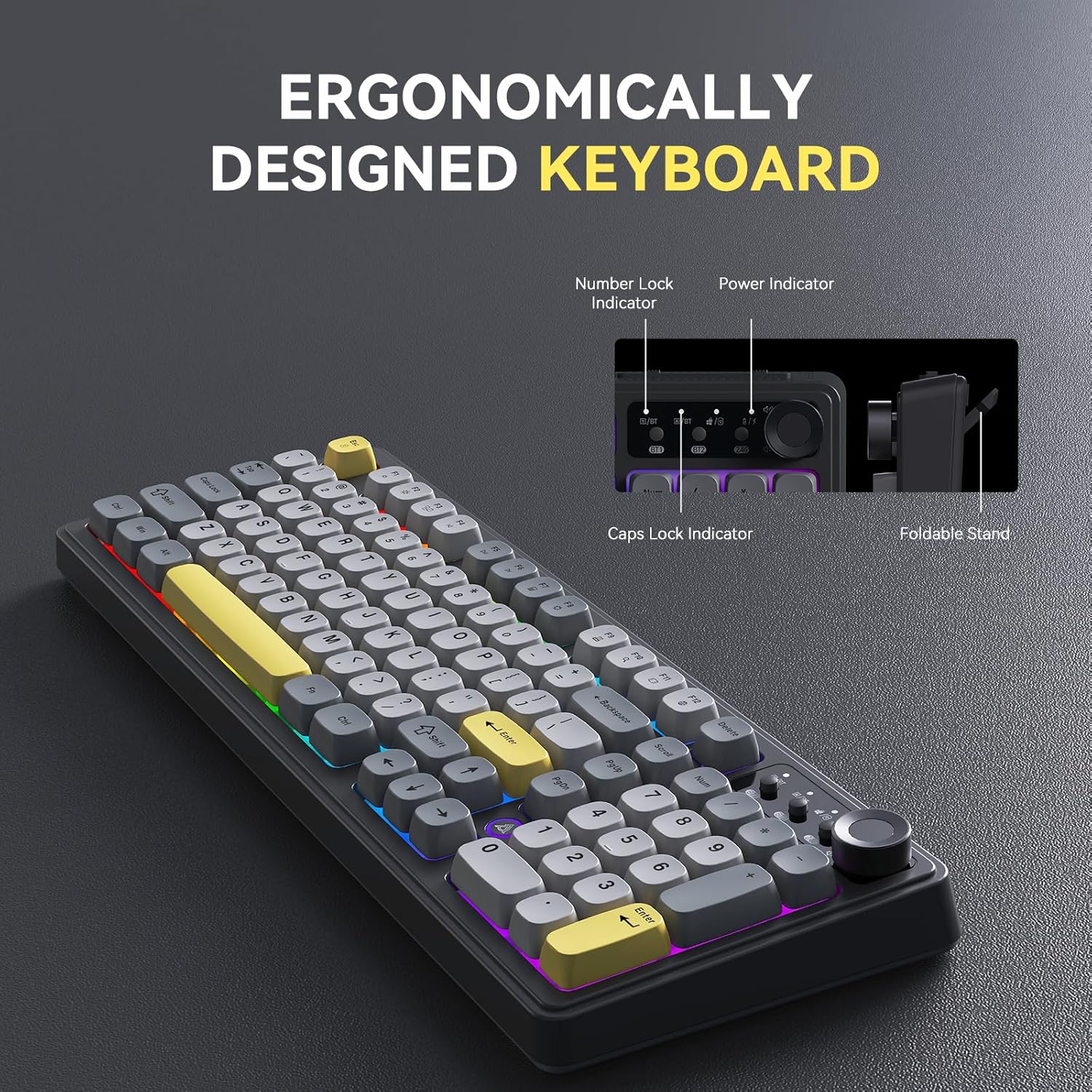
Image: The AJAZZ AF98Plus keyboard highlighting its ergonomic design, including indicators for Number Lock, Power, and Caps Lock, and a foldable stand for adjustable height.

Image: The AJAZZ AF98Plus keyboard positioned on a desk alongside a laptop and notebook, showcasing its full-size ergonomic design for a comfortable typing experience.
يثبت
محتويات الحزمة
- AJAZZ AF98Plus Keyboard
- كابل USB-C
- دليل المستخدم
الاتصال الأولي
To begin using your keyboard, connect it to your device using one of the available tri-modes: wired, 2.4GHz wireless, or Bluetooth.
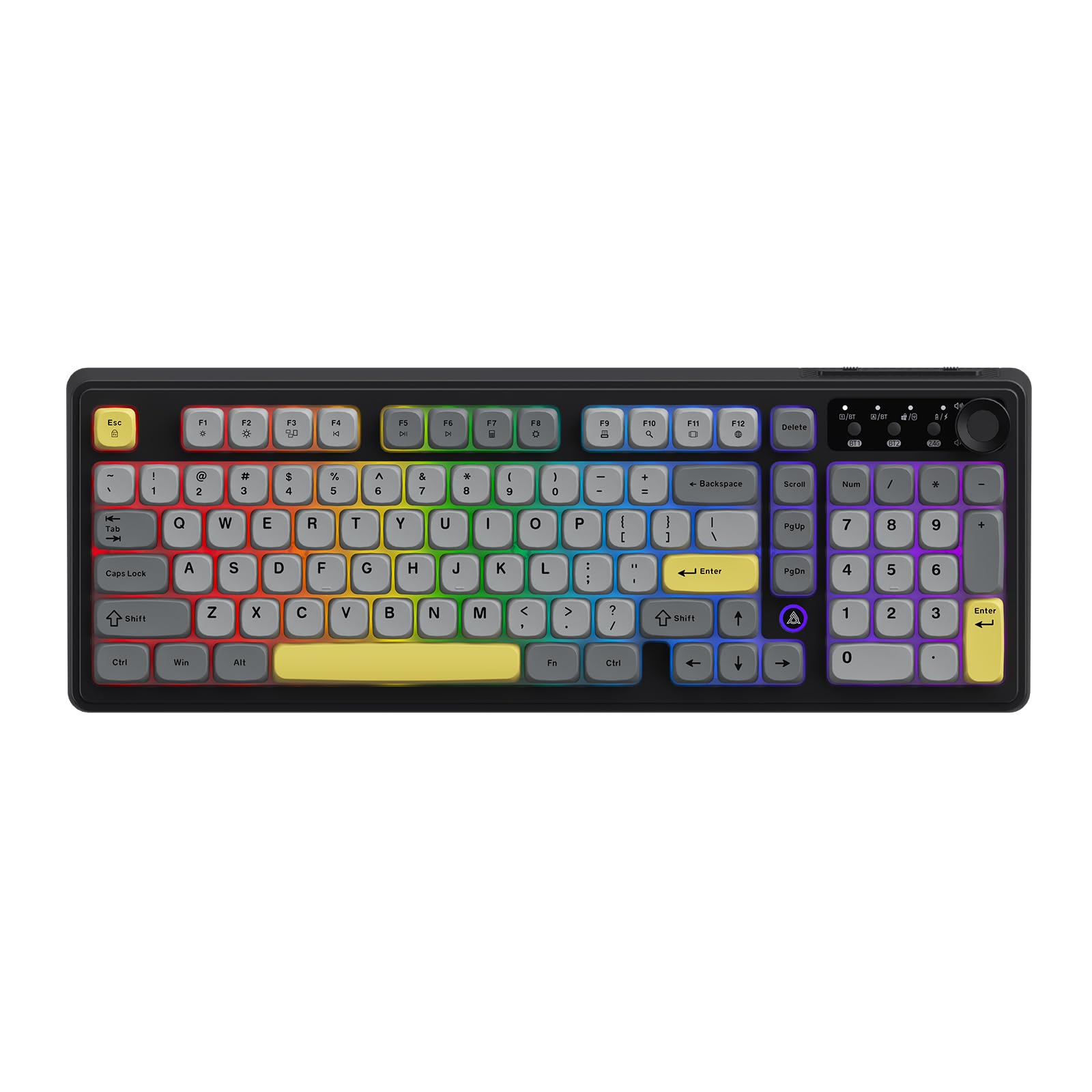
Image: The AJAZZ AF98Plus keyboard in its Black Gray Yellow color scheme, displaying the complete key layout.
تعليمات التشغيل
أوضاع الاتصال
The AF98Plus keyboard supports three connection modes:
- الوضع السلكي: قم بتوصيل لوحة المفاتيح بجهازك باستخدام كابل USB-C المرفق. ستتحول لوحة المفاتيح تلقائيًا إلى وضع الاتصال السلكي.
- الوضع اللاسلكي 2.4 جيجا هرتز: Insert the 2.4GHz USB receiver into your device. Switch the keyboard to 2.4G mode using the mode switch located near the volume knob.
- وضع البلوتوث: The keyboard supports two Bluetooth connections (BT1 and BT2). Switch the keyboard to BT1 or BT2 mode using the mode switch. On your device, search for "AF98Plus" in Bluetooth settings and pair.

الصورة: تفصيلية view of the keyboard's upper right area, featuring the mode switching keys for BT1, BT2, and 2.4G, along with four indicator lights and the volume adjustment knob.
مقبض ضبط مستوى الصوت
The dedicated knob on the top right of the keyboard allows for quick and easy volume control. Turn the knob clockwise to increase volume, counter-clockwise to decrease volume. Press the knob to mute/unmute.
دعم القدم قابل للتعديل
The keyboard features dual-position adjustable feet on the underside. Extend these feet to raise the keyboard to a more angled position for improved typing comfort.

Image: A close-up of the keyboard's underside, showing the foldable kickstand that allows for adjusting the typing angle for enhanced comfort.
RGB Illumination Effects
The AF98Plus keyboard features 8 types of RGB illumination effects. Use the following FN key combinations to control the lighting:
- فن + ↑: زيادة سطوع الضوء
- فن + ↓: Decrease light brightness
- FN + →: Increase light speed
- FN + ←: Decrease light speed
- الجبهة الوطنية + 0: تبديل لون الإضاءة الخلفية
- الجبهة الوطنية + ف: إطفاء/تشغيل الضوء
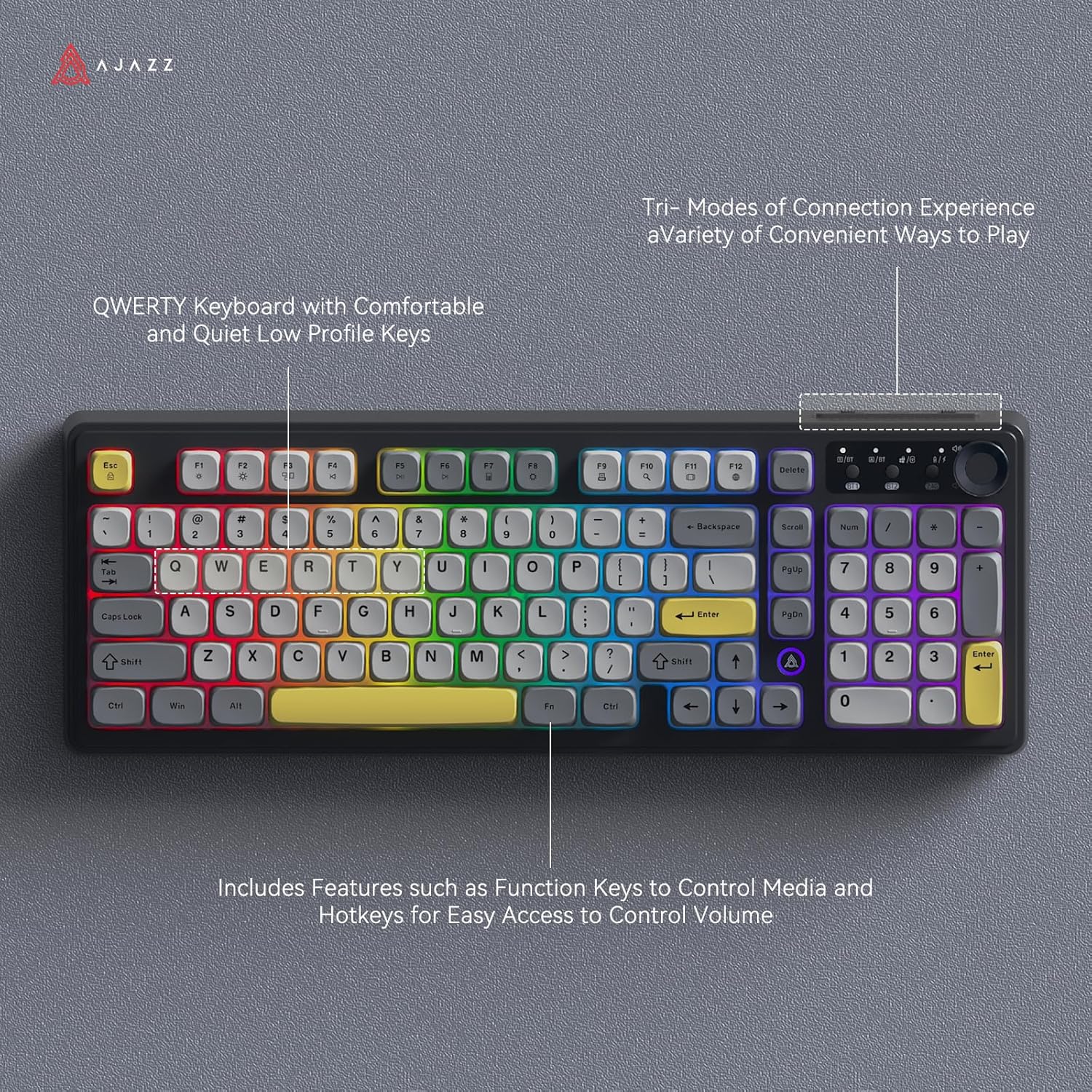
Image: The AJAZZ AF98Plus keyboard illuminated with colorful RGB lighting, showcasing its QWERTY layout and various function keys.

Image: The AJAZZ AF98Plus keyboard showcasing its dynamic RGB lighting effects with keys illuminated in a spectrum of colors.
مفاتيح وظائف الوسائط المتعددة
The keyboard includes 15 multimedia function key combinations for enhanced productivity:
- الجبهة الوطنية + F1: Brightness- / Volume-
- الجبهة الوطنية + F2: Brightness+ / Volume+
- الجبهة الوطنية + F3: شاشة متعددة الشاشات
- الجبهة الوطنية + F4: الأغنية السابقة
- الجبهة الوطنية + F5: تشغيل/إيقاف مؤقت
- الجبهة الوطنية + F6: الأغنية التالية
- الجبهة الوطنية + F7: آلة حاسبة
- الجبهة الوطنية + F8: إعدادات
- الجبهة الوطنية + F9: الطباعة
- الجبهة الوطنية + F10: البحث
- الجبهة الوطنية + F11: تبديل التطبيق
- الجبهة الوطنية + F12: تبديل اللغة
- FN + DEL: بيت
- FN+Scrl: INS
- الجبهة الوطنية + S: Toggle WASD and Arrow Keys

Image: A table detailing the FN key combinations for various multimedia functions, displayed alongside the AJAZZ AF98Plus keyboard.
معلومات البطارية
The AJAZZ AF98Plus keyboard is equipped with a 4000mAh high-capacity battery, providing extended usage time. It features a low power consumption chip and an energy-saving design to maximize battery life.

Image: The AJAZZ AF98Plus keyboard, emphasizing its 4000mAh battery, large capacity, low power consumption chip, and energy-saving design.

Image: The underside of the AJAZZ AF98Plus keyboard, with a large "4000mAh" graphic, signifying its battery capacity.
صيانة
تنظيف
To clean your keyboard, disconnect it from your device. Use a soft, dry cloth to wipe the keycaps and chassis. For deeper cleaning, you may use a can of compressed air to remove dust and debris from between the keys. Avoid using liquid cleaners directly on the keyboard.
تخزين
قم بتخزين لوحة المفاتيح في مكان بارد وجاف بعيدًا عن أشعة الشمس المباشرة ودرجات الحرارة القصوى.
استكشاف الأخطاء وإصلاحها
لوحة المفاتيح لا تستجيب
- الاتصال السلكي: تأكد من توصيل كابل USB-C بإحكام بلوحة المفاتيح والجهاز. جرّب منفذ USB أو كابلًا آخر.
- 2.4 جيجاهرتز لاسلكي: Ensure the USB receiver is properly inserted and the keyboard is switched to 2.4G mode. Check battery level.
- بلوتوث: Ensure Bluetooth is enabled on your device and the keyboard is in BT1 or BT2 mode. Re-pair the keyboard if necessary. Check battery level.
RGB Lights Turn Off
The RGB lighting is designed to turn off after a period of inactivity to conserve battery. It will automatically reactivate when you resume typing.
المفاتيح لا تعمل بشكل صحيح
If specific keys are not working, try cleaning around the keycap. If the issue persists, ensure the keyboard's firmware is up to date (check the manufacturer's webالموقع للحصول على التحديثات).
تحديد
| ميزة | التفاصيل |
|---|---|
| ماركة | AJAZZ |
| رقم الموديل | ايه اف 98 |
| تكنولوجيا الاتصال | بلوتوث، USB-C، لاسلكي 2.4 جيجاهرتز |
| وصف لوحة المفاتيح | غشاء |
| عدد المفاتيح | 98 |
| تخطيط لوحة المفاتيح | لوحة مفاتيح كويرتي |
| الخلفية الخلفية لوحة المفاتيح | اللون الأحمر والأخضر والأزرق |
| مصدر الطاقة | تعمل بالبطارية (4000 مللي أمبير في الساعة) |
| أبعاد المنتج | 18 بوصة طول × 6 بوصة عرض × 1.37 بوصة ارتفاع |
| الأجهزة المتوافقة | Gaming Console, Laptop, PC, Tablet (Windows Vista/XP/7/8/10/11, Mac, Android) |
الضمان والدعم
The product comes with a 1-year warranty. For warranty claims or technical support, please contact the retailer or manufacturer directly. Refer to your purchase documentation for specific contact details.
Return Policy: This product is eligible for a refund/replacement within 30 days of purchase, subject to the retailer's return policy.