
1. انتهى المنتجview
The AMACOOL F320S is a versatile 10000mAh magnetic portable fan designed for various environments, including cruises, golf carts, camping, and home use. It features a powerful magnetic base, a foldable hook, 360-degree rotation, three fan speeds, and a multi-level LED light, ensuring comfort and convenience wherever you go.
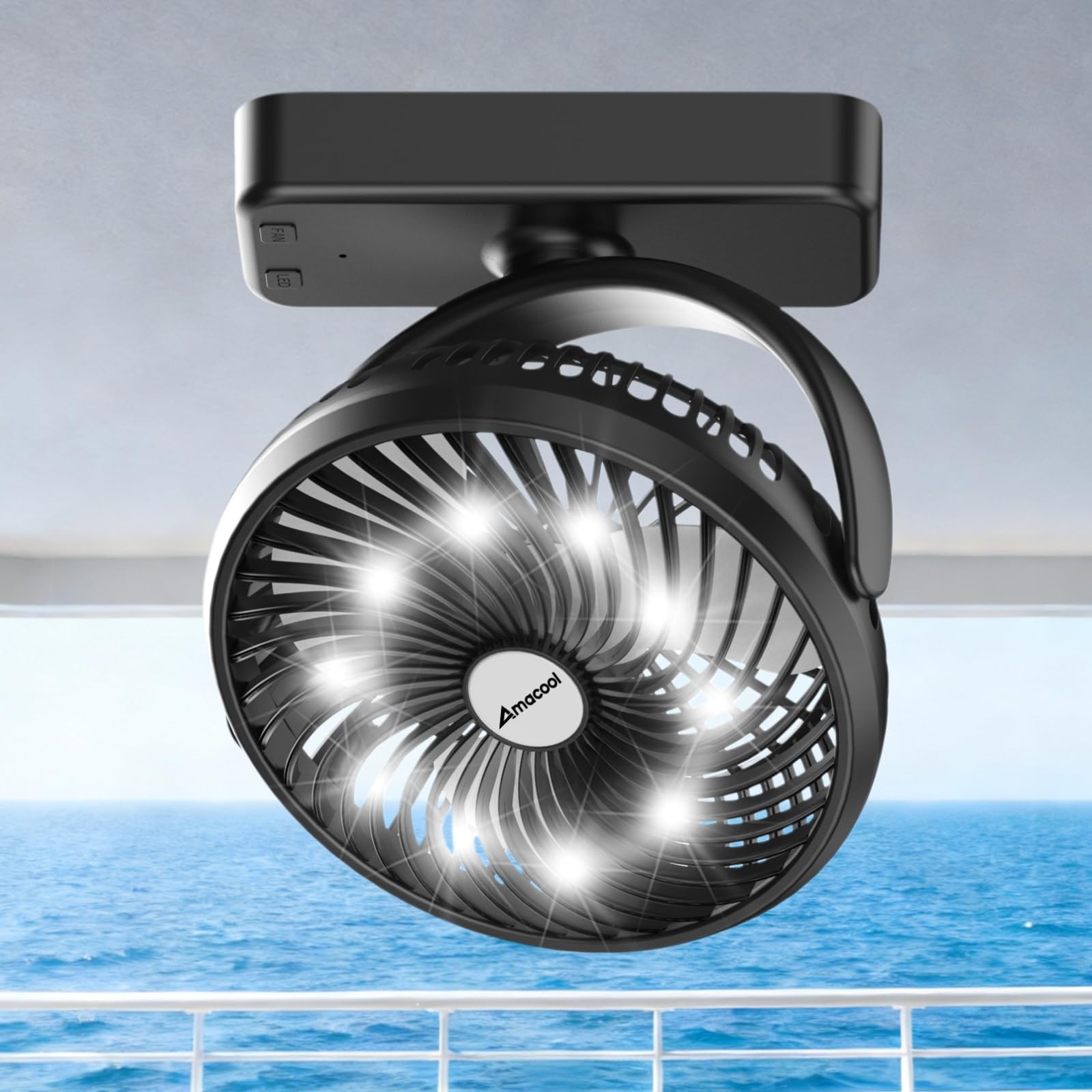
Image 1: The AMACOOL F320S Magnetic Portable Fan in its compact form.
2. الميزات الرئيسية
- بطارية قابلة لإعادة الشحن بسعة 10000 مللي أمبير في الساعة: Provides 8-35 hours of operation depending on fan speed, making it ideal for extended use without frequent recharging. The battery is flight-approved for travel.
- قاعدة مغناطيسية قوية: Equipped with 8 heavy-duty N52 magnets for secure attachment to metal surfaces like cruise cabin walls, golf cart frames, or kitchen appliances.
- دوران 360 درجة: The fan head can be rotated 360 degrees horizontally and vertically, allowing for precise airflow direction.
- 3 سرعات للمروحة: اختر من بين سرعات المروحة المنخفضة أو المتوسطة أو العالية لتناسب احتياجات التبريد الخاصة بك.
- 3-Level LED Light: Integrated white work light with three brightness settings, useful for various tasks or as a night light.
- Versatile Hanging Hook: A foldable hook on the base allows for convenient hanging in tents, on branches, or other suitable locations.
- صغير الحجم وقابل للحمل: Measuring 7.17 × 2.56 × 8.66 inches and weighing 1.04 lbs, it's easy to pack and carry.
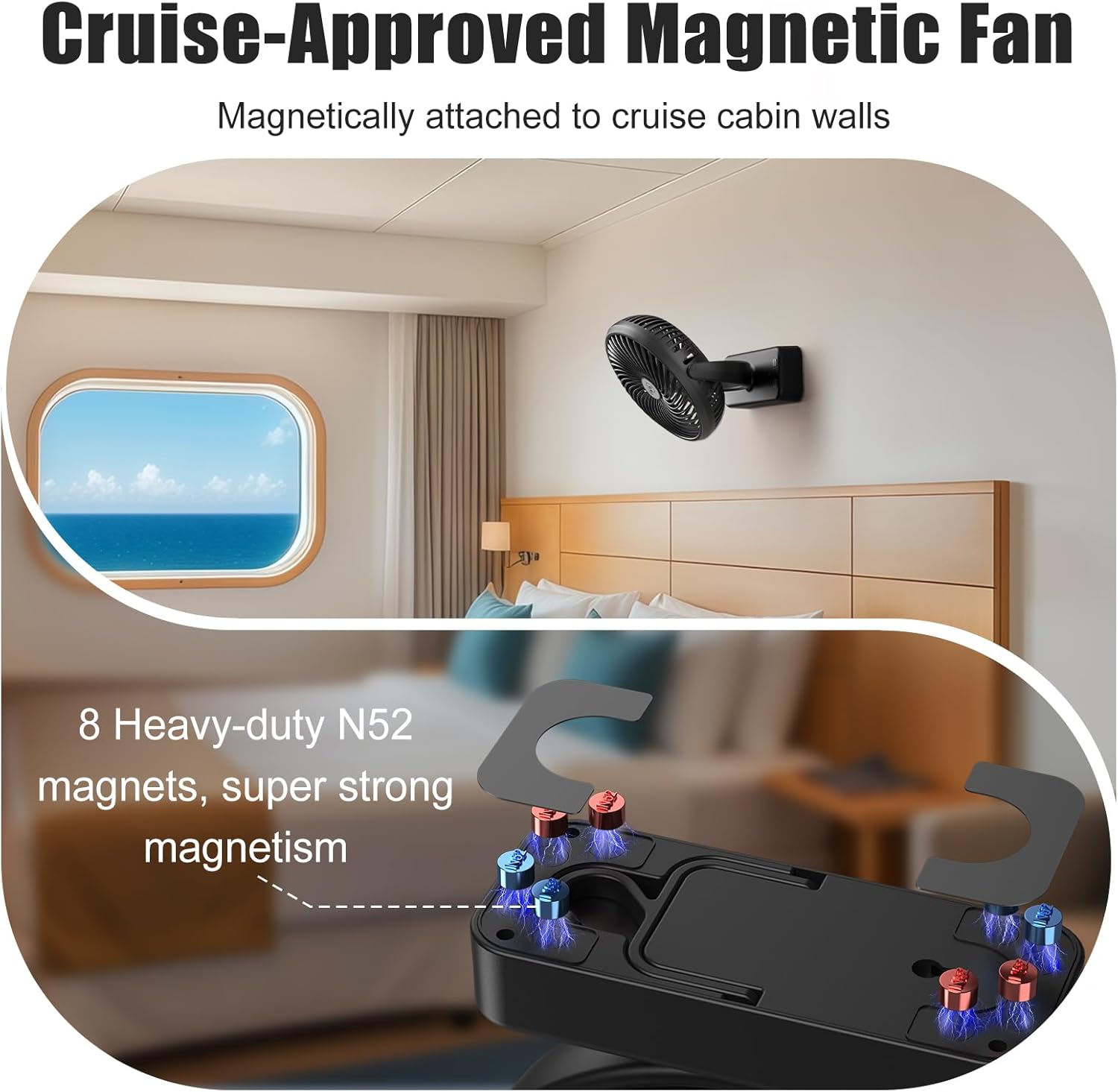
Image 2: Illustration of the magnetic base with N52 magnets and 360-degree rotation capability.
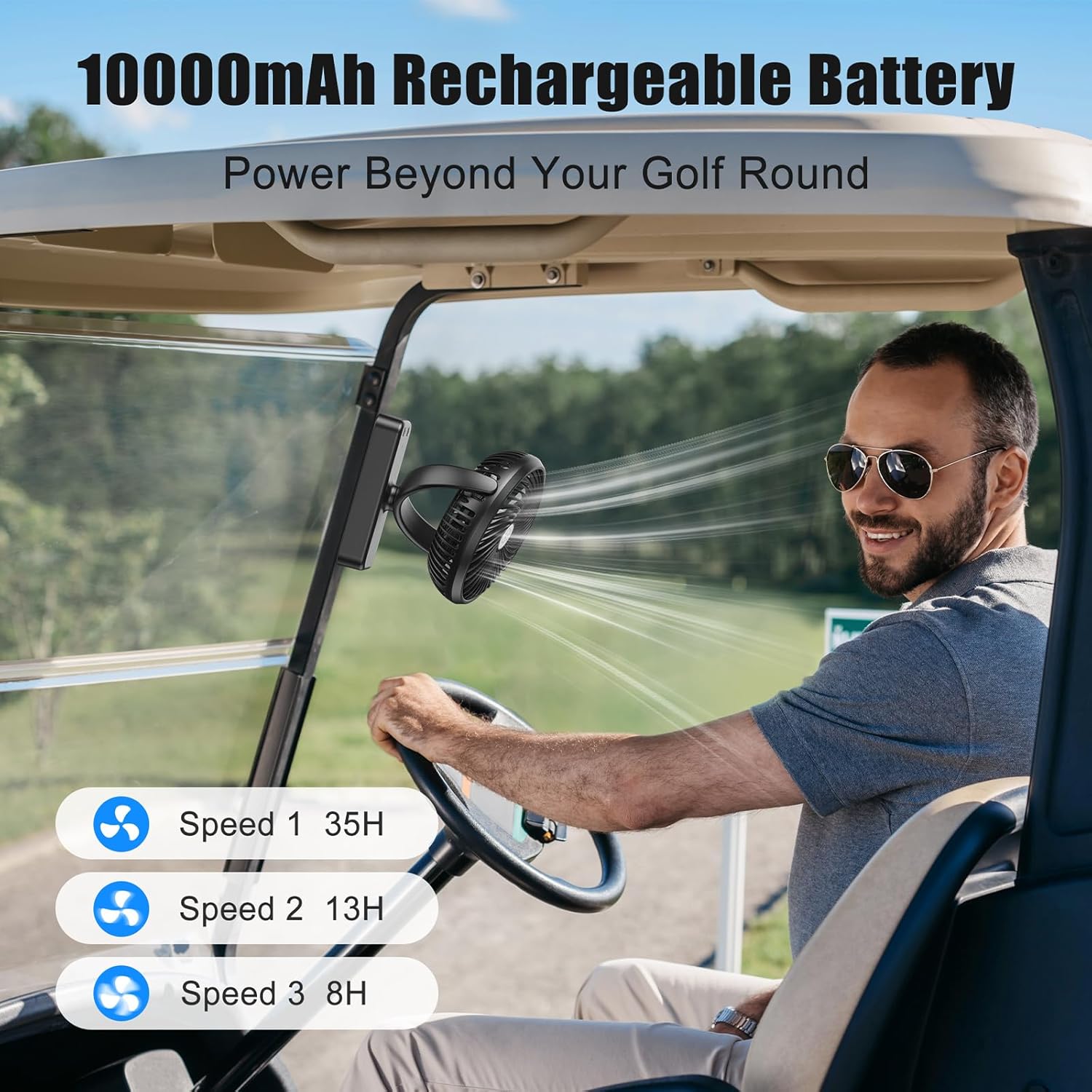
Image 3: The fan attached to a golf cart, highlighting its 10000mAh battery life across different speeds (35H on Speed 1, 13H on Speed 2, 8H on Speed 3).

Image 4: The fan demonstrating its powerful 3 speeds and 360-degree rotation, shown standing and hanging inside a campجي خيمة.

Image 5: The fan providing smooth white noise and 3-level white light for sleeping or relaxation.

Image 6: The fan's versatile usage options: magnetically attached in a cruise cabin, on a golf cart, hanging in a camping tent, and standing on a desk.
3. الإعداد
- فك الصندوق: Carefully remove the fan and all accessories from the packaging. Verify that all components are present: the fan unit, USB-C charging cable, and user manual.
- التهمة الاولية: Before first use, fully charge the fan using the provided USB-C cable. Connect the USB-C end to the fan's charging port (located on the side of the base) and the USB-A end to a compatible 5V power supply (e.g., power bank, laptop, wall adapter). The indicator light will flash red during charging and turn solid red when fully charged.
- التمركز: Choose your desired mounting method:
- سطح المكتب/الطاولة: Place the fan on a flat, stable surface. Adjust the fan head to your preferred angle.
- جبل مغناطيسي: Attach the magnetic base firmly to any suitable metal surface. Ensure the surface is clean and dry for optimal adhesion.
- معلقة: Extend the foldable hook from the base and hang the fan from a secure point.
- جدار جبل: Use the keyhole slot on the back of the base to hang the fan on a screw or nail (not included) on a wall.
Video 1: This video demonstrates the unboxing and various setup options for the magnetic rechargeable travel fan, including its magnetic base and hanging hook.
4. تعليمات التشغيل
4.1 التحكم في المروحة
- Power On/Speed 1: Press the 'FAN' button once to turn on the fan at low speed (Speed 1).
- السرعة 2: Press the 'FAN' button a second time for medium speed (Speed 2).
- السرعة 3: Press the 'FAN' button a third time for high speed (Speed 3).
- إيقاف التشغيل: Press the 'FAN' button a fourth time to turn off the fan.
4.2 التحكم في الضوء
- Light On/Brightness 1: Press the 'LED' button once to turn on the light at the lowest brightness setting.
- Brightness 2: Press the 'LED' button a second time for medium brightness.
- Brightness 3: Press the 'LED' button a third time for the brightest setting.
- الإضائة مطفئة: Press the 'LED' button a fourth time to turn off the light.
5. الصيانة
- تنظيف: Turn off the fan and unplug it before cleaning. Use a soft, dry cloth to wipe the fan body and blades. Do not use harsh chemicals, abrasive cleaners, or corrosive liquids.
- تخزين: If not in use for an extended period, fully charge the battery and store the fan in a cool, dry place.
- العناية بالبطارية: To prolong battery life, avoid completely draining the battery frequently. Recharge when the power is low.
- التفكيك: Do not attempt to disassemble or repair the fan yourself. Contact professional staff for any repairs.
6. استكشاف الأخطاء وإصلاحها
| ظاهرة الخطأ | Cause of the Problem | طريقة الاستبعاد |
|---|---|---|
| No power/light | The battery is too low or the charging wire is not inserted. | Charge the fan or check the connector/charging cable. |
| The charging time is too long or not charged. | The charger current is less than 2A or the charging cable is damaged. | Change the charger or switch to a charging line. |
7. المواصفات
| المعلمة | قيمة |
|---|---|
| رقم الموديل | اف320اس |
| ماركة | أماكول |
| طاقة الإخراج | 6 واط |
| حجم الإدخالtage | تيار مستمر 5 فولت |
| تيار الإدخال | 1.5 أ |
| حجم الإخراجtage | 5 فولت-14 فولت |
| سعة البطارية | 10000 مللي أمبير |
| أبعاد المنتج | 2.56 بوصة عمق × 7.17 بوصة عرض × 8.66 بوصة ارتفاع |
| وزن العنصر | 600 جرام (1.32 رطل) |
| عدد السرعات | 3 |
| ميزة خاصة | Magnetic, LED Light, Foldable Hook |
| نوع التركيب | Wall Mount/Desktop/Hook Mount |
| مادة | بلاستيك |
| الاستخدام الداخلي والخارجي | داخلي، خارجي |
8. الضمان والدعم
Respect of customer, thank you for choosing our company's products. In order to better service for you, after buying the product, please read carefully, complete and properly keep the warranty card.
For support or warranty claims, please contact AMACOOL directly:
- Online/Email: https://amacool.vip/Contactus or support@amacool.vip

Image 7: QR code for contacting AMACOOL support.