
1. المقدمة
Welcome to the user manual for your new FASTWD Android 15 Tablet 11-inch. This guide provides essential information for setting up, operating, and maintaining your device. Please read this manual thoroughly to ensure optimal performance and longevity of your tablet.
The FASTWD Android 15 Tablet features an 11-inch 2K QHD display, an Octa-Core T615 processor, 36GB RAM, 256GB ROM, and an 8000mAh battery. It supports 5G WiFi, 4G LTE, and includes AI-enhanced cameras, Gemini AI, and Widevine L1 for high-quality streaming.
2. محتويات العبوة
Upon unboxing, please verify that all items listed below are present in your package:
- FASTWD Android 15 Tablet (11-inch)
- الفأر
- لوحة المفاتيح
- انقر فوق القلم
- حقيبة جلدية
- شاحن
- كابل بيانات (USB من النوع C)
- دليل مستخدم الجهاز اللوحي

الشكل 2.1: Included accessories with the FASTWD Android 15 Tablet.
3. انتهى الجهازview
The FASTWD Android 15 Tablet features a sleek, lightweight metal body with a slim profile and straight edges. The display bezel measures 7.8mm, contributing to an immersive viewتجربة رائعة.
السمات الجسدية
- عرض: 11-inch 2K QHD (2560x1440) In-cell Display with 90Hz refresh rate and Wide Viewزاوية جي.
- جسم: Metal construction, weighing approximately 568g.
- الموانئ: USB Type-C for charging and data transfer, SIM/MicroSD card slot.
- الكاميرات: Rear 13MP + 3MP with autofocus and Low Light LED Flash; Front 8MP with autofocus.
- صوتي: أربعة Amplitude Speakers with Artificial Intelligence Noise Cancellation technology.

الشكل 3.1: زيادةview of the tablet's design and key features.

الشكل 3.2: Detail of the tablet's connectivity ports and speaker placement.
4. الإعداد
4.1 الشحن الأولي
Before first use, fully charge your tablet using the provided USB Type-C cable and charger. Connect the cable to the tablet's USB-C port and the charger to a power outlet. The battery indicator on the screen will show charging progress.
4.2 تشغيل/إيقاف التشغيل
- لتشغيل: Press and hold the Power button until the FASTWD logo appears on the screen.
- لإيقاف التشغيل: اضغط مع الاستمرار على زر الطاقة، ثم حدد "إيقاف التشغيل" من الخيارات التي تظهر على الشاشة.
- لإعادة التشغيل: اضغط مع الاستمرار على زر الطاقة، ثم حدد "إعادة التشغيل" من الخيارات.
4.3 معالج الإعداد الأولي
عند تشغيل الجهاز اللوحي لأول مرة، سيرشدك خلال عملية الإعداد الأولية. يتضمن ذلك اختيار لغتك، والاتصال بشبكة Wi-Fi، وإعداد حساب Google الخاص بك، وتكوين إعدادات الأمان الأساسية.
4.4 SIM and MicroSD Card Installation
Locate the SIM/MicroSD card tray on the side of the tablet. Use the provided SIM ejector tool to open the tray. Insert your Nano-SIM card (for 4G LTE connectivity) and/or a MicroSD card (for expanded storage) into the designated slots, ensuring correct orientation. Gently push the tray back into the tablet.
4.5 Bluetooth Device Pairing
To connect Bluetooth accessories like the included keyboard or mouse:
- اذهب الى إعدادات > الأجهزة المتصلة > بلوتوث.
- تبديل البلوتوث On.
- تأكد من أن جهاز البلوتوث الخاص بك في وضع الاقتران.
- حدد "إقران جهاز جديد" واختر جهازك من القائمة.
- اتبع أي مطالبات تظهر على الشاشة لإكمال الاقتران.

الشكل 4.1: Bluetooth device connection interface.
4.6 Face Recognition Unlock
For convenient and secure unlocking, you can set up Face Recognition:
- اذهب الى إعدادات > الأمن والخصوصية > فتح قفل الجهاز > فتح الوجه.
- اتبع التعليمات التي تظهر على الشاشة لتسجيل وجهك. تأكد من وجودك في بيئة مضاءة جيداً.
الشكل 4.2: Face Recognition Unlock setup.
5. تعليمات التشغيل
5.1 الملاحة الأساسية
The tablet uses standard Android touch gestures:
- مقبض: حدد عنصرًا أو افتح تطبيقًا.
- انتقاد: التمرير خلال الصفحات أو القوائم.
- الضغط للتكبير: تكبير أو تصغير الصور و web الصفحات.
- الضغط لفترة طويلة: الوصول إلى القوائم السياقية أو نقل أيقونات التطبيق.
5.2 اتصال واي فاي وشبكة الجيل الرابع LTE
- واي فاي: اذهب الى إعدادات > الشبكات والانترنت > إنترنت. Select your desired Wi-Fi network and enter the password if required. The tablet supports 2.4G/5G dual-band Wi-Fi.
- 4G LTE: If a SIM card is installed, go to إعدادات > الشبكات والانترنت > بطاقات SIM to manage mobile data settings. The tablet supports 4G LTE TDD+FDD and VoLTE.

الشكل 5.1: Connectivity features of the tablet.
5.3 إدارة التطبيقات
لإدارة تطبيقاتك:
- تثبيت التطبيقات: استخدم متجر جوجل بلاي لتنزيل وتثبيت التطبيقات الجديدة.
- إلغاء تثبيت التطبيقات: Long-press an app icon on the home screen or app drawer, then drag it to 'Uninstall' or select 'App info' and choose 'Uninstall'.
- Free Up Storage Space: اذهب الى إعدادات > التطبيقات > شاهد جميع التطبيقات. Select an app, then choose 'Storage & cache' to clear cache or data, or 'Force stop' to temporarily halt its operation.
الشكل 5.2: App management options.
5.4 الرقابة الأبوية
Manage and monitor tablet usage for children using parental controls:
- اذهب الى إعدادات > الرفاهية الرقمية والضوابط الأبوية.
- Set up screen time limits, app restrictions, and content filters.
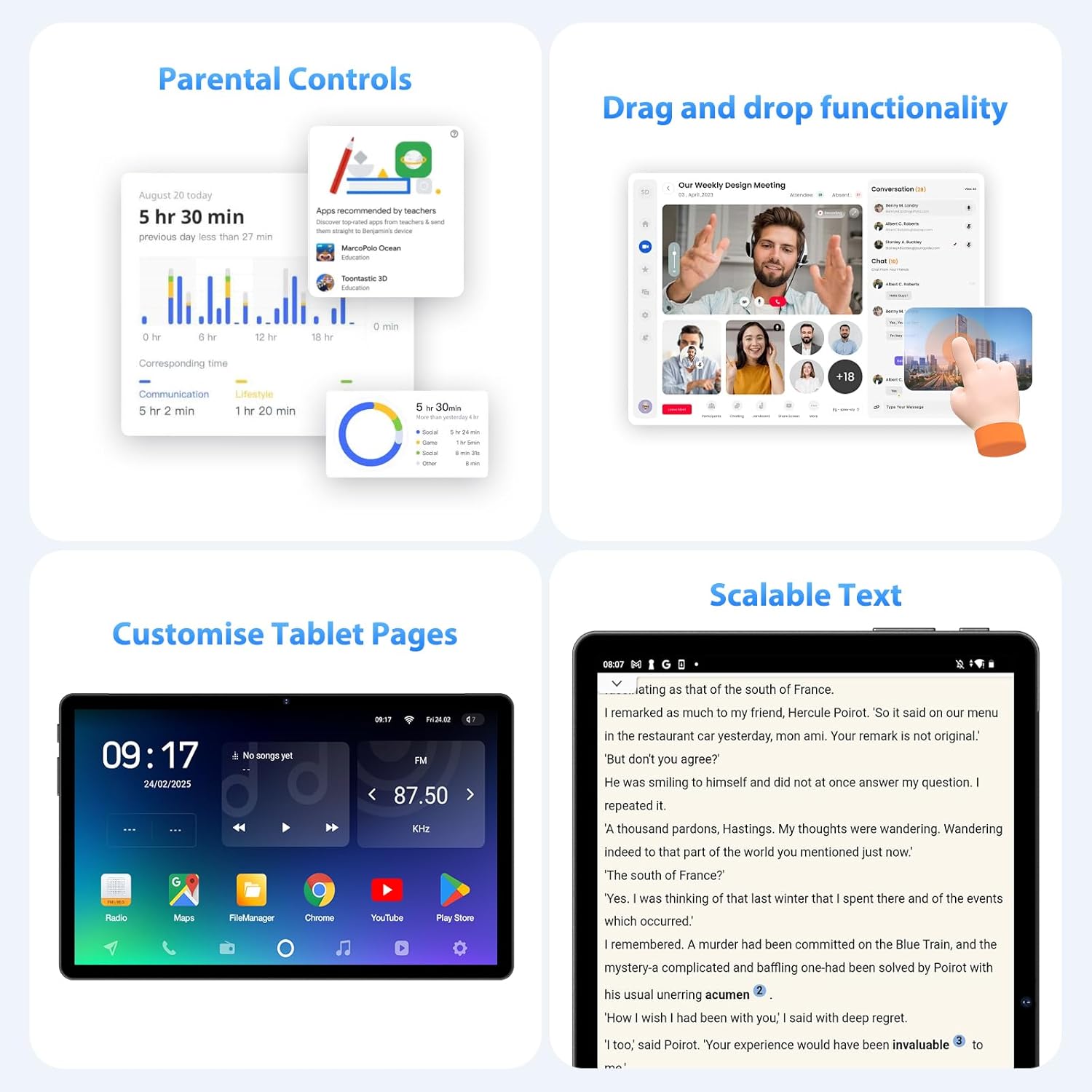
الشكل 5.3: Parental control settings.
5.5 Double-tap to Wake
To quickly wake the screen without pressing the power button, simply double-tap the display. This feature can usually be enabled or disabled in إعدادات > عرض > Lock screen display.
الشكل 5.4: Double-tap to wake functionality.
5.6 Customizing Tablet Pages
Personalize your tablet's home screens by long-pressing on an empty area to access wallpaper, widgets, and home screen settings. You can also rearrange app icons and create folders.
الشكل 5.5: Example of a customized tablet page.
6. الميزات المتقدمة
6.1 العرض والوسائط المتعددة
- 2K QHD 90Hz Display: Enjoy smooth visuals and vibrant colors on the 11-inch 2560x1440 resolution display. The 90Hz refresh rate enhances scrolling and gaming experiences.
- ويديفاين L1 إدارة الحقوق الرقمية: Supports Widevine L1 Digital Rights Management, enabling high-definition (1080P) streaming from services like Netflix.
- DP HD Screen Throwing: Allows for high-definition screen mirroring or extension to compatible external displays.
- Scalable Text: Adjust text size for improved readability via display settings.
الشكل 6.1: Scalable text feature for enhanced readability.
6.2 Performance and AI
- Octa-Core T615 Processor: Equipped with a powerful 12nm Octa-Core T615 processor (4x A73 + 4x A53) and Mali-G72 GPU for efficient multitasking and smooth application performance.
- Gemini AI Integration: Leverages Gemini AI for enhanced smart features and optimized user experience.
- الكشف الذكي بالذكاء الاصطناعي: The tablet incorporates AI for various smart detection functionalities, improving user interaction and device efficiency.
الشكل 6.2: Octa-core processor specifications.
6.3 ميزات الكاميرا
The tablet is equipped with AI-enhanced cameras:
- الكاميرات الخلفية: 13MP + 3MP with HD Video Call support, autofocus, and Low Light LED Flash.
- الكاميرا الأمامية: 8MP with autofocus.
- Capture Unlock Face: Utilize the front camera for face recognition to unlock the device.
6.4 نظام الصوت
Experience clear audio with the tablet's advanced sound system:
- أربعة Amplitude Speakers: Delivers rich and immersive sound.
- إلغاء الضوضاء بالذكاء الاصطناعي: Artificial Intelligence Noise Cancellation technology automatically filters out ambient noise for clearer audio output.
7. الصيانة والعناية
7.1 تنظيف الجهاز اللوحي
Use a soft, lint-free cloth to gently wipe the screen and body of the tablet. For stubborn smudges, slightly dampبللي قطعة القماش بالماء أو بمحلول تنظيف الشاشات. تجنبي استخدام المواد الكيميائية القاسية أو المواد الكاشطة.
7.2 العناية بالبطارية
The tablet is equipped with an 8000mAh battery, providing approximately 8 hours of usage. To prolong battery life:
- تجنب درجات الحرارة القصوى.
- لا تترك البطارية تنفد بالكامل بشكل متكرر.
- استخدم الشاحن المرفق للحصول على أفضل النتائج في عملية الشحن.
- قم بتقليل سطوع الشاشة وتعطيل الميزات غير الضرورية (Wi-Fi، Bluetooth، GPS) عند عدم استخدامها.
7.3 تحديثات البرامج
تحقق بانتظام من وجود تحديثات للبرامج وقم بتثبيتها لضمان حصول جهازك اللوحي على أحدث الميزات والتصحيحات الأمنية وتحسينات الأداء. انتقل إلى إعدادات > نظام > تحديث النظام للتحقق من التحديثات المتاحة.
7.4 إدارة التخزين
The tablet comes with 256GB of internal storage, expandable up to 1TB via MicroSD card. To manage storage:
- احذف الأشياء غير الضرورية بانتظام fileق والتطبيقات.
- تحرك على نطاق واسع files (photos, videos) to the MicroSD card or cloud storage.
- Clear app cache periodically via إعدادات > تخزين.
8. استكشاف الأخطاء وإصلاحها
يتناول هذا القسم المشكلات الشائعة التي قد تواجهها مع جهازك اللوحي.
8.1 الجهاز اللوحي لا يعمل
- تأكد من شحن البطارية. قم بتوصيل الجهاز اللوحي بالشاحن لمدة 30 دقيقة على الأقل.
- اضغط مع الاستمرار على زر الطاقة لمدة 10-15 ثانية لإجراء إعادة تشغيل قسرية.
8.2 مشاكل الاتصال بشبكة Wi-Fi
- أعد تشغيل جهاز توجيه Wi-Fi والكمبيوتر اللوحي.
- تأكد من أنك ضمن نطاق إشارة Wi-Fi.
- تأكد من صحة كلمة مرور Wi-Fi.
- قم بحذف الشبكة من إعدادات الواي فاي وأعد الاتصال بها.
8.3 الأداء البطيء
- أغلق التطبيقات غير المستخدمة التي تعمل في الخلفية.
- Clear app caches and free up storage space.
- أعد تشغيل الجهاز اللوحي بشكل دوري.
- Consider performing a factory reset if performance issues persist (ملحوظة: This will erase all data on the tablet. Back up important data first).
8.4 الشاشة لا تستجيب
- قم بإعادة التشغيل القسري بالضغط مع الاستمرار على زر الطاقة.
- تأكد من أن الشاشة نظيفة وخالية من الرطوبة والحطام.
9. المواصفات
| ميزة | مواصفة |
|---|---|
| ماركة | سريع |
| اسم الموديل | FASTWD Android 15 Tablet 11-inch |
| نظام التشغيل | أندرويد 15 |
| المعالج | Octa-Core T615 (4x A73, 4x A53, 12nm) |
| وحدة معالجة الرسوميات | مالي-G72 |
| كبش | 36 جيجابايت (12 جيجابايت + 24 جيجابايت افتراضية) |
| التخزين الداخلي | 256 جيجا بايت |
| تخزين قابل للتوسيع | بطاقة ذاكرة مايكرو إس دي بسعة تصل إلى 1 تيرابايت |
| حجم العرض | 11 بوصة |
| دقة العرض | 2560x1440 (2K QHD) |
| معدل التحديث | 90 هرتز |
| سعة البطارية | 8000 مللي أمبير |
| عمر البطارية | حوالي 8 ساعات |
| الكاميرا الخلفية | 13MP + 3MP with Autofocus and LED Flash |
| الكاميرا الأمامية | 8 ميجابكسل مع ضبط تلقائي للصورة |
| واي فاي | 802.11ac (2.4G/5G Dual-band) |
| الاتصال الخلوي | 4G LTE (TDD+FDD), VoLTE |
| بلوتوث | نعم |
| الموانئ | يو إس بي من النوع سي |
| الأبعاد (المنتج) | 26 لترًا × 16 عرضًا × 0.8 ارتفاعًا سم |
| وزن | حوالي 568 جرام |
| دعم إدارة الحقوق الرقمية | وايدفاين L1 |
| مميزات اخرى | Gemini AI, GPS, TÜV Certified (implied from product title) |
10. الضمان والدعم
For detailed warranty information, please refer to the warranty card included in your product packaging or contact your point of purchase. Warranty terms and conditions may vary by region and retailer.
If you encounter issues not covered in this manual or require further assistance, please contact FASTWD customer support through the contact information provided with your product or on the official FASTWD webموقع.