
مقدمة
This manual provides essential information for setting up, operating, and maintaining your LEFFOT M1 Plus Android 14 TV Box. Please read it thoroughly to ensure proper usage and to maximize your entertainment experience.
ماذا يوجد في الصندوق
تأكد من تضمين جميع العناصر المدرجة أدناه في الحزمة الخاصة بك:
- 1 x LEFFOT M1 Plus Android 14 TV Box
- جهاز تحكم عن بعد صوتي واحد
- 1 × محول الطاقة
- 1 x HD Cable
- 1 × دليل المستخدم

المنتج انتهىview
The LEFFOT M1 Plus is a compact 4K Ultra HD streaming device designed to enhance your television experience. It features a sleek design with various ports for connectivity.

الواجهات الرئيسية:
- مدخلات طاقة التيار المستمر: لتوصيل محول الطاقة.
- منفذ AV: For older televisions or audio systems.
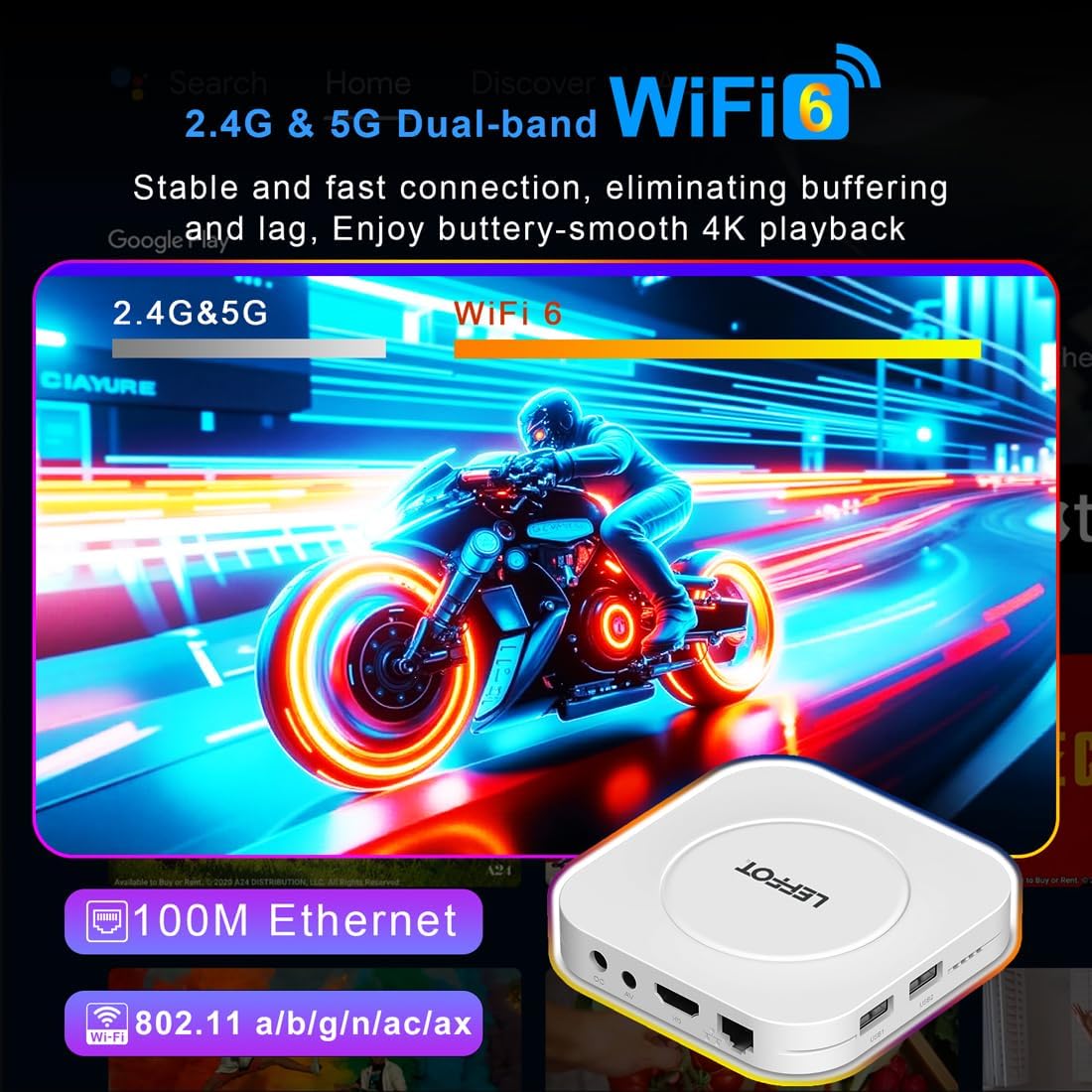
- HD (HDMI) Output: يتصل بجهاز التلفزيون الخاص بك للحصول على فيديو وصوت عالي الدقة.
- منفذ LAN (Ethernet): للاتصال بالإنترنت السلكي.
- منافذ USB 1 و USB 2: For connecting external storage devices, game controllers, or other USB accessories.
- SPDIF: إخراج الصوت الرقمي.
يثبت
Follow these steps to set up your LEFFOT M1 Plus TV Box:
- الاتصال بالتلفزيون: Connect one end of the provided HD cable to the HDMI port on your LEFFOT M1 Plus TV Box and the other end to an available HDMI input on your television.
- توصيل الطاقة: Plug the power adapter into the DC power input on the TV Box, then plug the adapter into a wall outlet. The device will power on automatically.
- أدخل بطاريات جهاز التحكم عن بعد: Open the battery compartment on the back of the voice remote control and insert two AAA batteries (not included), ensuring correct polarity.
- Initial Boot & Wi-Fi Setup: Turn on your TV and select the correct HDMI input. The TV Box will boot up. Follow the on-screen instructions to connect to your Wi-Fi network and log in with your Google Account.

إعداد دليل الفيديو
Video: An unboxing and installation guide for the LEFFOT M1 Plus TV Box, demonstrating how to connect the device and establish a network connection.
تعليمات التشغيل
الملاحة والواجهة
The LEFFOT M1 Plus runs on Android 14 OS, providing a user-friendly interface. Navigate using the included voice remote control. The home screen provides quick access to your favorite apps and content.

التحكم الصوتي مع مساعد جوجل
Utilize the built-in Google Assistant via the BT 5.4 voice remote for hands-free control. Simply press the Google Assistant button on the remote and speak your commands to search for content, control playback, or check information.

4K Ultra HD Streaming
Experience stunning visuals with 8K@23fps decoding and 4K@60fps HDR10 output. The device supports a wide range of streaming services, delivering breathtaking clarity and vibrant colors.

اتصال سلس
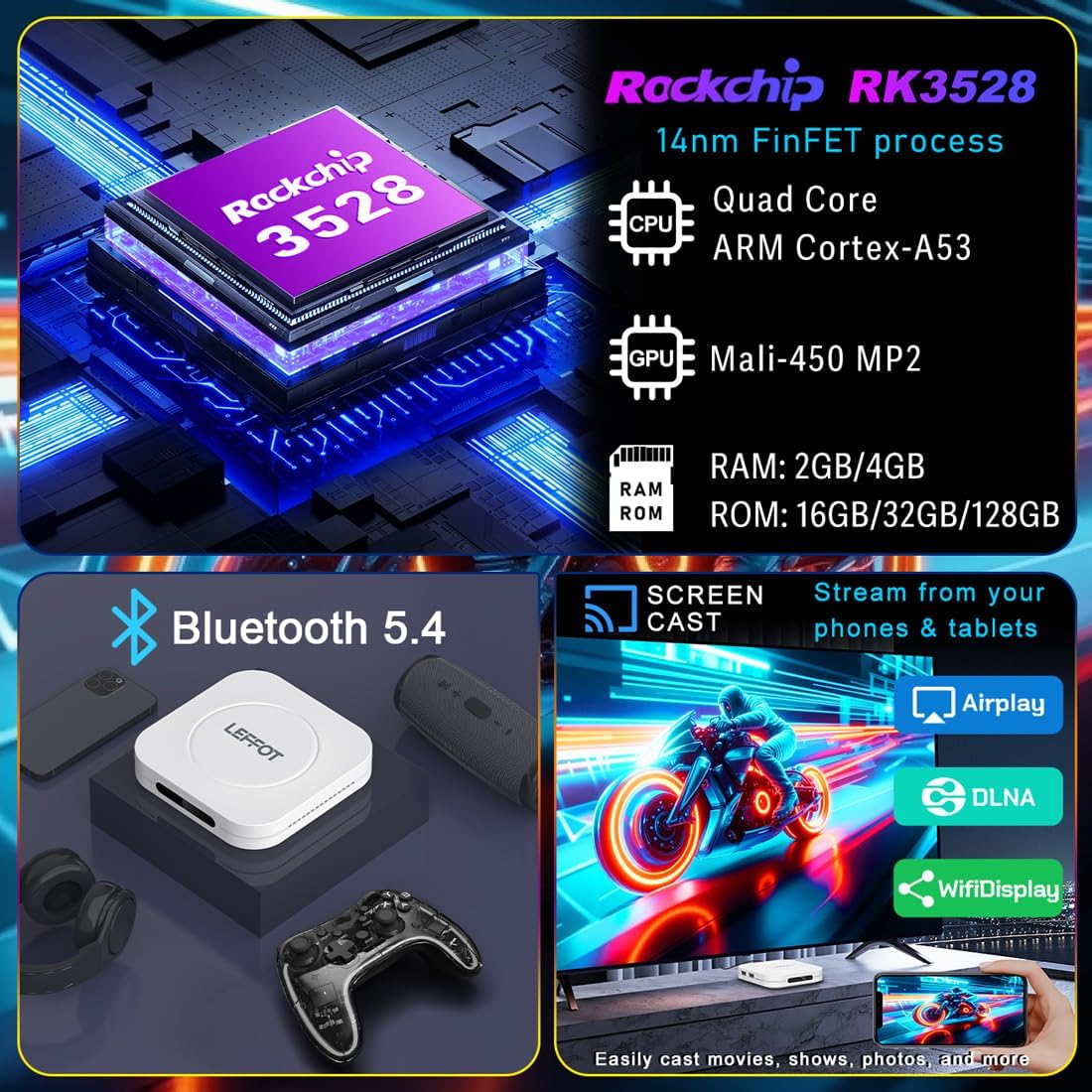
The M1 Plus offers stable and fast connectivity options including dual-band WiFi6 (802.11ax) and 100M Ethernet for buffer-free streaming. Bluetooth 5.4 allows for connection to various peripherals.
انعكاس الشاشة
Easily share photos and videos from your phones or tablets to your TV using Airplay, DLNA, or WiFidisplay features.
فيديو المنتج الرسمي
Video: A short demonstration of the Google AndroidTV Box, showcasing its voice remote control capabilities.
تحديد
| ميزة | وصف |
|---|---|
| ماركة | يسار |
| اسم الموديل | مسنومك بلوس |
| نظام التشغيل | أندرويد 14.0 |
| المعالج | RK3528 Quad-Core A53 CPU |
| وحدة معالجة الرسوميات | مالي-شنومكس مبسنومك |
| كبش | 2 جيجا بايت |
| ذاكرة للقراءة فقط | 16 جيجا بايت |
| دقة | 8K decoding, 4K@60fps HDR10 output |
| الاتصال | 2.4G & 5G WiFi 6 (802.11ax), Bluetooth 5.4, 100M Ethernet |
| المميزات الخاصة | Google Assistant Voice Remote, Airplay, DLNA, WiFidisplay |
| الموانئ | Dual USB 2.0, HD 2.0b, AV, LAN, DC, SPDIF |
| أبعاد | 3.8 × 3.8 × 0.81 بوصة |
| وزن | 4.4 أونصات |
استكشاف الأخطاء وإصلاحها
If you encounter issues with your LEFFOT M1 Plus, refer to the following common solutions:
- لا يوجد طاقة: تأكد من توصيل محول الطاقة بإحكام بالجهاز وبمأخذ كهربائي يعمل. جرب مأخذاً كهربائياً آخر.
- لا توجد إشارة على التلفزيون: Verify that the HD cable is properly connected to both the TV Box and your TV. Ensure your TV is set to the correct HDMI input source.
- مشكلات الاتصال بشبكة Wi-Fi: Check your router and modem to ensure they are working correctly. Re-enter your Wi-Fi password on the TV Box. If using 5G Wi-Fi, ensure your device is within range.
- جهاز التحكم عن بعد لا يستجيب: Check if the batteries are correctly inserted and have sufficient charge. Try re-pairing the Bluetooth remote if necessary (refer to on-screen instructions during initial setup or in device settings).
- تجمد/تعطل التطبيق: Close and restart the application. If the issue persists, clear the app's cache or data in the device settings (Settings > Apps > [App Name] > Clear Cache/Clear Data).
- جودة الفيديو رديئة: Ensure your internet connection is stable and fast enough for 4K streaming. Check your TV's display settings and the streaming app's quality settings.
صيانة
To ensure the longevity and optimal performance of your LEFFOT M1 Plus TV Box:
- احتفظ بالجهاز في مكان بارد وجاف بعيداً عن أشعة الشمس المباشرة ومصادر الحرارة.
- نظّف الجهاز بقطعة قماش ناعمة وجافة. لا تستخدم المنظفات السائلة أو المواد الكاشطة.
- Avoid blocking any ventilation openings (though this model has no external vents, ensure it's not covered).
- قم بالتحقق بانتظام من تحديثات النظام وتثبيتها لضمان الحصول على أحدث الميزات والتصحيحات الأمنية.
الضمان والدعم
Your LEFFOT M1 Plus TV Box comes with a standard manufacturer's warranty. For specific warranty terms and conditions, please refer to the documentation included in your package or contact LEFFOT customer support.
For technical assistance or further inquiries, please visit the official LEFFOT webالموقع أو الاتصال بفريق خدمة العملاء.


