
مقدمة
This manual provides essential instructions for the setup, operation, maintenance, and troubleshooting of your Insignia 32-inch 1080p HD HDR LCD Fire TV Smart TV, model NS-32F401CA26. Please read this manual thoroughly before using your television to ensure proper and safe operation.
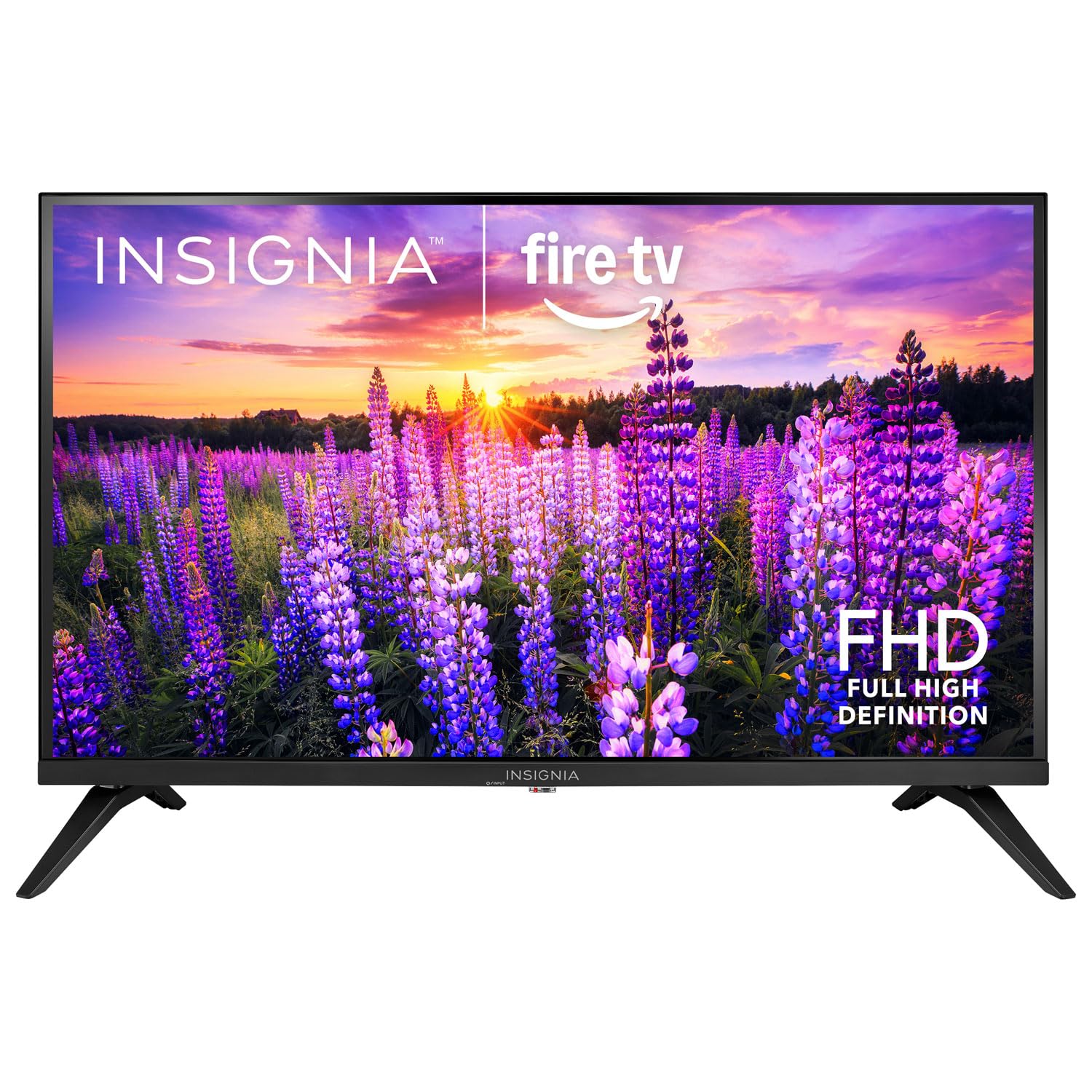
الصورة: الجبهة view of the Insignia 32-inch Fire TV Smart TV, showing the screen and a remote control.
1. الإعداد
1.1 فك التعبئة
أخرج التلفزيون وجميع ملحقاته من العبوة بحرص. احتفظ بمواد التغليف للنقل أو التخزين مستقبلًا.
1.2 تركيب الحامل أو التثبيت على الحائط
لتثبيت الحامل:
- ضع التلفاز ووجهه لأسفل على سطح ناعم ونظيف لمنع تلف الشاشة.
- قم بمحاذاة قواعد الحامل مع فتحات البراغي الموجودة في الجزء السفلي من التلفزيون.
- قم بتأمين الحوامل باستخدام البراغي المتوفرة.
للتركيب على الحائط:
- This TV supports a VESA Mount Standard of 200 x 200 mm.
- Use a compatible wall mount kit (sold separately) and follow its installation instructions.
- تأكد من أن الحائط يمكنه تحمل وزن التلفزيون والحامل.
1.3 توصيل الطاقة
Plug the power cord into the TV's power input, then plug the other end into a working electrical outlet.
1.4 توصيل الأجهزة الخارجية
Your TV includes multiple ports for external devices:
- HDMI Ports (Total 2): قم بتوصيل مشغلات Blu-ray وأجهزة الألعاب وأجهزة الكابل/الأقمار الصناعية.
- USB 3.0 Port (Total 1): قم بتوصيل أجهزة تخزين USB لتشغيل الوسائط.
- مدخل الهوائي/الكابل: قم بتوصيل هوائي للبث عبر الهواء أو اتصال كابل.
1.5 Initial Setup (Fire TV OS)
Upon first power-on, the TV will guide you through the Fire TV setup process:
- إقران جهاز التحكم عن بعد: Insert the included 2 AAA batteries into the remote. Follow on-screen instructions to pair the remote.
- إتصال شبكة: حدد شبكة Wi-Fi الخاصة بك وأدخل كلمة المرور.
- حساب أمازون: Log in with your Amazon account or create a new one.
- مسح القناة: في حالة استخدام هوائي، سيقوم التلفزيون بالبحث عن القنوات المتاحة.
- تحديثات البرامج: قد يقوم التلفزيون بتنزيل وتثبيت أحدث تحديثات البرامج.
2. تشغيل جهاز التلفزيون
2.1 تشغيل/إيقاف التشغيل
اضغط على قوة زر على جهاز التحكم عن بعد لتشغيل التلفزيون أو إيقاف تشغيله.
2.2 التنقل في واجهة Fire TV
استخدم لوحة الاتجاهات و يختار button on your remote to browse the Fire TV home screen, access apps, and navigate menus.
2.3 استخدام جهاز التحكم الصوتي أليكسا
اضغط مع الاستمرار على اليكسا button on your remote and speak into the microphone to:
- بحث عن الأفلام والبرامج التلفزيونية.
- تشغيل التطبيقات (على سبيل المثال، "فتح نتفليكس").
- Control playback (e.g., "Pause", "Fast forward").
- Ask questions or get information.
2.4 الوصول إلى التطبيقات
Popular streaming services like Amazon Prime Video, Netflix, and YouTube are pre-installed. You can download additional apps from the Amazon Appstore.
2.5 ضبط إعدادات الصورة والصوت
الوصول إلى إعدادات menu on the Fire TV home screen to adjust:
- صورة: Brightness, contrast, color, aspect ratio (16:9).
- صوت: Volume, sound mode, DTS Virtual-X settings.
- عرض: Resolution (1080p), refresh rate (120 Hz).
2.6 الرقابة الأبوية
The TV includes parental control features. Navigate to the إعدادات القائمة، ثم حدد التفضيلات، وثم الرقابة الأبوية to set restrictions on content, purchases, and app usage. A PIN is required to enable or disable these controls.
3. الصيانة
3.1 تنظيف التلفزيون
- شاشة: امسح الشاشة برفق بقطعة قماش ناعمة وخالية من الوبر. لإزالة البقع الصعبة، امسحها برفق.ampبلّل قطعة القماش بالماء أو بمنظف شاشات مصمم خصيصًا لأجهزة التلفاز. لا ترش السائل مباشرة على الشاشة.
- جسم: امسح إطار التلفزيون والحامل بقطعة قماش ناعمة وجافة.
- افصل دائمًا التلفاز عن الكهرباء قبل التنظيف.
3.2 تحديثات البرامج
Your Fire TV Smart TV automatically checks for and installs software updates when connected to the internet. You can manually check for updates in the إعدادات القائمة تحت جهاز Fire TV الخاص بي > عن > التحقق من التحديثات.
3.3 استبدال بطارية جهاز التحكم عن بعد
When the remote control's performance degrades, replace the two AAA batteries. Ensure correct polarity when inserting new batteries.
4. استكشاف الأخطاء وإصلاحها
| مشكلة | السبب المحتمل | حل |
|---|---|---|
| لا يوجد طاقة | سلك الطاقة غير موصول؛ المقبس لا يعمل. | Ensure power cord is securely plugged into TV and a live outlet. Test outlet with another device. |
| لا يوجد صورة أو صوت | Incorrect input source; external device off or disconnected. | اضغط على مدخل button on the remote to select the correct source. Check connections of external devices. Ensure devices are powered on. |
| جهاز التحكم عن بعد لا يعمل | بطاريات فارغة، جهاز التحكم عن بعد غير مقترن. | Replace batteries (2 AAA). Re-pair remote by holding the بيت button for 10 seconds near the TV. |
| مشاكل اتصال Wi-Fi | كلمة المرور غير صحيحة؛ مشاكل في جهاز التوجيه؛ التلفاز بعيد جدًا عن جهاز التوجيه. | Verify Wi-Fi password. Restart your router and modem. Move TV closer to router or use a Wi-Fi extender. |
| Apps not loading or crashing | Temporary software glitch; insufficient memory. | Restart the TV. Clear app cache (Settings > Applications > Manage Installed Applications). Ensure sufficient storage. |
5. المواصفات
| رقم الموديل | NS-32F401CA26 |
| حجم الشاشة | 32 بوصة |
| تكنولوجيا العرض | شاشة الكريستال السائل |
| دقة | 1080 بكسل (عالي الدقة بالكامل) |
| معدل التحديث | 120 هرتز |
| يدعم تنسيق HDR | النطاق الديناميكي العالي 10 |
| نسبة العرض إلى الارتفاع | 16:9 |
| تكنولوجيا الاتصال | واي فاي |
| منافذ HDMI | 2 |
| منافذ USB 3.0 | 1 |
| خدمات الإنترنت المدعومة | Amazon Prime Video, Netflix, YouTube, Alexa |
| وصف المتحدث | DTS Virtual-X virtual surround sound |
| Integrated Surround Sound Format | DTS Virtual-X |
| طريقة التحكم | Remote (with Alexa Voice) |
| البطاريات المطلوبة | 2 AAA (مضمنة) |
| أبعاد المنتج (العمق × العرض × الارتفاع) | 47.3 عمق × 17.1 عرض × 71.9 ارتفاع سنتيمتر |
| معيار حامل VESA | 200 × 200 ملم |
| مميزات اضافية | الرقابة الأبوية |
6. الضمان والدعم
For warranty information, please refer to the warranty card included with your product or visit the official Insignia support website. For technical assistance, product registration, or service inquiries, please contact Insignia customer support through their official channels.
ملاحظة: قد تختلف شروط الضمان المحددة وتفاصيل الاتصال بالدعم حسب المنطقة وتخضع للتغيير.