
1. المقدمة
This manual provides detailed instructions for the installation, operation, and maintenance of your CHSTEK 8581B Android 13 Car Radio. This advanced multimedia system is designed specifically for Volvo S60, S40, V40, V70, XC70, and XC90 models manufactured between 2000 and 2004. It features an 8-inch HD touch screen, Wireless CarPlay, Wired Android Auto, GPS navigation, Bluetooth connectivity, and 4G/WiFi capabilities to enhance your driving experience.
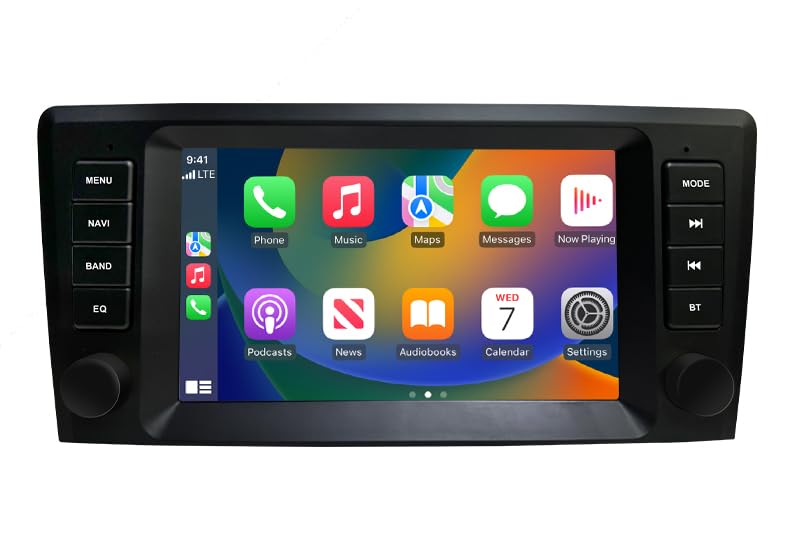
الصورة 1: انتهىview of the CHSTEK 8581B Car Radio highlighting its 8-core processor, 4GB RAM + 64GB storage, DSP, 4G, and Android 13 features.
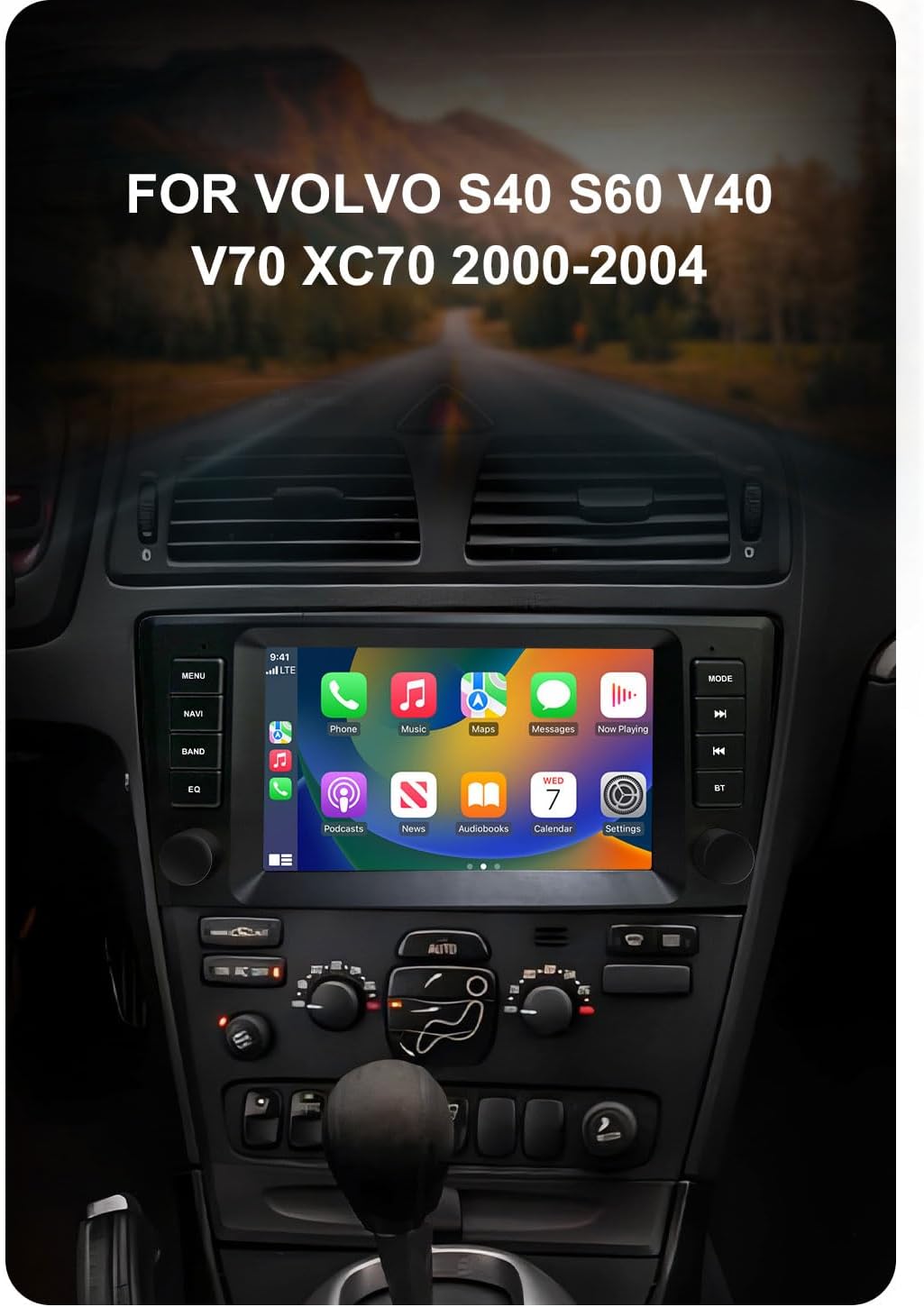
Image 2: The CHSTEK Car Radio seamlessly integrated into a Volvo S40, S60, V40, V70, XC70, or XC90 dashboard, demonstrating its compatibility.
2. الإعداد والتثبيت
The CHSTEK 8581B Car Radio is designed for a plug-and-play installation. However, professional installation is recommended to ensure proper functionality and to avoid damage to your vehicle's electrical system.
2.1 فحص توافق المركبة
Before installation, verify that your vehicle's dashboard matches the appearance shown in the 'After Installation' image below. If you are uncertain about compatibility, please provide your car's detailed information to customer service for confirmation.
2.2 خطوات التثبيت
- Carefully remove your existing car radio unit.
- Connect the provided plug-and-play cables to the corresponding ports on the new CHSTEK 8581B unit and your vehicle's wiring harness.
- Secure the new unit into the dashboard opening.
- Test all functions (power, audio, touch screen, navigation, etc.) before fully reassembling the dashboard.

Image 3: Comparison of a Volvo dashboard before and after the installation of the CHSTEK Car Radio, demonstrating the integrated fit.
2.3 4G SIM Card Installation (Optional)
The unit supports 4G connectivity via a SIM card. The 4G SIM cable allows for easy replacement of the SIM card without disassembling the main unit.
- Insert a compatible 4G SIM card into the provided 4G SIM cable slot.
- Connect the 4G SIM cable to the designated port on the car radio.
ملاحظة هامة: 4G network functionality may vary by region. Customers in the Americas (e.g., United States, Canada, Mexico, Brazil) should confirm 4G network compatibility with customer service. 4G SIM card network function is not supported in Japan and South Korea due to different carriers and network basebands.

Image 4: The CHSTEK Car Radio displaying its 4G and WiFi capabilities, including a detailed view of the 4G SIM cable for easy SIM card access.
3. تعليمات التشغيل
3.1 التشغيل الأساسي
- تشغيل/إيقاف التشغيل: اضغط مع الاستمرار على زر الطاقة (الموجود عادةً على اللوحة الأمامية) لتشغيل الوحدة أو إيقاف تشغيلها.
- شاشة اللمس: Navigate the Android 13 interface using the responsive 8-inch 1280*720P HD touch screen.
- التحكم في مستوى الصوت: Use the physical knobs or on-screen controls to adjust the volume.
- Multiple UI Themes: Customize your user experience by selecting from various built-in desktop themes.
- وظيفة تقسيم الشاشة: Utilize two applications simultaneously, such as navigation and music playback, for enhanced multitasking.

Image 5: The CHSTEK Car Radio displaying its split-screen feature, showing video playback and navigation simultaneously.
3.2 ميزات الاتصال
- كاربلاي لاسلكي: Connect your iPhone wirelessly to access maps, make calls, send messages, and enjoy music directly on the car radio display. Use Siri voice control for hands-free operation.

Image 6: The CHSTEK Car Radio displaying the Wireless CarPlay interface, showing various iPhone applications and Siri voice control in action.
- Android Auto السلكي: Connect your Android device via USB to mirror features like GPS mapping, music playback, SMS, and telephone functions. Google Assistant can be activated via voice control.

Image 7: The CHSTEK Car Radio displaying the Wired Android Auto interface, showing common Android applications.
- رابط المرآة: Mirror your smartphone screen directly onto the car radio display.
- بلوتوث: Pair your phone for hands-free calling, access to phone contacts, and Bluetooth music streaming. An external microphone is supported for clear communication.

Image 8: The CHSTEK Car Radio's Bluetooth interface, showing options for phone calls, address book, and music playback.
- GPS Navigation & WiFi: The unit includes built-in GPS for online and offline navigation. Download offline maps for use without an internet connection. Connect to WiFi to access online movies, news, and streaming services like YouTube and TikTok.
- راديو FM: Tune into FM radio stations (87.50-108.0 MHz) with 18 preset stations available.
- وظيفة معادلة الطاقة: Utilize the built-in Equalizer (DSP*36EQ) to customize audio output for optimal sound quality.
3.3 تشغيل الوسائط المتعددة
- الوحدة تفعل لا have a built-in DVD/CD reader.
- هنالك لا built-in SD card slot. External media can be connected via USB.
4. الصيانة
Regular maintenance ensures the longevity and optimal performance of your car radio.
- تنظيف الشاشة: Use a soft, lint-free cloth to gently wipe the touch screen. Avoid abrasive cleaners or harsh chemicals.
- تحديثات البرامج: Periodically check for available software updates through the system settings to ensure you have the latest features and performance enhancements.
- الظروف البيئية: تجنب تعريض الوحدة لدرجات حرارة عالية أو لأشعة الشمس المباشرة لفترات طويلة.
5. استكشاف الأخطاء وإصلاحها
If you encounter issues with your CHSTEK 8581B Car Radio, refer to the following common solutions. If the problem persists, contact customer support.
- لا يوجد طاقة: افحص جميع توصيلات الطاقة وتأكد من تشغيل محرك السيارة. تحقق من سلامة الفيوزات.
- لا يوجد صوت: تحقق من مستويات الصوت، واختيار مصدر الصوت، وتوصيلات السماعات. تأكد من عدم تفعيل وظيفة كتم الصوت.
- شاشة اللمس لا تستجيب: Try restarting the unit. If the issue continues, a factory reset might be necessary (note: this will erase personal data).
- مشاكل الاتصال عبر البلوتوث/كاربلاي/أندرويد أوتو: Ensure Bluetooth is enabled on both devices. For wired connections, try a different USB cable. For wireless connections, ensure both devices are discoverable and within range.
- فقدان إشارة GPS: تأكد من تثبيت هوائي نظام تحديد المواقع العالمي (GPS) بشكل صحيح وأن له صورة واضحة view من السماء.
6. المواصفات
| ميزة | مواصفة |
|---|---|
| رقم الموديل | 8581ب |
| نظام التشغيل | أندرويد 13 |
| المعالج | 8 Core 1.6GHz |
| كبش | 4 جيجا بايت |
| التخزين الداخلي | 64 جيجا بايت |
| حجم العرض | 8 بوصة |
| دقة الشاشة | 1280*720P HD |
| الاتصال | Wireless CarPlay, Wired Android Auto, Mirror Link, Bluetooth, 4G, WiFi |
| نظام تحديد المواقع العالمي (جي بي اس) | Built-in GPS, supports online/offline maps (Worldwide) |
| ميزات الصوت | FM Radio (87.50-108.0 MHz, 18 presets), DSP*36EQ |
| المميزات الخاصة | Touchscreen, Voice Command, Multiple UI Themes, Split Screen |
| نوع خدمة المركبة | سيارة |
| المكونات المضمنة | As shown (main unit, wiring harness, GPS antenna, 4G antenna, external microphone) |
| وزن العنصر | 3520 رطل (Note: This weight appears to be a data entry error. Actual weight is likely much lower, e.g., 3.52 lbs.) |
| أبعاد الحزمة | 11.81 × 9.84 × 7.87 بوصة |
7. الضمان والدعم
7.1 ضمان المنتج
The CHSTEK 8581B Car Radio comes with a ضمان لمدة 1 سنوات من تاريخ الشراء، مع تغطية عيوب التصنيع. يُرجى الاحتفاظ بإيصال الشراء للمطالبة بالضمان.
Extended protection plans may be available for purchase separately to provide additional coverage beyond the standard warranty period.
7.2 دعم العملاء
For technical assistance, troubleshooting, or warranty inquiries, please contact CHSTEK Radio customer service. Provide your product model number (8581B) and purchase details for efficient support.