
مقدمة
This user manual provides detailed instructions for the C idea CM817 Pro Max 8-inch Tablet. Please read this manual thoroughly before using your device to ensure proper operation and to maximize its features. Keep this manual for future reference.
محتويات الحزمة
تأكد من وجود جميع العناصر في العبوة:
- C idea CM817 Pro Max 8-inch Tablet
- محول الشحن
- كابل USB-C
- دليل المستخدم (هذا المستند)
- Stylus Pen (if included in your specific package)
- Keyboard (if included in your specific package)
- Mouse (if included in your specific package)

Image: The C idea CM817 Pro Max tablet shown with its common accessories, which may include a keyboard, mouse, charging adapter, USB-C cable, and stylus pen.
المنتج انتهىview
Familiarize yourself with the physical components of your C idea CM817 Pro Max tablet.

Image: A diagram illustrating the various ports and buttons on the C idea CM817 Pro Max tablet, including the front camera, rear camera, power button, volume controls, speakers, TF/SIM card slot, USB-C port, and headphone jack.
- الكاميرا الأمامية: لإجراء مكالمات الفيديو والتقاط صور السيلفي.
- الكاميرا الخلفية: لالتقاط الصور والفيديوهات.
- زر التشغيل / الإيقاف: اضغط مع الاستمرار لتشغيل/إيقاف التشغيل أو إعادة التشغيل. اضغط لفترة وجيزة لتنشيط/إيقاف تشغيل الشاشة.
- أزرار التحكم في الصوت: Adjust the tablet's audio volume.
- المتحدثون: Output audio.
- TF/SIM Slot: Insert a TF (MicroSD) card for expandable storage or a SIM card for cellular connectivity.
- منفذ USB-C: لشحن الجهاز اللوحي وتوصيله بجهاز كمبيوتر لنقل البيانات.
- مقبس سماعة الرأس: قم بتوصيل سماعات 3.5 ملم.
يثبت
1. شحن الجهاز اللوحي
Before first use, fully charge the tablet. Connect the USB-C cable to the tablet's USB-C port and the other end to the charging adapter. Plug the adapter into a power outlet. The battery indicator on the screen will show charging status.
2. تشغيل / إيقاف التشغيل
- تشغيل الطاقة: Press and hold the Power On/Off button until the C idea logo appears.
- إيقاف التشغيل: Press and hold the Power On/Off button until the power options menu appears, then select "Power off".
- إعادة تشغيل: من قائمة خيارات الطاقة، حدد "إعادة التشغيل".
3. الإعداد الأولي
عند تشغيل الجهاز لأول مرة، اتبع الإرشادات التي تظهر على الشاشة لتكوين جهازك اللوحي:
- اختر اللغة المفضلة لديك.
- الاتصال بشبكة Wi-Fi.
- سجّل الدخول باستخدام حسابك على جوجل أو أنشئ حسابًا جديدًا. هذا ضروري لتنزيل التطبيقات من متجر جوجل بلاي.
- إعداد قفل الشاشة (رقم التعريف الشخصي أو النمط أو كلمة المرور).
- Review وقبول الشروط والأحكام.
4. إدخال بطاقة SIM وبطاقة MicroSD
Locate the TF/SIM slot on the side of the tablet. Use the provided SIM ejector tool (if applicable) to open the tray. Carefully place your SIM card and/or MicroSD card into the designated slots, ensuring correct orientation. Close the tray securely.
تعليمات التشغيل
1. التنقل الأساسي
- يلمس: اضغط على أيقونة لفتح تطبيق أو تحديد عنصر.
- انتقاد: اسحب إصبعك عبر الشاشة للتنقل بين الصفحات أو المحتوى.
- قرصة: استخدم إصبعين للتكبير أو التصغير في الصور web الصفحات.
- الشاشة الرئيسية: الشاشة الرئيسية حيث يمكنك الوصول إلى التطبيقات والويدجت.
- لوحة الإشعار: مرر لأسفل من أعلى الشاشة للوصول إلى الإشعارات والإعدادات السريعة.

Image: The C idea CM817 Pro Max tablet showcasing its Android home screen, featuring various application icons and a clean user interface.
2. Wi-Fi and Cellular Connectivity
للاتصال بشبكة Wi-Fi، انتقل إلى الإعدادات > الشبكة والإنترنت > Wi-Fi. Turn Wi-Fi on and select your desired network. Enter the password if prompted. For cellular data, ensure a SIM card is inserted and go to الإعدادات> الشبكة والإنترنت> شبكة الهاتف المحمول to configure data settings.
3. استخدام الكاميرا
Open the Camera app from the home screen or app drawer. Tap the shutter button to take a photo. Switch between the 5MP front camera and 8MP rear camera using the camera switch icon. You can also record videos.
4. إدارة التخزين
Your tablet comes with 512GB of internal storage and supports up to 512GB expandable storage via a MicroSD card. To view استخدام مساحة التخزين، انتقل إلى الإعدادات > التخزينتخلص بانتظام من الأشياء غير الضرورية files and uninstall unused apps to maintain performance.

Image: Multiple C idea tablets demonstrating the ample storage capacity, highlighting 8GB RAM, 512GB internal ROM, and support for an additional 512GB via TF (MicroSD) card.
5. عمر البطارية
The 8000mAh battery provides extended usage. To optimize battery life, reduce screen brightness, disable Wi-Fi/Bluetooth when not in use, and close background apps. You can monitor battery usage in الإعدادات> البطارية.
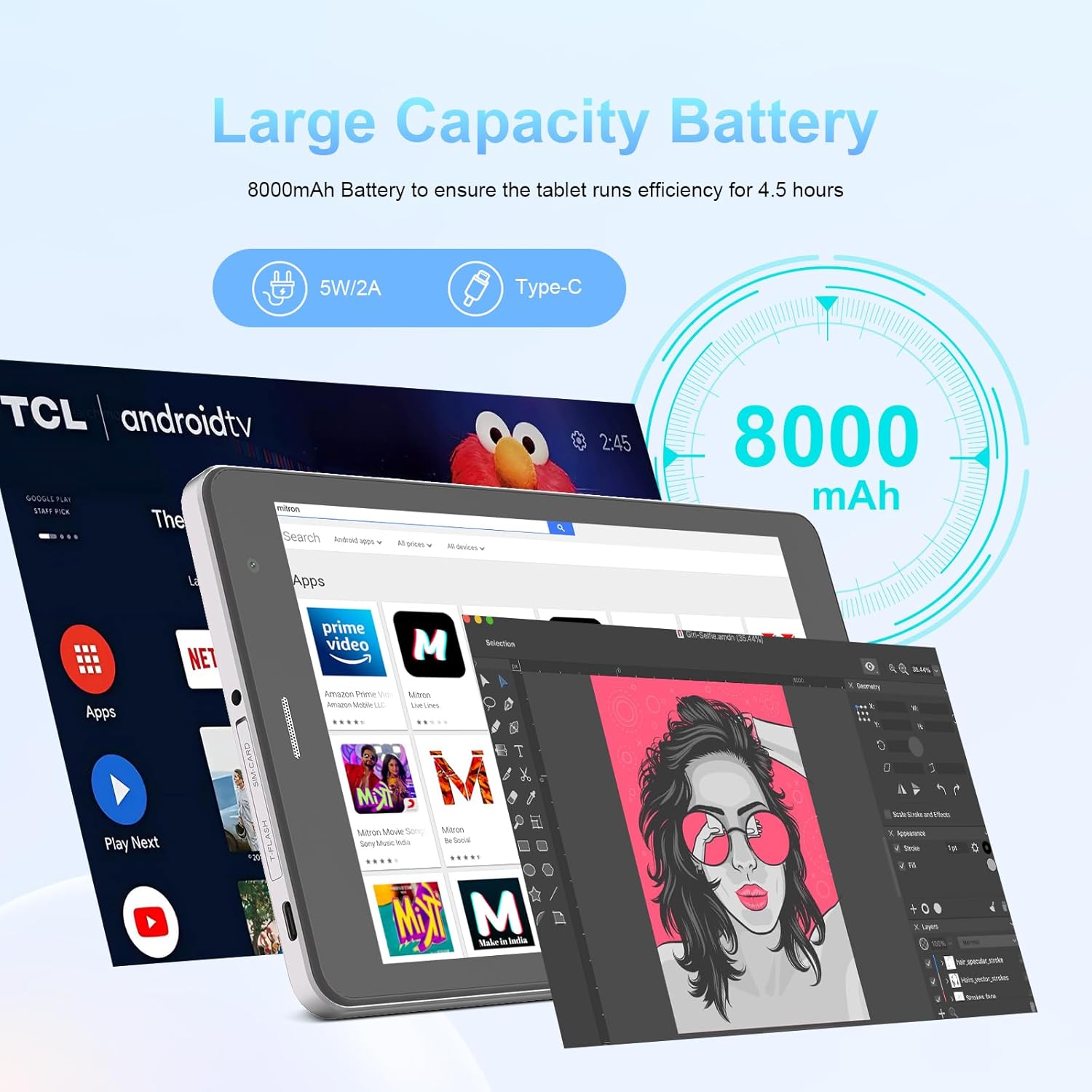
Image: The C idea CM817 Pro Max tablet, emphasizing its 8000mAh large capacity battery, designed for extended operational hours.
6. إعدادات العرض
The tablet features an 8-inch 1280x800 IPS HD display. Adjust brightness, font size, and display timeout in الإعدادات > العرض لراحة viewتجربة رائعة.

Image: The C idea CM817 Pro Max tablet showcasing its 8-inch IPS HD screen with a resolution of 800x1280 pixels, providing clear visuals.
صيانة
1. التنظيف
Use a soft, lint-free cloth to clean the screen and body of the tablet. Do not use abrasive cleaners or solvents, as they may damage the surface. Avoid getting moisture into ports.
2. تحديثات البرامج
تحقق بانتظام من وجود تحديثات للنظام لضمان حصول جهازك اللوحي على أحدث الميزات والتصحيحات الأمنية. انتقل إلى الإعدادات > النظام > تحديث النظام للتحقق من التحديثات وتثبيتها.
3. العناية بالبطارية
To prolong battery lifespan, avoid exposing the tablet to extreme temperatures. Do not let the battery completely drain frequently. Use the original charger or a certified compatible charger.
استكشاف الأخطاء وإصلاحها
- الجهاز اللوحي لا يتم تشغيله: Ensure the tablet is charged. Press and hold the Power On/Off button for at least 10-15 seconds to force a restart.
- مشاكل الاتصال بشبكة Wi-Fi: Restart your Wi-Fi router and the tablet. Forget the network in Wi-Fi settings and reconnect.
- الأداء البطيء: Close unused apps, clear cache (Settings > Storage), and restart the tablet. Consider uninstalling large or unnecessary applications.
- الكاميرا لا تعمل: Ensure the Camera app has necessary permissions (Settings > Apps > Camera > Permissions). Restart the tablet.
- مساحة التخزين ممتلئة: احذف الصور/الفيديوهات القديمة، أو قم بإلغاء تثبيت التطبيقات غير المستخدمة، أو انقلها إلى مكان آخر. files to an inserted MicroSD card.
- تعطل التطبيقات: امسح ذاكرة التخزين المؤقت وبيانات التطبيق (الإعدادات > التطبيقات > [اسم التطبيق] > التخزين > مسح ذاكرة التخزين المؤقت/مسح البيانات). إذا استمرت المشكلة، فقم بإلغاء تثبيت التطبيق ثم أعد تثبيته.
تحديد
| ميزة | التفاصيل |
|---|---|
| ماركة | فكرة ج |
| اسم الموديل | CM817 Pro Max |
| نظام التشغيل | أندرويد 15 |
| المعالج | Octa-core (MediaTek) |
| كبش | 8 جيجا بايت |
| التخزين الداخلي (ROM) | 512 جيجا بايت |
| تخزين قابل للتوسيع | Up to 512GB (via TF/MicroSD card) |
| حجم الشاشة | 8 بوصة |
| دقة الشاشة | 1280 x 800 pixels (IPS HD) |
| الكاميرا الأمامية | 5 ميجا بكسل |
| الكاميرا الخلفية | 8 ميجا بكسل |
| سعة البطارية | 8000 مللي أمبير في الساعة (بوليمر الليثيوم) |
| الاتصال | Wi-Fi, 5G SIM, Bluetooth |
| الموانئ | منفذ USB-C، منفذ سماعة رأس 3.5 ملم |
| وزن العنصر | 1 كجم 80 جرام |
| أبعاد الحزمة | 29.8 × 18 × 6.4 سم |
الضمان والدعم
For warranty information and technical support, please refer to the warranty card included in your package or contact C idea customer service. Keep your purchase receipt as proof of purchase.