
1. المقدمة
This manual provides essential information for the safe and efficient operation of your GooDee AC571 4K Smart Projector. Please read it thoroughly before use and retain it for future reference.
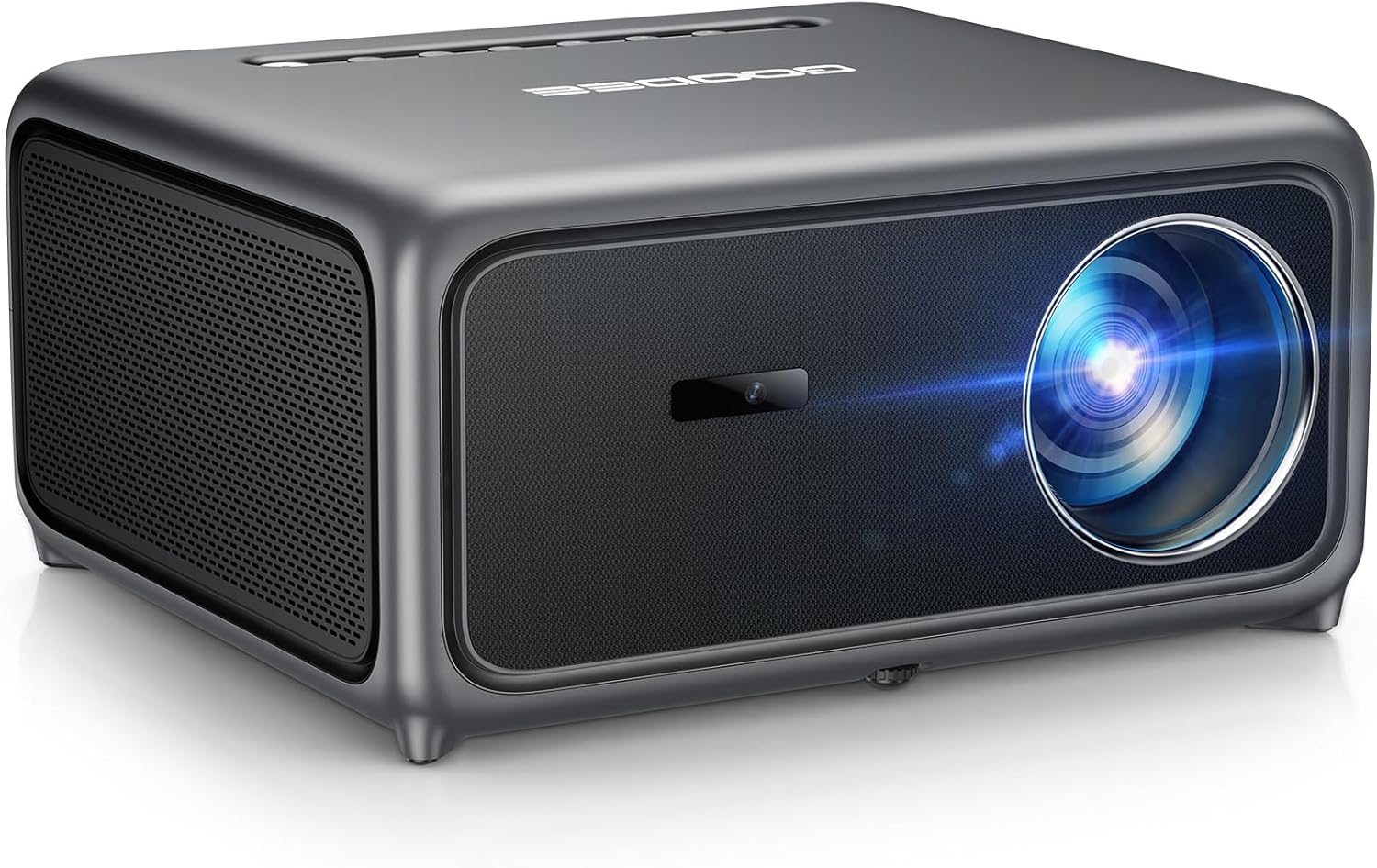
Image 1.1: The GooDee AC571 4K Smart Projector. This image displays the projector's front and side profile, highlighting its lens and speaker grille.
2. ماذا يوجد في الصندوق
تأكد من وجود جميع العناصر عند فك العبوة:
- GooDee AC571 4K Smart Projector
- سلك الطاقة
- كابل HDMI
- جهاز التحكم عن بعد
- مجموعة التنظيف
- غطاء عدسة جهاز الإسقاط
- دليل المستخدم (هذا المستند)
3. دليل الإعداد
3.1 التعيين الأولي
ضع جهاز العرض على سطح مستوٍ وثابت. تأكد من وجود تهوية كافية حول الجهاز. للحصول على أفضل أداء viewقم بوضع جهاز العرض مباشرة أمام سطح العرض (الجدار أو الشاشة).
3.2 توصيل الطاقة
- قم بتوصيل سلك الطاقة بمدخل الطاقة الخاص بالجهاز العرض.
- قم بتوصيل الطرف الآخر من سلك الطاقة بمأخذ كهربائي مناسب.
3.3 توصيل الأجهزة الخارجية
The projector supports various input sources. Refer to the port diagram below for connection points.

Image 3.1: Rear panel connections of the GooDee AC571 Projector. This image illustrates the available ports including HDMI, USB, and audio output, with labels indicating their functions.
- HDMI: Connect Blu-ray players, gaming consoles, or laptops using the provided HDMI cable.
- USB: قم بإدخال محركات أقراص USB لتشغيل الوسائط.
- مخرج صوت 3.5 ملم: قم بتوصيل سماعات الرأس أو مكبرات الصوت الخارجية.
3.4 Automatic Calibration (ToF Auto Focus & Keystone)
The projector features advanced AI + ToF Smart Sensing for automatic image calibration. Upon power-on or movement, the projector will automatically adjust focus, keystone correction, and screen adaptation for a clear, rectangular image.

Image 3.2: The GooDee AC571 Projector demonstrating 1ms ultra-low latency ToF Smart Sensing and AI Precision for auto-calibration. The image shows the projector automatically adjusting the projected image on a wall, ensuring optimal focus and keystone correction.
This process includes:
- التركيز التلقائي: يضمن صورة واضحة.
- الانحراف التلقائي: Corrects trapezoidal distortion.
- نظام تجنب العوائق التلقائي: Adjusts the image to avoid objects on the projection surface.
- Automatic Screen Adaptation: Fits the image to the available screen area.
4. تعليمات التشغيل
4.1 تشغيل/إيقاف التشغيل
- اضغط على زر الطاقة الموجود على جهاز العرض أو جهاز التحكم عن بعد لتشغيل الوحدة أو إيقاف تشغيلها.
4.2 التنقل عبر نظام التشغيل الذكي
The GooDee AC571 features an intelligent operating system with built-in applications. Use the remote control to navigate the interface.

Image 4.1: The GooDee AC571's Smart OS interface, displaying various streaming app icons like Netflix, Prime Video, and YouTube. This image shows the user-friendly layout for accessing built-in entertainment.
- الشاشة الرئيسية: يمكنك الوصول إلى التطبيقات المثبتة مسبقًا مثل Netflix و Prime Video و YouTube.
- متجر التطبيقات: Download additional applications for personalized entertainment.
- إعدادات: Adjust display, audio, network, and system preferences.
4.3 الاتصال اللاسلكي (واي فاي وبلوتوث)
The projector supports WiFi 6 and Bluetooth 5.4 for seamless streaming and audio connections.

Image 4.2: The GooDee AC571 Projector demonstrating seamless streaming and effortless connectivity via WiFi 6 and Bluetooth 5.4. The image shows a smartphone mirroring content to the projector, highlighting its wireless capabilities.
- اتصال واي فاي: اذهب الى Settings > Network > WiFi للاتصال بشبكتك اللاسلكية.
- اتصال بلوتوث: اذهب الى الإعدادات > البلوتوث to pair with Bluetooth headphones or speakers.
- شاشة النسخ المتطابق: Use AirPlay (iOS) or Miracast (Android/Windows) for wireless screen sharing.
4.4 Audio Settings (Dolby Audio & AI SoundBalance)
The projector features Dolby Audio-certified 30W dual speakers and AI SoundBalance technology.

Image 4.3: The GooDee AC571 Projector with Dolby Audio. The image visually represents sound waves emanating from the projector, emphasizing its immersive audio capabilities.
- التحكم في مستوى الصوت: Adjust using the remote control.
- أوضاع الصوت: Access audio settings to select different sound profiles or enable/disable AI SoundBalance.
5. الصيانة
5.1 تنظيف العدسات
Use the provided cleaning kit to gently clean the projector lens. Avoid abrasive materials that could scratch the lens surface.
5.2 الحماية من الغبار
The projector incorporates an advanced dust-shield triple-protection architecture. However, regular cleaning of the exterior with a soft, dry cloth is recommended to prevent dust buildup.

Image 5.1: Illustration of the GooDee AC571 Projector's advanced dust-shield triple-protection architecture. The image shows a transparent overlay highlighting the internal dust protection mechanisms, ensuring longevity and clear projection.
5.3 التخزين
When not in use, cover the lens with the provided lens cap and store the projector in a cool, dry place away from direct sunlight and extreme temperatures.
6. استكشاف الأخطاء وإصلاحها
يرجى الرجوع إلى الجدول أدناه للتعرف على المشكلات الشائعة وحلولها.
| مشكلة | السبب المحتمل | حل |
|---|---|---|
| لا توجد صورة معروضة | Power not connected; Input source incorrect; Lens cap on | تحقق من توصيل الطاقة؛ حدد مصدر الإدخال الصحيح؛ أزل غطاء العدسة |
| الصورة ضبابية | غير واضح؛ تم تحريك جهاز العرض | Allow auto-focus to recalibrate; Manually adjust focus if needed via settings |
| الصورة مشوهة (شكل شبه منحرف) | Keystone not corrected | Allow auto-keystone to recalibrate; Manually adjust keystone via settings |
| لا يوجد صوت | Volume too low; External audio device not connected; Muted | Increase volume; Check external audio connections; Unmute projector |
| لا يمكن الاتصال بشبكة WiFi/Bluetooth | Incorrect password; Device out of range; Network issue | Verify password; Move closer to router/device; Restart router/projector |
7. المواصفات
Key technical specifications for the GooDee AC571 4K Smart Projector:
| ميزة | مواصفة |
|---|---|
| ماركة | جودي |
| رقم الموديل | ايه سي 571 |
| دقة العرض | 1920 × 1080 (دقة أصلية 1080 بكسل، فك تشفير 4K) |
| سطوع | شموم شمعة أنسي |
| نسبة التباين | 20,000:1 |
| مجموعة الألوان | 98% ان تي اس سي |
| المميزات الخاصة | ToF Auto Focus, Auto Keystone, Auto Obstacle Avoidance, Auto Screen Alignment, MEMC, Dolby Audio, AI SoundBalance Pro, AI Image Tech, Built-in Wi-Fi 6, Bluetooth 5.4, Built-in Speaker, Movin OS with Netflix/Prime Video/YouTube |
| تكنولوجيا الاتصال | بلوتوث، HDMI، USB، واي فاي |
| الاستخدامات الموصى بها | الأعمال، التعليم، الألعاب، السينما المنزلية |
| وزن العنصر | 9.23 رطل |
| أبعاد الحزمة | 12 × 10 × 9.25 بوصة |
8. الضمان والدعم
8.1 معلومات الضمان
Your GooDee AC571 4K Smart Projector is covered by a manufacturer's warranty. Please refer to the warranty card included in your product packaging for specific terms and conditions, including warranty duration and coverage details.
8.2 دعم العملاء
For technical assistance, troubleshooting not covered in this manual, or warranty claims, please contact GooDee customer support. Contact information can typically be found on the GooDee official webالموقع أو على بطاقة الضمان.

Image 8.1: A customer support representative, symbolizing reliable service and professional support available for GooDee products.