
مقدمة
Thank you for choosing the W-KING T8II Portable Bluetooth Speaker. This manual will guide you through the features and functions of your new speaker, ensuring optimal performance and longevity. Please read these instructions carefully before using the product.
محتويات الحزمة
- 1 x W-KING T8II Portable Loud Speaker
- 1 × كابل صوت 3.5 ملم
- 1 × كابل شحن من النوع C
- 1 × دليل المستخدم
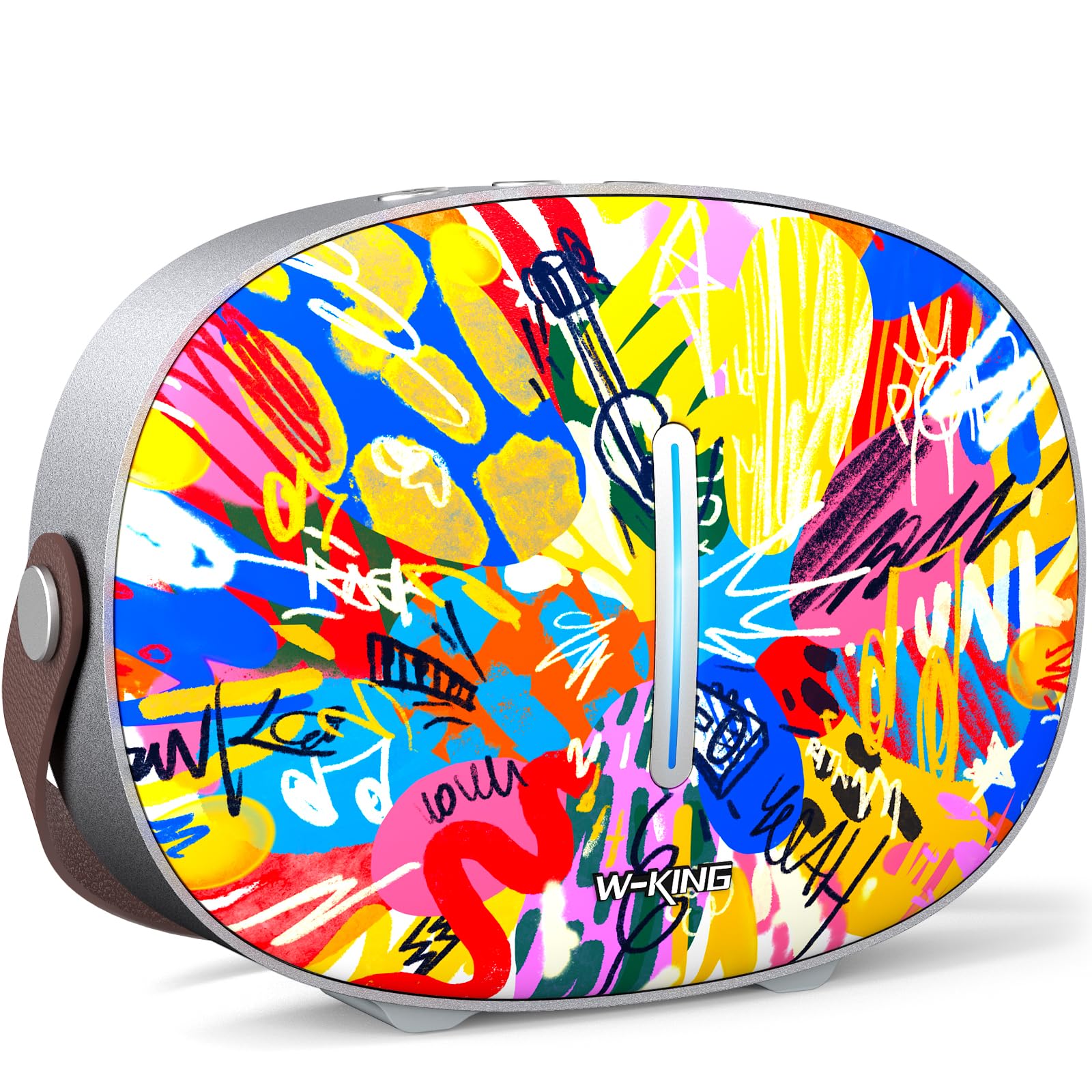
The package includes the W-KING T8II speaker, a 3.5mm audio cable for auxiliary connections, a Type-C charging cable, and this user manual.
يثبت
الشحن الأولي
Before first use, fully charge your W-KING T8II speaker. Connect the provided Type-C charging cable to the speaker's Type-C port and a compatible power source. The speaker supports up to 30W fast charging. The indicator lights on the back will show the charging status.

تشغيل/إيقاف الطاقة
- To power on: Press and hold the power button located on the back of the speaker for a few seconds until the indicator light illuminates.
- To power off: Press and hold the power button again for a few seconds until the indicator light turns off.

بلوتوث الاقتران
- تأكد من تشغيل مكبر الصوت ووضعه في وضع الاقتران عبر البلوتوث (سيومض ضوء المؤشر).
- على جهازك (الهاتف الذكي، الجهاز اللوحي، وما إلى ذلك)، قم بتمكين البلوتوث وابحث عن الأجهزة المتاحة.
- Select "W-KING T8II" from the list of devices.
- Once connected, the indicator light will become solid, and you will hear an audible confirmation.

The W-KING T8II uses Bluetooth 5.4 for a stable and efficient wireless connection.
فتح العلبة وأكثرview فيديو
فيديو: فتح العلبة ومراجعة شاملةview of the W-KING T8II Portable Bluetooth Speaker, demonstrating its contents and initial setup.
تعليمات التشغيل
أزرار التحكم
The top panel of the speaker features intuitive control buttons for easy operation:
- زر الوضع (M): اضغط للتبديل بين أوضاع تشغيل البلوتوث، وAUX، وUSB.
- - (خفض مستوى الصوت / المقطع السابق): اضغط ضغطة قصيرة لخفض مستوى الصوت. اضغط ضغطة طويلة للانتقال إلى المقطع السابق.
- زر التشغيل/الإيقاف المؤقت: اضغط لتشغيل الصوت أو إيقافه مؤقتًا.
- + (رفع مستوى الصوت / المقطع التالي): اضغط ضغطة قصيرة لزيادة مستوى الصوت. اضغط ضغطة طويلة للانتقال إلى المقطع التالي.

أوضاع التشغيل
- وضع البلوتوث: Connect wirelessly to your device as described in the Setup section.
- وضع AUX: Connect an external audio device using the provided 3.5mm audio cable to the AUX port on the back of the speaker. Press the 'M' button to switch to AUX mode.
- وضع تشغيل USB: Insert a USB flash drive into the USB-A port on the back of the speaker. The speaker will automatically switch to USB mode and begin playing compatible audio files.

اقتران استريو لاسلكي حقيقي (TWS)
For an enhanced audio experience, two W-KING T8II speakers can be paired together to create a true stereo sound system:
- Ensure both T8II speakers are powered on and in Bluetooth pairing mode (not connected to any device).
- On one of the speakers, press and hold the Bluetooth pairing button (usually indicated by a Bluetooth icon) until you hear a confirmation tone.
- سيتصل مكبرا الصوت ببعضهما البعض تلقائيًا. وبمجرد الاتصال، سيعمل أحدهما كمكبر صوت رئيسي (القناة اليسرى) والآخر كمكبر صوت تابع (القناة اليمنى).
- Connect your device to the master speaker via Bluetooth.

شحن الأجهزة الخارجية
The W-KING T8II speaker can function as a power bank to charge your mobile devices. Connect your device to the speaker's USB-A output port using a compatible charging cable. The USB-A to Type-C output supports up to 18W charging.

صيانة
الرعاية العامة
- أبقِ السماعة بعيدة عن درجات الحرارة القصوى وأشعة الشمس المباشرة والرطوبة.
- تجنب إسقاط السماعة أو تعريضها لصدمات قوية.
- Do not disassemble or attempt to repair the speaker yourself, as this will void the warranty.
العناية بالبطارية
To maximize battery life, avoid fully discharging the speaker frequently. Recharge the battery regularly, even if the speaker is not in use for extended periods.
تنظيف
امسح السماعة بقطعة قماش ناعمة وجافة. لا تستخدم المنظفات الكاشطة أو المذيبات.
مقاومة الماء
ملحوظة: The W-KING T8II speaker is لا ماء. Avoid exposure to water or other liquids to prevent damage.
استكشاف الأخطاء وإصلاحها
| مشكلة | حل |
|---|---|
| لا يتم تشغيل مكبر الصوت. | تأكد من شحن البطارية. قم بتوصيل السماعة بمصدر الطاقة باستخدام كابل Type-C. |
| لا يمكن الاقتران عبر البلوتوث. |
|
| لا يوجد صوت. |
|
| تشويه الصوت عند ارتفاع مستوى الصوت. | Reduce the volume on the speaker or your connected device. Ensure audio source quality is high. |
| السماعة لا تشحن الجهاز الخارجي. | Ensure the speaker has sufficient battery charge. Use a compatible USB-A cable. |
تحديد
| اسم الموديل | T8II |
| ماركة | دبليو كينج |
| نوع السماعة | Outdoor Wireless Portable Loud Speaker |
| تكنولوجيا الاتصال | مساعد، بلوتوث، USB |
| نسخة البلوتوث | 5.4 |
| الحد الأقصى لقوة خرج السماعة | 96 واط |
| وضع إخراج الصوت | ستيريو محيطي |
| استجابة التردد | 20 Hz (Lower bound, full range not specified) |
| إشارة إلى نسبة الضوضاء | 85 ديسيبل |
| قطر مكبر الصوت | 3 بوصة |
| قطر مكبر الصوت عالي التردد | 1 بوصة |
| مصدر الطاقة | يعمل بالبطارية (يتطلب بطارية واحدة 12 فولت) |
| أبعاد المنتج | 10.91 بوصة عمق × 7.73 بوصة عرض × 3.9 بوصة ارتفاع |
| وزن العنصر | 5.5 جنيه (2.5 كيلوجرام) |
| مادة | بلاستيك، معدن |
| ضد للماء | لا |
| المميزات الخاصة | Bass Boost, Bluetooth 5.4, True Wireless Stereo Pairing, Portable, Shockproof, Type-C Fast Charging, Type-C output, USB PLAYBACK/AUX, Personalised Trendy Design |
معلومات الضمان
The W-KING T8II Portable Bluetooth Speaker comes with a Limited Warranty. Please refer to the product packaging or contact W-KING customer support for specific warranty terms and conditions.
يدعم
For further assistance, technical support, or inquiries regarding your W-KING T8II speaker, please visit the official W-KING website or contact their customer service department. The user manual included in the package also contains detailed information.
W-KING Store: تفضل بزيارة متجر W-KING على أمازون