
1. المقدمة
This instruction manual provides essential information for the safe and efficient operation, maintenance, and troubleshooting of your 3i P10 Ultra Robot Vacuum and Mop Combo. Please read this manual thoroughly before using the product and retain it for future reference.
2. معلومات السلامة
اتبع دائمًا احتياطات السلامة الأساسية عند استخدام الأجهزة الكهربائية لتقليل خطر الحريق أو الصدمة الكهربائية أو الإصابة. هذا الجهاز مخصص للاستخدام المنزلي فقط.
- لا تسمح للأطفال بتشغيل الروبوت. راقب الأطفال والحيوانات الأليفة أثناء تشغيل الروبوت.
- تأكد من قوة المجلدtagيتطابق الحرف e مع ملصق التصنيف الموجود على قاعدة الشحن.
- لا تستخدم الروبوت على الأسطح الرطبة أو في المناطق التي تتجمع فيها المياه.
- Remove loose cables, small objects, and fragile items from the cleaning path before operation.
- Do not use the robot to pick up large or sharp objects, flammable materials, or liquids.
- Only use manufacturer-specified accessories and replacement parts.
- في حالة تلف سلك الطاقة، يجب استبداله من قبل الشركة المصنعة أو وكيل خدمة مؤهل لتجنب المخاطر.
3. انتهى المنتجview
3.1 المكونات المضمنة
تتضمن الحزمة العناصر التالية:
- 1 × روبوت مكنسة كهربائية
- 1 × محطة أساسية
- قطعتان من وسادات الممسحة
- شنومكس x الجانب فرش
- 1 x 800ml Cleaning Solution
- 1 × قاعدة قابلة للفصل
- 1 الحبل العاشر الطاقة
- 1 × دليل المستخدم
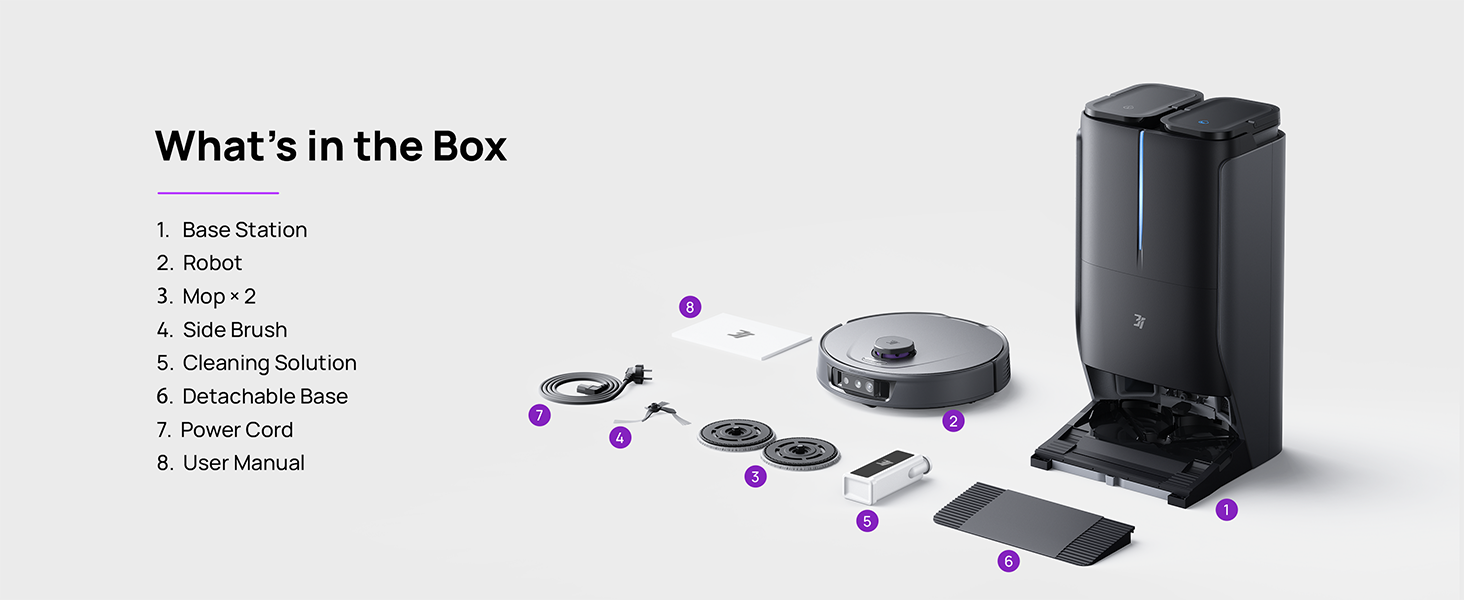
Figure 3.1: Contents of the 3i P10 Ultra package.
3.2 Robot Vacuum Features
- ممسحة UltraReach: The auto-extending mop system cleans edges and corners thoroughly. Dual mops spin at 220 RPM for effective stain removal.
- قوة شفط 18,000 باسكال: Provides powerful suction for deep cleaning on various floor types, including carpets and hard floors. Features smart carpet detection to boost suction and lift mops.
- محطة آلية متكاملة: Offers automatic hot-water mop washing, hot air drying, solution adding, and hands-free dust collection for up to 70 days.
- الملاحة المتقدمة: Utilizes LiDAR for 3D mapping, dual 3D structured light, and an AI camera for obstacle avoidance, threshold crossing, and collision resistance.
- فحص الأوساخ المدعوم بالذكاء الاصطناعي: Identifies over 100 household objects and messes, adapting cleaning methods for optimal results, even in low light conditions.
- Hair Management: Equipped with anti-tangle brushes and a TangleCut blade to prevent hair from wrapping around components.
- Smart Route Planning: Learns home layouts for efficient cleaning routes. Supports scheduled cleaning, no-go zones, and app control. Compatible with Alexa and Google Assistant.
- اتصال واي فاي: Supports both 2.4G and 5G Wi-Fi networks.

الشكل 3.2: الجزء العلوي view of the 3i P10 Ultra Robot Vacuum.

Figure 3.3: The 3i P10 Ultra Base Station.
4. الإعداد
4.1 التفريغ والتنسيب
- قم بإزالة جميع المكونات بعناية من العبوة.
- Choose a suitable location for the base station. Ensure it is placed against a wall, on a hard, level surface, with at least 0.5 meters (1.6 feet) of clear space on both sides and 1.5 meters (4.9 feet) in front. Avoid areas with direct sunlight or strong Wi-Fi interference.
- قم بتوصيل سلك الطاقة بالمحطة الأساسية وقم بتوصيلها بمأخذ كهربائي.
4.2 Robot Preparation
- Install the side brushes by pressing them into their slots until they click.
- Attach the mop pads to the mop holders on the robot.
- Place the robot onto the base station to charge. Ensure the charging contacts align. The robot will announce its charging status.
4.3 تثبيت التطبيق والاتصال به
- Download the 3i app from your mobile device's app store (iOS or Android).
- Open the app and follow the on-screen instructions to create an account and add your 3i P10 Ultra robot.
- Ensure your phone is connected to a 2.4GHz or 5GHz Wi-Fi network during the pairing process.
5. تعليمات التشغيل
5.1 Initial Cleaning and Mapping
For the first use, allow the robot to complete a full cleaning cycle to create a map of your home. This map is crucial for advanced features.

Figure 5.1: Precision 3D Mapping in the 3i App.
5.2 بدء دورة التنظيف
- عبر الروبوت: Press the power button on the robot once to start or pause cleaning.
- عبر التطبيق: Open the 3i app, select the desired cleaning mode (Vacuum, Mop, Vac & Mop, AI Auto, Custom), and tap 'Start'.
- عبر التحكم الصوتي: Use compatible voice assistants (Alexa, Google Assistant) with commands like "Hey Google, start vacuuming."

Figure 5.2: Using voice control to operate the 3i P10 Ultra.
5.3 ميزات التطبيق
The 3i app provides extensive control and customization options:
- إعدادات التنظيف: Schedule cleaning, select rooms, set no-go zones, customize carpet cleaning.
- إعدادات الخريطة: View 3D maps, quick mapping, multi-floor maps, edit rooms and furniture.
- Station Settings: Customize dust collection, mop washing, auto-drying, and TangleCut.
- اعدادات اخرى: Do Not Disturb mode, Smart Route Planning, Pet Recognition, Child Lock.
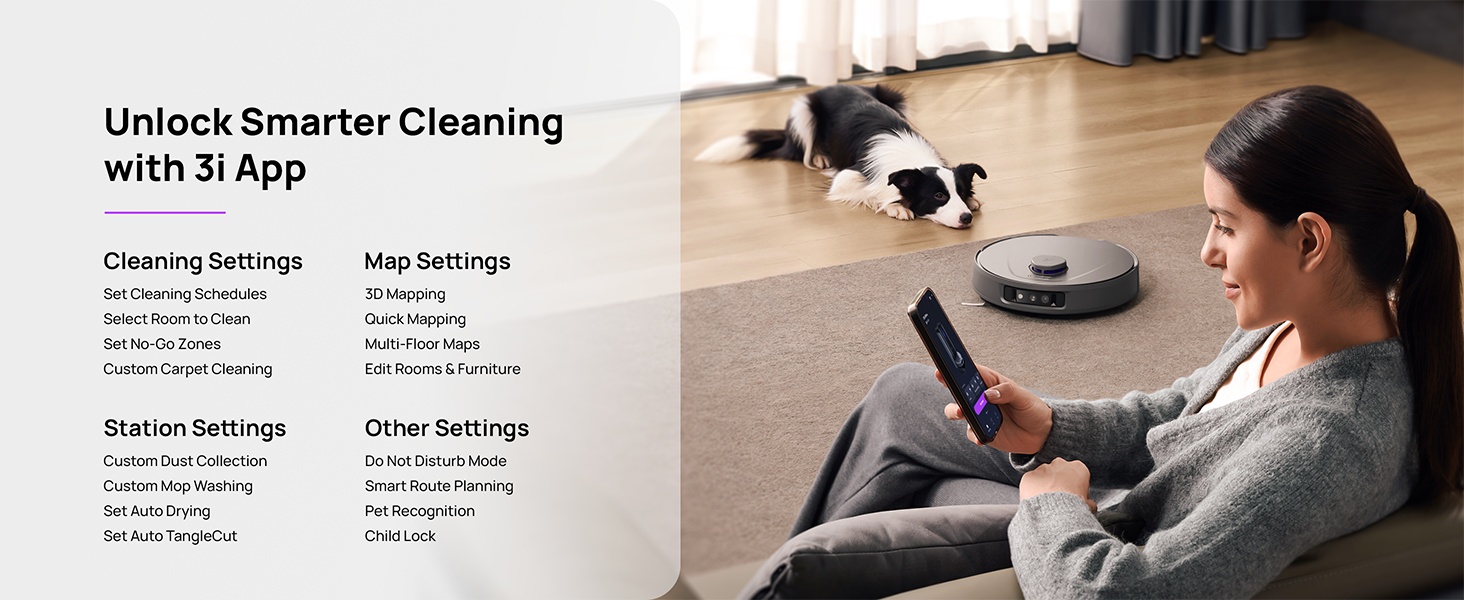
Figure 5.3: The 3i App interface for smart cleaning.
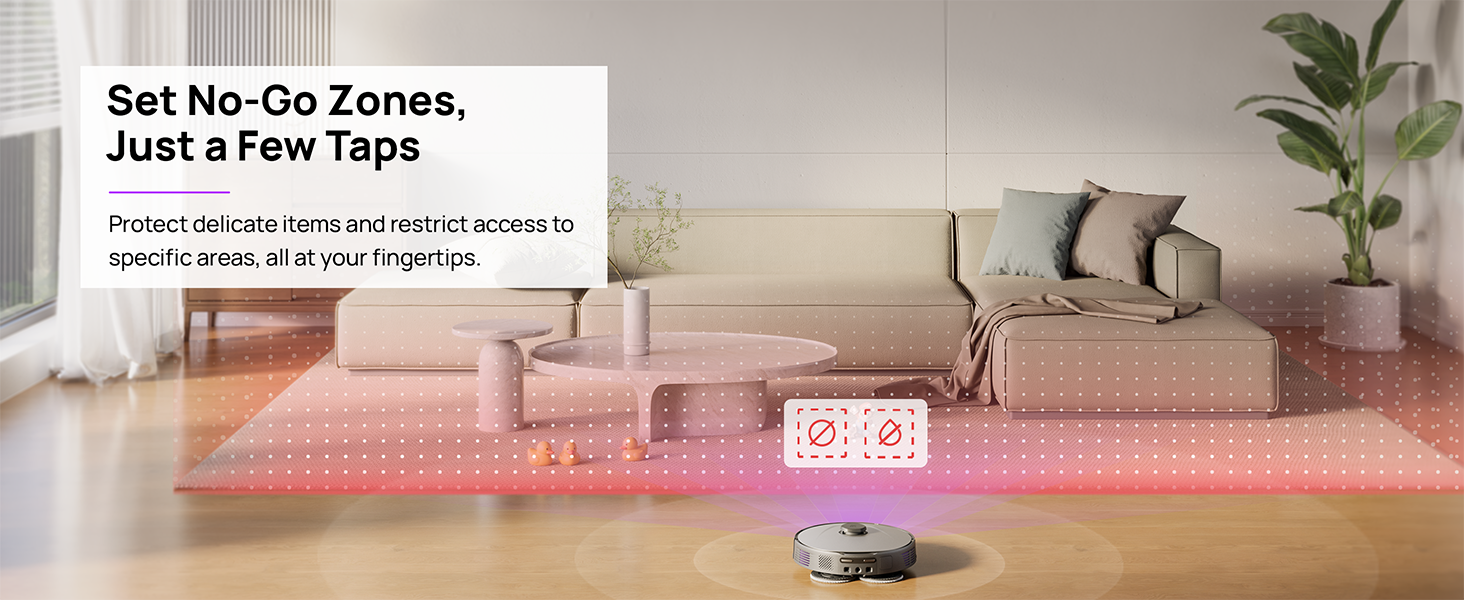
Figure 5.4: Setting No-Go Zones in the 3i App.
6. الصيانة
Regular maintenance ensures optimal performance and extends the lifespan of your 3i P10 Ultra.
6.1 صيانة المحطة الأساسية
- تفريغ سلة المهملات: The base station automatically empties the robot's dustbin into a 3L bag. Replace the dust bag approximately every 70 days, or as indicated by the app.
- غسل وتجفيف الممسحة: The base station automatically washes mop pads with 140°F / 60°C hot water and dries them with hot air (131°F / 55°C) after each cleaning cycle. Ensure the clean and dirty water tanks are properly installed.
- إعادة تعبئة خزان المياه: The extra-large 4L clean water tank automatically refills the robot. Refill the clean water tank as needed. The base station also collects dirty water into a separate wastewater tank. Empty the wastewater tank regularly.
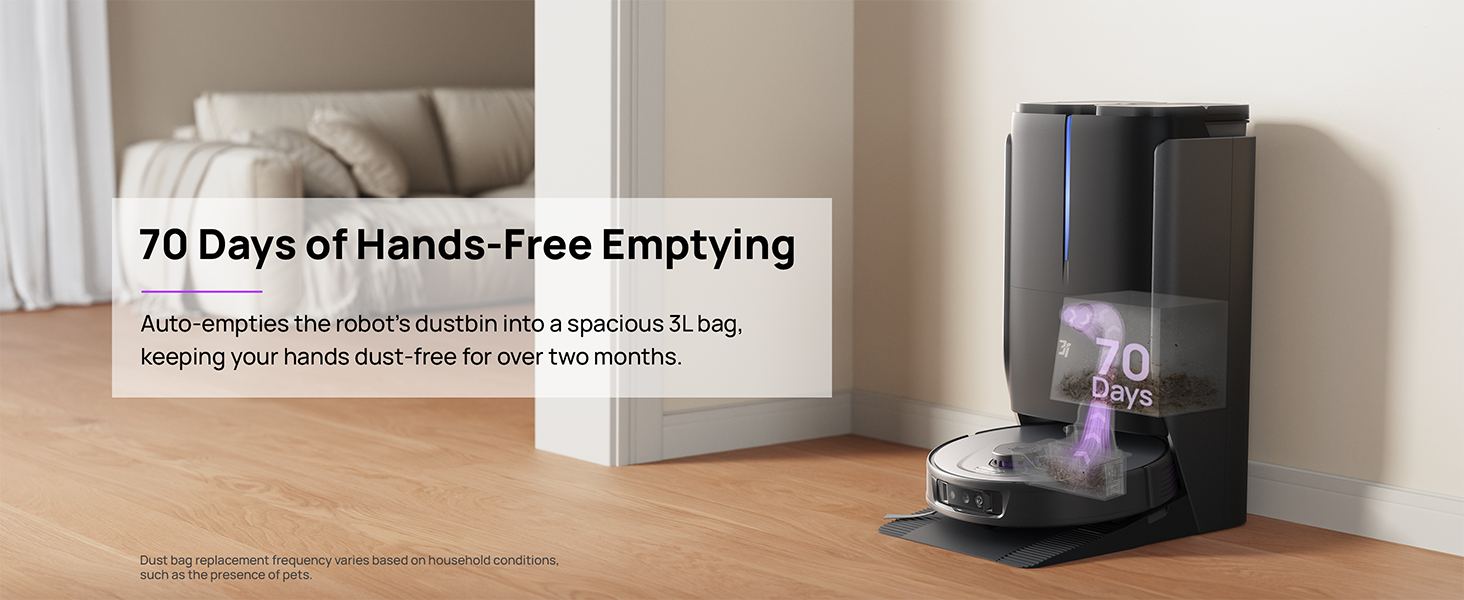
Figure 6.1: Automatic dustbin emptying at the base station.
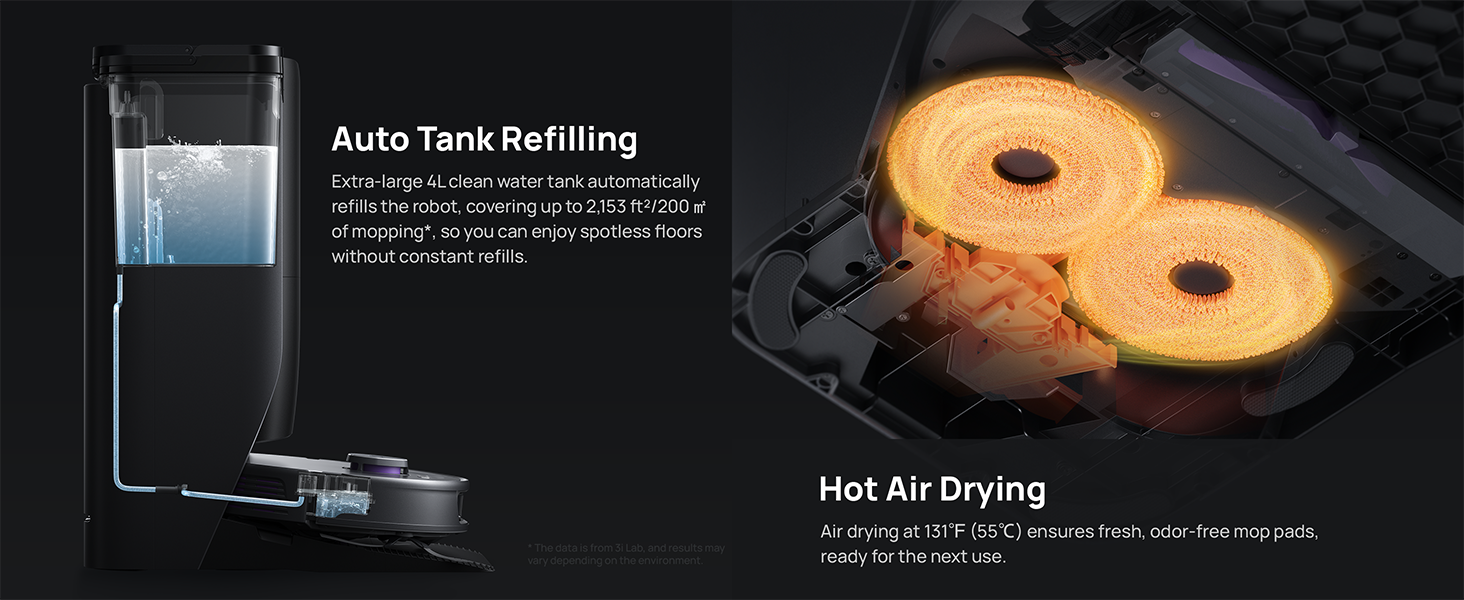
Figure 6.2: Auto tank refilling and hot air drying process.
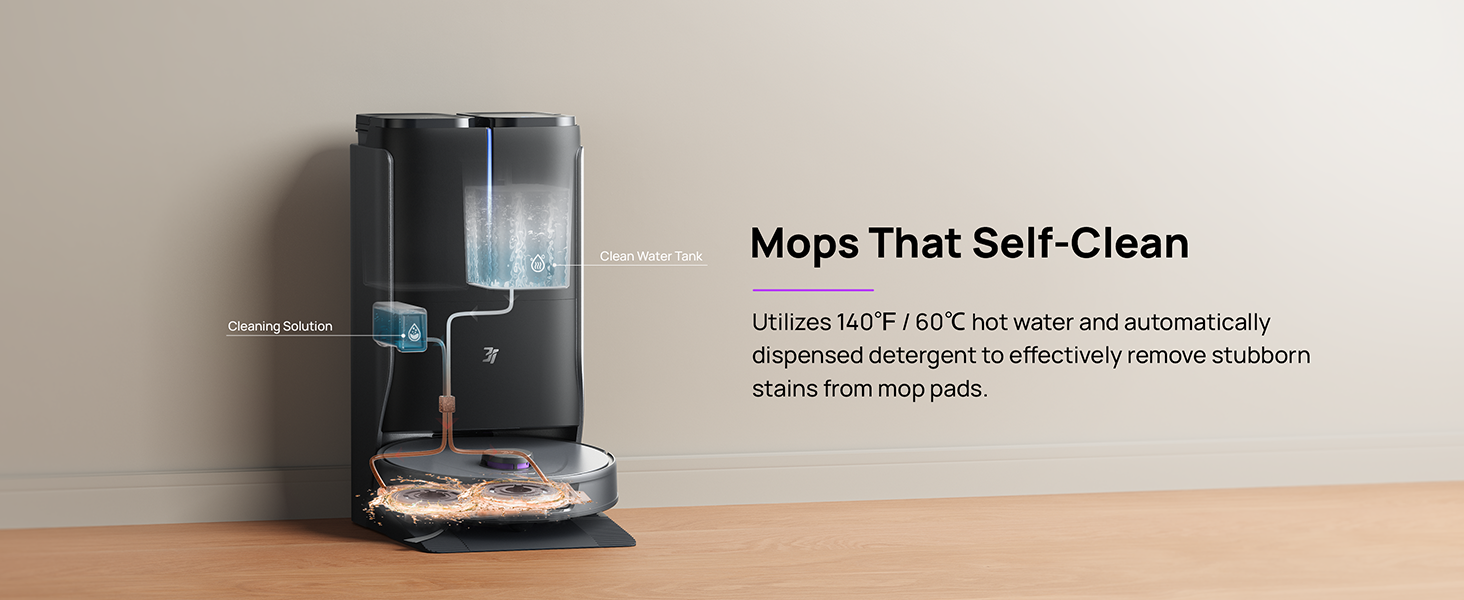
Figure 6.3: Mop self-cleaning function.
6.2 صيانة مكونات الروبوت
- الفرشاة الرئيسية: Regularly check the main brush for tangled hair or debris. Use the cleaning tool provided to remove any obstructions. The TangleCut blade helps prevent excessive tangling.
- الفرش الجانبية: Inspect side brushes for wear or damage. Clean them periodically and replace if necessary.
- وسادات الممسحة: Although self-cleaned, inspect mop pads for excessive wear or stubborn stains. Replace them when their cleaning effectiveness diminishes.
- فلتر: The filter is washable. Remove and rinse it under running water. Allow it to air dry completely before reinstalling.
- أجهزة الاستشعار: Wipe all sensors (LDS, anti-drop, wall-following, charging contacts) with a clean, dry cloth to ensure proper function.
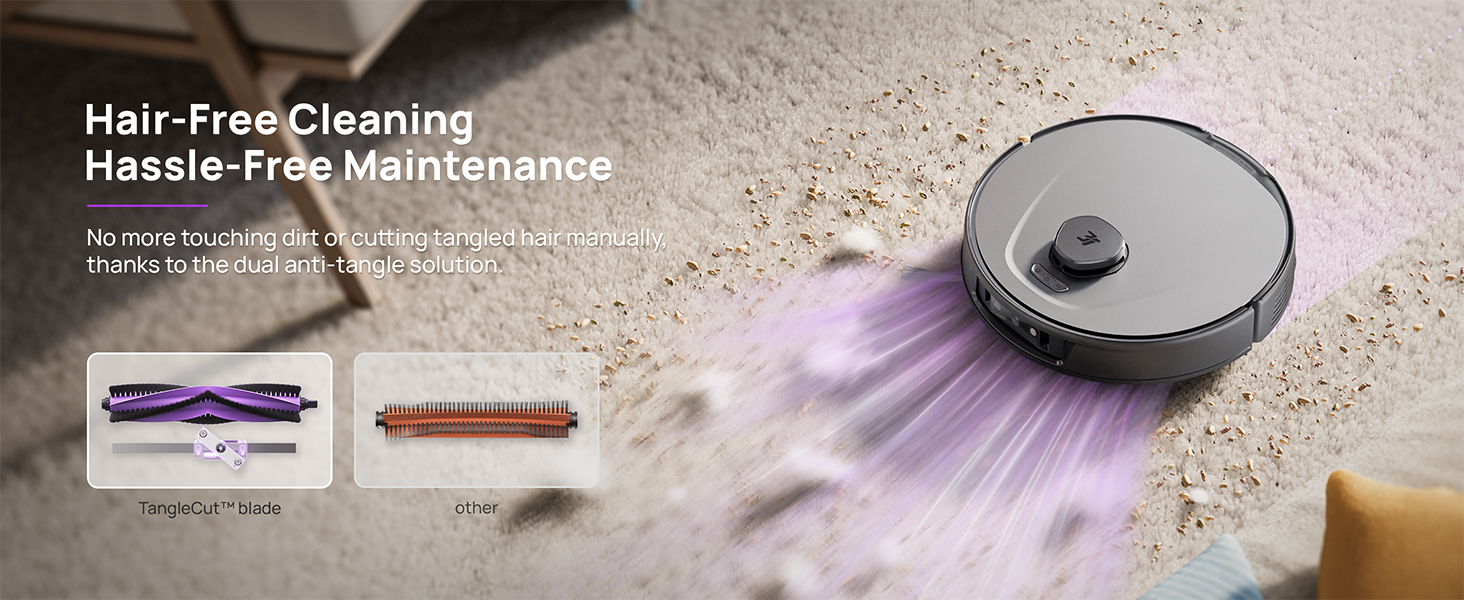
Figure 6.4: Hair-free cleaning with anti-tangle design.
7. استكشاف الأخطاء وإصلاحها
If you encounter issues with your 3i P10 Ultra, refer to the following common problems and solutions:
| مشكلة | السبب المحتمل | حل |
|---|---|---|
| الروبوت لا يعمل. | بطارية منخفضة؛ لم يتم الضغط على زر الطاقة بشكل صحيح. | Place robot on charging dock; Press and hold power button for 3 seconds. |
| لم يتمكن الروبوت من العثور على قاعدة الشحن. | Dock is obstructed or too far; Poor Wi-Fi signal. | Ensure dock is in an open area; Check Wi-Fi connection. |
| أداء التنظيف ضعيف. | Dustbin full; Brushes tangled; Filter clogged; Mop pads dirty. | Empty dustbin; Clean brushes; Clean/replace filter; Clean/replace mop pads. |
| الروبوت يتعطل بشكل متكرر. | Obstacles on floor; Sensors dirty. | Clear floor of obstacles; Clean all sensors. |
| مشاكل اتصال التطبيق. | كلمة مرور الواي فاي غير صحيحة؛ مشاكل في جهاز التوجيه؛ الروبوت غير متصل بالإنترنت. | Verify Wi-Fi password; Restart router; Restart robot; Re-pair device in app. |
For further assistance, please refer to the 3i app's help section or contact customer support.
8. المواصفات
| ميزة | التفاصيل |
|---|---|
| ماركة | 3i |
| اسم الموديل | مكنسة كهربائية روبوتية فائقة 3i P10 |
| أبعاد المنتج (الروبوت) | 13.78 بوصة طول × 13.78 بوصة عرض × 3.94 بوصة ارتفاع |
| أبعاد المنتج (المحطة) | 12.2 بوصة طول × 18.43 بوصة عرض × 23.39 بوصة ارتفاع |
| وزن العنصر | 37.3 رطل |
| عمر البطارية | 180 دقائق |
| نوع الفلتر | قابلة للغسل |
| توصية السطح | سجاد، رخام، خشب، بلاط |
| قوة الشفط | 18,000 باسكال |
| نظام الملاحة | LDS LiDAR, Dual 3D Structured Light, AI Camera |
| دعم الواي فاي | 2.4G و 5G |

Figure 8.1: Dimensions of the 3i P10 Ultra Robot and Base Station.
9. الضمان والدعم
For warranty information, please refer to the warranty card included with your product or visit the official 3i website. For technical support, troubleshooting beyond this manual, or to inquire about replacement parts, please contact 3i customer service through the contact information provided on their official website or within the 3i app.