
1. علىview
The Donerton T50S Smart Watch is a versatile fitness tracker designed for men and women, featuring a 1.85-inch HD touchscreen. It offers comprehensive health monitoring, over 100 sports modes, and convenient communication capabilities including answering and making calls directly from your wrist. With its IP68 waterproof rating and long battery life, it's an ideal companion for daily activities and fitness pursuits.

Image: Donerton T50S Smart Watch with a black strap, showcasinعرضها النابض بالحياة.
2. ماذا يوجد في الصندوق
- Donerton T50S Smart Watch
- مشاهدة الفرقة
- كابل الشحن
- دليل المستخدم

Image: The Donerton T50S Smart Watch and its accessories as packaged.
3. الإعداد والإقران
To begin using your Donerton T50S Smart Watch, follow these steps to pair it with your smartphone:
- شحن الساعة: Before first use, fully charge the smartwatch using the provided magnetic charging cable.
- تنزيل التطبيق: Scan the QR code displayed on the watch screen or in the user manual to download the جلوري فيت app from your phone's app store (compatible with iOS 9.0+ and Android 7.0+).
- تمكين البلوتوث: قم بتشغيل البلوتوث على هاتفك الذكي.
- إقران الجهاز: Open the GloryFit app, navigate to the device section, and select "Add device." Choose "T50S" from the list of available devices to initiate pairing. Confirm any pairing requests on both your phone and the watch.
- تفعيل وظيفة الاستدعاء: After successful pairing, ensure the Bluetooth call function is enabled in your phone's Bluetooth settings for the T50S device. This allows you to answer/make calls directly from the watch.
Video: A step-by-step guide on connecting the Donerton T50S Smart Watch to your smartphone via the GloryFit app.

Image: Visual guide for connecting the smartwatch to the GloryFit app and enabling Bluetooth call features.
4. تشغيل الساعة الذكية
The T50S Smart Watch features an intuitive full-touch display for easy navigation:
- اسحب لأعلى/لأسفل: قم بالتنقل عبر القوائم والإشعارات.
- اسحب لليسار/اليمين: الوصول السريع إلى الوظائف أو واجهات الساعة المختلفة.
- مقبض: Select an option or open an application.
- زر جانبي: اضغط لتشغيل الشاشة، أو للعودة إلى الشاشة الرئيسية، أو للوصول إلى القائمة الرئيسية.

Image: The smartwatch displaying its array of multifunctional app icons.
5. مراقبة الصحة
The T50S Smart Watch is equipped with high-performance optical sensors to track your health metrics:
- رصد معدل ضربات القلب: Accurately monitors your heart rate in real-time throughout the day. View weekly health reports in the GloryFit app.
- مراقبة النوم: Automatically tracks your sleep status (deep sleep, light sleep, REM, awake time). Analyze your sleep patterns in the app to improve sleep habits.
- مراقبة الأكسجين في الدم: يقيس مستويات الأكسجين في الدم.
- إدارة صحة المرأة: Features physiological period reminders.

Image: The smartwatch displaying heart rate and sleep tracking data.
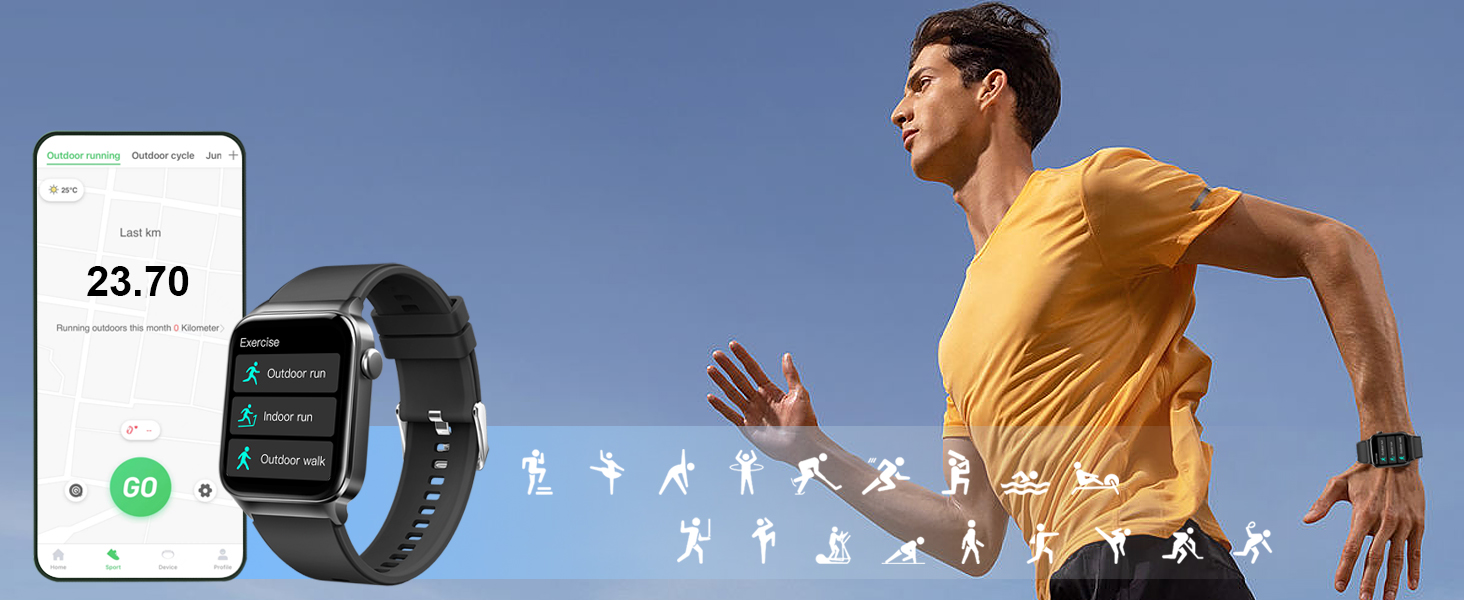
Image: Accurate heart rate tracking throughout the day, visible on the watch and synced app.
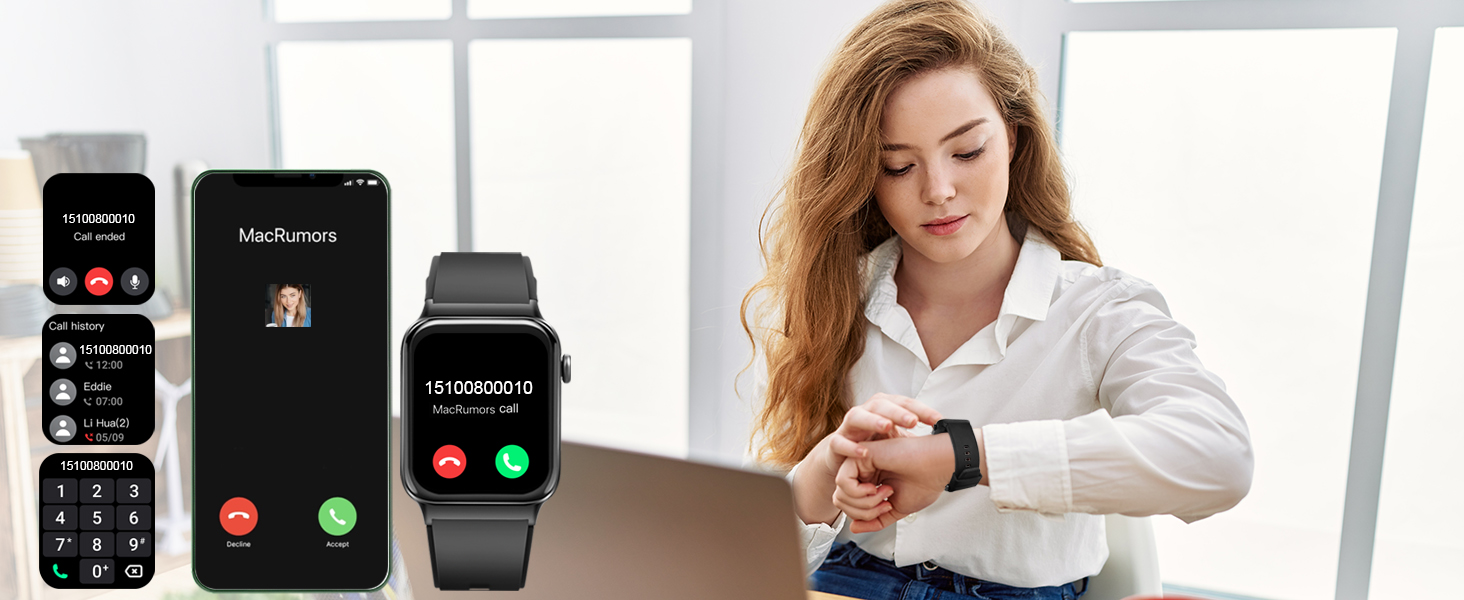
Image: Sleep monitoring function requires the watch to be connected to the app and worn correctly.

Image: The GloryFit app provides physiological period reminders, displayed on the watch interface.
6. أوضاع الرياضة وتتبع النشاط
The activity tracker supports over 100 sports modes and is IP68 waterproof:
- أكثر من 100 وضع رياضي: Includes Running, Walking, Hiking, Basketball, Boating, Climbing, Cycling, Fitness, Football, and more.
- البيانات في الوقت الحقيقي: During exercise, it records data like heart rate, steps, calories burned, and distance.
- IP68 مقاوم للماء: Suitable for washing hands, face, or engaging in sweaty activities. ملحوظة: Not recommended for use in hot water or seawater.

Image: The smartwatch tracking outdoor running activity, showing distance, calories, and steps.

Image: Track your daily activity data such as steps, calories burned, distance, and more.

Image: The smartwatch offers a wide range of sports modes for comprehensive activity tracking.
7. ميزات الاتصال
Stay connected with your T50S Smart Watch:
- إجراء/الرد على المكالمات: With a built-in HD speaker, you can directly answer or make calls after connecting to your smartphone via Bluetooth.
- إخطارات الرسائل: Supports multiple smart reminders including text messages and SNS messages (Facebook, WhatsApp, Instagram, Twitter, etc.). All notifications are displayed on your smartwatch and reminded by vibration.
Video: Demonstrating the call answering and making features of the Donerton T50S Smart Watch.

Image: The smartwatch showing an incoming call, allowing direct interaction from the wrist.

Image: The smartwatch allows users to answer calls directly, showing the call interface on both devices.

Image: Connect your smartwatch to receive notifications from calls, texts, emails, and social media apps.
8. Customization & Display
خصّص تجربة استخدام ساعتك الذكية:
- 1.85'' HD Touch Screen: Enjoy a highly responsive touch and clear visual experience.
- 200+ DIY Watch Faces: Download over 200 free personalized watch faces from the GloryFit app.
- Custom Wallpapers: Use your favorite photos (family, selfies, pets, landscapes) as your watch wallpaper.
- ضبط السطوع: Adjust the screen brightness to your preference.

Image: The 1.85-inch full touch screen offers over 200 cloud watch faces and allows custom photo wallpapers.
Image: The GloryFit app provides over 200 watch faces and options to DIY your smartwatch wallpaper.
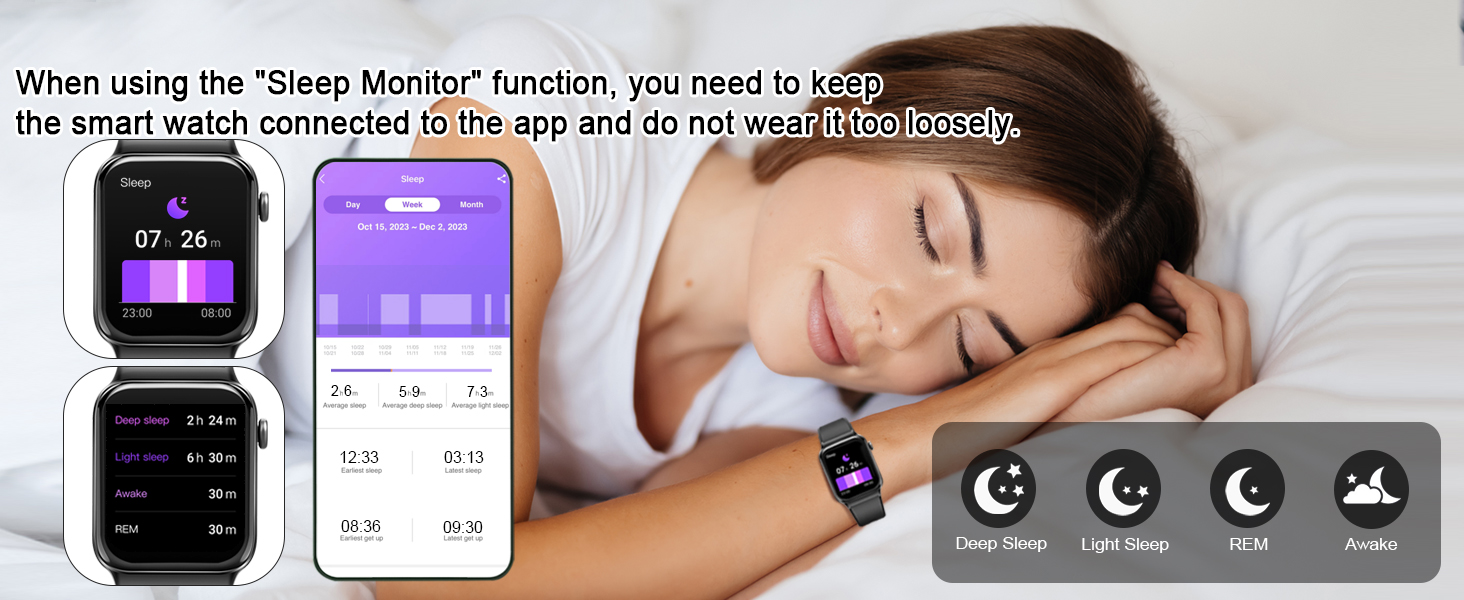
Image: The smartwatch offers 4-level brightness adjustment, customizable screen-on duration, and a 'Raise to Light Up' feature.
9. عمر البطارية والشحن
The T50S Smart Watch is designed for extended use:
- الاستخدام اليومي: حوالي 5-7 يومًا.
- وقت الاستعداد: حوالي 30 يوما.
- وقت الشحن: حوالي 2 ساعات.
- طريقة الشحن: Use the provided magnetic charging cable. Align the magnetic pins on the cable with the charging points on the back of the watch.
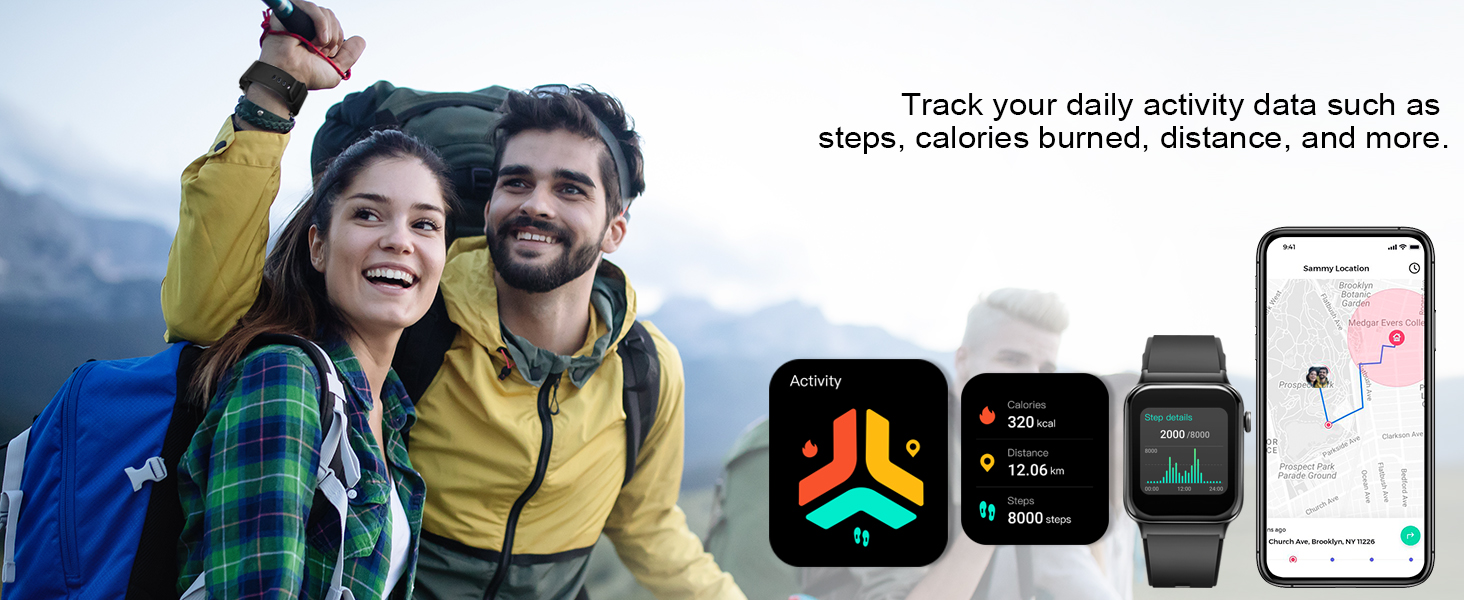
Image: The smartwatch features a long battery life with 30 days standby and 7 days daily use, charging in 2 hours.
10. Important Usage Tips
For optimal performance and comfort:
- Wear the T50S Smart Watch correctly: neither too tight nor too loose.
- Ensure there is room for your skin to breathe.
- Proper fit ensures sensors work accurately and comfortably.
- If the watch slips or sensors don't read correctly, adjust the band.

Image: Guidance on how to wear the T50S Smart Watch for comfort and accurate sensor readings.
11. ميزات إضافية
The Donerton T50S Smart Watch includes various other useful functions:
- المؤقت وساعة الإيقاف: لضبط الوقت بدقة أثناء الأنشطة.
- التنبيه: ضبط المنبهات مباشرة من معصمك.
- تذكير بالخمول: يحثك على الحركة بعد فترات من الخمول.
- التحكم بالموسيقى: التحكم في تشغيل الموسيقى على هاتفك الذكي.
- النشرة الجوية: Syncs with your phone to provide local weather updates.
- التحكم في الصور: التحكم عن بعد بكاميرا هاتفك.
- آلة حاسبة: أداة ملائمة لإجراء حسابات سريعة.
- مساعد صوتي ذكي: For hands-free operation.

Image: When connected to your phone, the smartwatch automatically syncs weather information for the next week.

Image: The smartwatch offers remote camera control and music control functionalities.

Image: The smartwatch provides useful tools like stopwatch, alarm, and timer for daily convenience.
12. المواصفات
| ميزة | التفاصيل |
|---|---|
| رقم الموديل | تي50إس |
| حجم الشاشة | 1.85 بوصة |
| نوع العرض | HD Full Touch Color Screen |
| تصنيف مقاومة الماء | IP68 |
| عمر البطارية (للاستخدام اليومي) | 5-7 أيام |
| عمر البطارية (الاستعداد) | 30 يوما |
| وقت الشحن | حوالي 2 ساعات |
| الاتصال | بلوتوث |
| التوافق | دائرة الرقابة الداخلية شنومك + / الروبوت شنومك + |
| مراقبة الصحة | Heart Rate, Sleep, Blood Oxygen, Women's Health |
| أوضاع الرياضة | 100+ |
| المميزات الخاصة | Bluetooth Calls, Smart Notifications, Custom Watch Faces, Music Control, Weather, Camera Control, Calculator, Voice Assistant |
| وزن العنصر | 3.52 أونصات |
| سعة البطارية | 300 مليamp ساعات |
| سعة تخزين الذاكرة | 4 جيجا بايت |
| نظام التشغيل | أندرويد وير 2.9 |
| نظام تحديد المواقع العالمي (جي بي اس) | نظام تحديد المواقع العالمي (GPS) المدمج |
13. استكشاف الأخطاء وإصلاحها
- الساعة لا تعمل: تأكد من شحن الساعة بالكامل. وصّلها بكابل الشحن ومصدر الطاقة لمدة 30 دقيقة على الأقل.
- لا يمكن الاقتران بالهاتف: تأكد من تفعيل البلوتوث على هاتفك وأن الساعة ضمن نطاق البلوتوث. أعد تشغيل كلا الجهازين وحاول الاقتران مرة أخرى عبر تطبيق GloryFit.
- دالة الاستدعاء لا تعمل: Verify that the T50S is connected for calls in your phone's Bluetooth settings (often listed as a separate connection for audio).
- الإشعارات غير المستلمة: Check app permissions for GloryFit on your phone to ensure it has access to notifications. Also, confirm notifications are enabled within the GloryFit app settings for the watch.
- Inaccurate heart rate/sleep data: Ensure the watch is worn correctly – snug but not too tight, allowing sensors to make proper contact with your skin.
14. الضمان والدعم
For warranty information, technical support, or further assistance, please refer to the contact details provided in your product packaging or visit the official Donerton webموقع. احتفظ بإيصال الشراء الخاص بك لمطالبات الضمان.