
1. المقدمة وما فوقview
The DOOGEE Blade 20 Ultra is a rugged smartphone designed for durability and performance in challenging environments. It features a robust build, a large battery, and advanced camera capabilities, making it suitable for outdoor activities and demanding work conditions.
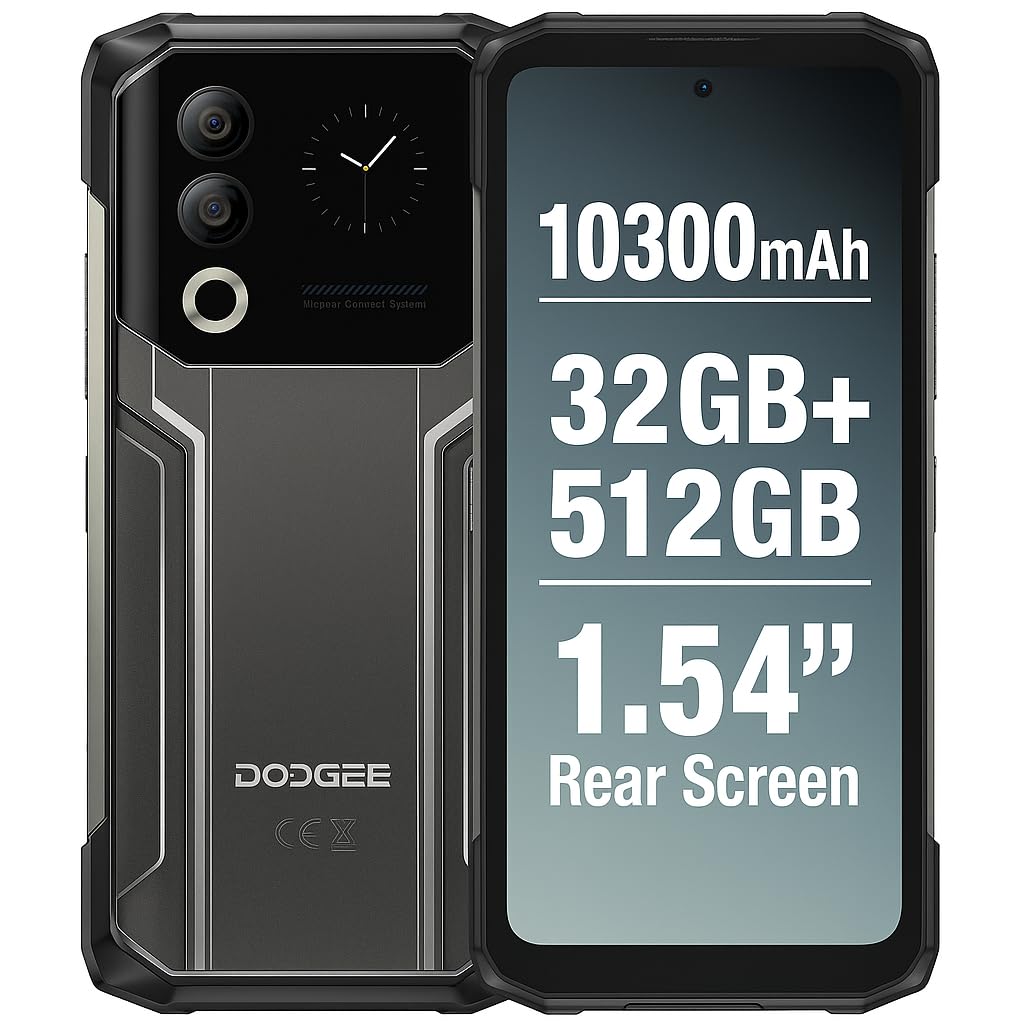
Figure 1: DOOGEE Blade 20 Ultra device overview.
المميزات الرئيسية:
- Ultra-Rugged Design: حاصل على شهادة IP68/IP69K و MIL-STD-810H لمقاومة الماء والغبار والصدمات.
- أداء قوي: Unisoc T7250 Octa-Core processor with 8GB RAM (expandable to 32GB virtual RAM) and 512GB internal storage (expandable up to 2TB).
- العرض المزدوج: 6.6-inch FHD+ 90Hz main display and an innovative 1.54-inch smart rear display for quick access and customization.
- بطارية طويلة الأمد: 10300 mAh battery with 18W fast charging and OTG reverse charging capability.
- نظام الكاميرا المتقدم: 50MP AI main camera and 8MP front camera with multiple shooting modes.
- تعزيز الأمان: Side-mounted fingerprint sensor and facial recognition.
- الاتصال: NFC with Google Pay support, GPS, Glonass, Galileo, Beidou for accurate navigation.
2. الإعداد
2.1 محتويات العبوة
قبل أن تبدأ، تأكد من وجود جميع العناصر في الصندوق:
- هاتف ذكي واحد من نوع دوجي بليد 20 ألترا
- 1 x Screen Protector Film (pre-applied or separate)
- 1 × كابل USB (نوع C)
- 1 × حافظة واقية
- 1 × شاحن
2.2 تركيب بطاقة SIM وبطاقة MicroSD
The device supports a triple slot system for two Nano SIM cards and one MicroSD card.
- حدد مكان درج بطاقة SIM على جانب الهاتف.
- استخدم أداة إخراج بطاقة SIM المتوفرة لفتح الدرج.
- Carefully place your Nano SIM cards and/or MicroSD card into the designated slots. Ensure the gold contacts face downwards.
- ادفع الدرج برفق إلى داخل الهاتف حتى يستقر في مكانه.

Figure 2: Illustration of SIM and MicroSD card installation.
2.3 الشحن الأولي
Before first use, it is recommended to fully charge the device. Connect the USB cable to the phone's Type-C port and the charger, then plug the charger into a power outlet. The phone supports 18W fast charging.
2.4 تشغيل/إيقاف التشغيل
- لتشغيل: اضغط مع الاستمرار على زر الطاقة (عادةً ما يكون على الجانب) حتى يظهر شعار DOOGEE.
- لإيقاف التشغيل: اضغط مع الاستمرار على زر الطاقة، ثم حدد "إيقاف التشغيل" من الخيارات الموجودة على الشاشة.
- لإعادة التشغيل: اضغط مع الاستمرار على زر الطاقة، ثم حدد "إعادة التشغيل" من الخيارات.
3. تشغيل الجهاز
3.1 Main Display (6.6" HD+ 90Hz)
The 6.6-inch HD+ display offers a smooth visual experience with a 90Hz refresh rate. Navigate through apps, menus, and content using touch gestures.
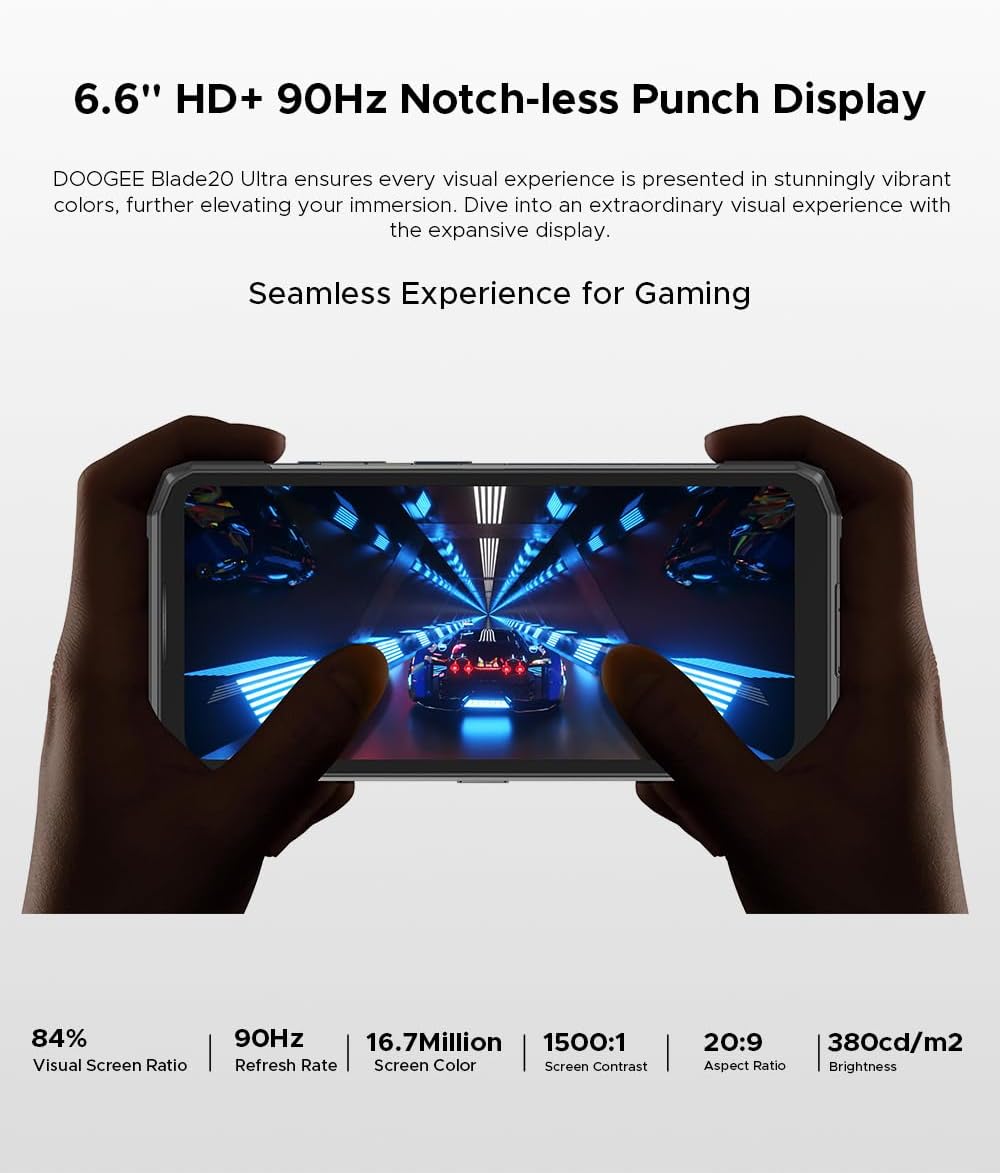
Figure 3: The 6.6-inch HD+ 90Hz main display provides a seamless viewتجربة رائعة.
3.2 1.54" Smart Rear Display
The innovative 1.54-inch rear display provides quick access to essential functions and customizable backgrounds. Double-tap to activate it.
- الوصول السريع: Control music, view notifications, check the calendar, and answer calls without opening the main screen.
- صور السيلفي: Use the rear display to frame selfies with the main camera.
- التخصيص: Choose from over 16 customizable wallpapers, including dynamic, business, and personalized photo settings.

Figure 4: The 1.54-inch smart rear display offers quick functions and personalization.
3.3 وظائف الكاميرا
The DOOGEE Blade 20 Ultra features a 50MP AI main camera and an 8MP front camera. It supports Google Intelligent Camera features.
- الكاميرا الرئيسية: 50MP (OV50C40 sensor, F/1.8 aperture) with autofocus and LED flash.
- الكاميرا الأمامية: 8MP (Hi-842 sensor, F/2.2 aperture).
- الأوضاع: Underwater mode, Night Vision, Professional Photography, Beauty Mode, Time-lapse, Portrait Mode, HDR, Panoramic Mode, Filter, Pro Mode.
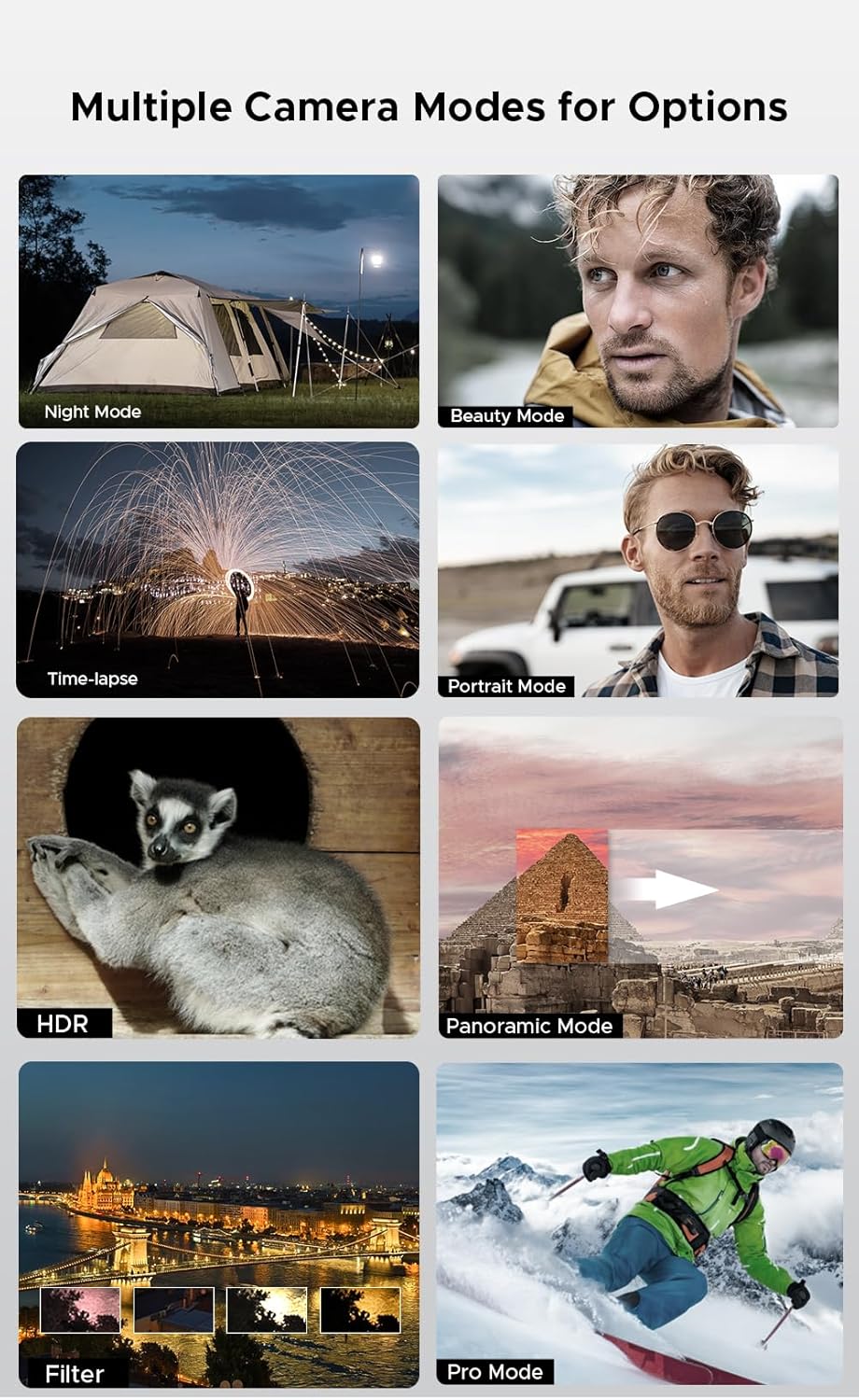
Figure 5: Various camera modes available on the Blade 20 Ultra.
3.4 إدارة البطارية
The device is equipped with a 10300 mAh battery, providing extended usage times.
- الشحن السريع: يدعم الشحن السريع بقوة 18 واط لإعادة شحن البطارية بسرعة.
- Power Bank Function (OTG Reverse Charging): Use your phone to charge other devices.
- الاستخدام: ما يصل إلى 35 ساعة من وقت التحدث.
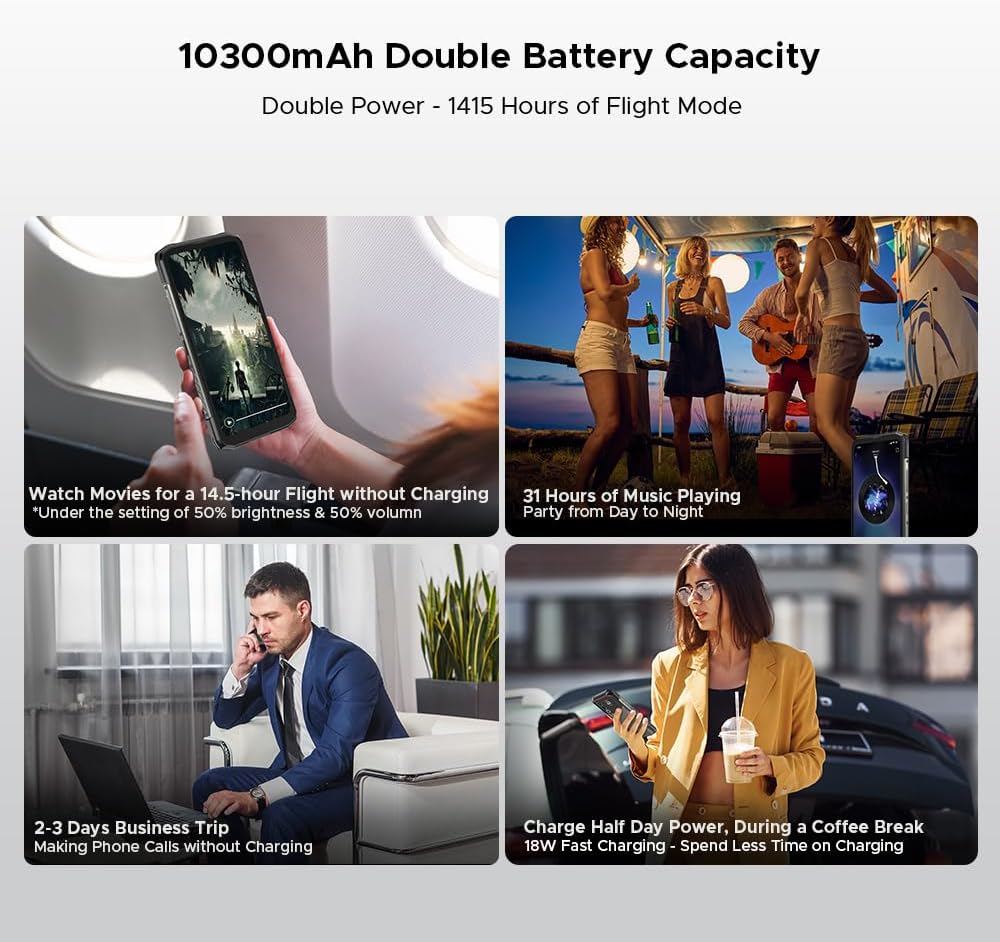
الشكل 6: مثالamples of extended battery life for various activities.
3.5 ميزات الأمان
- مستشعر بصمة الإصبع الجانبي: Unlock your device quickly and securely using the side-mounted fingerprint sensor.
- التعرف على الوجه: Use your face to unlock the phone.
3.6 الاتصال والتنقل
The Blade 20 Ultra supports various connectivity options and global navigation systems.
- NFC: Supports Near Field Communication for contactless payments (Google Pay) and data transfer.
- لاسلكي: GSM, 3G, 4G, Bluetooth, Wi-Fi.
- ملاحة: نظام تحديد المواقع العالمي (GPS) وأنظمة غلوناس وغاليليو وبيدو المدمجة لتحديد المواقع بدقة.

Figure 7: The phone supports multiple global navigation satellite systems.
4. الصيانة
4.1 تنظيف الجهاز
للحفاظ على مظهر الجهاز ووظائفه:
- امسح الشاشة والجسم بقطعة قماش ناعمة وخالية من الوبر.
- بالنسبة للأوساخ العنيدة، قم بإزالة الأوساخ برفق.ampامسح القماش بالماء أو بمنظف الشاشة.
- تجنب استخدام المواد الكيميائية القاسية أو المواد الكاشطة.
- تأكد من إغلاق جميع أغطية المنافذ بإحكام قبل تعريض الجهاز للماء أو الغبار.
4.2 العناية بالبطارية
- تجنب درجات الحرارة القصوى، التي يمكن أن تؤدي إلى تدهور عمر البطارية.
- لا تترك الهاتف مشحونًا بالكامل أو فارغ الشحن تمامًا لفترات طويلة.
- استخدم فقط الشاحن والكابل الأصليين أو الملحقات المتوافقة المعتمدة.
4.3 تحديثات البرامج
The DOOGEE Blade 20 Ultra runs on Android 14. Regularly check for and install software updates to ensure optimal performance, security, and access to new features. You can usually find this option in the phone's Settings menu under 'System' or 'About phone'.
4.4 إدارة التخزين
With 512GB of internal storage and support for up to 2TB MicroSD, you have ampالمساحة. إعادة بشكل دوريview لك files and applications to free up space if needed. Uninstall unused apps and transfer large media files to external storage or cloud services.
5. استكشاف الأخطاء وإصلاحها
This section addresses common issues you might encounter with your DOOGEE Blade 20 Ultra.
5.1 الجهاز لا يعمل
- تأكد من شحن البطارية. وصّل الشاحن وانتظر بضع دقائق قبل تشغيل الجهاز.
- اضغط مع الاستمرار على زر الطاقة لمدة 10-15 ثانية على الأقل لفرض إعادة التشغيل.
5.2 قضايا الشحن
- Check if the charger and USB cable are properly connected and undamaged.
- حاول استخدام منفذ طاقة مختلف.
- تأكد من أن منفذ الشحن نظيف وخالٍ من الحطام.
5.3 مشاكل الاتصال بالشبكة
- تأكد من إدخال بطاقة SIM الخاصة بك وتفعيلها بشكل صحيح.
- Ensure 'Airplane mode' is off.
- أعد تشغيل الجهاز.
- Go to Settings > Network & internet > Mobile network and check network settings.
5.4 تعطل التطبيقات أو تجميدها
- أغلق التطبيق ثم أعد فتحه.
- قم بمسح ذاكرة التخزين المؤقت وبيانات التطبيق (الإعدادات > التطبيقات > [اسم التطبيق] > التخزين وذاكرة التخزين المؤقت).
- تأكد من تحديث التطبيق إلى الإصدار الأحدث.
- إذا استمرت المشكلة، قم بإلغاء تثبيت التطبيق ثم أعد تثبيته.
5.5 إعادة ضبط المصنع
إذا كنت تواجه مشكلات مستمرة في البرامج، فقد يؤدي إعادة ضبط المصنع إلى حلها. تحذير: سيؤدي هذا إلى مسح جميع البيانات على هاتفك. انسخ بياناتك المهمة احتياطيًا قبل المتابعة.
- انتقل إلى الإعدادات > النظام > خيارات إعادة التعيين.
- حدد "مسح جميع البيانات (إعادة ضبط المصنع)".
- قم بتأكيد قرارك وأدخل رقم التعريف الشخصي (PIN)/كلمة المرور إذا طُلب منك ذلك.
6. المواصفات
| ميزة | مواصفة |
|---|---|
| رقم الموديل | بليد 20 ألترا |
| أبعاد | 174 × 81.2 × 15.8 ملم |
| وزن | 326 جرام |
| نظام التشغيل | أندرويد 14 |
| المعالج | Unisoc T7250 Octa-Core, 1.8 GHz (12 nm) |
| كبش | 8 جيجابايت (قابلة للتوسعة إلى 32 جيجابايت من ذاكرة الوصول العشوائي الافتراضية) |
| التخزين الداخلي | 512 GB (UFS), expandable up to 2 TB via MicroSD |
| الشاشة الرئيسية | 6.6 inches IPS HD+, 90 Hz refresh rate, 1920 x 1080 resolution, 367 PPI |
| Rear Smart Display | 1.54 inches IPS, 240 x 240 pixels |
| الكاميرا الخلفية | 50 MP AI (OV50C40 sensor, F/1.8 aperture) |
| الكاميرا الأمامية | 8 MP (Hi-842 sensor, F/2.2 aperture) |
| سعة البطارية | 10300 مللي أمبير |
| الشحن | شحن سريع بقوة 18 واط، وشحن عكسي بتقنية OTG |
| فتحات بطاقة SIM | Dual Nano SIM + 1 MicroSD (Triple Slot) |
| الاتصال | 4G, 3G, GSM, Wi-Fi, Bluetooth, GPS, NFC (Google Pay) |
| ملاحة | نظام تحديد المواقع العالمي (GPS)، نظام غلوناس، نظام غاليليو، نظام بيدو |
| حماية | Side Fingerprint Sensor, Facial Recognition |
| متانة | IP68/IP69K, MIL-STD-810H (Waterproof, Dustproof, Shockproof) |
| مقبس سماعة الرأس | No 3.5mm jack |
7. الضمان والدعم
7.1 معلومات الضمان
Your DOOGEE Blade 20 Ultra is covered by a standard manufacturer's warranty. The specific terms and duration of the warranty may vary by region and retailer. Please refer to the warranty card included in your product packaging or contact your point of purchase for detailed information.
7.2 دعم العملاء
For technical assistance, troubleshooting beyond this manual, or warranty claims, please contact DOOGEE customer support or the retailer from whom you purchased the device. Keep your proof of purchase handy when contacting support.
Information regarding spare parts availability is not provided at this time.