
مقدمة
The SYNCO XTALK XPro9 Wireless Intercom Headset System is designed for professional team communication, offering full-duplex audio over a 2.4 GHz frequency band. This system provides a reliable communication range of up to 500 meters (1640 feet) and features advanced noise cancellation for clear conversations in various environments. It supports communication for up to 9 persons, making it suitable for live shows, stage performances, movie shoots, and other events requiring coordinated team interaction.
ماذا يوجد في الصندوق
- سماعة الرأس
- بطارية قابلة لإعادة الشحن
- كابل الشحن
- محطة الشحن
- One-ear foam cushions
- Micro windshield

Image: Contents of the SYNCO XTALK XPro9 package, including headsets, batteries, charging accessories, and foam cushions.
مميزات المنتج
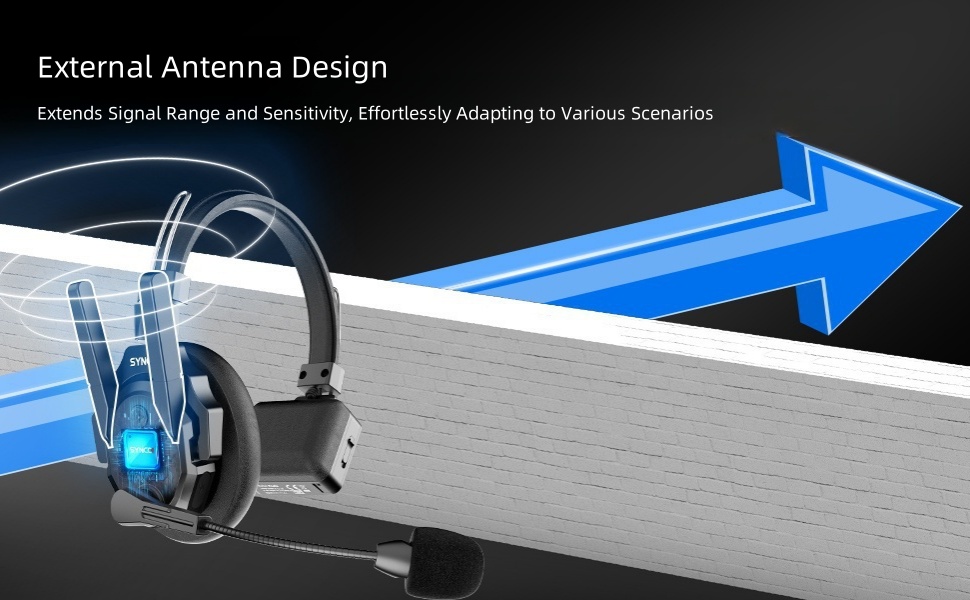
- Expanded Team Communication to 500M Distance: Two high-gain external antennas enhance transmission signals, providing a 500m reliable connection range. Instant response backlink prevents delays in reconnection. Strong anti-interference capability is ideal for complex and large events.
- Experience Enhancing 2.0 AEC: Advanced Acoustic Echo Cancellation (AEC) technology eliminates echoes, reverberation, and ambient noise, ensuring clear voice recognition even in noisy environments. Activate noise reduction with one click.
- Supercharge the Signal with Boost Mode: Intelligent spectrum switching at the click of a button instantly multiplies signals, enhancing communication quality. This feature addresses weak signals, through-wall communication issues, and complex signal interferences.
- Selectable Master for Communication Flexibility: SYNCO's MasterFree Algorithm allows any headset to be designated as the master device, ensuring uninterrupted sessions. Supports groups of 2 to 13 people.
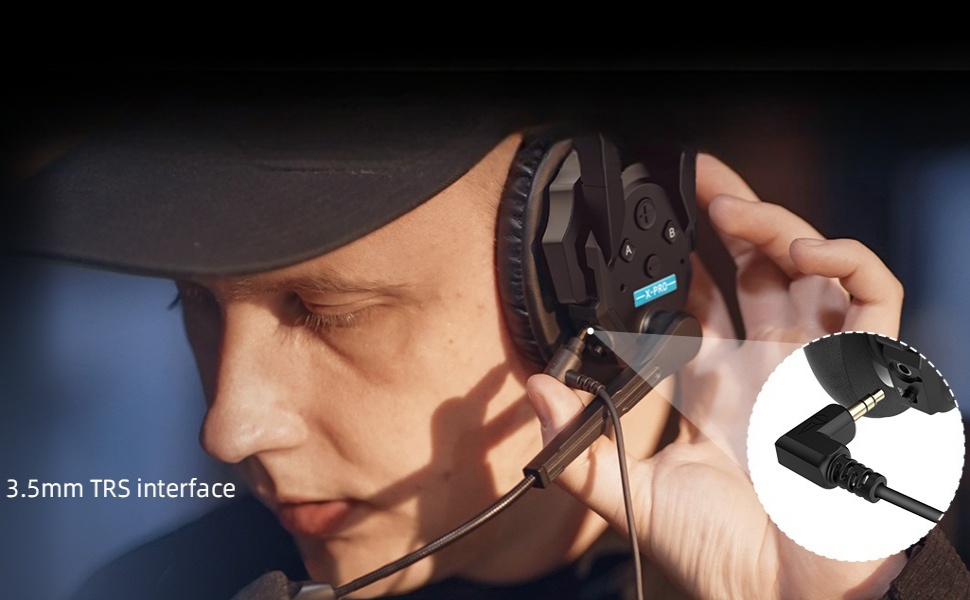
- SmartFlow Sync with Unique 3.5mm Real-time Monitoring: Seamlessly communicate with your team while monitoring audio from devices like cameras and recorders using a single headset. Ideal for field control personnel, directors, and supervisors.
- Unique One-Button Remote Muting Function: The master headset can instantly mute all remote headsets during disruptive conversations, ensuring focus on the master's dialogue.
- Connect All Day with Rechargeable and Replaceable Batteries: Low-power design and rechargeable, replaceable batteries provide over 24 hours of operation. A 2-slot charging station improves charging efficiency.
- Optimized Portability and Durability: Crafted from lightweight ABS materials and smooth leather, each Xtalk XPro headset weighs just 188g (6oz) with the battery. Upgraded over-ear leather cushions provide enhanced stability and comfort for extended use in challenging work environments.


Setup and Pairing Guide
This section details the initial setup and pairing process for your SYNCO XTALK XPro9 headsets.
مقدمة عن الزر
Familiarize yourself with the headset buttons and their functions before proceeding with pairing.
Video: Introduction to the buttons on the SYNCO XTALK XPro9 headset, explaining their functions for pairing, volume, and boost mode.
- الزر أ (أعلى اليسار):
- Pairing-Unpairing: Long-press for 3 seconds to hear the first 'Beep' sound, then release.
- Set as Master: Long-press for 5 seconds to hear the second 'Beep' sound, then release.
- Connection Level One: Long-press for 8 seconds to hear the third 'Beep' sound, then release.
- Connection Level Two: Long-press for 11 seconds to hear the fourth 'Beep' sound, then release.
- Volume + (Top Right):
- Increase Volume: Short press.
- Play Voice Prompts: Long-press for 3 seconds to hear a 'Beep' sound, then release. Voice prompts include Master Mode, Level One Pairing, and Level Two Pairing.
- Volume - (Bottom Right):
- Decrease Volume: Short press.
- Switch Boost Mode (1/2/3): Long-press for 3 seconds to hear a 'Beep' sound, then release.
- Power Switch (Side): قم بالتمرير لتشغيل سماعة الرأس أو إيقاف تشغيلها.
عملية الاقتران
Follow these steps to pair your headsets for multi-person communication.
Video: Step-by-step guide on how to pair multiple SYNCO XTALK XPro9 headsets, including setting master and connection levels.
- Ensure all headsets are initially set as Master, Connection Level One, or Connection Level Two as desired for your setup.
- Power on the Master headset and any headsets designated as Connection Level One.
- On the Master headset, long-press Button A for 3 seconds until you hear the first 'Beep' sound, then release to enter pairing mode.
- On each Connection Level One headset, long-press Button A for 3 seconds until you hear the first 'Beep' sound, then release to enter pairing mode.
- Once the green light on the Master headset's microphone is steady, the connection to Connection Level One headsets is complete.
- Next, take the remaining headsets designated as Connection Level Two. Long-press their Button A for 3 seconds until you hear the first 'Beep' sound, then release to enter pairing mode.
- Once the green light on the Connection Level One headset's microphone is flashing (or steady, depending on the specific model's indicator), the connection to Connection Level Two headsets is complete.
- To finalize the pairing operation, restart all headsets. Power on the Master first, then Connection Level One headsets, and finally Connection Level Two headsets. This sequence is crucial for proper transmission.
- Once the green light on all headsets is steady, the connection is complete, and all headsets are ready for use.
تعليمات التشغيل
التواصل الأساسي
- Ensure all headsets are powered on and successfully paired as per the "Setup and Pairing Guide."
- Speak clearly into the microphone. The full-duplex system allows all connected users to speak and listen simultaneously.
ضبط مستوى الصوت
- To increase listening volume, short press the "Volume +" button.
- To decrease listening volume, short press the "Volume -" button.
Boost Mode Activation
- To switch between Boost Modes (1, 2, or 3) for enhanced signal quality, long-press the "Volume -" button for 3 seconds until you hear a 'Beep' sound, then release.
Remote Muting (Master Headset Only)
- The Master headset has a dedicated one-button function to mute all remote headsets. Refer to the specific button on your Master headset for this function (often indicated by a distinct color or symbol).
المراقبة في الوقت الحقيقي
- Connect a 3.5mm TRS cable from your camera or recorder to the headset's 3.5mm monitoring port to listen to audio from external devices while communicating.
صيانة
- تنظيف: Use a soft, dry cloth to clean the headset. For stubborn dirt, a slightly damp يمكن استخدام القماش. تجنب استخدام المواد الكيميائية القاسية أو المواد الكاشطة.
- العناية بالبطارية: Charge batteries regularly, even if not in frequent use, to maintain battery health. Store batteries in a cool, dry place.
- تخزين: When not in use, store the headsets in their protective case to prevent damage from dust, moisture, and impacts.
- Microphone Windshield: Replace the micro windshield periodically to ensure optimal audio clarity and hygiene.
- مقاومة الماء: While the headset is water-resistant, avoid submerging it in water or exposing it to heavy rain for prolonged periods. Dry thoroughly if it gets wet.
استكشاف الأخطاء وإصلاحها
- No Audio / Intermittent Connection:
- Ensure all headsets are powered on and fully charged.
- Verify that all headsets are correctly paired according to the "Setup and Pairing Guide."
- Check the distance between headsets; ensure they are within the 500m operating range. Obstacles like thick walls can reduce range.
- Restart all headsets in the correct sequence (Master, then Level One, then Level Two).
- Try activating "Boost Mode" on the Master headset to enhance signal strength.
- جودة صوت رديئة / ضوضاء:
- Ensure the microphone windshield is properly installed and clean.
- Verify that the Acoustic Echo Cancellation (AEC) feature is active.
- تحقق من وجود تداخل كهرومغناطيسي قوي في البيئة.
- Adjust microphone position for optimal voice pickup.
- سماعة الرأس لا تعمل:
- تأكد من إدخال البطارية بشكل صحيح وشحنها بالكامل.
- تحقق من وضع مفتاح الطاقة.
- مستوى الصعوبة:
- Ensure you are following the long-press durations for Button A precisely as described in the "Setup and Pairing Guide."
- Confirm that only the necessary headsets are in pairing mode at each step.
تحديد
| ميزة | التفاصيل |
|---|---|
| اسم الموديل | XTALK PRO |
| تكنولوجيا الاتصال | لاسلكي (RF) |
| مقبس سماعات الرأس | 3.5 ملم جاك |
| مادة | Acrylonitrile Butadiene Styrene (ABS), Leather |
| استخدامات محددة للمنتج | التواصل المهني |
| وقت الشحن | 2.5 ساعة |
| عمر البطارية | 24 ساعة |
| طريقة التحكم | زر الضغط، جهاز التحكم عن بعد |
| مستوى مقاومة الماء | مقاوم للماء |
| التحكم في الضوضاء | إلغاء الضوضاء النشط |
| المميزات الخاصة | Noise Cancellation, Boost Mode, Selectable Master, SmartFlow Sync, One-Button Remotes Muting Function |
| وزن العنصر | 15 pounds (Note: This likely refers to the package weight, individual headset is 188g/6oz) |
| الشركة المصنعة | سينكو |
الضمان والدعم
For warranty information and technical support, please refer to the official SYNCO webالموقع أو تواصل مع خدمة العملاء مباشرةً. احتفظ بإيصال الشراء لطلبات الضمان.
For additional resources and product updates, visit: SYNCO Official Store on Amazon