
Samsung QE55QN85FAU
Samsung Neo QLED 4K Vision AI Smart TV 55-inch QE55QN85FAUXZT User Manual
Model: QE55QN85FAU
1. المقدمة
This manual provides essential information for the safe and efficient use of your Samsung Neo QLED 4K Vision AI Smart TV, model QE55QN85FAUXZT. Please read these instructions thoroughly before operating your TV and retain them for future reference.
Your new Samsung Neo QLED TV features a 55-inch display with a NQ4 AI Gen2 Processor, offering 4K AI Upscaling for vivid and realistic colors. It includes advanced audio technologies like Dolby Atmos & OTS Lite for an immersive sound experience, and smart features such as Smart Hub, Gaming Hub, and SmartThings for comprehensive entertainment and home management.
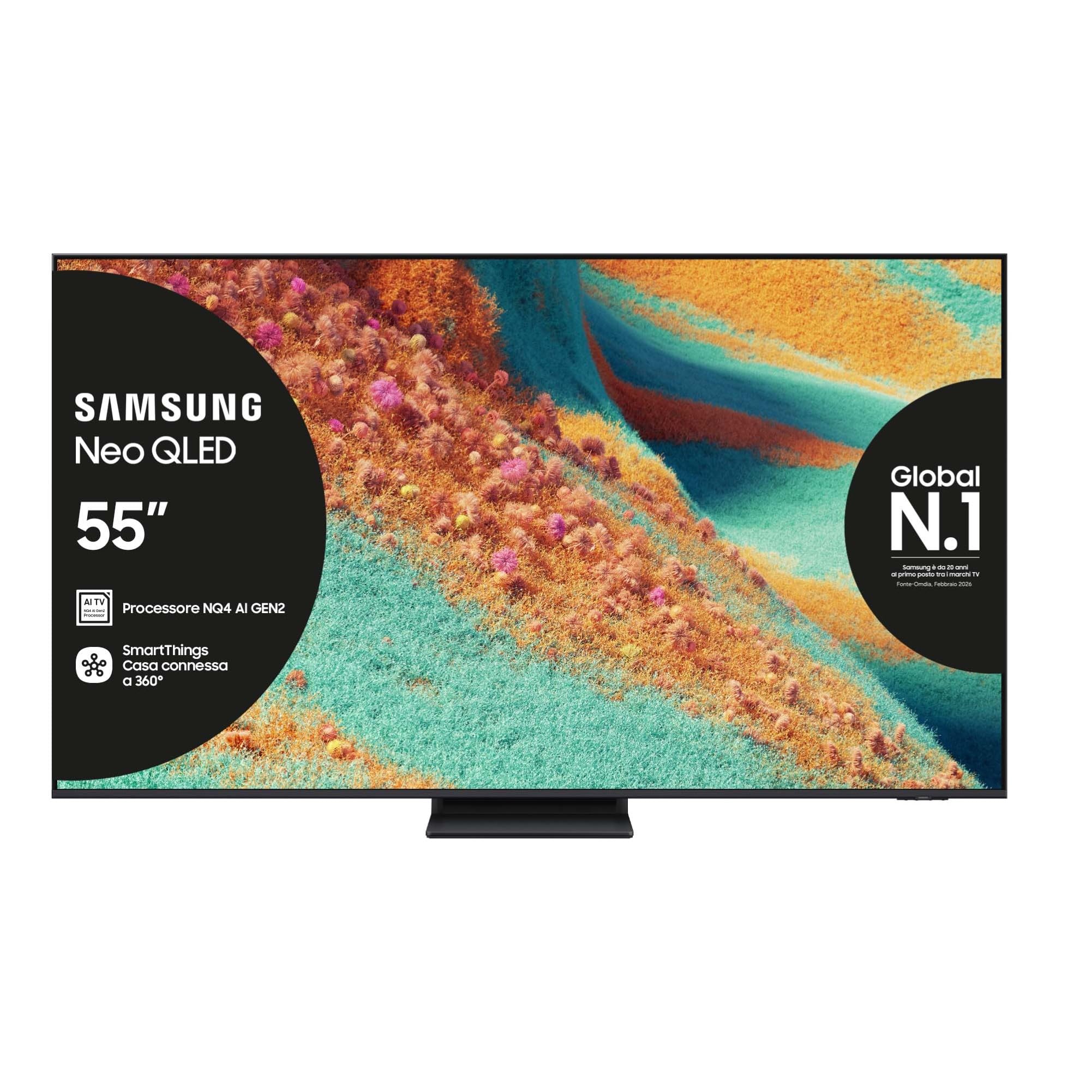
أمام view of the Samsung Neo QLED 4K Vision AI Smart TV 55-inch.

جانب view of the Samsung Neo QLED 4K Vision AI Smart TV 55-inch, highlighting its slim design.
2. الإعداد
2.1 فك الصندوق ومحتويات العبوة
Carefully unpack your TV and check that all components are present. The package should include:
- 1x Samsung Smart TV 55" Serie QN85F
- 2x Remote Controls (one solar-powered, one standard)
- كابل الطاقة
- دليل المستخدم (هذا المستند)

Contents of the TV package, including the power cable, user manual, solar remote, and standard remote.
2.2 التثبيت المادي
Place the TV on a stable, flat surface or mount it on a wall using a compatible VESA mount (200 x 200 mm). Ensure adequate ventilation around the TV.

Detailed dimensions of the 55-inch TV, including width, height, and depth with stand.
2.3 توصيل الأجهزة الطرفية
Connect your external devices to the appropriate ports on the back of the TV. The TV features multiple connectivity options:
- منافذ HDMI: 4 ports for connecting devices like Blu-ray players, game consoles, or set-top boxes. One port supports eARC.
- منافذ USB: 2 ports (1x USB 3.0, 1x USB 2.0) for connecting USB storage devices.
- منفذ إيثرنت (LAN): للاتصال بالإنترنت السلكي.
- Antenna (ANT) Input: لتوصيل هوائي أرضي أو هوائي كابل.
- مخرج الصوت الرقمي البصري: للاتصال بشريط الصوت أو جهاز استقبال الصوت.

Rear panel of the TV displaying the HDMI, USB, LAN, and antenna input ports.
2.4 التشغيل الأولي وإعداد الشبكة
بعد توصيل كابل الطاقة، اضغط على زر التشغيل في جهاز التحكم عن بُعد. اتبع التعليمات التي تظهر على الشاشة لإكمال الإعداد الأولي، بما في ذلك اختيار اللغة، والاتصال بالشبكة (واي فاي أو إيثرنت)، ومسح القنوات.
3. تعليمات التشغيل
3.1 استخدام جهاز التحكم عن بعد
Your TV comes with two remote controls. The solar-powered remote offers convenient charging via ambient light, while the standard remote provides traditional battery operation. Both remotes allow full control over TV functions, including navigation, volume, channel selection, and smart features.

The remote control interacting with the Samsung Vision AI Companion interface, demonstrating voice command capabilities.
3.2 Smart Features (Smart Hub, Gaming Hub, SmartThings)
Access a world of entertainment and smart home control through your TV's integrated smart features:
- المركز الذكي: Your central portal for streaming apps (Disney Plus, Netflix, Prime Video, YouTube), live TV, and connected devices.
- مركز الألعاب: Provides access to cloud gaming services and optimizes settings for a smooth gaming experience (Motion Xcelerator 144 Hz).
- الأشياء الذكية: Control compatible smart home devices directly from your TV, creating a connected living environment.

The Smart Hub interface displaying various streaming content and navigation options.

The Gaming Hub interface, optimized for gaming with various game titles displayed.

The SmartThings interface showing control options for various smart home devices.
3.3 تقنيات الصورة والصوت
Your TV incorporates advanced technologies for an enhanced viewتجربة التعلم والاستماع:
- NQ4 AI Gen2 Processor & 4K AI Upscaling: Utilizes artificial intelligence to optimize picture quality, enhancing details and colors to near-4K resolution, regardless of the original source.
- Quantum Matrix Plus: Precisely controls the TV's Mini LEDs for ultra-fine light and dark areas, delivering exceptional contrast and detail.
- نيو كوانتوم HDR+: Provides extraordinary brightness and vivid colors, enhancing the dynamic range of content.
- Dolby Atmos & OTS Lite: Object Tracking Sound Lite creates a 3D audio experience where sound follows the action on screen, complemented by Dolby Atmos for immersive surround sound.
- الصوت التكيفي الاحترافي: Automatically calibrates sound based on the content and room acoustics for optimal audio delivery.
- كيو سيمفوني: Synchronizes the TV's speakers with a compatible Samsung soundbar (not included) for a richer, more expansive soundstage.

The NQ4 AI Gen2 Processor, the brain behind the TV's advanced AI features and 4K upscaling.

Visual representation of 4K AI Upscaling, showing how lower resolution content is enhanced.

Quantum Matrix Plus technology illustrated with a surfing scene, highlighting precise light control.

Comparison showing the enhanced brightness and color of Neo Quantum HDR+ versus standard dynamic range (SDR).

Dolby Atmos and OTS Lite audio technology creating a three-dimensional sound experience with a wave scene.

Object Tracking Sound Lite (OTS Lite) visually represented with sound waves emanating from a train on screen.

Adaptive Sound Pro adjusting audio based on different content types, from nature sounds to sports commentary.
4. الصيانة
4.1 تنظيف التلفزيون
لتنظيف الشاشة، امسحها برفق بقطعة قماش ناعمة وخالية من الوبر. أما بالنسبة للبقع الصعبة، فامسحها برفق بقطعة قماش ناعمة وخالية من الوبر.ampاغسل قطعة القماش بالماء أو منظف شاشات متخصص. تجنب استخدام المواد الكيميائية القاسية أو المواد الكاشطة أو الرش المباشر على الشاشة.
نظّف إطار التلفزيون وحامله بقطعة قماش ناعمة وجافة. تأكد من فصل التلفزيون عن الكهرباء قبل التنظيف.
4.2 العناية العامة
- تجنب وضع التلفاز في ضوء الشمس المباشر أو بالقرب من مصادر الحرارة.
- Ensure proper ventilation by not blocking the TV's vents.
- Protect the screen from sharp objects or excessive pressure.
- افصل التلفاز أثناء العواصف الرعدية أو عندما لن يتم استخدامه لفترات طويلة.
5. استكشاف الأخطاء وإصلاحها
If you encounter issues with your TV, refer to the following common troubleshooting steps before contacting support.
5.1 لا يوجد طاقة / لا توجد صورة
- تأكد من توصيل كابل الطاقة بشكل آمن بالتلفزيون والمقبس الكهربائي في الحائط.
- تأكد من أن منفذ الحائط يعمل عن طريق توصيل جهاز آخر.
- Press the power button on the remote control or directly on the TV.
5.2 جودة صورة رديئة
- تأكد من تحديد مصدر الإدخال بشكل صحيح.
- Check the quality of the signal from your antenna or external device.
- ضبط إعدادات الصورة (السطوع والتباين والحدة) في قائمة التلفزيون.
- لاحظ أن viewing from extreme horizontal angles may show some image degradation, which is characteristic of certain display technologies.
5.3 لا يوجد صوت
- قم بزيادة مستوى الصوت باستخدام جهاز التحكم عن بعد.
- تأكد من أن التلفزيون مكتوم الصوت.
- Ensure external audio devices (soundbars, receivers) are properly connected and powered on.
- تحقق من إعدادات إخراج الصوت في قائمة التلفزيون.
5.4 جهاز التحكم عن بعد لا يعمل
- For the solar remote, ensure it has sufficient light exposure to charge.
- For the standard remote, replace the batteries if necessary.
- تأكد من عدم وجود أي عوائق بين جهاز التحكم عن بعد والتلفزيون.
6. المواصفات
| ميزة | التفاصيل |
|---|---|
| اسم الموديل | QE55QN85FAU |
| حجم الشاشة | 55 بوصة |
| تكنولوجيا العرض | تلفزيون كيو إل إي دي |
| دقة | 4K (3840 × 2160) |
| معدل التحديث | 120 Hz (Motion Xcelerator 144 Hz) |
| المعالج | معالج NQ4 AI Gen2 |
| يدعم تنسيق HDR | نيو كوانتوم HDR+ |
| وضع إخراج الصوت | نظام الصوت المحيطي (2.1 قناة) |
| Surround Sound Format | دولبي أتموس |
| الاتصال | Bluetooth, Ethernet, HDMI (4 ports), USB (2 ports), Wi-Fi |
| نظام التشغيل | تايزن |
| طريقة التحكم | App, Remote, Voice (Amazon Alexa, Google Assistant, SmartThings) |
| معيار التثبيت VESA | 200 × 200 ملم |
| أبعاد المنتج (الطول × العرض × الارتفاع) | 122.8P x 24.7l x 76.1H cm (with stand) |
| وزن العنصر | 18 كيلوغرام |
| لون | Eclipse Silver |
| بلد المنشأ | سلوفاكيا |
6.1 كفاءة الطاقة
The TV's energy efficiency information is provided on the energy label.
EU Energy Label for model QE55QN85FAU. For detailed information, refer to the قاعدة بيانات EPREL.
7. الضمان
This Samsung TV comes with a ضمان الشركة المصنعة لمدة عامين. Please retain your proof of purchase for warranty claims. The warranty covers manufacturing defects under normal use conditions. For full terms and conditions, please refer to the warranty card included in your package or visit the official Samsung support webموقع.
8. الدعم
For further assistance, technical support, or to download the full user manual, please visit the official Samsung support webالموقع أو الرجوع إلى دليل PDF المرفق:
- تنزيل دليل المستخدم (PDF)
- قم بزيارة متجر سامسونج على أمازون للحصول على معلومات عن المنتج والملحقات.
You can also contact Samsung customer service for personalized support.
Ask a question about this manual
Ask about setup, troubleshooting, compatibility, parts, safety, or missing instructions. Manuals+ will review the question and use this page’s manual context to help answer it.