
1. المقدمة
This manual provides essential information for the safe and efficient use of your Samsung Full HD Smart TV 27" UE27F6000FU. Please read these instructions carefully before using the product and retain them for future reference. This television features a Hyper Real Processor, HDR and Pur Color technology for enhanced visuals, a Smart Experience with Tizen OS, OTS Lite and Adaptive Sound for immersive audio, and a SlimLook Design.
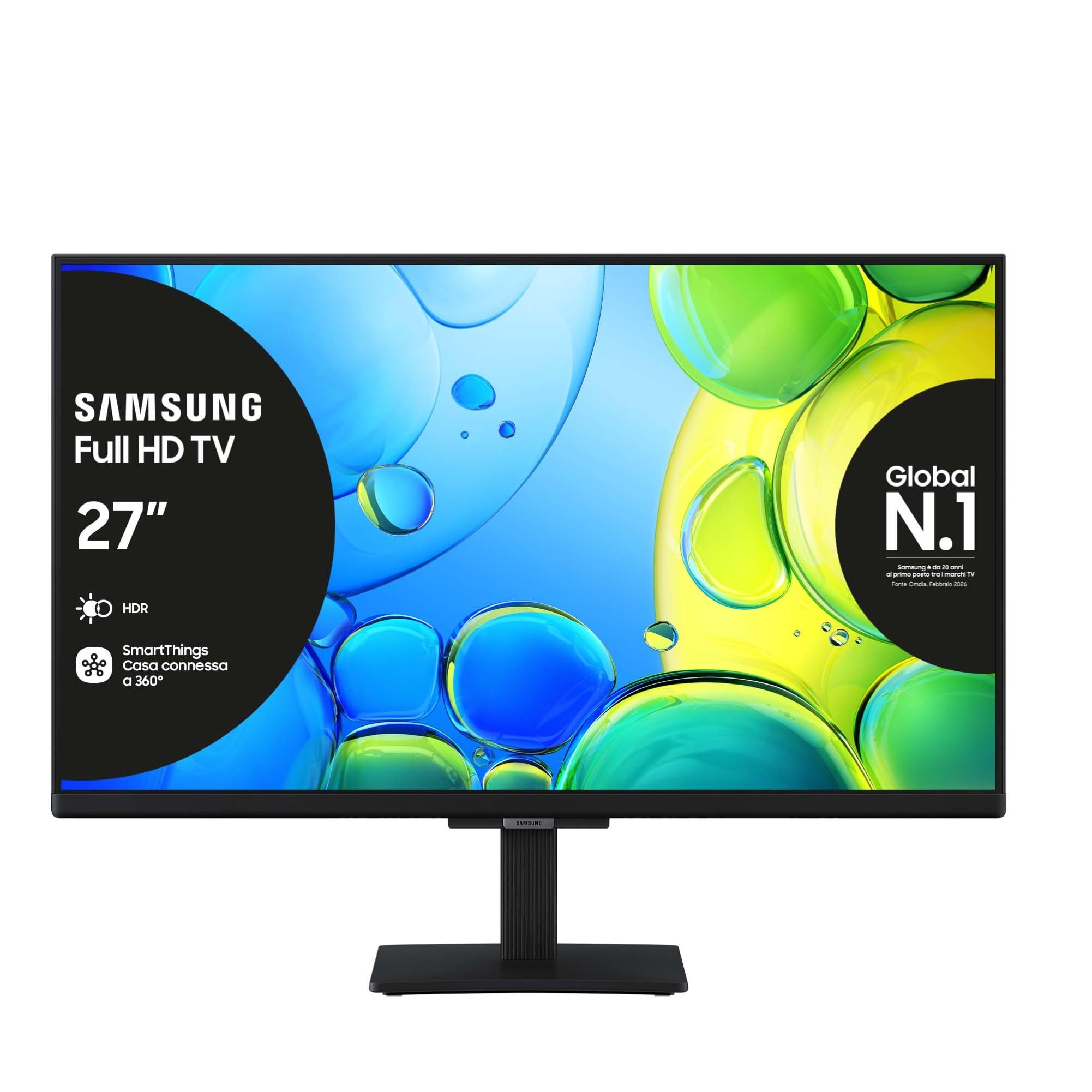
الصورة 1.1: الجبهة view of the Samsung Full HD Smart TV 27" UE27F6000FU.
2. معلومات السلامة
Always follow basic safety precautions when using this television to reduce the risk of fire, electric shock, and injury. Do not expose the TV to rain or moisture. Do not open the TV casing; refer all servicing to qualified personnel. Ensure proper ventilation and avoid placing the TV near heat sources. Use only the power cord supplied with the unit.
3. محتويات العبوة
تأكد من وجود جميع العناصر في الصندوق:
- Samsung Full HD Smart TV (UE27F6000FU)
- جهاز التحكم عن بعد
- كابل الطاقة
- دليل التعليمات (هذا المستند)
4. الإعداد
4.1 تركيب الحامل أو التثبيت على الحائط
Carefully place the TV face down on a soft, flat surface. Attach the stand according to the diagrams in the separate quick setup guide, ensuring all screws are tightened securely. For wall mounting, use a VESA-compatible wall mount (200 x 200 mm) and follow the wall mount manufacturer's instructions. Ensure the TV is securely fastened to prevent accidental falls.

Image 4.1: The SlimLook Design of the TV, suitable for stand or wall mounting.
4.2 توصيل الطاقة والأجهزة الخارجية
Connect the power cable to the TV's power input and then to a wall outlet. For external devices such as Blu-ray players, game consoles, or soundbars, use the HDMI ports. USB devices can be connected to the USB port for media playback or software updates.
4.3 الإعداد الأولي والاتصال بالشبكة
Upon first power-on, the TV will guide you through the initial setup process. This includes language selection, channel scanning, and network configuration. You can connect to the internet via Wi-Fi or an Ethernet cable for access to smart features and online content.
5. تعليمات التشغيل
5.1 التحكم عن بعد أكثرview
The included remote control allows you to navigate the TV's menus, change channels, adjust volume, and access smart features. Familiarize yourself with the buttons for power, volume, channel, input selection, and the Smart Hub button.
5.2 وظائف التلفزيون الأساسية
- تشغيل/إيقاف التشغيل: اضغط على زر الطاقة في جهاز التحكم عن بعد.
- التحكم في مستوى الصوت: استخدم أزرار رفع/خفض الصوت.
- اختيار القناة: استخدم أزرار رفع/خفض القناة أو لوحة الأرقام.
- مصدر الإدخال: Press the Source button to select between HDMI, TV, and other connected devices.
5.3 إعدادات الصورة والصوت
Access the TV's settings menu to customize picture modes (e.g., Standard, Dynamic, Movie), brightness, contrast, and color settings. For audio, adjust sound modes, balance, and utilize features like OTS Lite and Adaptive Sound for an optimized listening experience.

Image 5.1: Pur Color technology provides a wide spectrum of colors for optimal picture quality.

Image 5.2: HDR technology enhances contrast and detail in both bright and dark scenes.

Image 5.3: OTS Lite provides object tracking sound for a more dynamic audio experience.

Image 5.4: Adaptive Sound Pro automatically optimizes audio based on content and environment.

Image 5.5: Q-Symphony allows the TV speakers and a compatible soundbar to operate simultaneously for richer sound.
6. الميزات الذكية
6.1 Samsung Tizen OS and Smart Hub
Your TV runs on Samsung's Tizen operating system, providing a user-friendly interface. The Smart Hub is your gateway to a world of content, including streaming apps like Netflix, Disney Plus, Prime Video, and YouTube, as well as live TV channels.

Image 6.1: The Smart Hub provides easy access to a wide range of entertainment content.
6.2 مركز الألعاب
The Gaming Hub consolidates your gaming experience, allowing you to access cloud gaming services and connected consoles directly from your TV. Enjoy a seamless gaming experience with optimized picture and sound settings.

Image 6.2: The Gaming Hub offers a centralized platform for all your gaming needs.
6.3 التكامل مع SmartThings
Connect and control compatible smart home devices using the SmartThings app on your TV. Manage lighting, thermostats, and other smart appliances for a connected home experience.

Image 6.3: SmartThings allows integrated control of your smart home devices.
6.4 مساعد صوتي
The TV supports multiple voice assistants, including Amazon Alexa and Google Assistant, allowing you to control your TV and search for content using voice commands.

Image 6.4: The TV is secured by Knox, providing robust security for your smart features and personal data.
7. الصيانة
7.1 تنظيف التلفزيون
لتنظيف الشاشة، امسحها برفق بقطعة قماش ناعمة وخالية من الوبر. أما بالنسبة للبقع الصعبة، فامسحها برفق بقطعة قماش ناعمة وخالية من الوبر.ampen the cloth with water or a specialized screen cleaner. Avoid using harsh chemicals or abrasive materials. Clean the TV frame and stand with a dry, soft cloth.
7.2 تحديثات البرامج
Ensure your TV's software is up to date for optimal performance and security. You can check for and install updates through the TV's settings menu, typically found under 'Support' or 'Software Update'.
8. استكشاف الأخطاء وإصلاحها
إذا واجهت مشكلات مع التلفزيون الخاص بك، فراجع خطوات استكشاف الأخطاء وإصلاحها الشائعة التالية:
| مشكلة | حل |
|---|---|
| لا يوجد طاقة | تأكد من توصيل كابل الطاقة بإحكام بالتلفزيون ومقبس الكهرباء. تأكد من أن المقبس يعمل. |
| لا توجد صورة / صورة مشوهة | Verify the correct input source is selected. Check cable connections to external devices. Try a different HDMI cable. Adjust picture settings. |
| لا يوجد صوت | Check the volume level and mute status. Ensure external audio devices (soundbar, receiver) are properly connected and powered on. |
| جهاز التحكم عن بعد لا يعمل | استبدل البطاريات. تأكد من عدم وجود أي عوائق بين جهاز التحكم عن بُعد والتلفزيون. |
| مشاكل اتصال الشبكة | Restart your router and modem. Re-enter Wi-Fi password. Try connecting via Ethernet cable if Wi-Fi fails. |
If the problem persists, please refer to the Samsung support webالموقع أو الاتصال بخدمة العملاء.
9. المواصفات
Key technical specifications for the Samsung Full HD Smart TV 27" UE27F6000FU:
- اسم الموديل: UE27F6000FU
- حجم الشاشة: 27 بوصة
- تكنولوجيا الشاشة: قاد
- دقة: كامل الوضوح (FHD)
- معدل التحديث: 50 Hz (100 Hz Motion Enhancement)
- المعالج: Hyper Real Processor
- تحسين الصورة: HDR, Pur Color, Contrast Enhancer
- وضع إخراج الصوت: محيط
- Integrated Surround Sound Format: او تي اس لايت
- Speaker Description: Built-in speaker with 3D surround technology and adaptive sound
- نظام التشغيل: تايزن
- الاتصال: Bluetooth, Ethernet, HDMI (3 ports), USB (1 port), Wi-Fi
- الميزات الذكية: Smart Hub, Gaming Hub, SmartThings, Multiple Voice Assistants (Amazon Alexa, Google Assistant)
- معيار تركيب VESA: 200 × 200 ملم
- أبعاد المنتج (مع الحامل): 61.3 سم (عمق) × 20.1 سم (عرض) × 46.9 سم (ارتفاع)
- وزن السلعة: 3.5 كيلوغرام
- لون: أسود
- سنة الموديل: 2025
10. الضمان والدعم
10.1 معلومات الضمان
This Samsung Smart TV comes with a 2-year manufacturer warranty. Please retain your proof of purchase for warranty claims. The warranty covers manufacturing defects under normal use conditions.
10.2 دعم العملاء
For further assistance, technical support, or warranty service, please visit the official Samsung support website or contact their customer service department. You can find contact details and FAQs on their webموقع.