
1. المقدمة
The BoxWave AllCharge miniSync is an innovative, retractable, and portable USB cable designed for charging and syncing multiple devices simultaneously. Its unique retraction mechanism keeps the cable organized and tangle-free, making it ideal for travel and everyday use. This manual provides detailed instructions on how to set up, operate, and maintain your AllCharge miniSync cable.

Image: The AllCharge miniSync cable alongside a compatible smartphone, demonstrating its compact design.
2. الميزات الرئيسية
- Innovative Retraction Design: Keeps the cable organized, preventing knots, tangles, or twists.
- التوافق العالمي: Includes Micro USB, USB Type-C, and Apple connectors to charge most USB-powered devices.
- الشحن المتزامن: Capable of charging up to three separate devices at once.
- بناء عالي الجودة: Made with durable polycarbonate material and a heavy-duty ribbon-style cable for longevity.
- محمول: Retracts to a minuscule 3 inches for easy portability and extends up to 3 feet in length for ampلو تصل.

Image: Visual representation of the three different connector types: USB-C, Apple Connector, and Micro USB.

Image: The AllCharge miniSync cable connected to and charging multiple devices simultaneously.
3. الإعداد والاستخدام
3.1. Extending the Cable
To extend the AllCharge miniSync cable, gently pull both ends of the cable simultaneously. The cable will lock into one of five pre-set lengths. Do not pull only one end, as this can damage the retraction mechanism.
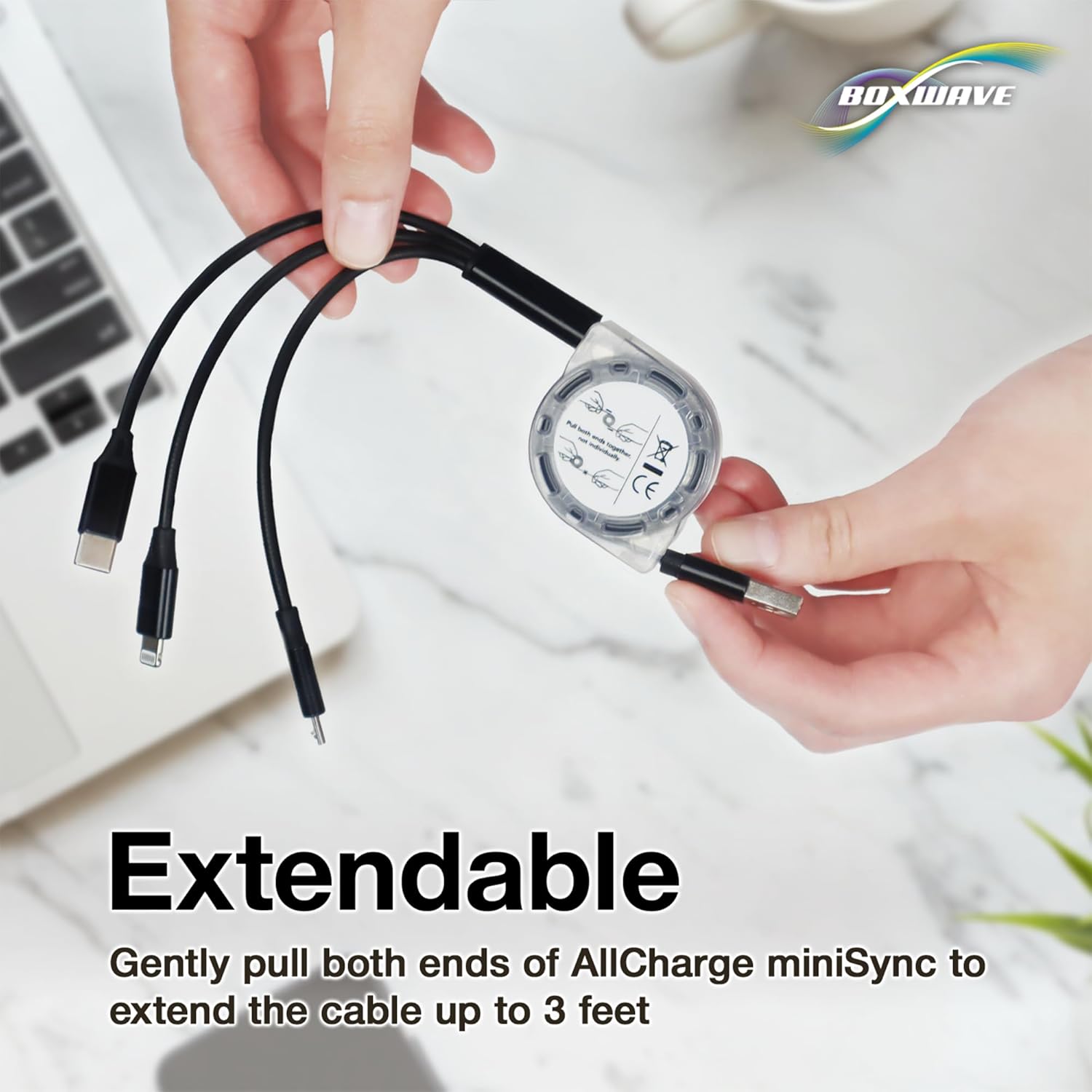
Image: Proper technique for extending the cable by pulling both ends.

Image: Diagram illustrating the various adjustable lengths of the cable.
3.2. Retracting the Cable
Once you are finished using the cable, give a quick, gentle tug on both ends simultaneously. The cable will automatically retract back into its miniature, compact form factor.
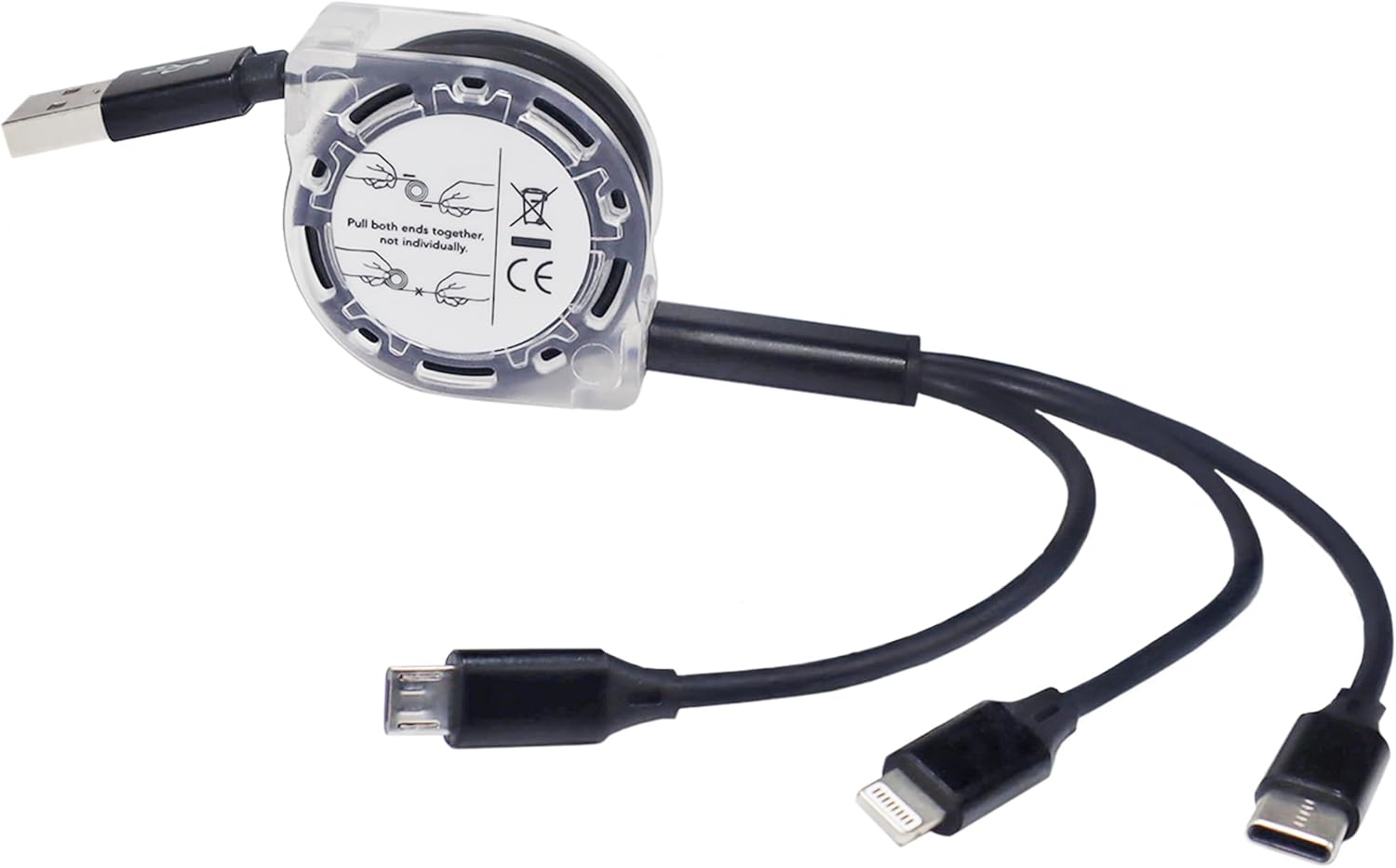
الصورة: مفصلة view of the retraction mechanism and its proper use.
3.3. توصيل الأجهزة
Identify the appropriate connector (Micro USB, USB Type-C, or Apple connector) for your device. Plug the USB-A end of the AllCharge miniSync into a compatible USB power source (e.g., computer USB port, wall adapter, power bank). Then, connect the desired device connector to your smartphone, tablet, or other compatible electronic device.
4. تعليمات التشغيل
4.1. الشحن
Once connected to a power source and your device, the AllCharge miniSync cable will begin charging your device(s). You can charge up to three devices simultaneously using the different connectors.
4.2. مزامنة البيانات
When connected to a computer, the AllCharge miniSync cable supports data transfer for compatible devices. Ensure your device is set to data transfer mode if prompted. The cable supports high-speed 480Mbps transfers.
5. الصيانة
- التراجع الصحيح: Always pull both ends simultaneously when extending or retracting the cable to prevent damage to the internal mechanism.
- تجنب القوة المفرطة: Do not yank or pull the cable with excessive force.
- حافظ على نظافة: Wipe the cable and connectors with a soft, dry cloth if they become dirty. Avoid using harsh chemicals or abrasive materials.
- تخزين: Store the cable in its fully retracted state when not in use to protect it and maintain its compact form.
- فحص بانتظام: Periodically check the cable and connectors for any signs of wear or damage. Discontinue use if damage is observed.

Image: Detail of the reinforced strain relief, designed to prevent kinks and splitting.
6. استكشاف الأخطاء وإصلاحها
| مشكلة | السبب المحتمل | حل |
|---|---|---|
| الكابل لا يمتد/ينكمش بسلاسة. | Pulling only one end; internal mechanism obstruction. | Ensure you pull both ends simultaneously and gently. Do not force. |
| الجهاز لا يشحن. | Incorrect connector; faulty power source; damaged cable/device port. | Verify correct connector. Try a different power source. Check for visible damage on cable and device port. |
| نقل البيانات لا يعمل. | Device not in data transfer mode; driver issues; cable damage. | Ensure device is set to data transfer. Try a different USB port on computer. Check cable for damage. |
7. المواصفات
| ميزة | التفاصيل |
|---|---|
| اسم الموديل | AllCharge miniSync |
| الموصلات | USB-A (input), Micro USB, USB Type-C, Apple Connector (outputs) |
| الطول المتراجع | حوالي 3 بوصة (7.6 سم) |
| طول ممتد | Up to 3 feet (91.4 cm) |
| سرعة نقل البيانات | Up to 480 Mbps (USB 2.0 standard) |
| وزن العنصر | 0.8 أونصة (22.7 جرام) |
| الشركة المصنعة | بوكس ويف |
| بلد المنشأ | الصين |
8. الضمان والدعم
For warranty information or technical support regarding your BoxWave AllCharge miniSync cable, please refer to the product packaging or visit the official BoxWave website. You may also contact BoxWave customer service directly for assistance with any issues or questions.
BoxWave Corporation Contact:
- Webموقع: www.boxwave.com
- خدمة العملاء: راجع webالموقع الإلكتروني لخيارات الاتصال.