
Kica Jet Fan Ultra, Jetfan 1.0
KiCA Jet Fan Ultra and Jetfan 1.0 Electric Air Duster User Manual
Model: Jet Fan Ultra, Jetfan 1.0
مقدمة
This manual provides detailed instructions for the safe and effective use of your KiCA Jet Fan Ultra and Jetfan 1.0 Electric Air Dusters. Please read this manual thoroughly before operating the devices and retain it for future reference.

Image: The KiCA Jet Fan Ultra (left) and Jetfan 1.0 (right) electric air duster units. The Jet Fan Ultra is a rectangular, gun-shaped device with a nozzle, while the Jetfan 1.0 is a smaller, T-shaped device.
معلومات السلامة
- Do not point the air duster at eyes, face, or body.
- يحفظ بعيدًا عن متناول الأطفال.
- لا تقم بتشغيله في ظروف رطبة أو بالقرب من السوائل أو الغازات القابلة للاشتعال.
- تأكد من أن منفذ الشحن جاف قبل توصيل الشاحن.
- لا تقم بتفكيك الجهاز أو تعديله.
- استخدم فقط كابل الشحن والمحول المقدمين.
محتويات الحزمة
تأكد من وجود جميع العناصر في الحزمة الخاصة بك:
- KiCA Jet Fan Ultra
- KiCA Jetfan 1.0
- كابل الشحن (USB-C)
- Nozzle Attachments (if applicable)
- دليل المستخدم (هذا المستند)
يثبت
الشحن الأولي
Before first use, fully charge both devices. Connect the provided USB-C charging cable to the charging port on each device and to a suitable USB power adapter. The indicator lights will show charging status.
Attaching Nozzles (Jet Fan Ultra)
Align the desired nozzle attachment with the air outlet of the Jet Fan Ultra and push firmly until it clicks into place. Ensure it is securely attached before operation.
تعليمات التشغيل
KiCA Jet Fan Ultra
- تشغيل/إيقاف التشغيل: اضغط مع الاستمرار على زر الطاقة لتشغيل الجهاز أو إيقاف تشغيله.
- ضبط سرعة الهواء: Use the speed adjustment buttons (often marked '+' and '-') to cycle through different air speed levels. The indicator lights will show the current speed setting.
- ضوء LED: The Jet Fan Ultra features double-sided LEDs. Press the light button to activate or deactivate the integrated LED lights for improved visibility in dark areas.

Image: The KiCA Jet Fan Ultra demonstrating its double-sided LED lights, illuminating a dark area within a car engine bay for precise cleaning.
KiCA Jetfan 1.0
- تشغيل/إيقاف التشغيل: اضغط مع الاستمرار على زر الطاقة لتشغيل الجهاز أو إيقاف تشغيله.
- الوضع اليدوي: Press the trigger button to activate the airflow. Release the button to stop.
- نظام آلي: After powering on, press the trigger button and then single-tap the power button to switch between manual and auto mode. In auto mode, the fan will run continuously until switched off or back to manual mode.
- Adjusting Air Speed (Jetfan 1.0): The Jetfan 1.0 typically has multiple gears. Single-tap the power button (after initial power-on) to cycle through the gears (speed settings). Blue indicator lights will show the current gear.
- الترس الأول: 1 blue indicator, approx. 18,000rpm, 2.5m/s
- الترس الثاني: 2 blue indicators, approx. 36,000rpm, 6.5m/s
- الترس الثالث: 3 blue indicators, approx. 60,000rpm, 9.0m/s
- الترس الرابع: 4 blue indicators, approx. 86,000rpm, 11.5m/s

Image: The KiCA Jetfan 1.0 illustrating its four gear settings, with corresponding RPM and wind speed values indicated by blue lights.

Image: The KiCA Jetfan 1.0 demonstrating its manual mode (trigger press for airflow) and auto mode (continuous airflow after a specific button sequence).
صيانة
- تنظيف: Use a soft, dry cloth to wipe the exterior of the devices. Do not use harsh chemicals or abrasive materials.
- فلتر مدخل الهواء: Periodically check the air inlet for dust or debris accumulation. Gently clean the filter area with a soft brush or another air duster to ensure optimal performance.
- تخزين: قم بتخزين الأجهزة في مكان بارد وجاف بعيدًا عن أشعة الشمس المباشرة ودرجات الحرارة القصوى.
- العناية بالبطارية: For prolonged storage, charge the devices to approximately 50% every three months to maintain battery health.
استكشاف الأخطاء وإصلاحها
| مشكلة | السبب المحتمل | حل |
|---|---|---|
| الجهاز لا يعمل. | بطارية منخفضة. | اشحن الجهاز بالكامل. |
| تدفق الهواء ضعيف. | Low battery; obstructed air inlet. | Charge the device; clean the air inlet filter. |
| يتوقف الجهاز بشكل غير متوقع. | ارتفاع درجة الحرارة؛ انخفاض مستوى البطارية. | Allow the device to cool down; charge the device. |
| LED lights not working (Jet Fan Ultra). | لم يتم تفعيل وظيفة الضوء. | Press the dedicated light button to activate. |
تحديد
KiCA Jet Fan Ultra
- سرعة الرياح: Up to 109 MPH (approx. 48.7 m/s)
- قوة: 171W Industrial Power
- Max Thrust: 185 جرام
- سمات: Double-sided LEDs

Image: The KiCA Jet Fan Ultra showcasing its high-performance motor with specifications including 171W industrial power, 109mph hurricane speed, and 185g max thrust.
KiCA Jetfan 1.0
- وزن: 220 جرام
- أقصى سرعة للرياح: 11.5 m/s (Fourth Gear)
- المحرك: 9.99Wh Motor
- الأوضاع: يدوي ، تلقائي
- أبعاد: Approximately 124mm (length) x 73mm (width) x 35mm (height of nozzle section)
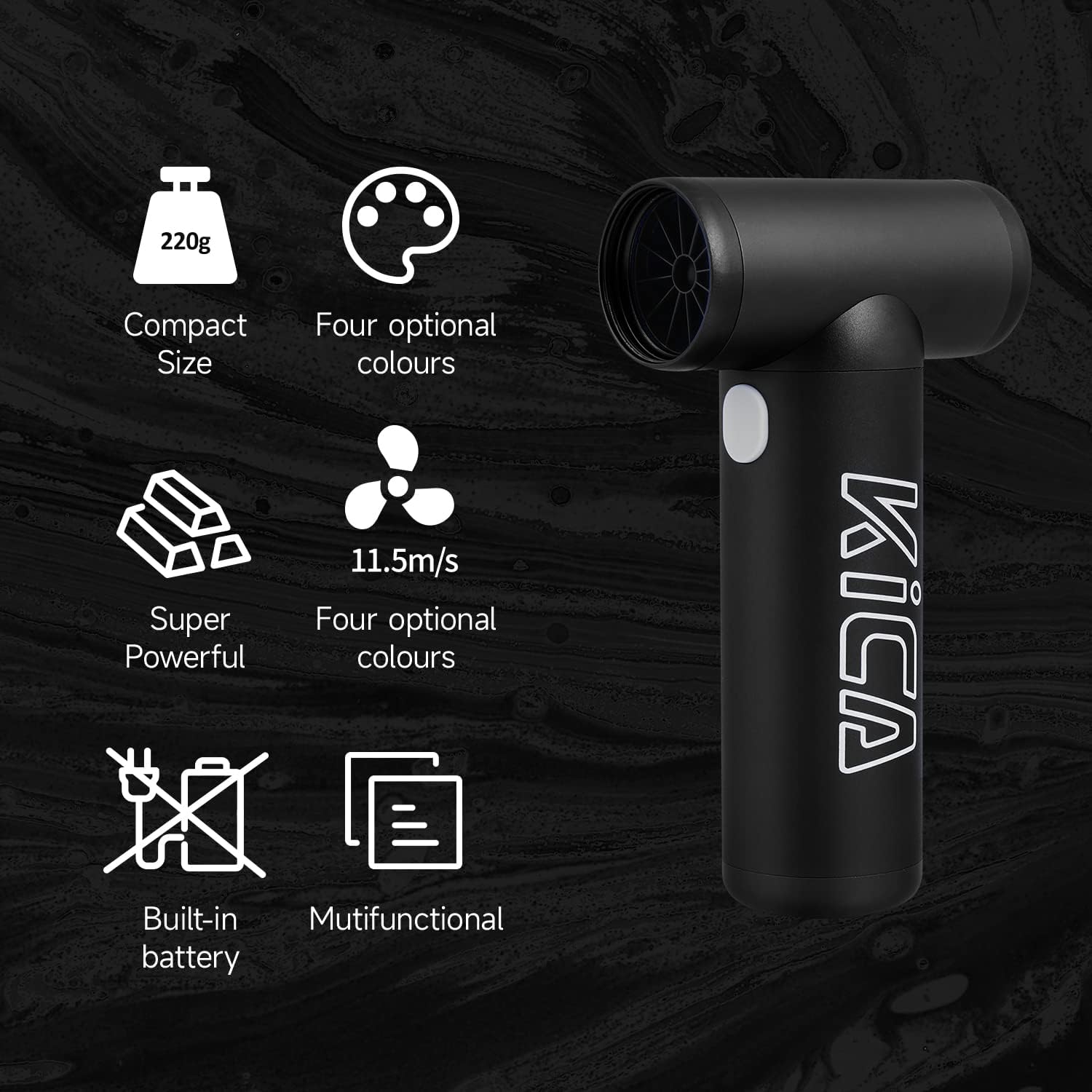
Image: The KiCA Jetfan 1.0 illustrating its compact size (220g), super powerful airflow (11.5m/s), built-in battery, and multifunctional capabilities.
Image: The KiCA Jetfan 1.0 with dimensions indicated: 124mm length, 73mm width, and 35mm height of the nozzle section.
الضمان والدعم
For warranty information and technical support, please refer to the official KiCA webيمكنك زيارة موقعهم الإلكتروني أو الاتصال بخدمة العملاء مباشرةً. عادةً ما توجد معلومات الاتصال على عبوة المنتج أو على موقع الشركة المصنعة. webموقع.
الشركة المصنعة: Kica
تاريخ التوفر الأول: 24 أبريل 2025
Ask a question about this manual
Ask about setup, troubleshooting, compatibility, parts, safety, or missing instructions. Manuals+ will review the question and use this page’s manual context to help answer it.