
مقدمة
This manual provides detailed instructions for the proper use and maintenance of your Micool T18 Invisible Sleep Wireless Earphones. Please read this manual thoroughly before using the product to ensure optimal performance and longevity.
ماذا يوجد في الصندوق
- Micool T18 Invisible Sleep Wireless Earphones
- كابل الشحن
- دليل المستخدم
المنتج انتهىview
The Micool T18 earphones are designed for comfort during sleep and extended wear. They feature a unique elephant-shaped, non-in-ear design, ensuring a lightweight and unobtrusive fit. Equipped with Bluetooth 5.4, they offer stable connectivity and intuitive touch controls.
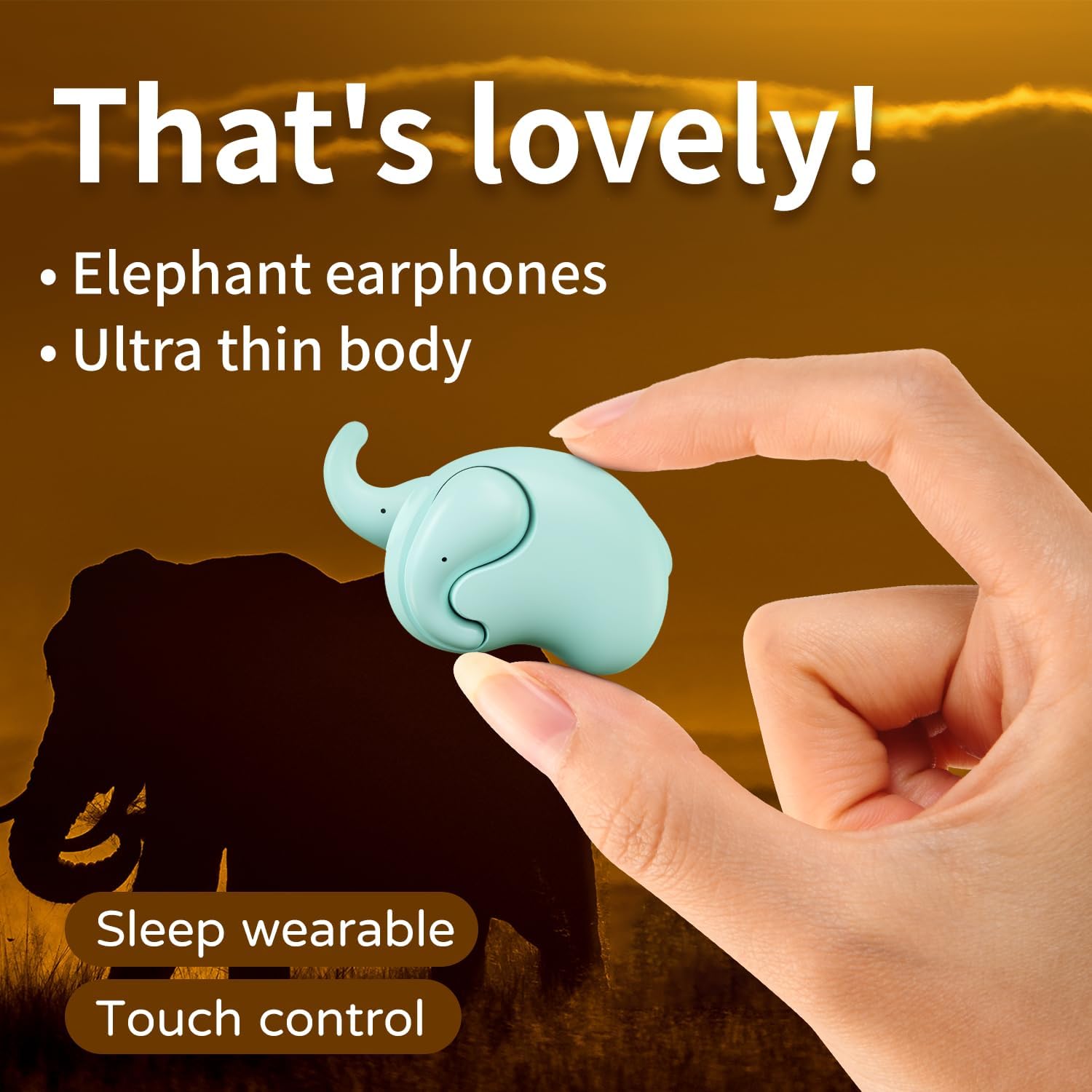
Image: The Micool T18 earphone, showcasing its compact, elephant-shaped design, held between two fingers. This image highlights its ultra-thin body and suitability for sleep wear.

الصورة: لقطة مقربة view of the Micool T18 earphone comfortably placed in an ear, demonstrating its mini comfort and ergonomic fit for sleeping.
يثبت
1. شحن سماعات الأذن
Before first use, fully charge the earphones. Connect the provided charging cable to the charging port on the earphones and to a USB power source. The indicator light will show charging status and turn off or change color when fully charged.
2. اقتران بلوتوث
- تأكد من شحن سماعات الأذن وإيقاف تشغيلها.
- Press and hold the multi-function button on both earphones until the indicator lights flash red and blue alternately, indicating pairing mode.
- على جهازك (الهاتف الذكي، الجهاز اللوحي، وما إلى ذلك)، قم بتمكين البلوتوث وابحث عن الأجهزة المتاحة.
- Select "Micool T18" from the list of devices.
- Once connected, the indicator lights will stop flashing and remain solid blue or turn off, depending on the model.
- إذا طُلب منك إدخال كلمة المرور، أدخل "0000".
تعليمات التشغيل
The Micool T18 earphones feature intuitive touch controls for various functions.
تشغيل/إيقاف الطاقة
- تشغيل الطاقة: Press and hold the touch area for approximately 3 seconds.
- إيقاف التشغيل: Press and hold the touch area for approximately 5 seconds.
تشغيل الموسيقى
- تشغيل/إيقاف مؤقت: نقرة واحدة على أي سماعة.
- المسار التالي: انقر مرتين على سماعة الأذن اليمنى.
- المسار السابق: انقر مرتين على سماعة الأذن اليسرى.
استدعاء إدارة
- الرد/إنهاء المكالمة: نقرة واحدة على أي سماعة.
- رفض المكالمة: اضغط مع الاستمرار على منطقة اللمس لمدة ثانيتين.
التحكم في مستوى الصوت
- رفع الصوت: اضغط ثلاث مرات على سماعة الأذن اليمنى.
- اخفض الصوت: اضغط ثلاث مرات على سماعة الأذن اليسرى.
صيانة
تنظيف
Gently wipe the earphones with a soft, dry, lint-free cloth. Do not use abrasive cleaners, alcohol, or chemical solvents. Avoid getting moisture into any openings.
تخزين
Store the earphones in a cool, dry place away from direct sunlight and extreme temperatures. When not in use for extended periods, ensure they are fully charged to preserve battery life.
مقاومة الماء
The Micool T18 earphones are IPX5 waterproof, meaning they are resistant to splashes and sweat. They are not designed for submersion in water. Avoid using them during swimming or showering.
استكشاف الأخطاء وإصلاحها
| مشكلة | حل |
|---|---|
| لا يتم تشغيل سماعات الأذن. | تأكد من شحن سماعات الأذن بالكامل. |
| لا يمكن الاقتران بالجهاز. | 1. تأكد من تمكين البلوتوث على جهازك. 2. Make sure earphones are in pairing mode (flashing red/blue). 3. Forget "Micool T18" from your device's Bluetooth list and try pairing again. 4. Move earphones closer to your device. |
| لا يوجد صوت أو صوت متقطع. | 1. Check device volume and earphone volume. 2. Ensure earphones are within Bluetooth range of your device. 3. Re-pair the earphones with your device. |
| سماعات الأذن لا تشحن. | 1. Check if the charging cable is securely connected. 2. Try a different USB power source or cable. 3. Ensure charging contacts on earphones are clean. |
تحديد
| ميزة | التفاصيل |
|---|---|
| ماركة | Micool |
| رقم الموديل | ت18 |
| تكنولوجيا الاتصال | لاسلكي (بلوتوث) |
| نسخة البلوتوث | 5.4 |
| وضع الأذن | In Ear (Non-in-ear design) |
| عامل الشكل | لاسلكية حقيقية |
| مقاومة الماء | IPX5 |
| مادة | بلاستيك |
| الأجهزة المتوافقة | الهواتف الخلوية |
| استخدامات محددة | Sleeping, Music |
الضمان والدعم
معلومات الضمان
This product comes with a 1-year limited warranty from the date of purchase. This warranty covers manufacturing defects. Please retain your proof of purchase for warranty claims.
دعم العملاء
For further assistance, technical support, or warranty inquiries, please visit the official Micool Store on Amazon: