
مقدمة
This manual provides instructions for the safe operation, installation, and maintenance of your jojofuny 30W Mini Ceiling Fan with LED Light and Remote Control. Please read this manual thoroughly before use and retain it for future reference.
محتويات الحزمة
Verify that all items listed below are present and in good condition upon unpacking.
- 1 x jojofuny Mini Ceiling Fan with LED Light
- 1 × جهاز التحكم عن بعد
- 1 × دليل المستخدم (هذه الوثيقة)

Image: The jojofuny Mini Ceiling Fan with LED Light and its accompanying remote control.
تعليمات السلامة
اتبع دائمًا احتياطات السلامة الأساسية عند استخدام الأجهزة الكهربائية لتقليل خطر الحريق والصدمة الكهربائية والإصابة الشخصية.
- Ensure the power supply is disconnected at the circuit breaker before installation, cleaning, or maintenance.
- لا تقم بتشغيل المروحة بسلك أو قابس تالف.
- أبقِ يديك وشعرك وملابسك الفضفاضة بعيدة عن الأجزاء المتحركة للمروحة.
- تم تصميم هذا الجهاز للاستخدام الداخلي فقط.
- لا تعرض المروحة للماء أو الرطوبة الزائدة.
- Use only the remote control provided with the unit.
الإعداد والتثبيت
The jojofuny Mini Ceiling Fan is designed for easy installation into a standard E27 screw-in light socket.
- إيقاف التشغيل: Ensure the power to the light fixture is turned off at the circuit breaker before beginning installation. This prevents electric shock.
- برغي في: Carefully screw the fan light into a standard E27 light socket until it is secure. Do not overtighten.
- تشغيل الطاقة: استعادة الطاقة عند قاطع الدائرة.
- امتحان: Use the remote control to test the fan and light functions.
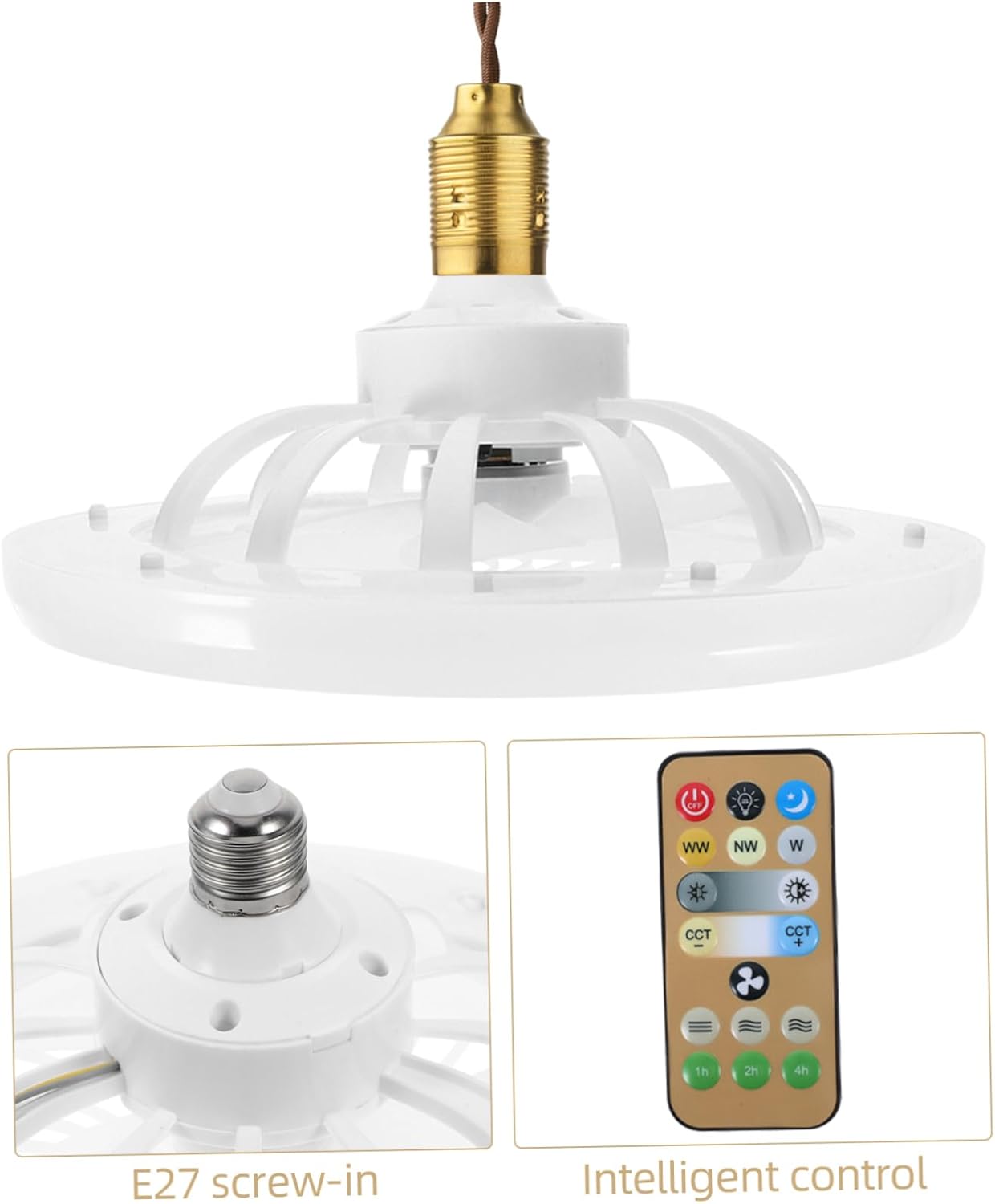
الصورة: عن قرب view of the E27 screw-in base for installation, alongside the remote control.
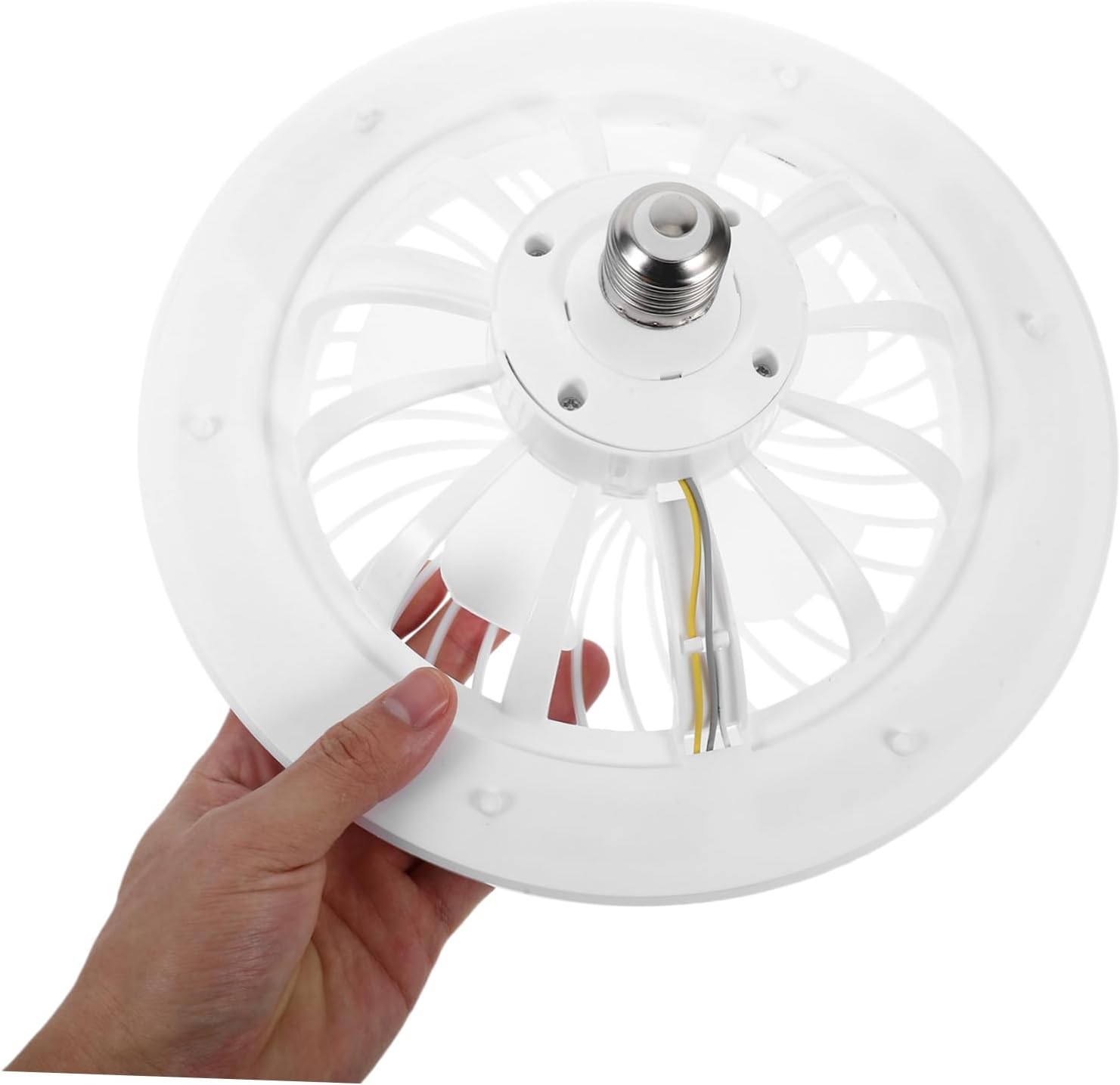
Image: A hand holding the fan light, illustrating its compact size and E27 screw-in base for easy handling.

Image: The mini ceiling fan installed and hanging from a ceiling fixture, ready for use.
تعليمات التشغيل
The fan and light functions are controlled via the included remote control.
وظائف التحكم عن بعد

Image: The remote control for the fan light, showing various buttons for light and fan speed adjustments.
- تشغيل/إيقاف التشغيل: اضغط على عن button to turn off both the fan and light. Press any function button (e.g., light on, fan speed) to turn the unit on.
- التحكم في الضوء:
- ضبط السطوع: Use the sun icon buttons (light up/down) to increase or decrease the light intensity.
- ضبط درجة حرارة اللون: استخدم WW (Warm White), NW (Neutral White), and W (Cool White) buttons to change the light color temperature.
- وضع الإضاءة الليلية: Press the moon icon button for a low-brightness, soft light setting.
- التحكم في سرعة المروحة: Use the fan icon buttons (fan up/down) to adjust the fan speed to your preference.
- وظيفة المؤقت: Set the fan/light to turn off automatically after 1 hour, 2 hours, or 4 hours using the respective buttons.

Image: A hand operating the remote control, demonstrating its use with the installed ceiling fan light.
صيانة
Regular maintenance ensures optimal performance and longevity of your fan light.
- تنظيف: Always disconnect power at the circuit breaker before cleaning. Wipe the fan and light surfaces with a soft, damp cloth. Do not use abrasive cleaners, harsh chemicals, or solvents, as these may damage the finish.
- إزالة الغبار: Periodically remove dust from the fan blades and light cover to maintain efficient airflow and consistent light output. A soft brush or vacuum cleaner with a brush attachment can be used.
- استبدال المصباح: The LED light source is integrated into the unit and is not user-replaceable. If the light fails, the entire unit may need servicing or replacement.
استكشاف الأخطاء وإصلاحها
If you encounter any issues with your fan light, refer to the table below for common problems and solutions.
| مشكلة | السبب المحتمل | حل |
|---|---|---|
| Fan/Light does not turn on. | No power to the socket; Remote control battery is dead; Unit not screwed in properly. | Check circuit breaker and wall switch; Replace remote battery; Ensure unit is securely screwed into the E27 socket. |
| المروحة تعمل، لكن الضوء لا يعمل. | Light function is off on remote; Integrated LED failure. | Press the light ON button on the remote; Contact customer support if the integrated LED is faulty. |
| جهاز التحكم عن بعد لا يستجيب. | Remote battery is dead or low; Obstruction between remote and fan; Remote not paired (if applicable). | Replace remote battery; Ensure clear line of sight to the fan; Refer to pairing instructions if the remote requires it (not typically for this model). |
| المروحة تصدر ضجيجاً أو تهتز بشكل مفرط. | Loose installation; Obstruction in fan blades; Damaged fan blades. | Ensure unit is securely installed in the socket; Check for and remove any obstructions; Inspect blades for damage. |
تحديد
Detailed technical specifications for the jojofuny Mini Ceiling Fan with LED Light.
| ميزة | التفاصيل |
|---|---|
| ماركة | جوجوفوني |
| رقم الموديل | QPW6304002SC263VF |
| مصدر الطاقة | E27 Screw-in (Remote Control: Battery Powered) |
| لون | أبيض |
| أبعاد المنتج | 10.16 بوصة عمق × 10.16 بوصة عرض × 4.33 بوصة ارتفاع (25.80 سم × 25.80 سم × 11.00 سم) |
| وزن العنصر | 0.72 جنيه (11.5 أونصة) |
| المميزات الخاصة | Lightweight, Remote Control, Adjustable Brightness, Adjustable Color Temperature, Silent Operation |
| المكونات المضمنة | Fan Light, Remote Control |

Image: Diagram showing the dimensions of the fan light: 25.8cm (10.14in) diameter and 11cm (4.32in) height.
الضمان والدعم
For warranty information or technical support, please contact jojofuny customer service. Refer to your purchase documentation for specific warranty terms and conditions.
For further assistance or to explore other jojofuny products, please visit the official jojofuny store on Amazon: jojofuny Amazon Store.