
1. المقدمة
This user manual provides comprehensive instructions for the setup, operation, and maintenance of your Mortal Q8 Android 14 4K TV Stick. The Mortal Q8 transforms any television with an HDMI port into a smart entertainment system, offering access to a wide range of streaming services and applications in 4K Ultra HD resolution. Please read this manual carefully before using the device to ensure optimal performance and safety.
2. محتويات العبوة
تأكد من وجود جميع العناصر في الحزمة الخاصة بك:
- Mortal Q8 Android 14 4K TV Stick
- جهاز تحكم عن بعد مع خاصية الأوامر الصوتية
- كابل الطاقة USB
- HDMI Extension Cable (if included)
- دليل المستخدم (هذا المستند)
3. انتهى المنتجview
The Mortal Q8 TV Stick is a compact device designed for seamless streaming. It features an HDMI connector for direct plug-in to your TV and is controlled by an ergonomic remote with integrated voice command capabilities.

Figure 3.1: Mortal Q8 Android TV Stick and its accompanying remote control. The stick is black with a blue indicator light, and the remote is black with dedicated buttons for popular streaming services and a Google Assistant button.
3.1 الميزات الرئيسية
- نظام التشغيل Android 14: Provides a fluid and modern user interface with access to the Google Play Store.
- 4K Ultra HD Streaming: Supports high-resolution video playback for a detailed viewتجربة رائعة.
- اتصال واي فاي 6: Offers faster speeds and improved network stability for uninterrupted streaming.
- جهاز Chromecast المتكامل: Allows easy casting of content from mobile devices to your television.
- Voice Control Remote: Ergonomic remote with a dedicated voice command button for intuitive navigation and search.
- التطبيقات المثبتة مسبقًا: Direct access to popular streaming platforms such as Netflix, Prime Video, and YouTube.

Figure 3.2: The Mortal Q8 TV Stick and remote, highlighting key features like Android 14, 4K video decoding, WiFi 6, and Bluetooth 5.0. Icons for Netflix, YouTube, Google Play, Prime Video, and TikTok are also shown.
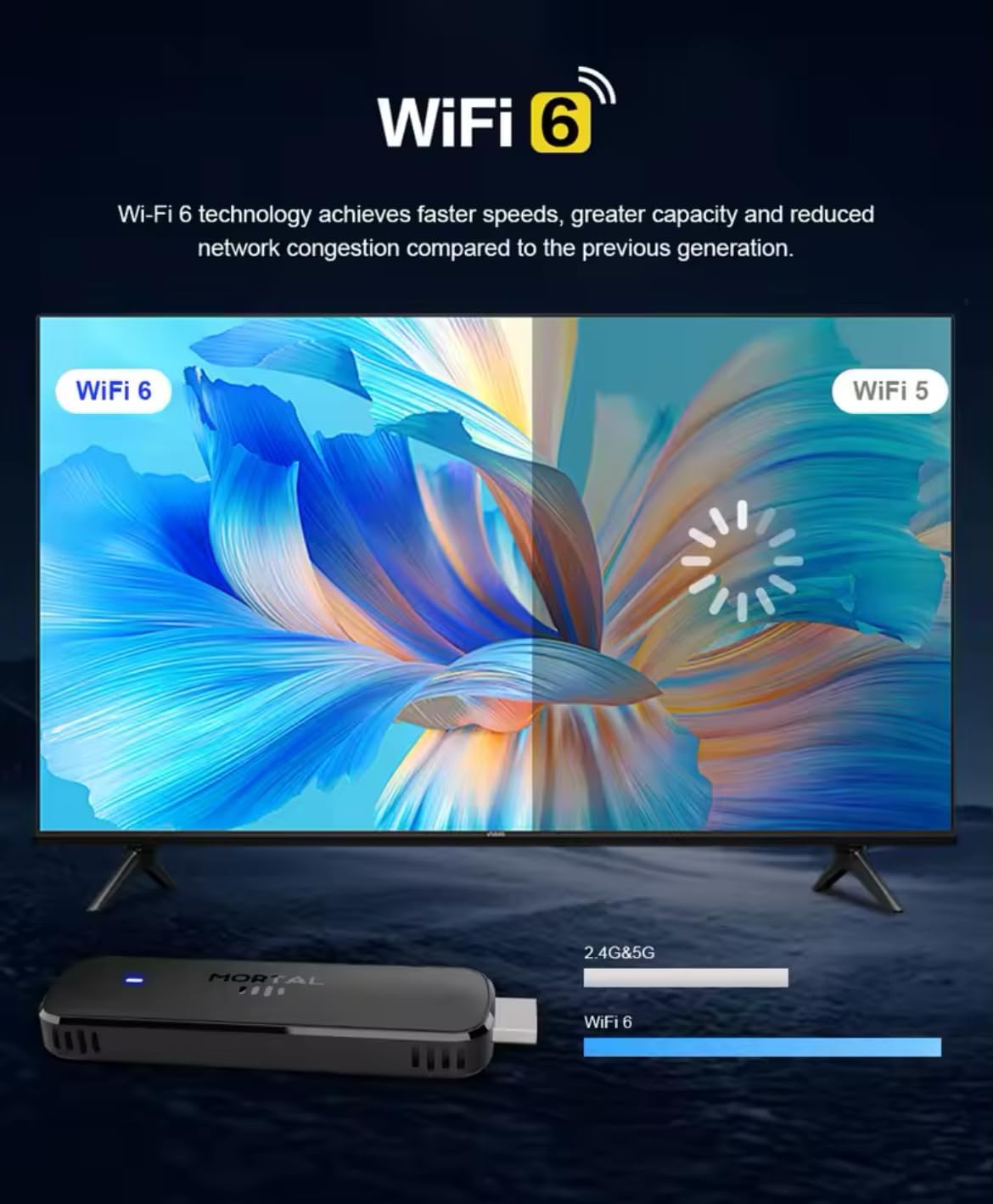
Figure 3.3: Illustration demonstrating the enhanced speed and stability of WiFi 6 technology compared to WiFi 5, with the Mortal Q8 TV Stick supporting dual-band 2.4G/5G connectivity.
4. دليل الإعداد
Follow these steps to set up your Mortal Q8 TV Stick:
- قم بتوصيل جهاز استقبال التلفزيون: Plug the Mortal Q8 TV Stick directly into an available HDMI port on your television. If space is limited, use the HDMI extension cable (if provided).
- تشغيل الجهاز: Connect the USB power cable to the TV Stick and then to a USB port on your TV or a wall adapter (not always included). Ensure the device receives sufficient power.
- حدد إدخال HDMI: Turn on your television and use your TV remote to select the correct HDMI input source where the Mortal Q8 is connected.
- إقران جهاز التحكم عن بعد:
- أدخل بطاريتين AAA (غير مرفقتين) في جهاز التحكم عن بعد.
- Follow the on-screen instructions to pair the remote with your TV Stick. This usually involves holding down specific buttons on the remote until a pairing confirmation appears.
- إتصال شبكة:
- Once the device boots up, navigate to the Wi-Fi settings.
- Select your home Wi-Fi network from the list and enter the password. The Mortal Q8 supports WiFi 6 for optimal performance.
- تسجيل الدخول إلى حساب جوجل: Sign in with your Google account to access the Google Play Store and synchronize your settings and applications.
- تحديثات النظام: Check for and install any available system updates to ensure your device has the latest features and security patches.
5. تعليمات التشغيل
5.1 التنقل عبر الواجهة
Use the directional pad and select button on your remote control to navigate through the Android TV interface. The home button will always return you to the main screen.

Figure 5.1: The Mortal Q8 TV Stick connected to a television, showing the Android TV home screen with various streaming applications like Kodi, HBO Go, Hulu, Netflix, Prime Video, and YouTube.
5.2 استخدام التحكم الصوتي (مساعد جوجل)
The remote control features a dedicated button for Google Assistant. Press this button and speak into the remote to:
- بحث عن الأفلام، والبرامج التلفزيونية، أو مقاطع الفيديو.
- Open applications (e.g., "Open YouTube").
- Control playback (e.g., "Pause," "Play," "Fast forward").
- Ask questions or get information.

Figure 5.2: An illustration of using the "Ok Google" voice command feature on the Mortal Q8 TV Stick remote to open applications like YouTube, with the response displayed on the TV screen.
5.3 محتوى البث
Access your favorite streaming services directly from the home screen or by downloading new apps from the Google Play Store. The Mortal Q8 supports 4K Ultra HD resolution for compatible content.

Figure 5.3: The Mortal Q8 TV Stick and remote in front of a television displaying vibrant 4K Ultra HD content, emphasizing the device's capability to deliver high-resolution visuals.
5.4 Using Chromecast Built-in
The integrated Chromecast feature allows you to cast content from your compatible mobile devices (phones, tablets) or computers directly to your television screen. Look for the Cast icon ▶ in supported applications on your mobile device.

Figure 5.4: An image illustrating the Chromecast built-in feature of the Mortal Q8 TV Stick, showing content being streamed from a smartphone to the television screen.
6. الصيانة
- تنظيف: Use a soft, dry cloth to clean the TV Stick and remote control. Do not use liquid cleaners or abrasive materials.
- تخزين: عند عدم استخدام الجهاز لفترات طويلة، قم بتخزينه في مكان بارد وجاف بعيدًا عن أشعة الشمس المباشرة ودرجات الحرارة القصوى.
- تحديثات البرامج: قم بالتحقق من تحديثات النظام وتثبيتها بانتظام لضمان الأداء والأمان الأمثل.
7. استكشاف الأخطاء وإصلاحها
| مشكلة | الحل المحتمل |
|---|---|
| لا يوجد طاقة/الجهاز لا يعمل | Ensure the USB power cable is securely connected to both the TV Stick and a power source. Try a different USB port or wall adapter. |
| لا توجد إشارة على شاشة التلفزيون | Verify the TV Stick is fully inserted into the HDMI port. Select the correct HDMI input source on your television. Try a different HDMI port. |
| جهاز التحكم عن بعد لا يستجيب | Check the batteries and replace them if necessary. Ensure the remote is paired with the TV Stick (refer to setup instructions). Remove any obstructions between the remote and the device. |
| مشاكل اتصال Wi-Fi | Restart your Wi-Fi router. Re-enter the Wi-Fi password on the TV Stick. Ensure the device is within range of your router. |
| التطبيقات بطيئة أو تتعطل | Close unused applications. Clear the cache of the problematic app in settings. Restart the TV Stick. Ensure sufficient storage space is available. |
8. المواصفات
| ميزة | التفاصيل |
|---|---|
| اسم الموديل | Q8 |
| نظام التشغيل | أندرويد 14.0 |
| دقة | 4K الترا اتش دي |
| الاتصال | WiFi 6 (2.4G/5G Dual-band), Bluetooth 5.0, HDMI, USB |
| المميزات الخاصة | Chromecast Built-in, Voice Control (Google Assistant) |
| خدمات الإنترنت المدعومة | Google Play, HBO Go, Hulu, Kodi, Netflix, Prime Video, YouTube |
| نوع وحدة التحكم | جهاز التحكم عن بعد |
| عامل الشكل | يلزق |
| لون | أسود |
| الأجهزة المتوافقة | Monitor, Projector, Television, HDMI Screen |

Figure 8.1: A visual summary of the Mortal Q8 TV Stick's specifications, including 2GB+8GB memory, 4K video decoding, Allwinner H313 Quadcore processor, Android 14, and 2.4G/5.8G Dual WiFi.
9. الضمان والدعم
للحصول على معلومات الضمان والدعم الفني، يرجى الرجوع إلى الوثائق المرفقة مع عملية الشراء أو الاتصال بالبائع. احتفظ بإثبات الشراء لتقديم مطالبات الضمان.