
1. المقدمة
This manual provides essential information for the safe and efficient use of your BOOX Go 7 ePaper Tablet. Please read it thoroughly before operating the device and retain it for future reference.

Figure 1.1: BOOX Go 7 ePaper Tablet
2. معلومات السلامة
- لا تعرض الجهاز لدرجات حرارة عالية، أو أشعة الشمس المباشرة، أو الرطوبة العالية.
- تجنب إسقاط الجهاز أو تعريضه لصدمات قوية.
- استخدم فقط كابل USB المرفق للشحن.
- Keep the device away from water and liquids, despite its water-repellent features.
- لا تحاول تفكيك الجهاز أو إصلاحه بنفسك. اتصل بفنيي الصيانة المعتمدين.
3. محتويات العبوة
تأكد من وجود جميع العناصر في العبوة:
- BOOX Go 7 ePaper Tablet
- كابل يو اس بي
- دليل البدء السريع (قد يختلف حسب المنطقة)

Figure 3.1: BOOX Go 7 Package Contents
4. انتهى الجهازview
4.1 المكونات المادية
Familiarize yourself with the main components of your BOOX Go 7 tablet:
- E Ink Screen: 7-inch monochrome display with 300 ppi resolution.
- الضوء الأمامي: Adjustable illumination for reading in various lighting conditions.
- Page-Turn Buttons: Ergonomically designed buttons for easy navigation.
- منفذ USB-C: للشحن ونقل البيانات.
- زر الطاقة: تقع على الحافة العلوية.
- ميكروفون مدمج: لإدخال الصوت.
- مكبرات صوت مزدوجة مدمجة: لإخراج الصوت.

Figure 4.1: Page-Turn Buttons and Water-Repellent Protection
5. الإعداد
5.1 الشحن الأولي
Before first use, fully charge your BOOX Go 7 tablet. Connect the provided USB-C cable to the device and a compatible power adapter (not included) or a computer's USB port. The charging indicator will show the charging status.
5.2 تشغيل/إيقاف التشغيل
- لتشغيل: Press and hold the Power button until the BOOX logo appears.
- لإيقاف التشغيل: Press and hold the Power button, then select "Power Off" from the options on the screen.
- للنوم/الاستيقاظ: اضغط لفترة وجيزة على زر الطاقة.
5.3 اتصال الشبكة (Wi-Fi)
- From the home screen, swipe down from the top to access the Quick Settings panel.
- اضغط على أيقونة Wi-Fi لتمكين Wi-Fi.
- Tap and hold the Wi-Fi icon to open Wi-Fi settings.
- حدد الشبكة المطلوبة من القائمة وأدخل كلمة المرور إذا طُلب منك ذلك.
- بمجرد الاتصال، سيشير رمز Wi-Fi إلى اتصال ناجح.
6. تعليمات التشغيل
6.1 الملاحة الأساسية
- شاشة تعمل باللمس: Tap, swipe, and pinch to navigate menus, open applications, and interact with content.
- Page-Turn Buttons: Use the physical buttons on the side to turn pages in documents and books.
6.2 Reading Documents and Books
The BOOX Go 7 supports various document formats. Open your desired file from the library. Use the page-turn buttons or swipe gestures to navigate through pages. Adjust font size, contrast, and frontlight settings for optimal reading comfort.
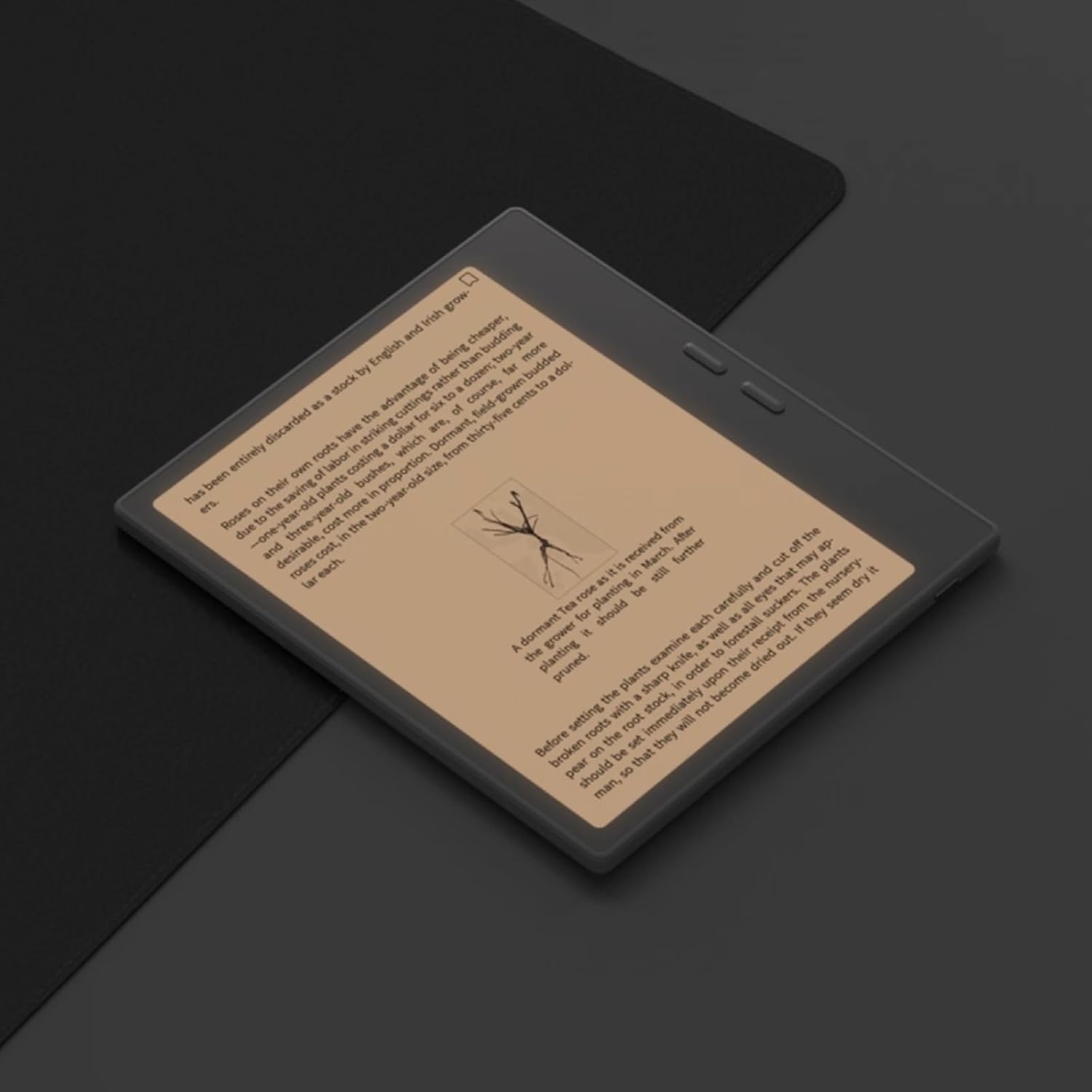
Figure 6.1: Reading with Frontlight
6.3 Using Android Applications
As an Android 13 device, the BOOX Go 7 allows installation of various applications from the Google Play Store. Navigate to the App Store, search for your desired application, and install it. Note that some applications may not be fully optimized for ePaper displays.

Figure 6.2: Various Android Applications on BOOX Go 7
6.4 Note-Taking and Drawing
Utilize the stylus (if included or purchased separately) for note-taking, sketching, and annotating documents. The device offers various templates and tools for creative and organizational tasks.

Figure 6.3: Stylus Use for Note-Taking

Figure 6.4: Handwriting to Text Conversion
7. الصيانة
7.1 تنظيف الجهاز
Use a soft, lint-free cloth to gently wipe the screen and body of the device. Do not use harsh chemicals, abrasive cleaners, or excessive moisture.
7.2 تحديثات البرامج
Regularly check for and install software updates to ensure optimal performance and access to new features. Connect to Wi-Fi and navigate to الإعدادات > النظام > تحديث النظام للتحقق من التحديثات المتاحة.
8. استكشاف الأخطاء وإصلاحها
- الجهاز لا يعمل: تأكد من شحن الجهاز. قم بتوصيله بمصدر طاقة وحاول مرة أخرى.
- الشاشة لا تستجيب: Perform a soft reset by holding the Power button for 10-15 seconds.
- مشاكل الاتصال بشبكة Wi-Fi: Verify your Wi-Fi password and router settings. Try restarting your router and the device.
- تعطل التطبيقات: Ensure applications are updated to their latest versions. Clear the app's cache or reinstall if issues persist.
9. المواصفات
| ماركة | بوكس |
| اسم الموديل | اذهب 7 |
| سعة التخزين | 64 جيجا بايت |
| حجم الشاشة | 7 بوصة |
| أقصى دقة للعرض | 300 Pixels per inch |
| نظام التشغيل | أندرويد 13 |
| لون | نوار (أسود) |
| حجم ذاكرة الوصول العشوائي المثبتة | 4 جيجا بايت |
| المميزات الخاصة | USB OTG support, Expandable storage, Stylus support |
| سنة الموديل | 2025 |
| نوع البطارية | ليثيوم أيون |
| محتوى طاقة البطارية | 8.8 واط في الساعة |
| ماركة المعالج | كوالكوم |
| وصف المعالج | كوالكوم سناب دراجون |
| آلة تصوير | لا يوجد كاميرا |
| نوع المستشعر | جيروسكوب |
| Item Dimensions (LxWxT) | 15.6L x 0.6W x 13.7T centimeters |
| طريقة الإدخال | Touchscreen with stylus |
| وصف بطاقة الرسوميات | مدمج |
| الأجهزة المتوافقة | قلم |
| نوع العرض | حبر إلكتروني |
| دقة الشاشة | 1280 × 800 بكسل |
| نسبة العرض إلى الارتفاع | 16:10 |
| الربط الأجهزة | USB |
| التكنولوجيا اللاسلكية | بلوتوث، واي فاي (802.11ax) |
| إجمالي منافذ USB | 1 |

Figure 9.1: BOOX Go 7 Energy Label (رابط EPREL)
10. معلومات الضمان
The BOOX Go 7 ePaper Tablet comes with a ضمان محدود لمدة سنة واحدة. This warranty covers manufacturing defects under normal use. For specific terms and conditions, please refer to the warranty card included in your package or contact customer support.
The standard return policy allows for returns within 30 days of purchase for refund or replacement.
11. الدعم
For technical assistance, troubleshooting, or warranty claims, please contact BOOX customer service. You can find support resources and submit inquiries through the official BOOX help center.
- تحديثات البرامج الثابتة: BOOX commits to at least 3 years of firmware updates for each product.
- التخزين السحابي: 10 GB of free cloud storage is provided for each user.
- وقت الاستجابة: يتم الرد على استفسارات العملاء عادةً خلال 24 ساعة.
لمزيد من المعلومات، قم بزيارة BOOX Brand Store on Amazon.