
1. المقدمة
Thank you for choosing the BABELIO Wireless Baby Car Camera. This device is designed to provide a secure and convenient way to monitor your child in the car and at home. Featuring a 5-inch HD display, night vision capabilities, and a 360° rotatable camera, it offers peace of mind without the need for Wi-Fi or complex wiring. Please read this manual thoroughly before use to ensure proper operation and safety.
2. محتويات العبوة
تأكد من تضمين جميع العناصر المدرجة أدناه في الحزمة الخاصة بك:
- Baby Monitor (5.0" Display) x 1
- Wireless Camera x 1
- USB Charging Cables x 2
- Monitor Mounting Bracket x 1
- Camera Mounting Straps x 1
- محول شحن x 1
- شاحن سيارة × 1
3. الإعداد والتثبيت
3.1 شحن الأجهزة
Before first use, fully charge both the baby monitor and the wireless camera using the provided USB charging cables and adapters. A full charge provides up to 8 hours of battery life for the camera.
3.2 Car Installation
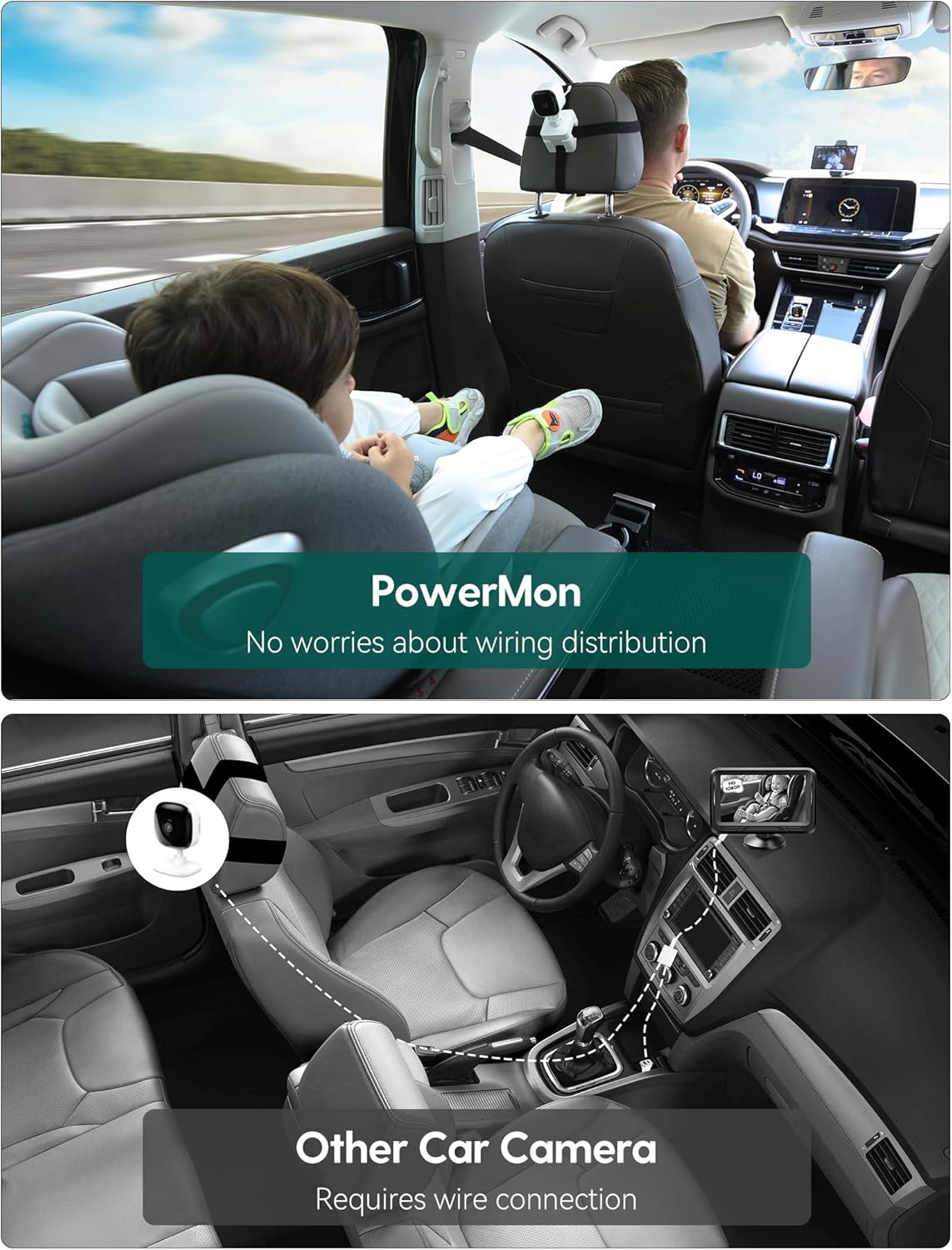
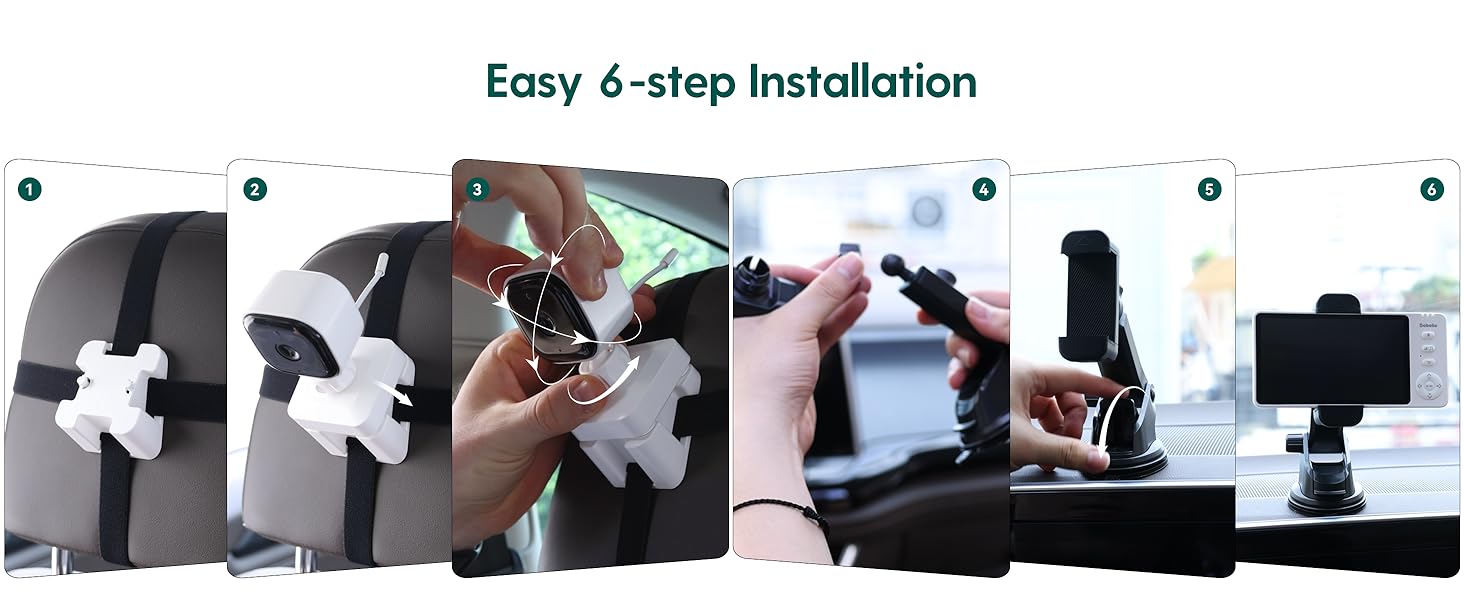
- تركيب الكاميرا: Secure the camera to the headrest of the rear seat using the camera mounting straps. Position it to have a clear view of your child in their car seat. The camera features 360° rotation for optimal angle adjustment.
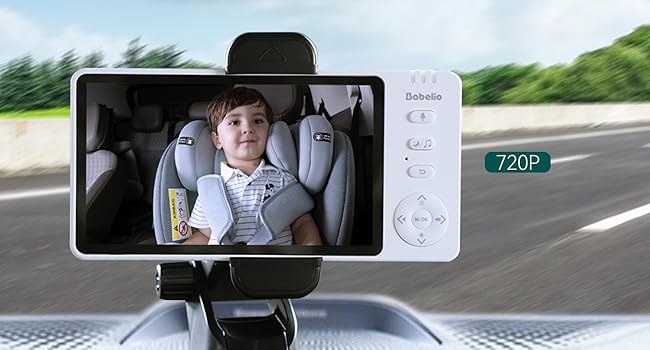
- قم بتثبيت الشاشة: Attach the monitor mounting bracket to your car's dashboard or windshield. Ensure it does not obstruct your driving view. Insert the 5-inch monitor into the bracket.
- تشغيل الطاقة: Turn on both the camera and the monitor. They will automatically pair.
3.3 Home Use
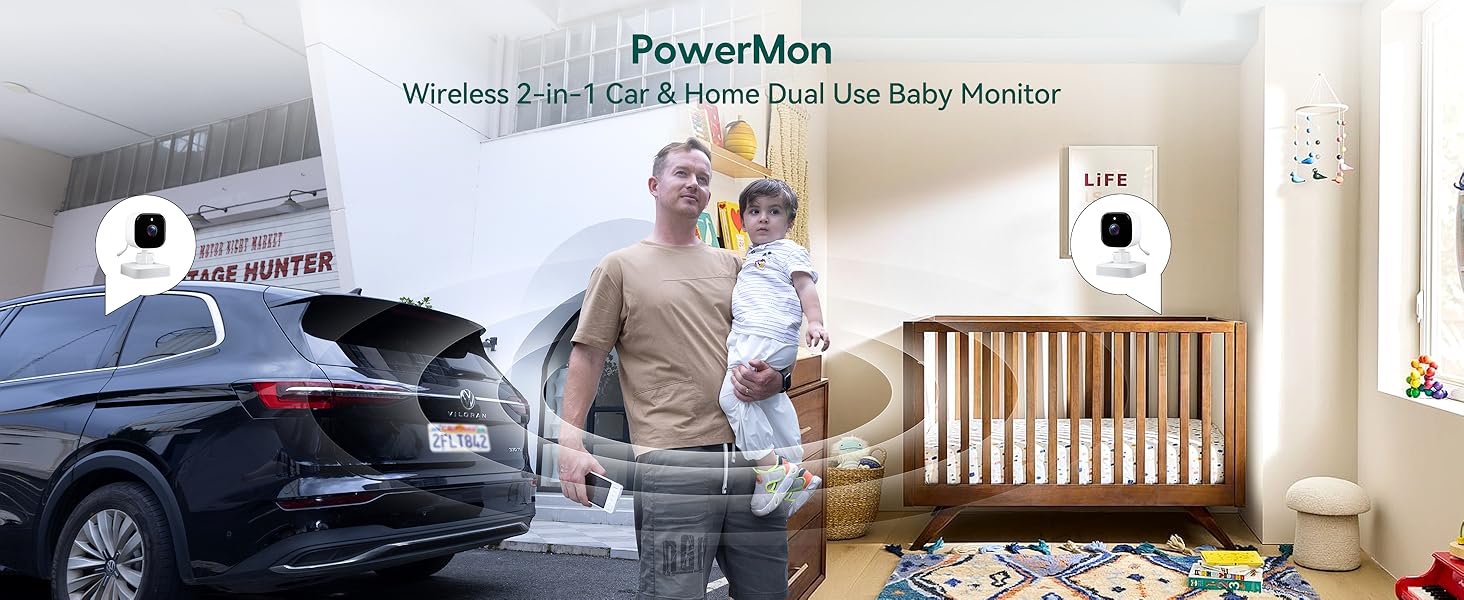
The BABELIO camera can also be used as a home monitor. Simply place the camera on a flat surface in your child's room or play area. The monitor can be placed nearby for continuous viewعمل.
4. تعليمات التشغيل
4.1 التشغيل الأساسي
- تشغيل/إيقاف التشغيل: Press and hold the power button on both the monitor and camera to turn them on or off.
- التحكم في مستوى الصوت: Use the volume buttons on the monitor to adjust the audio level.
- التنقل في القائمة: Use the directional buttons and M/OK button to navigate through the monitor's menu options.
4.2 الرؤية الليلية
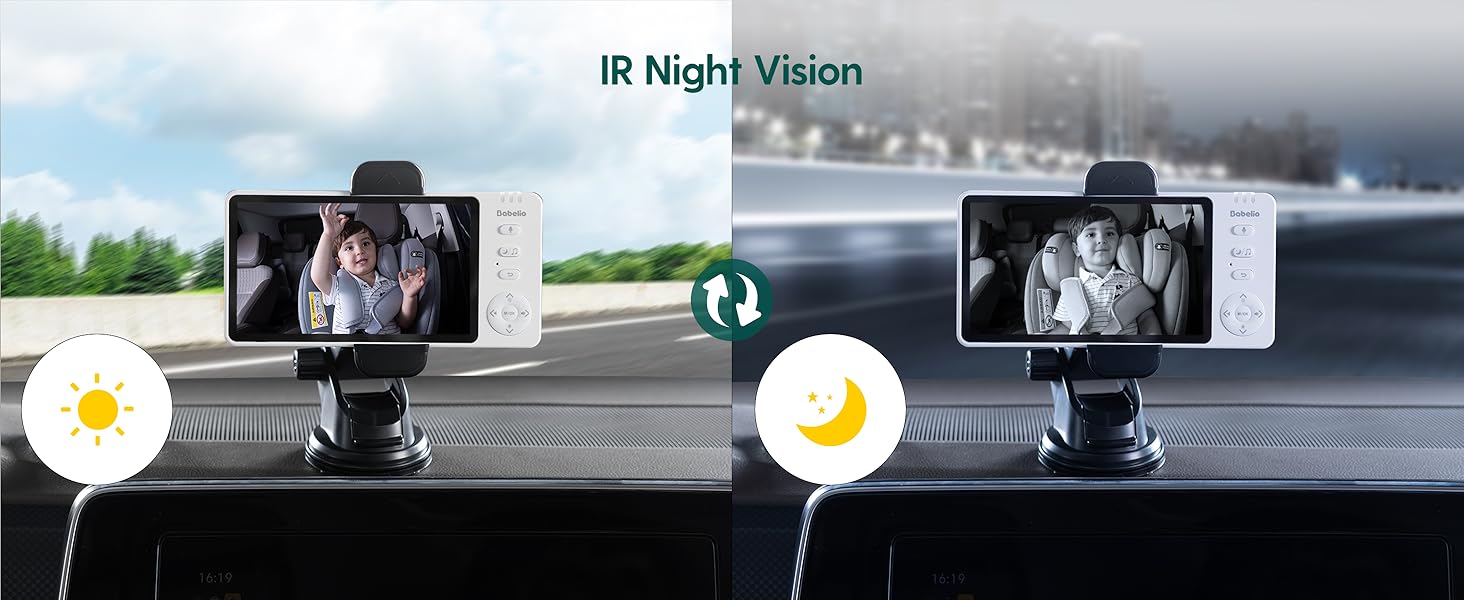
The camera automatically switches to black and white night vision in low-light conditions using 940nm invisible IR lights. This ensures clear monitoring without disturbing your child.
4.3 وظيفة التكبير
Use the zoom controls on the monitor to get a closer view of your child. The monitor supports up to 4x digital zoom.

4.4 وضع VOX (التنشيط الصوتي)
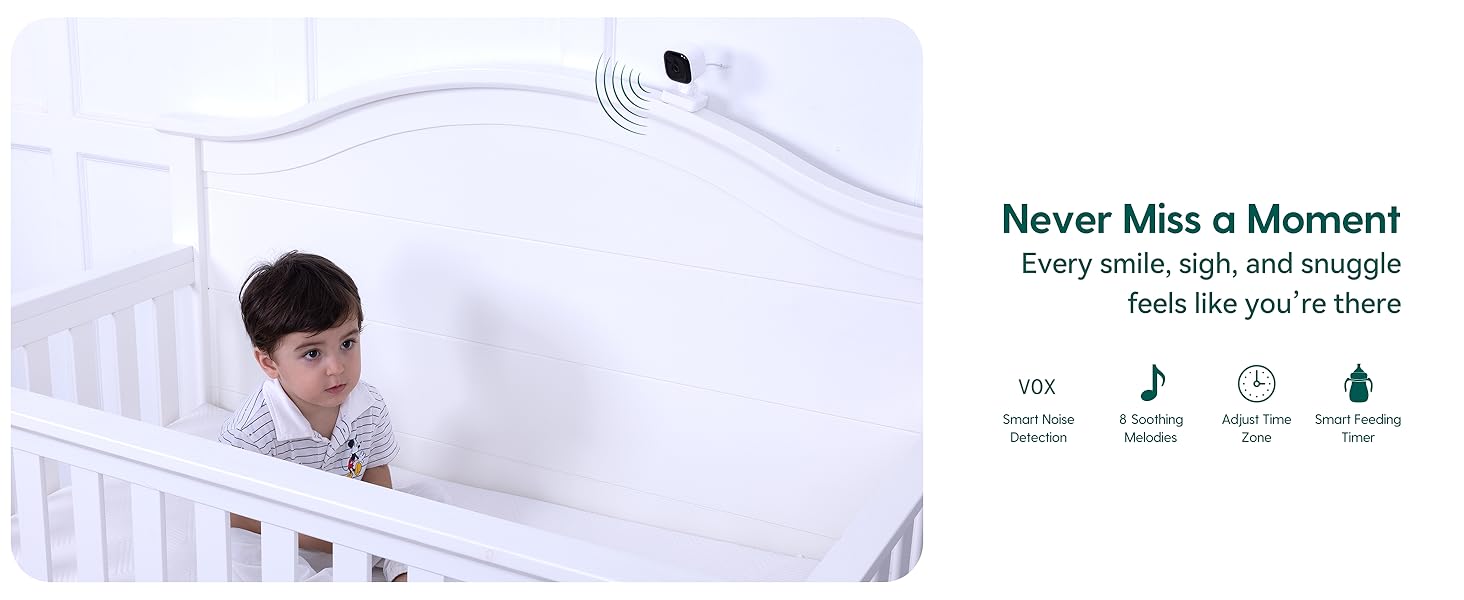
Activate VOX mode to conserve battery. The monitor screen will turn off, but the audio will remain active. The screen will automatically turn on when sound is detected from the camera. You can adjust the sensitivity levels (High, Mid, Low) in the settings.
4.5 محادثة ثنائية الاتجاه
Press and hold the microphone button on the monitor to speak to your child through the camera's speaker. Release the button to listen.
4.6 تهويدات
The monitor includes pre-programmed lullabies to help soothe your child. Access this feature through the menu settings.
5. المواصفات
| ميزة | مواصفة |
|---|---|
| اسم الموديل | أ ب م950 |
| حجم الشاشة | 5.0 بوصة |
| دقة التقاط الفيديو | 720 بكسل |
| تكنولوجيا الاتصال | لاسلكي (2.4 جيجاهرتز FHSS) |
| الاستخدام الداخلي والخارجي | داخلي |
| مصدر الطاقة | تعمل بالبطارية |
| Battery Life (Camera) | ما يصل إلى 8 ساعات (بشحنة واحدة) |
| ميزة خاصة | Night Vision, Two-Way Talk, VOX Mode, Lullabies, Temperature Monitoring |
| نوع التركيب | Headrest Mount (Camera), Dashboard/Window Mount (Monitor) |
| أبعاد المنتج | 4 × 0.75 × 6 بوصة |
| وزن العنصر | 1.54 رطل |
6. الصيانة
- تنظيف: Use a soft, dry cloth to clean the monitor and camera. Do not use liquid or aerosol cleaners.
- تخزين: قم بتخزين الجهاز في مكان بارد وجاف بعيدًا عن أشعة الشمس المباشرة ودرجات الحرارة القصوى.
- العناية بالبطارية: لإطالة عمر البطارية، تجنب تفريغها بالكامل بشكل متكرر. اشحنها بانتظام.
7. استكشاف الأخطاء وإصلاحها
- لا توجد إشارة/اتصال ضعيف:
- Ensure both the camera and monitor are powered on and fully charged.
- Move the camera and monitor closer to each other.
- Avoid placing the devices near other electronic equipment that may cause interference. - لا يوجد صوت:
- Check the volume settings on the monitor.
- Ensure the microphone on the camera is not obstructed. - خاصية الرؤية الليلية لا تعمل:
- Ensure the camera is in a sufficiently dark environment for automatic night vision activation. - عمر البطارية قصير:
- Ensure the devices are fully charged before use.
- Reduce screen brightness or activate VOX mode to extend battery life.
8. الضمان والدعم
For warranty information or technical support, please refer to the contact details provided with your purchase or visit the official Babelio webالموقع. احتفظ بإثبات الشراء الخاص بك لتقديم مطالبات الضمان.