
1. المقدمة
This manual provides comprehensive instructions for the WiMiUS K13 4K Google TV Projector. Designed for a superior visual experience, this projector integrates advanced features for both entertainment and professional use. Key functionalities include native 1080p resolution with 4K support, 1500 ANSI lumens brightness, automatic focus and keystone correction, and an integrated Google TV system for seamless access to a wide range of applications.
يرجى قراءة هذا الدليل جيداً قبل تشغيل الجهاز لضمان الاستخدام السليم ولتحقيق أقصى قدر من الأداء وإطالة عمره.
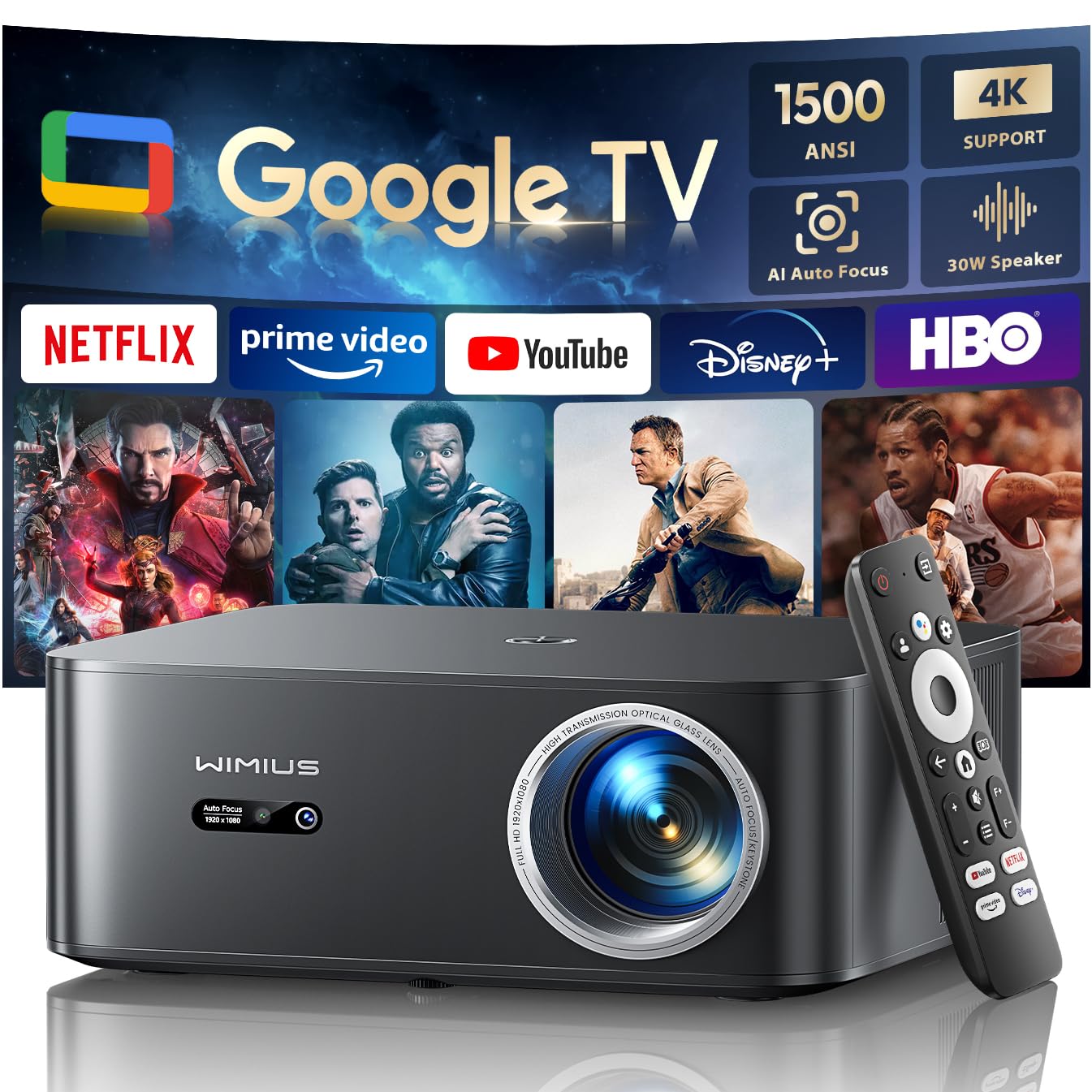
Figure 1: WiMiUS K13 4K Google TV Projector
2. دليل الإعداد
2.1 فتح العبوة ومحتوياتها
أزل جميع المكونات من العبوة بعناية. تأكد من وجود جميع العناصر:
- جهاز عرض WiMiUS K13
- جهاز تحكم عن بعد (بطاريات AAA غير متضمنة)
- كابل الطاقة
- كابل HDMI
- دليل المستخدم
2.2 التنسيب
Position the projector on a stable, flat surface. For optimal image quality, ensure the projector lens is perpendicular to the projection surface. Recommended projection distance is 2.5 to 3 meters for a large screen size.
- تركيب سطح الطاولة: ضع جهاز العرض على طاولة أو حامل.
- تركيب السقف/الجدار: The projector features M5 screw holes for compatible ceiling or wall mounts. Ensure the mount is securely installed and can support the projector's weight.
- ترايبود تصاعد: The K13 projector does not have dedicated tripod mounting holes. Use a tripod equipped with a tray to support the projector.
2.3 توصيل الطاقة
Connect the power cable to the projector's power input port, then plug the other end into a power outlet. The power indicator light will illuminate.
2.4 التشغيل الأولي والإعداد الأساسي
Press the power button on the projector or remote control to turn on the device. Upon first use, follow the on-screen prompts to:
- اختر اللغة المفضلة لديك.
- Connect to a Wi-Fi network (2.4G or 5G) for internet access.
- Log in with your Google account to access Google TV features and applications.
2.5 التركيز التلقائي وتصحيح الانحراف
The WiMiUS K13 projector is equipped with automatic focus and keystone correction. After powering on or moving the projector, it will automatically adjust the image to achieve a clear, rectangular display. Manual adjustments are also available in the settings menu if needed.
3. تعليمات التشغيل
3.1 Remote Control and Google Voice Assistant
Use the provided remote control to navigate the Google TV interface. The remote includes dedicated buttons for popular streaming services like Netflix, Prime Video, YouTube, and Disney+. Utilize the integrated Google Voice Assistant by pressing the microphone button on the remote and speaking commands to search for content, adjust volume, or launch applications.
3.2 Google TV and Application Usage
The projector runs on an officially certified Android 11.0 Google TV system, providing access to over 10,000 applications from the Google Play Store. Navigate through the home screen to find installed apps or download new ones. Ensure a stable internet connection for optimal streaming performance.
3.3 انعكاس الشاشة
يدعم جهاز العرض خاصية عكس الشاشة لاسلكيًا من أجهزة مختلفة:
- AirPlay (iOS devices): Connect your iOS device and the projector to the same Wi-Fi network. Select the AirPlay option on your iOS device and choose the projector from the list of available devices.
- Miracast (Android/Windows devices): Enable Miracast or Screen Mirroring on your Android or Windows device. Select the projector from the detected devices.
3.4 توصيل الأجهزة الخارجية
The WiMiUS K13 offers multiple connectivity options:
- منافذ HDMI: Connect gaming consoles, laptops, Blu-ray players, or other HDMI-enabled devices. Select the corresponding HDMI input from the projector's source menu.
- منافذ USB: أدخل محركات أقراص USB لتشغيل الوسائط files (videos, photos, documents like PPT, Excel, Word).
- مخرج صوت 3.5 ملم: Connect external headphones or speakers via the audio jack.
3.5 إخراج الصوت
The projector features integrated 20W speakers for clear audio. For enhanced sound, you can connect external audio systems:
- بلوتوث شنومكس: قم بإقرانه مع مكبرات الصوت أو سماعات الرأس التي تعمل بتقنية البلوتوث للحصول على صوت لاسلكي.
- اتش دي ام اي ارك: Connect to a soundbar or AV receiver that supports HDMI ARC for simplified audio setup and control.
3.6 وظيفة التكبير
Adjust the screen size from 50% to 100% using the digital zoom function in the settings menu. This allows you to resize the image without physically moving the projector.

Figure 2: Outdoor movie experience with the WiMiUS K13 Projector

Figure 3: Outdoor sports viewing with the WiMiUS K13 Projector
4. الصيانة
4.1 تنظيف العدسات
Gently clean the projector lens with a soft, lint-free cloth or a lens cleaning brush. Avoid using abrasive materials or harsh chemicals, which can damage the lens coating.
4.2 Ventilation Care
Ensure the projector's ventilation openings are clear and unobstructed to prevent overheating. Regularly check for dust accumulation and clean as necessary using a soft brush or compressed air.
4.3 التخزين
عند عدم استخدام جهاز العرض لفترات طويلة، يُرجى تخزينه في مكان بارد وجاف وخالٍ من الغبار. استخدم العبوة الأصلية أو حافظة واقية لمنع التلف.
5. استكشاف الأخطاء وإصلاحها
إذا واجهت مشكلات مع جهاز عرض WiMiUS K13، فراجع المشكلات والحلول الشائعة التالية:
| مشكلة | السبب المحتمل | حل |
|---|---|---|
| لا توجد صورة معروضة | Power cable disconnected, incorrect input source, device not powered on. | Check power connection, ensure projector is on, select correct HDMI/USB input. |
| الصورة ضبابية | Out of focus, lens dirty, projector moved. | Allow auto-focus to adjust, clean the lens, manually adjust focus if needed. |
| الصورة مشوهة (شكل شبه منحرف) | جهاز العرض غير عمودي على الشاشة. | Allow auto-keystone correction to adjust, manually adjust keystone in settings. |
| لا يوجد صوت | Volume too low, incorrect audio output selected, external device audio issue. | Increase volume, check audio output settings (internal, Bluetooth, HDMI ARC), verify external device audio. |
| لا يمكن الاتصال بشبكة Wi-Fi/Bluetooth | كلمة مرور غير صحيحة، خارج النطاق، مشكلة في الشبكة. | Verify password, move closer to router/device, restart projector and router/device. |
| جهاز التحكم عن بعد لا يستجيب | انخفاض مستوى البطارية، وجود عائق، عدم اقتران جهاز التحكم عن بعد. | استبدل البطاريات، وأزل العوائق، وأعد إقران جهاز التحكم عن بعد إذا لزم الأمر. |
6. المواصفات
المواصفات الفنية التفصيلية لجهاز العرض WiMiUS K13:
| ميزة | التفاصيل |
|---|---|
| ماركة | WiMiUS |
| رقم موديل العنصر | ك13 |
| لون | أسود |
| نوع المنتج | جهاز عرض محمول |
| دقة العرض | 1920 × 1080 (دقة عالية كاملة أصلية) |
| الحد الأقصى لدقة العرض | 4096 × 2160 بكسل (يدعم دقة 4K) |
| نوع العرض | شاشة الكريستال السائل |
| سطوع | شموم شمعة أنسي |
| تكنولوجيا الاتصال | HDMI, USB, 3.5mm Audio, Wi-Fi (6), Bluetooth (5.2) |
| المميزات الخاصة | Digital Keystone Correction, Built-in Speaker, Auto Focus, Built-in Wi-Fi, Google TV |
| الأجهزة المتوافقة | Tablet, Laptop, Game Console, Speaker, Smartphone, Television |
| استخدامات المنتج الموصى بها | السينما المنزلية، ألعاب الفيديو، الاحترافية، التعليم |
| أبعاد المنتج | 28 طول × 24.2 عرض × 10.8 ارتفاع سم |
| عامل الشكل | محمول |
| نوع التركيب | Table Mount (M5 screw holes for ceiling/wall mount) |
7. الضمان والدعم
WiMiUS is committed to providing excellent customer service and support for your K13 projector:
- خدمة العملاء: 24/7 support is available for any inquiries or assistance you may need.
- سياسة الإسترجاع: Enjoy a 1-year refund policy from the date of purchase.
- تغطية الإصلاح: The projector is covered by a 3-year repair warranty.
- الدعم الفني: يتم توفير الدعم الفني مدى الحياة لمنتجك.
For any questions or support requests regarding your WiMiUS K13 projector, please contact our customer service team via email. We are dedicated to providing a prompt and satisfactory solution.