

مقدمة
This manual provides essential information for the safe and efficient operation of your Philips PLD2030P7 DVD Player. Please read these instructions thoroughly before using the device and retain them for future reference.
1. الإعداد
1.1 فك التعبئة
أزل جميع المكونات من العبوة بعناية. تأكد من وجود جميع العناصر المذكورة أدناه:
- Philips PLD2030P7 DVD Player
- جهاز التحكم عن بعد
- كابل HDMI
- RCA كابل
1.2 الاتصال بالتلفزيون
The Philips PLD2030P7 DVD Player offers both HDMI and RCA connections for video and audio output.
HDMI Connection (Recommended for HD TVs)
- Connect one end of the HDMI cable to the HDMI OUT port on the DVD player.
- Connect the other end of the HDMI cable to an available HDMI IN port on your television.
- حدد مدخل HDMI المناسب على جهاز التلفزيون الخاص بك باستخدام جهاز التحكم عن بعد.
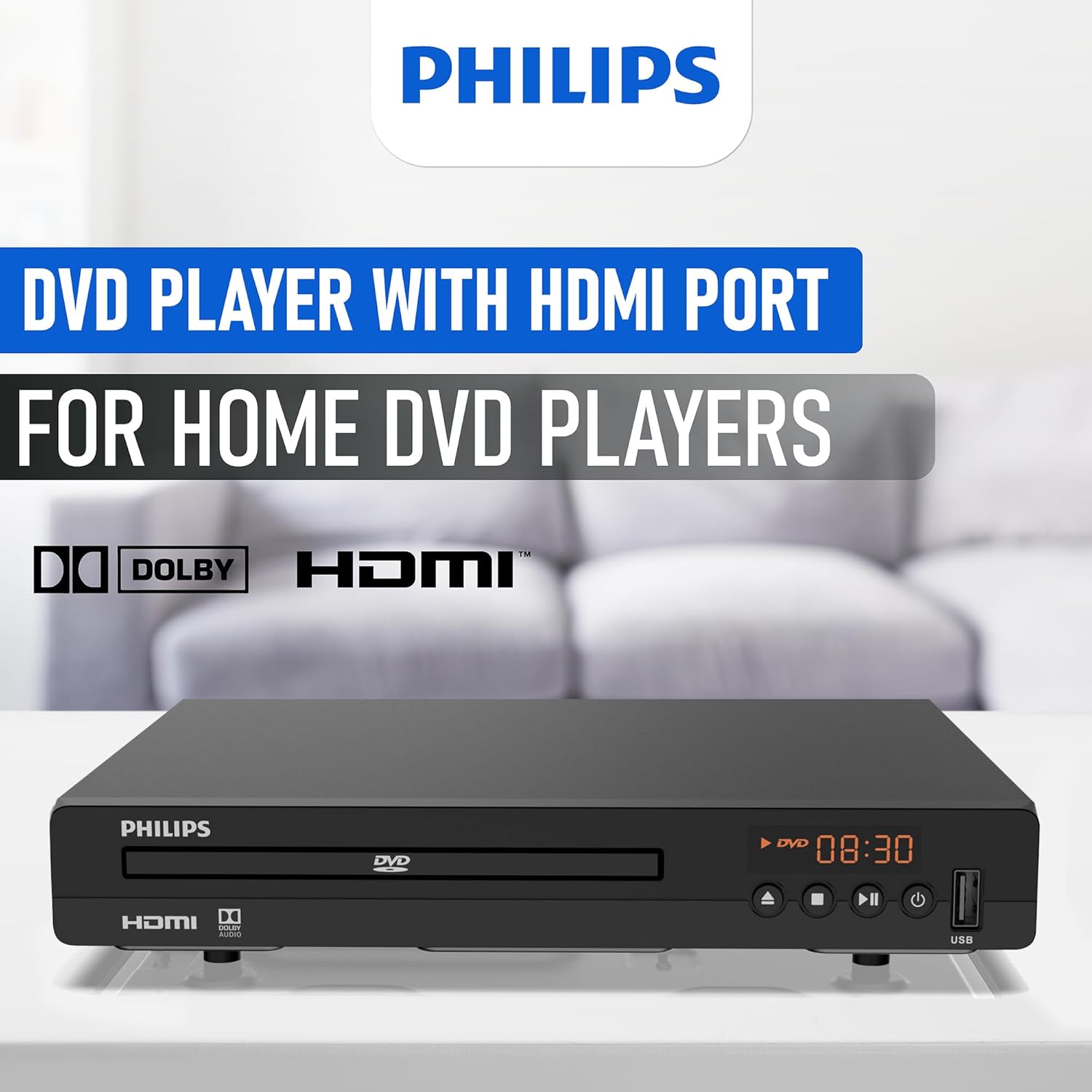
Illustration of the HDMI connection process, highlighting the 1080P upconversion capability from 480P resolution.
RCA Connection (For older TVs or alternative audio)
- Connect the red, white, and yellow RCA plugs from the RCA cable to the corresponding color-coded AV OUT jacks on the DVD player.
- Connect the other end of the RCA cable to the matching color-coded AV IN jacks on your television or home stereo system.
- Select the corresponding AV input on your television or stereo system.

Visual guide to various connection types, including HDMI for Smart TVs, projectors, and monitors, and RCA for older TVs, speakers, soundbars, amplifiers, and tuners.
1.3 التشغيل
After connecting the player to your TV, plug the power cord into an electrical outlet. Press the Power button on the front panel or the remote control to turn on the DVD player.
1.4 Region Free Setup Guide
This DVD player supports multiple regions (1,2,3,4,5,6). To adjust region settings:
- Connect your DVD player to a TV.
- Ensure no disc is in the compartment, or press the فتح/إغلاق button to eject the disc tray. The TV screen should display 'NO DISC'.
- Using the remote control, input the number "5168" to access the Super Setup Mode.
- اضغط على UP button to highlight "REGION". Press the يمين button to highlight the region code. Press the UP button to highlight "TEST 0". Press the يدخل زر للتأكيد.
- يضعط يثبت للخروج.
Visual instructions detailing the process to configure the DVD player for region-free playback, including remote control input and screen prompts.
2. تعليمات التشغيل
تشغيل القرص 2.1
The Philips PLD2030P7 is compatible with CD, (S),VCD,DVD,DVD+R/RW,DVD-R/RW, or MP3 discs.
- اضغط على فتح/إغلاق زر لفتح علبة القرص.
- ضع القرص برفق على الصينية بحيث يكون جانب الملصق متجهًا لأعلى.
- اضغط على فتح/إغلاق button again to close the tray. The player will automatically begin playback or display a disc menu.
- Use the remote control to navigate menus and control playback (Play, Pause, Stop, Skip, Fast Forward/Rewind).
2.2 تشغيل الوسائط عبر USB
The player supports media playback from USB devices for JPEG, MP3, and MP4 files.
- Insert your USB device into the USB port on the front of the DVD player.
- The player should automatically detect the USB device and display a media browser. If not, press the USB الزر الموجود على جهاز التحكم عن بعد.
- التنقل عبر fileباستخدام جهاز التحكم عن بعد، اضغط يلعب or يدخل لبدء التشغيل.

Demonstration of the USB input functionality, illustrating how to connect a USB device and the supported media formats including video (AVI, DIVX, MPG, MPEG, VOB), images (JPG), and music.
2.3 ميزة ملاءمة الشاشة
To optimize the picture to fill your screen, press the ملاءمة الشاشة button on the remote control during playback. This feature adjusts the aspect ratio to match your display.
2.4 Audio and Video Quality
The player features a 10-bit/108 MHz video DAC for superior picture quality and a built-in Dolby decoder chip for immersive audio.

Visual representation emphasizing the DAC/Dolby audio technology, which provides an immersive audio experience.

Description of the 10-bit/108 MHz video processing, ensuring sharp and natural images.
3. الصيانة
3.1 تنظيف الوحدة
To clean the exterior of the DVD player, use a soft, dry cloth. Do not use liquid or aerosol cleaners, as they may damage the finish. Ensure the unit is unplugged before cleaning.
3.2 العناية بالقرص
Handle discs by their edges to avoid fingerprints. Store discs in their cases when not in use to prevent scratches and dust accumulation. Clean discs with a soft, lint-free cloth, wiping from the center outwards.
4. استكشاف الأخطاء وإصلاحها
إذا واجهت مشاكل مع مشغل أقراص DVD الخاص بك، فراجع المشاكل والحلول الشائعة التالية:
| مشكلة | السبب المحتمل | حل |
|---|---|---|
| لا يوجد طاقة | سلك الطاقة غير موصول؛ مأخذ الطاقة غير نشط | تأكد من توصيل سلك الطاقة بشكل آمن؛ اختبر المنفذ باستخدام جهاز آخر |
| لا توجد صورة على التلفزيون | Incorrect input selected on TV; Loose video cable connection | Select correct HDMI/AV input on TV; Check HDMI/RCA cable connections |
| لا يوجد صوت | TV/receiver volume too low; Loose audio cable connection | Increase volume; Check HDMI/RCA audio cable connections |
| القرص لا يعمل | Disc is dirty or scratched; Incorrect disc type; Region code mismatch | Clean disc; Ensure disc is compatible (DVD, CD, VCD); Verify region settings (refer to 1.4) |
| جهاز التحكم عن بعد لا يعمل | البطاريات فارغة أو تم تركيبها بشكل غير صحيح؛ وجود عائق بين جهاز التحكم عن بعد والمشغل | Replace batteries; Ensure correct polarity; Remove obstructions; Point remote directly at player |
5. المواصفات
Below are the technical specifications for the Philips PLD2030P7 DVD Player:
| ميزة | التفاصيل |
|---|---|
| ماركة | فيليبس |
| اسم الموديل | PLD2030P7 |
| نوع الوسائط | CD، DVD، VCD |
| ميزة خاصة | Compact, Progressive Scan |
| دقة | 1280x800 (Internal processing), Video Output: 1080p |
| نوع الموصل | منفذ HDMI |
| تكنولوجيا الاتصال | منفذ HDMI |
| لون | أسود |
| وزن العنصر | 2.3 رطل |
| وضع إخراج الصوت | محيط |
| تنسيق الصوت المدعوم | دولبي ديجيتال |
| تكوين قناة الصوت المحيطي | 5.1 |
| Total Number of HDMI Ports | 1 |
| ترميز الفيديو | ام بي اي جي-2 |
| الأجهزة المتوافقة | AV Receiver, Home Stereo System, Television |
| File تنسيق (USB) | JPEG, MP3, MP4 |
| الوسائط المدمجة | DVD Player, HDMI Cable, RCA Cable, Remote Control |
| رمز المنتج الموحد | 850041387796 |
| ASIN | B0F4F53JSS |
| رقم GTIN | 850041387796 |

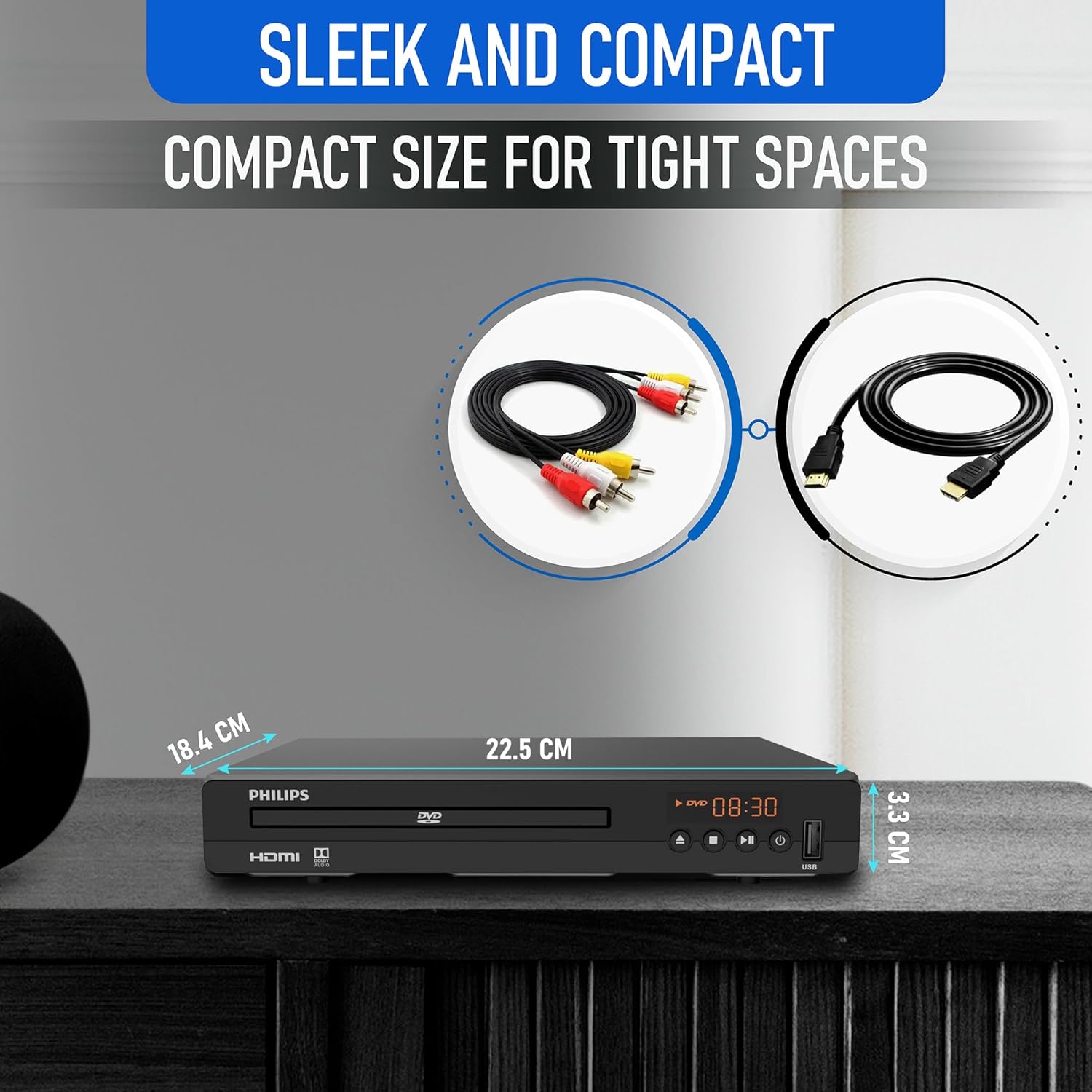
Diagram illustrating the compact dimensions of the DVD player: 22.5 cm (width), 18.4 cm (depth), and 3.3 cm (height).
6. معلومات الضمان
For detailed warranty information, please refer to the warranty card included in your product packaging or contact Philips customer support. The manufacturer's warranty covers defects in materials and workmanship under normal use.
7. دعم العملاء
If you require further assistance or have questions not covered in this manual, please contact Philips customer support through their official webالموقع أو معلومات الاتصال المقدمة في وثائق المنتج الخاص بك.