
1. المقدمة
شكرا لك على الشراءasing the THINKYA TH-A10 Portable CD Player. This device combines classic CD playback with modern connectivity options, including Bluetooth 5.1, USB, AUX, and optical output. Designed for high-fidelity audio, it features built-in stereo speakers, a rechargeable battery, and anti-skip protection for stable playback. Please read this manual thoroughly before use to ensure proper operation and to maximize your listening experience.

Image: The THINKYA TH-A10 Portable CD Player, highlighting its elegant wooden finish and compact form factor.
2. انتهى المنتجview
2.1 المكونات والضوابط
The TH-A10 CD player is designed with user-friendly controls and a robust build. It features a wooden cabinet for enhanced sound quality and reduced resonance.
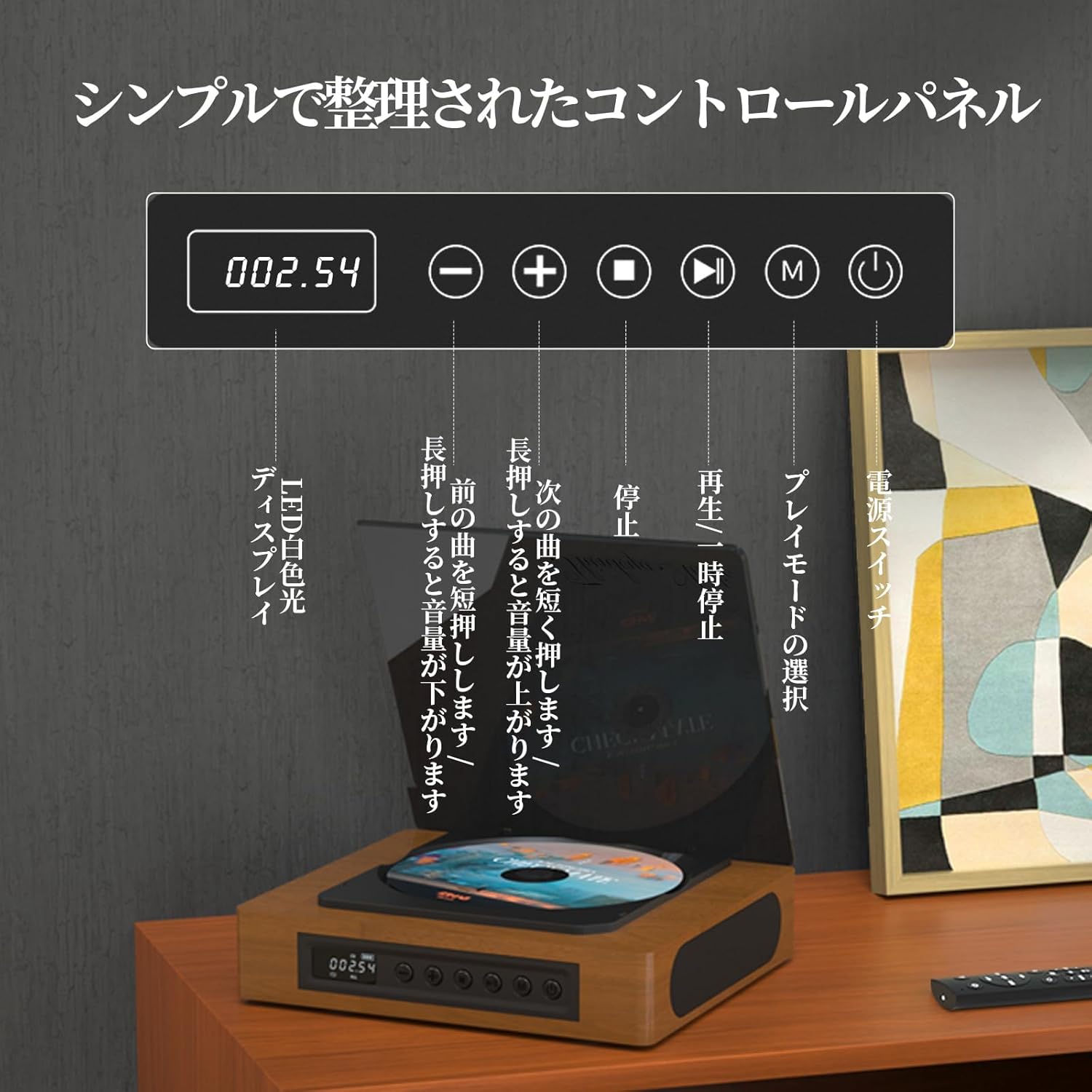
Image: The control panel and LED display of the TH-A10 CD Player. The LED display shows track number and time, while buttons control playback, volume, and mode selection.
وظائف لوحة التحكم:
- عرض الصمام: Shows current track, time, and mode.
- مفتاح التشغيل: يقوم بتشغيل/إيقاف تشغيل الجهاز.
- زر التشغيل/الإيقاف المؤقت: يبدأ التشغيل أو يوقفه مؤقتًا.
- زر الرجوع/خفض مستوى الصوت: اضغط ضغطة قصيرة للانتقال إلى المقطع السابق، واضغط ضغطة طويلة لخفض مستوى الصوت.
- زر التالي/رفع مستوى الصوت: اضغط ضغطة قصيرة للانتقال إلى المقطع التالي، واضغط ضغطة طويلة لزيادة مستوى الصوت.
- زر التوقف: يوقف التشغيل.
- زر الوضع (M): Selects playback mode (CD, Bluetooth, USB, AUX, Optical).

الصورة: مفصلة view of the LED display, indicating operational status and battery level.
2.2 اتصالات اللوحة الخلفية
توفر اللوحة الخلفية منافذ متعددة للتوصيلات الخارجية.

Image: The rear panel of the TH-A10, displaying the various input/output ports including USB, AUX, Type-C for charging, and Optical output.
الموانئ:
- DC IN (Type-C): For charging the internal battery or powering the device.
- منفذ USB: لتشغيل الصوت files from a USB memory stick.
- AUX IN/OUT (3.5mm Jack): For connecting external audio devices or outputting audio to headphones/speakers.
- Optical Output (SPDIF): للاتصال بـ خارجي amplifier or DAC for high-fidelity audio.
3. الإعداد
3.1 التشغيل والشحن
- Connect the provided Type-C charging cable to the DC IN port on the rear of the player.
- قم بتوصيل الطرف الآخر من الكابل بمحول طاقة USB (غير مرفق) أو بمنفذ USB مزود بالطاقة.
- The LED display will indicate charging status. A full charge provides approximately 6 hours of playback.
- اضغط على زر التشغيل لتشغيل الجهاز.

Image: Charging options for the TH-A10, including wall adapter, car charger, and power bank, connected via the Type-C port.
3.2 التعيين الأولي
ضع مشغل الأقراص المدمجة على سطح مستوٍ وثابت. تأكد من وجود تهوية كافية حول الجهاز.
4. تعليمات التشغيل
تشغيل أقراص مضغوطة 4.1
- افتح غطاء الغبار برفق.
- Place a CD (CD, CD-R, CD-RW) onto the spindle, label side up.
- أغلق غطاء الغبار.
- Press the 'M' (Mode) button until 'CD' mode is selected.
- اضغط على زر التشغيل/الإيقاف المؤقت لبدء التشغيل.
- Use the Previous/Next buttons to skip tracks. Long press for volume adjustment.
ملحوظة: This player does not support Blu-ray discs.

Image: Playback modes (sequential, repeat one, repeat all, random) and the ASP anti-shock function are shown, indicating versatile and stable audio experience.
4.2 Bluetooth Operation (Receive/Transmit)
The TH-A10 supports Bluetooth 5.1 for both receiving and transmitting audio.

Image: The TH-A10's Bluetooth functionality, demonstrating connections to various devices like smartphones, tablets (receiving), and Bluetooth speakers or headphones (transmitting).
4.2.1 Bluetooth Receive Mode:
- Press the 'M' (Mode) button until 'BT' mode is selected. The LED display will show 'BT' and flash, indicating pairing mode.
- على هاتفك الذكي أو جهازك اللوحي، قم بتمكين Bluetooth وابحث عن الأجهزة المتاحة.
- Select 'TH-A10' from the list to pair. Once connected, the 'BT' indicator will stop flashing.
- You can now play audio from your device through the TH-A10's speakers.
4.2.2 Bluetooth Transmit Mode:
- تأكد من أن سماعات الرأس أو مكبر الصوت الذي يعمل بتقنية البلوتوث في وضع الاقتران.
- Press the 'M' (Mode) button until 'BT' mode is selected.
- The TH-A10 will automatically search for nearby Bluetooth receiving devices.
- Once connected, audio from the CD player (or other selected source) will be transmitted to your Bluetooth headphones/speaker.
4.3 تشغيل USB
- Insert a USB memory stick containing MP3, WMA, or WAV audio fileقم بتوصيلها بمنفذ USB الموجود على اللوحة الخلفية.
- Press the 'M' (Mode) button until 'USB' mode is selected.
- The player will automatically begin playing audio files من عصا USB.
4.4 AUX Input/Output
مدخل AUX 4.4.1:
- Connect an external audio device (e.g., smartphone, MP3 player) to the AUX port using a 3.5mm audio cable.
- Press the 'M' (Mode) button until 'AUX' mode is selected.
- Play audio from your external device. The sound will be output through the TH-A10's speakers.
4.4.2 AUX Output (Headphones/External Speakers):
- Connect headphones or external speakers to the AUX port using a 3.5mm audio cable.
- Select your desired playback mode (CD, Bluetooth, USB).
- Audio will be routed to the connected headphones or external speakers.
4.5 الإخراج البصري
For the highest audio fidelity, use the optical output.
- Connect an optical cable (not included) from the SPDIF Optical Output port on the TH-A10 to an optical input on your amplifier أو DAC.
- Select the optical input on your amplifier/DAC.
- Play audio from the TH-A10 (CD, USB, or Bluetooth source).
4.6 التحكم عن بعد
يتيح جهاز التحكم عن بعد المرفق تشغيلًا مريحًا من مسافة تصل إلى 10 أمتار.
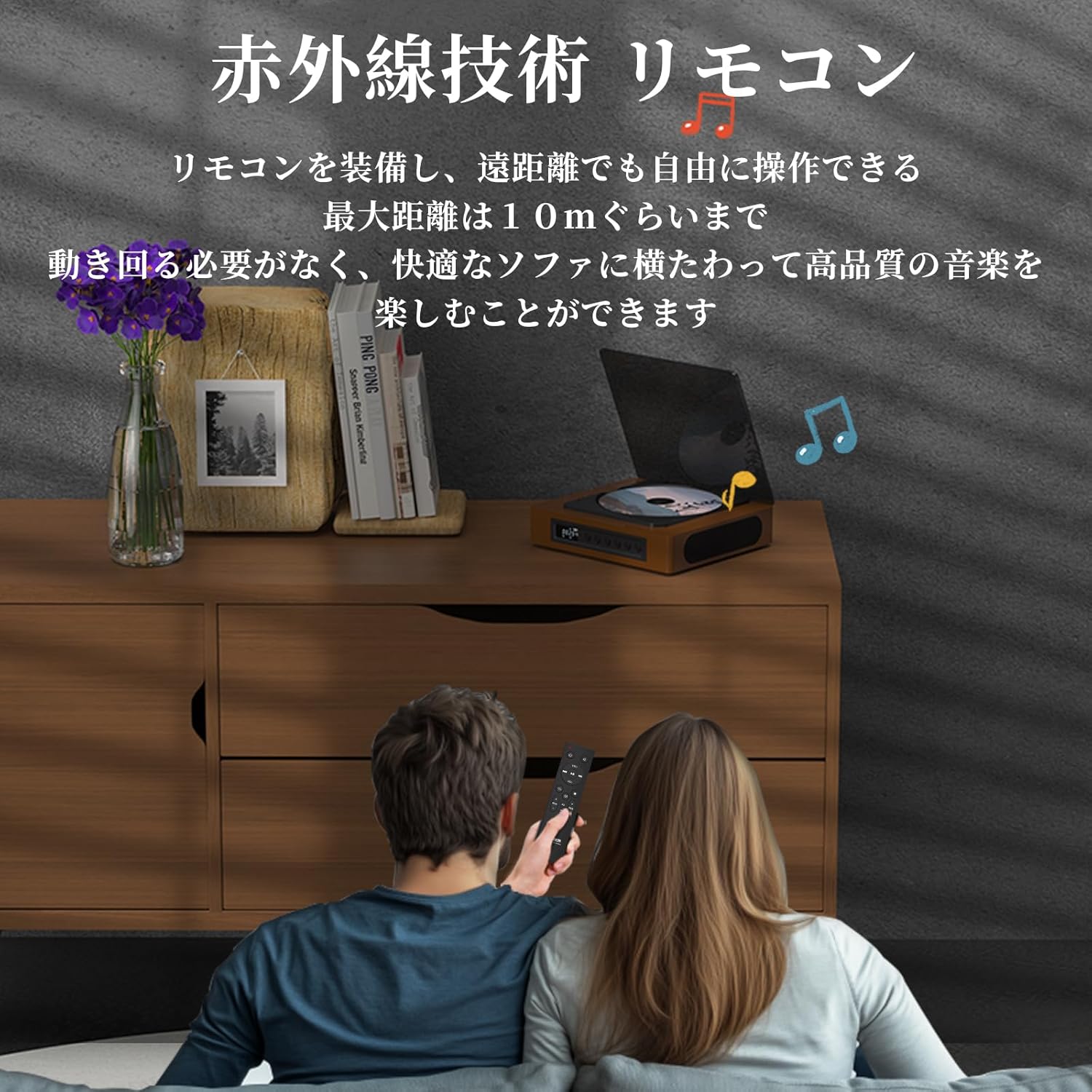
Image: A couple using the remote control for the TH-A10 CD Player, demonstrating its convenience for remote operation.
5. الصيانة
5.1 التنظيف
- امسح الجزء الخارجي من الوحدة بقطعة قماش ناعمة وجافة.
- بالنسبة لعدسة القرص المضغوط، استخدم منظفًا خاصًا بعدسات الأقراص المضغوطة. لا تلمس العدسة مباشرة.
- Keep the transparent dust cover clean to prevent dust accumulation on the CD.

Image: The transparent dust cover of the TH-A10, designed to protect the CD mechanism from dust and moisture.
5.2 التخزين
عند عدم استخدام الجهاز لفترات طويلة، قم بتخزينه في مكان بارد وجاف بعيدًا عن أشعة الشمس المباشرة ودرجات الحرارة القصوى.
6. استكشاف الأخطاء وإصلاحها
| مشكلة | السبب المحتمل | حل |
|---|---|---|
| لا يوجد طاقة | تم تفريغ البطارية؛ كابل الطاقة غير متصل. | اشحن البطارية؛ تأكد من توصيل كابل الطاقة بإحكام. |
| القرص المضغوط لا يعمل | CD inserted incorrectly; Disc is dirty or scratched; Incorrect mode selected; Blu-ray disc inserted. | Reinsert CD correctly; Clean or replace disc; Select 'CD' mode; Blu-ray discs are not supported. |
| لا يوجد صوت من مكبرات الصوت | Volume too low; Mute activated; External headphones/speakers connected to AUX out. | Increase volume; Check mute status; Disconnect external audio devices from AUX out if using internal speakers. |
| فشل اقتران البلوتوث | الجهاز ليس في وضع الاقتران؛ خارج النطاق؛ تداخل. | Ensure both devices are in pairing mode; Move devices closer; Restart Bluetooth on both devices. |
| Skipping during CD playback | Player is unstable; Disc is damaged; Excessive vibration. | Place player on a stable surface; Clean or replace disc; ASP anti-shock function is active for minor vibrations. |
7. المواصفات
| ميزة | التفاصيل |
|---|---|
| رقم الموديل | TH-A10 |
| ماركة | ثينكيا |
| الاتصال | Bluetooth 5.1 (Receive/Transmit), USB, AUX (3.5mm), Optical (SPDIF), Type-C (Power) |
| تنسيقات الأقراص المدعومة | CD, CD-R, CD-RW (Not compatible with Blu-ray discs) |
| تنسيقات الصوت المدعومة | MP3, WMA, WAV, APE, FLAC (from USB) |
| سعة البطارية | 2600 مللي أمبير |
| Playback Time (Battery) | حوالي 6-8 ساعات (حسب الاستخدام) |
| المتحدثون | Built-in Stereo Speakers (2x50mm Neodymium Iron Boron Magnetic Units) |
| الحماية من الصدمات (ASP) | 60 ثانية للقرص المضغوط، 120 ثانية لملف MP3 |
| الأبعاد (الطول × العرض × الارتفاع) | 17.8 × 15.8 × 4.85 سم |
| وزن | 1.12 كجم |
| الملحقات المضمنة | CD Player, Audio Line, Type-C Charging Cable, Remote Control, Instruction Manual |
8. الضمان والدعم
8.1 معلومات الضمان
This THINKYA TH-A10 CD Player comes with a ضمان لمدة 1 سنوات from the date of purchase. This warranty covers defects in materials and workmanship under normal use. If the product fails due to a manufacturing defect within this period, we will provide a free replacement. Please retain your proof of purchase for warranty claims.
ملحوظة: لا يغطي الضمان الأضرار الناجمة عن سوء الاستخدام أو الحوادث أو التعديل غير المصرح به أو التآكل الطبيعي.
8.2 دعم العملاء
For any questions, technical assistance, or warranty claims, please contact THINKYA customer support through the retailer where you purchased the product. Our team is dedicated to providing prompt and helpful service.