
1. المقدمة
Thank you for choosing the Acekool 12,000 BTUs Portable Air Conditioner. This appliance is designed to provide efficient cooling, dehumidification, and fan functions for indoor spaces up to 550 square feet. Please read this manual thoroughly before operation to ensure proper use, maintenance, and safety.
2. تعليمات السلامة
اتبع دائمًا احتياطات السلامة الأساسية عند استخدام الأجهزة الكهربائية لتقليل خطر الحريق أو الصدمة الكهربائية أو الإصابة.
- اقرأ كافة التعليمات قبل استخدام الجهاز.
- تأكد من أن مصدر الطاقة يطابق المجلدtagكما هو محدد على ملصق التصنيف.
- لا تقم بتشغيل الوحدة بسلك أو قابس تالف.
- Do not block air outlets or inlets. Maintain at least 20 inches of clearance around the unit.
- لا تقم بإدخال أصابعك أو أجسام غريبة في مداخل أو منافذ الهواء.
- ضع الجهاز دائمًا على سطح مستوٍ وثابت.
- افصل الوحدة قبل التنظيف أو الصيانة.
- لا تستخدم الجهاز في البيئات الرطبة مثل الحمامات أو غرف الغسيل.
- احتفظ بالوحدة بعيدًا عن مصادر الحرارة وأشعة الشمس المباشرة.
- لا يُقصد استخدام هذا الجهاز من قبل الأشخاص (بما في ذلك الأطفال) ذوي القدرات البدنية أو الحسية أو العقلية المحدودة، أو الذين يفتقرون إلى الخبرة والمعرفة، ما لم يتم الإشراف عليهم أو إعطائهم تعليمات فيما يتعلق باستخدام الجهاز من قبل شخص مسؤول عن سلامتهم.
3. انتهى المنتجview
3.1 مكونات الوحدة
تعرّف على الأجزاء الرئيسية لمكيف الهواء المحمول الخاص بك.

الشكل 3.1: الجبهة view of the Acekool Portable Air Conditioner, showing the main unit with its sleek design and air outlet at the top.
الشكل 3.2: الجزء العلوي view of the Acekool Portable Air Conditioner, highlighting the control panel and the adjustable air louvers.

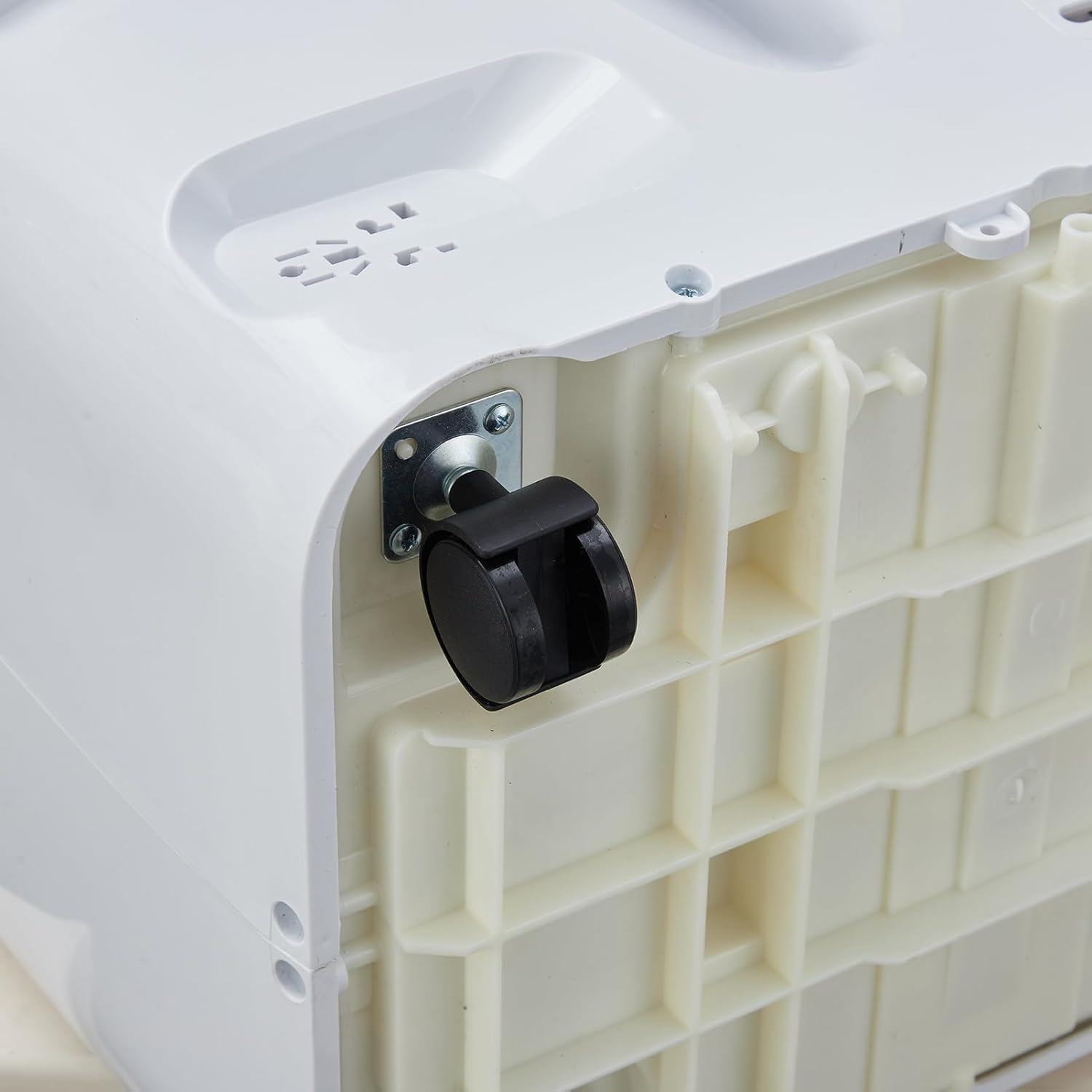
الشكل 3.3: الصورة عن قرب view of a 360-degree swivel caster wheel on the base of the portable air conditioner, facilitating easy movement.
3.2 لوحة التحكم
The control panel is located on the top of the unit. It features buttons for power, mode selection, temperature adjustment, fan speed, and timer settings. An LED display shows the current temperature and settings.
3.3 التحكم عن بعد
The remote control allows you to operate all functions of the air conditioner from a distance. It includes buttons for Power, Mode, Temperature Up/Down, Fan Speed, Sleep, and Timer. Ensure batteries are correctly inserted.
4. الإعداد والتثبيت
Proper installation is crucial for the efficient operation of your portable air conditioner. The unit comes with a window kit for exhaust ventilation.
4.1 فك التعبئة
Carefully remove the air conditioner and all accessories from the packaging. Retain the packaging for future storage or transport. Check for any damage during transit.
4.2 تركيب مجموعة النوافذ
The window kit is designed for most standard vertical and horizontal sliding windows. It includes a slider bracket, exhaust hose, inlet and outlet hoses, and locking screws.
- Adjust the slider bracket to fit your window opening. Secure it with the provided locking screws.
- Connect the exhaust hose to the exhaust outlet on the back of the air conditioner. Twist clockwise to secure.
- Attach the other end of the exhaust hose to the window kit adapter.
- Place the unit near the window, ensuring the exhaust hose is extended and not kinked.
الشكل 4.1: الجانب view of the Acekool Portable Air Conditioner, showing the flexible exhaust hose connected to the rear of the unit.

Figure 4.2: The Acekool Portable Air Conditioner positioned in a room, with its exhaust hose properly installed in a window using the provided window kit.
4.3 توصيل الطاقة
Plug the power cord into a grounded electrical outlet. Ensure the outlet meets the electrical requirements of the unit.
5. تعليمات التشغيل
Your Acekool Portable Air Conditioner offers three primary operating modes: Cool, Dehumidifier, and Fan.
5.1 تشغيل/إيقاف التشغيل
اضغط على قوة اضغط على الزر الموجود على لوحة التحكم أو جهاز التحكم عن بعد لتشغيل الوحدة أو إيقاف تشغيلها.
5.2 اختيار الوضع
اضغط على وضع اضغط على الزر بشكل متكرر للتنقل بين الأوضاع المتاحة:
- وضع بارد: Provides powerful cooling. Set your desired temperature between 59°F and 88°F using the temperature adjustment buttons.
- وضع مزيل الرطوبة: Removes excess moisture from the air, up to 60 pints per day. The fan speed is fixed in this mode.
- وضع المروحة: يقوم بتدوير الهواء دون تبريد. يمكنك اختيار سرعات مختلفة للمروحة.
- الوضع الذكي: The unit automatically adjusts between Cool mode and Fan mode based on the room temperature to optimize energy efficiency.
5.3 تعديل درجة الحرارة
في وضع التبريد، استخدم UP و تحت arrow buttons to set your desired temperature. The temperature range is 59°F to 88°F.
5.4 سرعات للمروحة
اضغط على مروحة السرعة button to select between Low, Medium, and High fan speeds. This function is available in Cool and Fan modes.
5.5 وضع السكون
فعل ينام mode for quiet operation and energy saving during nighttime. In this mode, the unit maintains an optimal temperature at a low fan speed, gradually increasing the set temperature by 1°F after 30 minutes and another 1°F after another 30 minutes, then maintaining this temperature for 7 hours before returning to the original setting.
5.6 وظيفة المؤقت
The 24-hour timer allows you to set the unit to turn on or off automatically after a specified period. Press the المؤقت button and use the temperature adjustment buttons to set the desired hours.
6. الصيانة والعناية
تضمن الصيانة المنتظمة الأداء الأمثل وتطيل عمر مكيف الهواء الخاص بك.
6.1 تنظيف المرشح
ينبغي تنظيف فلتر الهواء كل أسبوعين أو أكثر حسب الاستخدام وجودة الهواء.
- افصل الوحدة عن مأخذ الطاقة.
- Locate the air filter on the rear of the unit.
- قم بإزالة الفلتر عن طريق سحبه للخارج برفق.
- اغسل الفلتر بالماء الدافئ والصابون. اشطفه جيدًا واتركه يجف تمامًا في الهواء قبل إعادة تركيبه.
- أعد تركيب الفلتر الجاف في الوحدة.

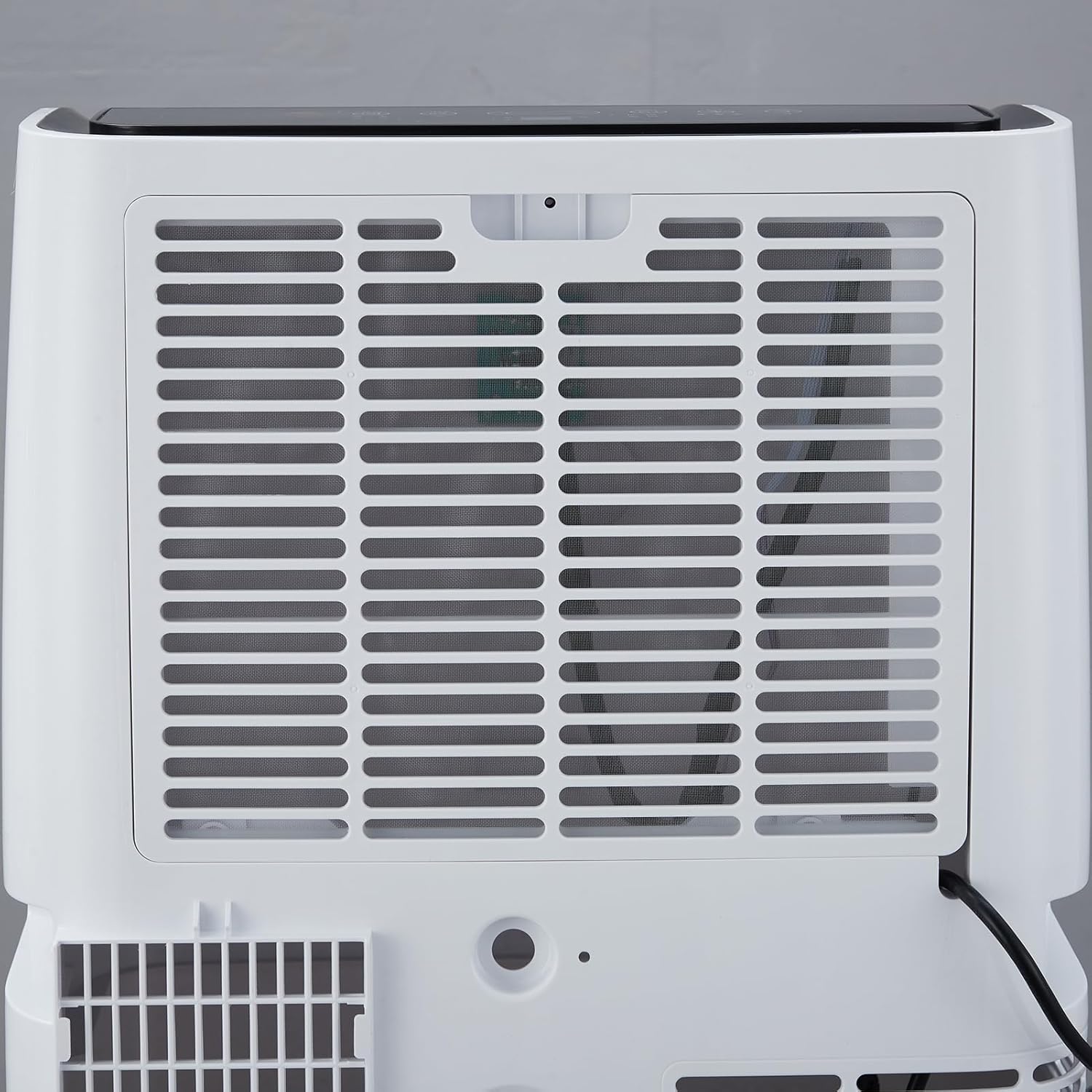
الشكل 6.1: خلفي view of the Acekool Portable Air Conditioner, showing the removable air filter grille for easy access and cleaning.
6.2 تصريف المياه
The unit has a self-evaporation system, but in high humidity conditions, excess water may accumulate. The unit will indicate when drainage is needed.
- افصل الوحدة عن التيار الكهربائي.
- ضع وعاءً أو صينية ضحلة أسفل منفذ التصريف في الجزء الخلفي السفلي للوحدة.
- قم بإزالة سدادة التصريف للسماح بتدفق الماء للخارج.
- بمجرد تصريف المياه، قم بتركيب سدادة التصريف بشكل آمن.
6.3 التخزين
When storing the unit for an extended period, ensure it is completely drained and the filter is clean and dry. Store it in a cool, dry place, preferably in its original packaging.
7. استكشاف الأخطاء وإصلاحها
يرجى الرجوع إلى الجدول أدناه للتعرف على المشكلات الشائعة وحلولها.
| مشكلة | السبب المحتمل | حل |
|---|---|---|
| الوحدة لا تعمل | لا يوجد مصدر للطاقة؛ سلك الطاقة غير موصول؛ قاطع الدائرة معطل. | تحقق من منفذ الطاقة؛ تأكد من إدخال القابس بالكامل؛ أعد ضبط قاطع الدائرة. |
| الوحدة لا تبرد بشكل فعال | Air filter is dirty; Room size too large; Doors/windows open; Exhaust hose blocked or improperly installed; Temperature setting too high. | Clean air filter; Ensure room size is within specifications; Close all doors and windows; Check exhaust hose for kinks or blockages; Lower the set temperature. |
| الوحدة صاخبة | Unit not on a level surface; Air filter dirty; Foreign object in fan. | Place unit on a flat, stable surface; Clean air filter; Turn off and unplug unit, then check for obstructions. |
| تسرب المياه | Drain plug not securely closed; Unit tilted; High humidity causing excess condensation. | Ensure drain plug is tightly closed; Place unit on a level surface; Drain the unit if the water tank is full. |
8. المواصفات الفنية
| مواصفة | قيمة |
|---|---|
| رقم الموديل | FDP35-3034R3 |
| قوة التبريد | 12,000 وحدة حرارية بريطانية |
| منطقة التغطية | تصل إلى 550،XNUMX قدم مربع. |
| المجلدtage | 115 فولت |
| واتtage | 1200 واط |
| قدرة إزالة الرطوبة | 60 مكاييل / يوم |
| مستوى الضوضاء | 51 ديسيبل |
| أبعاد المنتج (العمق × العرض × الارتفاع) | 18.5 بوصة × 15.35 بوصة × 35.24 بوصة |
| وزن العنصر | 75.8 رطل |
| مدى درجة الحرارة | 59 درجة فهرنهايت - 88 درجة فهرنهايت |
9. معلومات الضمان
Acekool products are manufactured to the highest quality standards. This product is covered by a limited warranty against defects in materials and workmanship from the date of purchase. Please refer to the warranty card included with your product for specific terms and conditions. Keep your proof of purchase for warranty claims.
10. دعم العملاء
If you have any questions, require technical assistance, or need to make a warranty claim, please contact Acekool customer support.
- Webموقع: Visit the official Acekool webالموقع للأسئلة الشائعة وموارد الدعم.
- بريد إلكتروني: راجع عبوة المنتج أو بطاقة الضمان لمعرفة بريد خدمة العملاء الإلكتروني.
- هاتف: راجع عبوة المنتج أو بطاقة الضمان لمعرفة رقم هاتف خدمة العملاء.
Please have your model number (FDP35-3034R3) and purchase date ready when contacting support.