
THOMSON B210
THOMSON B210 Bluetooth Soundbar User Manual
الموديل: B210
1. معلومات السلامة
يرجى قراءة جميع تعليمات السلامة بعناية قبل استخدام هذا المنتج. احتفظ بهذا الدليل للرجوع إليه مستقبلًا.
- لا تعرض شريط الصوت للمطر أو الرطوبة أو درجات الحرارة العالية.
- لا تسد أي فتحات تهوية.
- استخدم فقط المرفقات/الملحقات المحددة من قبل الشركة المصنعة.
- Unplug the soundbar during lightning storms or when unused for long periods.
- قم بإحالة جميع أعمال الصيانة إلى موظفي الخدمة المؤهلين.
2. محتويات العبوة
تأكد من وجود جميع العناصر في العبوة:
- THOMSON B210 Bluetooth Soundbar
- جهاز التحكم عن بعد
- محول الطاقة
- دليل المستخدم
- Audio Cables (e.g., Optical, AUX - specific cables may vary)
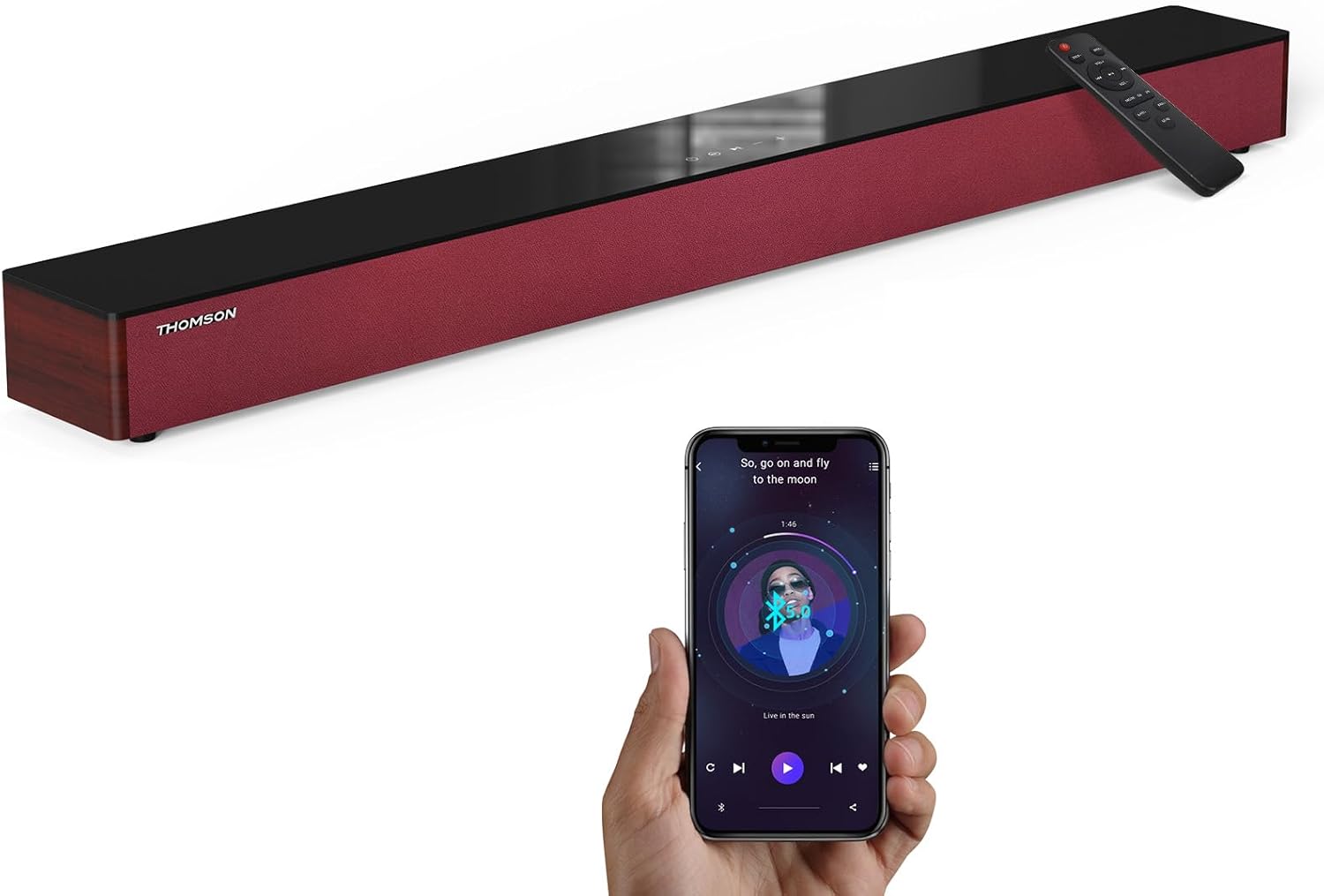
Image: The THOMSON B210 Soundbar, its remote control, and a smartphone demonstrating Bluetooth connectivity.
3. انتهى المنتجview
3.1 اللوحة الأمامية والعلوية
The soundbar features intuitive controls on its top panel for easy access.
3.2 اتصالات اللوحة الخلفية
The rear panel provides various input ports for connecting to different audio sources.

الصورة: مفصلة view of the soundbar's rear connection ports, including AUX IN, COAXIAL, OPTICAL, HDMI ARC, USB, and DC IN.
3.3 التحكم عن بعد
The included remote control allows for convenient operation of all soundbar functions.

Image: A hand operating the soundbar with its remote control, demonstrating wireless command over the device.
4. الإعداد
4.1 التنسيب
Place the soundbar on a stable, flat surface directly in front of your television for optimal sound dispersion. Ensure there is adequate space around the soundbar for ventilation.
4.2 توصيل الطاقة
- Connect the power adapter to the DC IN port on the rear of the soundbar.
- قم بتوصيل الطرف الآخر من محول الطاقة بمأخذ التيار الموجود على الحائط.
5. تعليمات التشغيل
5.1 تشغيل/إيقاف التشغيل
Press the Power button on the soundbar's top panel or the remote control to turn the unit on or off.
5.2 التحكم في مستوى الصوت
استخدم زري رفع مستوى الصوت (+) وخفض مستوى الصوت (-) الموجودين على مكبر الصوت أو جهاز التحكم عن بعد لضبط مستوى الصوت.
5.3 اختيار المدخلات
Press the 'MODE' button on the soundbar or remote control to cycle through available input sources: ARC, Optical, AUX, USB, and Bluetooth.
5.4 أوضاع المعادل
The soundbar offers three distinct equalizer modes to optimize audio for different content types:
- وضع الموسيقى: Enhances musical clarity and bass.
- وضع الفيلم: Provides a more immersive cinematic experience.
- وضع الأخبار: Optimizes dialogue for clear speech.
Press the corresponding EQ button on the remote control to select your desired mode.

Image: Visual representation of the soundbar's optimized audio modes for Music, Movie, and News content.
6. الاتصالات
The THOMSON B210 Soundbar supports multiple connection types for versatility.

Image: The soundbar demonstrating its compatibility with multiple devices such as projectors, PCs, game consoles, and smartphones.
6.1 وصلة HDMI ARC
For the best audio quality and control, connect your TV to the soundbar using an HDMI cable via the ARC port.
- Connect one end of an HDMI cable to the HDMI ARC port on your TV.
- Connect the other end to the HDMI ARC port on the soundbar.
- Select 'ARC' as the input source on the soundbar.
6.2 التوصيل البصري
Use an optical cable for a high-quality digital audio connection.
- Connect one end of an optical cable to the Optical OUT port on your TV or audio device.
- Connect the other end to the OPTICAL port on the soundbar.
- Select 'Optical' as the input source on the soundbar.
6.3 اتصال AUX
For analog audio devices, use an AUX cable.
- Connect one end of a 3.5mm audio cable to the headphone jack or AUX OUT port on your device.
- قم بتوصيل الطرف الآخر بمنفذ AUX IN الموجود على مكبر الصوت.
- Select 'AUX' as the input source on the soundbar.
6.4 اتصال USB
تشغيل الصوت files مباشرة من جهاز تخزين USB.
- أدخل محرك أقراص USB في منفذ USB الموجود على مكبر الصوت.
- Select 'USB' as the input source on the soundbar.
- سيبدأ مكبر الصوت تلقائيًا في تشغيل الصوت المتوافق files.
6.5 اقتران بلوتوث
قم بتوصيل هاتفك الذكي أو جهازك اللوحي أو أي جهاز آخر يدعم تقنية البلوتوث لاسلكيًا.
- Turn on the soundbar and select 'Bluetooth' mode using the 'MODE' button. The Bluetooth indicator will flash.
- قم بتمكين البلوتوث على جهازك وابحث عن الأجهزة المتاحة.
- Select 'THOMSON B210' from the list.
- Once paired, the Bluetooth indicator will stop flashing and remain solid.

Image: A family enjoying entertainment with the soundbar, illustrating seamless Bluetooth connectivity from a smartphone.
7. الصيانة
لضمان طول العمر والأداء الأمثل لشريط الصوت الخاص بك، اتبع إرشادات الصيانة التالية:
- تنظيف: استخدم قطعة قماش ناعمة وجافة لتنظيف سطح مكبر الصوت. لا تستخدم منظفات سائلة أو مواد كاشطة.
- تخزين: إذا كنت ستخزن مكبر الصوت لفترة طويلة، فافصله عن مأخذ الطاقة وخزنه في مكان بارد وجاف.
- تهوية: تأكد من عدم انسداد فتحات التهوية لمنع ارتفاع درجة الحرارة.
8. استكشاف الأخطاء وإصلاحها
If you encounter issues with your THOMSON B210 Soundbar, refer to the following common problems and solutions:
| مشكلة | السبب المحتمل | حل |
|---|---|---|
| لا يوجد طاقة | كابل الطاقة غير موصول؛ مأخذ الطاقة غير نشط | تأكد من توصيل كابل الطاقة بإحكام؛ جرب مأخذ طاقة مختلف |
| لا يوجد صوت | مصدر إدخال غير صحيح؛ مستوى الصوت منخفض جدًا؛ تم تفعيل كتم الصوت؛ مشكلة في توصيل الكابل | Select correct input source; Increase volume; Deactivate mute; Check audio cable connections |
| فشل اقتران البلوتوث | Soundbar not in pairing mode; Device Bluetooth off; Device too far | Ensure soundbar is in Bluetooth mode (flashing indicator); Enable Bluetooth on device; Move device closer to soundbar |
| جهاز التحكم عن بعد لا يعمل | نفدت البطاريات؛ وجود عائق بين جهاز التحكم عن بعد ومكبر الصوت | Replace remote control batteries; Remove any obstructions; Ensure remote is pointed at the soundbar's sensor |
9. المواصفات
Detailed technical specifications for the THOMSON B210 Soundbar:
- نموذج: ب210
- ماركة: تومسون
- أبعاد المنتج: 36.5 بوصة عمق × 4.7 بوصة عرض × 2.9 بوصة ارتفاع (92.7 سم × 11.8 سم × 7.3 سم)
- وزن السلعة: 11 رطل (حوالي 5 كجم)
- الحد الأقصى لقوة إخراج مكبر الصوت: 50 واط
- نوع التركيب: جبل منضدية
- إصدار البلوتوث: 5.3
- إشارة إلى نسبة الضوضاء: 70 ديسيبل
- المتحدثون: 4 Full Range Speakers, 2 Woofers (Advanced Bass Diaphragms)
- توصيلات الإدخال: ARC (HDMI), Optical, AUX, USB, Bluetooth

Image: Physical dimensions of the soundbar, showing length, width, and height in centimeters, along with a view of the rear ports.

Image: Internal component diagram of the soundbar, detailing its 4 high-performance drivers and 2 advanced bass diaphragms for enhanced audio.
10. الضمان والدعم
THOMSON products are manufactured to high-quality standards. For warranty information and technical support, please refer to the warranty card included with your product or visit the official THOMSON support webموقع.
For further assistance, please contact THOMSON customer service.
Ask a question about this manual
Ask about setup, troubleshooting, compatibility, parts, safety, or missing instructions. Manuals+ will review the question and use this page’s manual context to help answer it.