
1. تعليمات السلامة الهامة
Please read all instructions carefully before using the projector and retain this manual for future reference. Improper use may result in electric shock, fire, or other hazards.
- لا تسد فتحات التهوية. تأكد من وجود مساحة كافية حول جهاز العرض لضمان تدفق الهواء بشكل صحيح.
- لا تعرض جهاز العرض للمطر أو الرطوبة لتجنب نشوب حريق أو حدوث صدمة كهربائية.
- تجنب النظر مباشرة إلى عدسة جهاز العرض عندما يكون lamp يتم تشغيله، لأن الضوء الساطع يمكن أن يسبب تلفًا للعين.
- استخدم فقط المرفقات/الملحقات المحددة من قبل الشركة المصنعة.
- افصل جهاز العرض أثناء العواصف الرعدية أو عند عدم استخدامه لفترات طويلة.
- لا تحاول إصلاح هذا المنتج بنفسك. قم بإحالة جميع أعمال الصيانة إلى فنيين مؤهلين.
2. دليل الإعداد
2.1 محتويات الصندوق
تأكد من وجود جميع العناصر في العبوة:
- HOMPOW Mini Projector
- جهاز التحكم عن بعد
- محول الطاقة
- كابل HDMI
- دليل المستخدم
- بطاقة الضمان

Image: The HOMPOW Mini Projector shown with its remote control, power adapter, and HDMI cable.
2.2 الإعداد الأولي
2.2.1 توصيل الطاقة
- قم بتوصيل محول الطاقة بمنفذ إدخال الطاقة الخاص بالجهاز العرض.
- قم بتوصيل محول الطاقة بمأخذ كهربائي مناسب.
2.2.2 التموضع والتركيز
ضع جهاز العرض على سطح مستوٍ وثابت. للحصول على أفضل النتائج viewing, place it perpendicular to the projection surface (wall or screen).
- مسافة الإسقاط: The recommended projection distance ranges from 3.49 feet to 7.26 feet.
- حجم الصورة: This allows for an image size between 40 inches and 120 inches.
- ضبط التركيز: Rotate the focus ring on the projector lens until the image appears clear and sharp.

Image: Visual comparison demonstrating the clarity of 1080P Full HD supported resolution versus 480P.
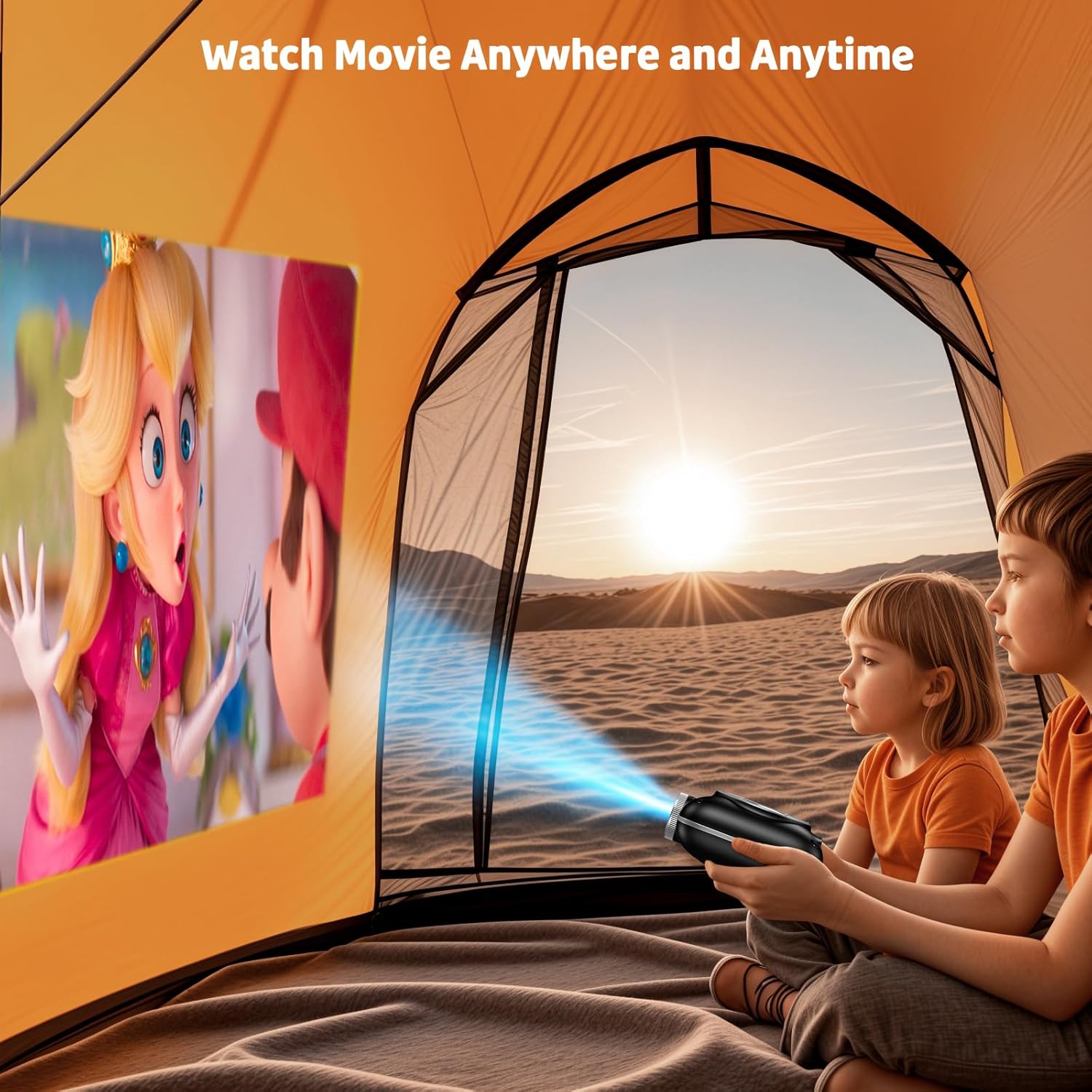
Image: The compact projector projecting a movie inside a tent, highlighting its portability for outdoor use.
3. تعليمات التشغيل
3.1 تشغيل/إيقاف التشغيل
Press the power button on the projector or the remote control to turn the device on or off. The projector features an auto-off timer for convenient screen time management.
3.2 الاتصال
The HOMPOW Mini Projector offers multiple connectivity options:
- منفذ HDMI 2.0: Connect to laptops, TV sticks, gaming consoles (PS4, PS5), and other HDMI-enabled devices using the included HDMI cable.
- منفذ USB 2.0: قم بتوصيل محركات أقراص USB لتشغيل الوسائط.
- بلوتوث ثنائي الاتجاه 5.1: Connect external Bluetooth speakers for enhanced audio or use the projector as a Bluetooth speaker to play music from your phone.

Image: The projector highlighting its wireless connectivity features, including WiFi and Bluetooth.

Image: A visual guide illustrating how to connect various devices such as smartphones, tablets, TV sticks, laptops, PS3/PS4, headphones, and USB drives to the projector.
3.3 انعكاس الشاشة
لعكس شاشة هاتفك الذكي أو جهازك اللوحي:
- للهواتف التي تعمل بنظام Android: Use a Micro USB/Type-C to HDMI adapter (sold separately).
- For iPhones/iPads: Use a Lightning to HDMI adapter (sold separately).
- For Streaming Services: Plug in a TV stick (sold separately) for Netflix/Hulu and other HDCP-compliant streaming platforms.
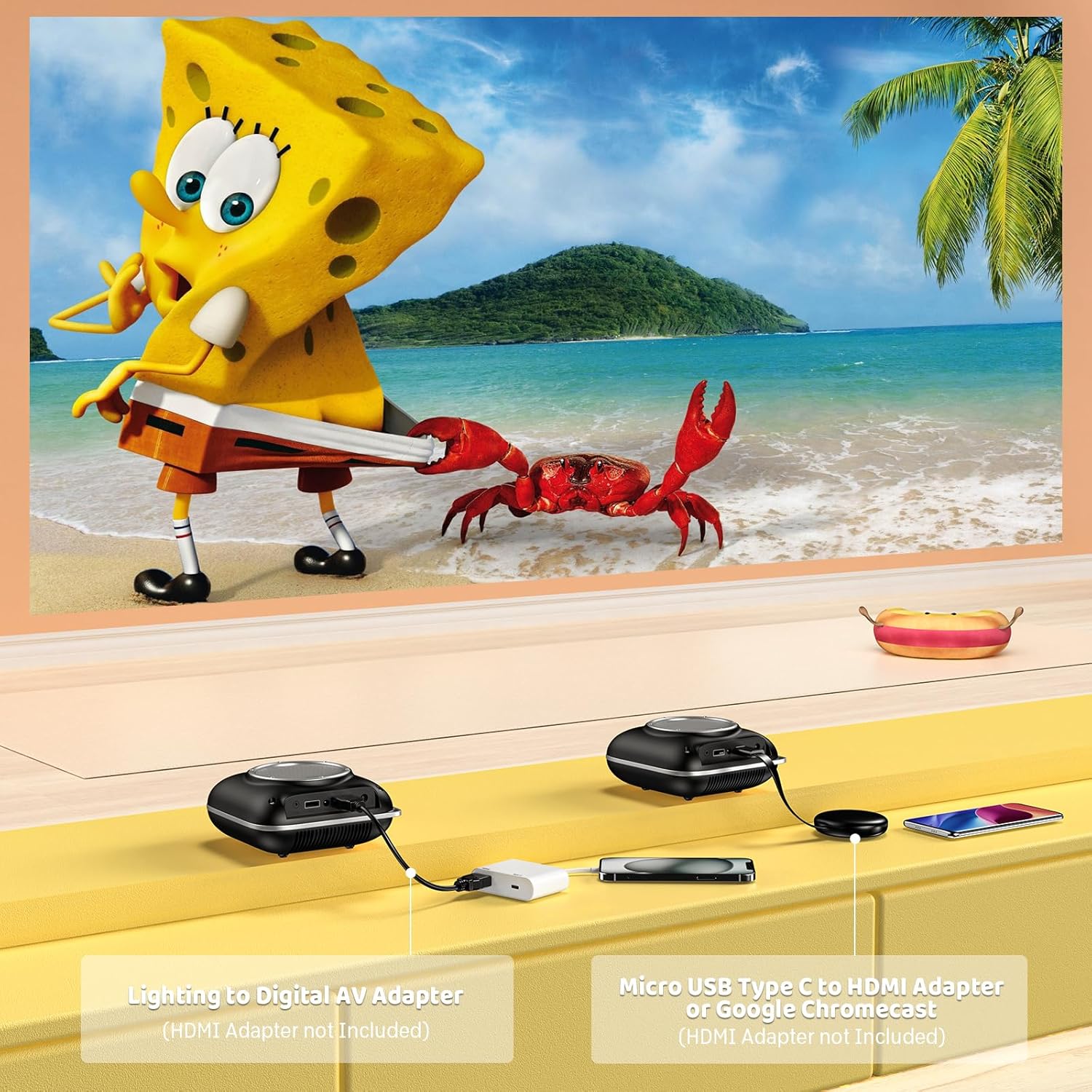
Image: Instructions for connecting mobile devices to the projector using Lightning to Digital AV Adapter for iOS and Micro USB Type-C to HDMI Adapter or Google Chromecast for Android.
3.4 إخراج الصوت
The projector features built-in 5W high-powered stereo speakers. For enhanced sound, utilize the bidirectional Bluetooth 5.1 to connect to external Bluetooth speakers or headphones.

Image: Diagram showing the projector's two-way Bluetooth functionality, allowing connection to an external speaker or functioning as a Bluetooth speaker for a phone.
3.5 Projection Size and Zoom
The projector supports a projection size from 40 to 120 inches. Use the 50%-100% zoom function to adjust the image size without moving the projector.

Image: A visual representation of the 50%-100% zoom function, showing how the projected image size can be adjusted.
4. الصيانة
4.1 التنظيف
- عدسة: استخدم قطعة قماش ناعمة وخالية من الوبر، مُخصصة للعدسات البصرية. لا تستخدم منظفات كاشطة.
- الخارج: Wipe the projector's exterior with a soft, dry cloth. Avoid using harsh chemicals or solvents.
- تهوية: Ensure ventilation openings are free from dust and debris to prevent overheating.
4.2 التخزين
When not in use, store the projector in a cool, dry place, away from direct sunlight and extreme temperatures. Use the original packaging or a protective case to prevent dust accumulation and damage.
5. استكشاف الأخطاء وإصلاحها
يرجى الرجوع إلى الجدول أدناه للتعرف على المشكلات الشائعة وحلولها.
| مشكلة | السبب المحتمل | حل |
|---|---|---|
| لم يتم عرض أي صورة | الطاقة غير موصولة، مصدر الإدخال غير صحيح، غطاء العدسة مثبت. | تحقق من توصيل الطاقة، وحدد مصدر الإدخال الصحيح (HDMI/USB)، ثم قم بإزالة غطاء العدسة. |
| صورة ضبابية | لم يتم ضبط التركيز، جهاز العرض قريب جدًا/بعيد جدًا. | Adjust the focus ring, ensure projector is within optimal projection distance (3.49-7.26 ft). |
| لا يوجد صوت | Volume too low, external speaker not connected, audio format unsupported. | Increase volume, connect Bluetooth speaker, check audio format compatibility. |
| انعكاس الشاشة لا يعمل | Incorrect adapter, device compatibility issue. | Ensure correct HDMI adapter for your phone (Micro USB/Type-C for Android, Lightning for iOS). |
| ارتفاع درجة حرارة جهاز العرض | انسداد التهوية، الاستخدام المطول. | Ensure clear space around vents, allow projector to cool down if used for extended periods. |
6. المواصفات الفنية
| ميزة | التفاصيل |
|---|---|
| ماركة | هومبو |
| نموذج | B0F43PY223 |
| الدقة الأصلية | 1280 × 720 (720 بكسل) |
| الدقة المدعومة | 1920 × 1080 (1080P Full HD) |
| تكنولوجيا الاتصال | HDMI, USB 2.0, Bluetooth 5.1 (Two-Way) |
| نوع العرض | CRT (as per specification, typically LCD for mini projectors) |
| نسبة التباين | 10000:1 |
| حجم العرض | 40 - 120 بوصة |
| مسافة الرمي | 3.49 - 7.26 قدم |
| عمر تشغيل مصدر الضوء | 50000 ساعة |
| مكبر صوت مدمج | 5W High-Powered Stereo Speakers |
| وظيفة التكبير | 50%-100% |
| الأبعاد (الطول × العرض × الارتفاع) | 4.9 بوصة × 4.9 بوصة × 2.1 بوصة |
| وزن | 0.7 كيلوغرام |
| استهلاك الطاقة | 30 واط |
| المجلدtage | 110 فولت |
7. الضمان والدعم
7.1 معلومات الضمان
The HOMPOW Mini Projector comes with:
- A 30-day replacement window.
- 2-year repair coverage.
يرجى الاحتفاظ بإثبات الشراء الخاص بك لمطالبات الضمان.
7.2 دعم العملاء
For any questions, troubleshooting assistance, or warranty inquiries, please contact HOMPOW customer support. We offer 24/7 assistance to ensure stress-free ownership.
Contact information can typically be found on the HOMPOW official webالموقع الإلكتروني أو بطاقة الضمان المرفقة في العبوة.