
1. المقدمة
Thank you for choosing the LEFFOT M1 Plus Android 14.0 TV Box. This device is designed to transform your television into a smart entertainment hub, offering stunning 4K UHD visuals, powerful performance, and a wide range of connectivity options. This manual provides detailed instructions for setting up, operating, and maintaining your TV box to ensure an optimal user experience.
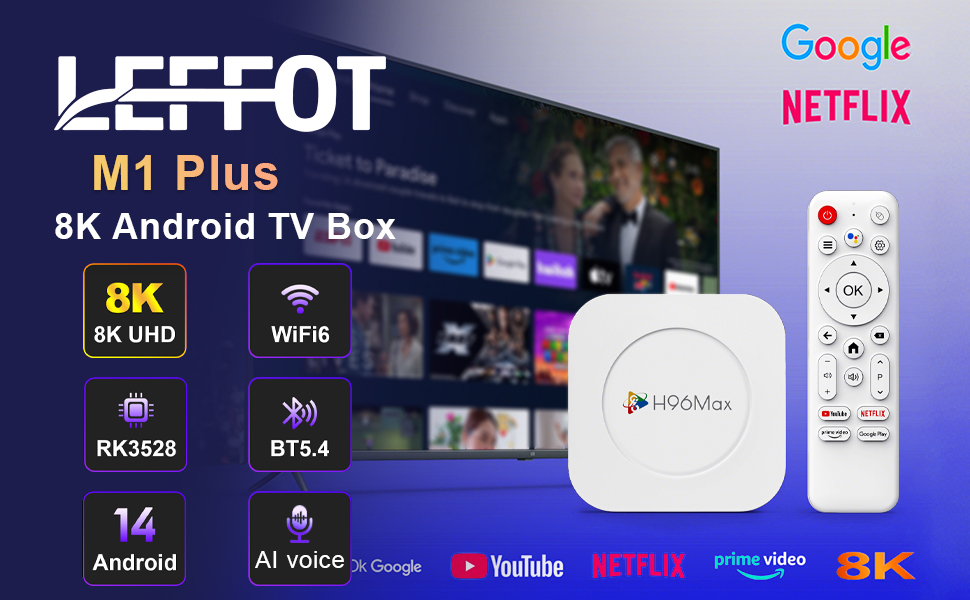
الصورة 1.1: انتهىview of the LEFFOT M1 Plus Android TV Box highlighting its core features like 8K UHD, WiFi 6, BT 5.4, Android 14, and AI voice control.
2. معلومات السلامة
يرجى قراءة جميع تعليمات السلامة بعناية قبل استخدام الجهاز. قد يؤدي عدم اتباع هذه التعليمات إلى حدوث صدمة كهربائية أو حريق أو تلف للجهاز.
- استخدم فقط محول الطاقة المقدم.
- لا تعرض الجهاز للماء أو الرطوبة أو درجات الحرارة العالية.
- تأكد من التهوية المناسبة حول الجهاز لمنع ارتفاع درجة الحرارة.
- لا تحاول تفكيك الجهاز أو إصلاحه بنفسك. اتصل بفني صيانة مؤهل.
- احفظ الجهاز بعيدًا عن أشعة الشمس المباشرة ومصادر الحرارة.
3. محتويات العبوة
تأكد من وجود جميع العناصر في العبوة:
- LEFFOT M1 Plus Android TV Box
- جهاز التحكم عن بعد
- كابل HDMI
- محول الطاقة
- دليل المستخدم (هذا المستند)
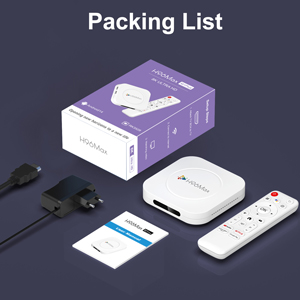
Image 3.1: The package contents including the TV box, remote control, power adapter, and HDMI cable.
4. انتهى المنتجview
Familiarize yourself with the components and ports of your LEFFOT M1 Plus TV Box.
4.1. Device and Remote

Image 4.1: The LEFFOT M1 Plus TV Box (left) and its accompanying remote control (right).
4.2. المنافذ والواجهات
The TV box features various ports for connectivity:
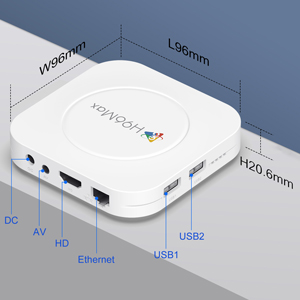
الصورة 4.2: تفصيلية view of the TV box's ports: DC (power), AV (audio/video out), HD (HDMI), Ethernet, USB1, and USB2.
- العاصمة: منفذ إدخال الطاقة.
- من: Analog audio/video output (for older TVs).
- عالية الدقة: HDMI output for connecting to your TV.
- إيثرنت: RJ-45 port for wired network connection.
- USB1 و USB2: USB ports for connecting external devices like USB drives, keyboards, or mice.
5. الإعداد
Follow these steps to set up your LEFFOT M1 Plus TV Box:
- الاتصال بالتلفزيون: Connect one end of the provided HDMI cable to the "HD" port on the TV box and the other end to an HDMI input port on your television. Note the HDMI input number (e.g., HDMI 1, HDMI 2) on your TV.
- توصيل الطاقة: Plug the power adapter into the "DC" port on the TV box, then plug the adapter into a wall outlet.
- تشغيل الطاقة: The TV box should automatically power on. If not, press the power button on the remote control.
- حدد مدخل التلفزيون: On your TV, use the remote control to select the corresponding HDMI input source you connected the TV box to.
- معالج الإعداد الأولي: اتبع التعليمات التي تظهر على الشاشة لإكمال الإعداد الأولي، بما في ذلك اختيار اللغة والمنطقة الزمنية والاتصال بالشبكة.
6. تعليمات التشغيل
Navigate and use your TV box effectively.
6.1. التنقل الأساسي
- Use the directional (Up, Down, Left, Right) buttons on the remote to move between menu items and applications.
- اضغط على OK زر لاختيار عنصر أو تأكيد إجراء.
- اضغط على خلف زر للعودة إلى الشاشة السابقة.
- اضغط على بيت button to return to the main home screen.
6.2. الوصول إلى التطبيقات
From the home screen, you can access pre-installed applications or download new ones from the Google Play Store. Navigate to the desired app icon and press OK لإطلاقه.

Image 6.1: The Android 14.0 TV Box home screen displaying popular streaming applications.
6.3. التحكم الصوتي
The LEFFOT M1 Plus supports voice control via Google Assistant. To use this feature:
- Ensure your remote control is paired and has working batteries.
- اضغط على مساعد صوتي button (often a microphone icon) on your remote.
- Speak clearly into the remote's microphone. You can ask to open apps, search for content, or control playback.

Image 6.2: Demonstrating the convenient voice control feature using the remote and Google Assistant.
6.4. Media Playback and Display Features
Enjoy high-quality media with advanced features:
- 8K UHD: The device supports up to 8K*4K@23fps and 4Kx2K@60fps resolution with HDR10 for vibrant and detailed visuals.
- Airplay, DLNA, WiFidisplay: Easily cast content from your mobile devices to your TV screen.

Image 6.3: Experience crystal-clear 8K resolution with the LEFFOT M1 Plus.

Image 6.4: The TV box supports various connectivity options and display technologies like Airplay, DLNA, and WiFidisplay.
6.5. سيناريوهات الاستخدام
The LEFFOT M1 Plus TV Box is versatile for various uses:
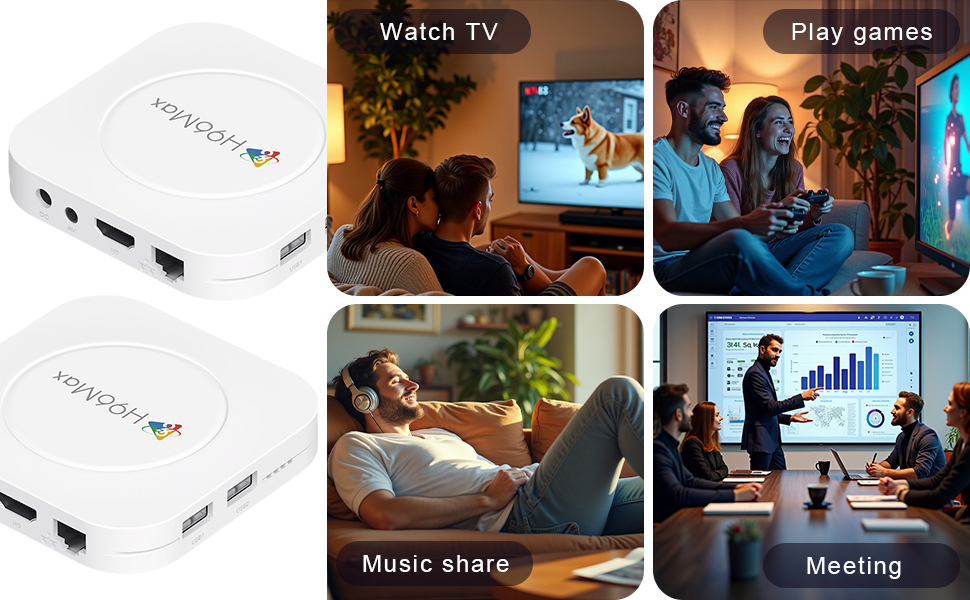
Image 6.5: The TV box can be used for watching TV, playing games, sharing music, and even for business presentations.
7. الاتصال
7.1. اتصال واي فاي
The device supports 2.4G & 5G dual-band Wi-Fi 6 for fast and stable wireless internet.
- اذهب الى إعدادات > الشبكات والانترنت.
- قم بتشغيل واي فاي.
- حدد شبكة Wi-Fi الخاصة بك من القائمة.
- Enter the password if prompted and select يتصل.

Image 7.1: The TV box features advanced Wi-Fi 6 technology for faster and more reliable connections.
7.2. اتصال إيثرنت
For a wired connection, plug an Ethernet cable into the "Ethernet" port on the TV box and the other end into your router/modem.
7.3. اتصال بلوتوث
The device supports Bluetooth 5.4 for connecting peripherals like headphones, game controllers, or speakers.
- اذهب الى إعدادات > الأجهزة المتصلة > إقران جهاز جديد.
- ضع جهاز Bluetooth في وضع الإقران.
- Select your device from the list and follow the on-screen prompts to pair.
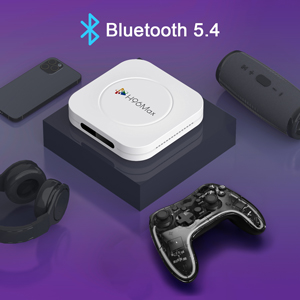
Image 7.2: The TV box supports Bluetooth 5.4 for seamless connection with various external devices.
8. استكشاف الأخطاء وإصلاحها
راجع هذا القسم للتعرف على المشكلات الشائعة وحلولها.
| مشكلة | السبب المحتمل | حل |
|---|---|---|
| لا يوجد طاقة | محول الطاقة غير متصل أو معيب. | تأكد من توصيل محول الطاقة بالجهاز بشكل صحيح وبمأخذ كهربائي يعمل. جرب مأخذاً كهربائياً آخر. |
| لا توجد إشارة على التلفزيون | Incorrect HDMI input selected on TV; HDMI cable loose or faulty. | Verify TV input matches the HDMI port used. Check HDMI cable connections. Try a different HDMI cable or port. |
| مشاكل اتصال Wi-Fi | كلمة مرور خاطئة؛ جهاز التوجيه بعيد جدًا؛ تداخل. | Re-enter Wi-Fi password. Move device closer to router. Restart router and TV box. |
| جهاز التحكم عن بعد لا يستجيب | بطاريات منخفضة، جهاز التحكم عن بعد غير مقترن. | Replace batteries. Re-pair the remote control if it's a Bluetooth remote (refer to device settings). |
| تعطل التطبيقات أو بطء الأداء | تشغيل عدد كبير جدًا من التطبيقات؛ مساحة تخزين منخفضة؛ خلل في البرنامج. | Close background apps. Clear app caches. Restart the TV box. Consider a factory reset if issues persist (data will be lost). |
9. المواصفات
Key technical specifications of the LEFFOT M1 Plus Android TV Box:
- نظام التشغيل: أندرويد 14.0
- وحدة المعالجة المركزية: RK3528 Quad Core ARM Cortex-A53
- وحدة معالجة الرسوميات: مالي-شنومكس مبسنومك
- كبش: 4 جيجا بايت
- ذاكرة للقراءة فقط: 32 جيجا بايت
- إخراج الفيديو: Supports 4Kx2K@60fps, 8K*4K@23fps, HDR10
- واي فاي: 2.4G & 5G Dual-band Wi-Fi 6
- إيثرنت: 100 مليون
- بلوتوث: بي تي 5.4
- الموانئ: HDMI, USB (x2), DC, AV, Ethernet
- المميزات الخاصة: Airplay, DLNA, WiFidisplay, Voice Control
- أبعاد: 3.78 × 3.78 × 0.81 بوصة (96 × 96 × 20.6 مم)
- وزن: 4.3 أونصة (حوالي 122 جرامًا)
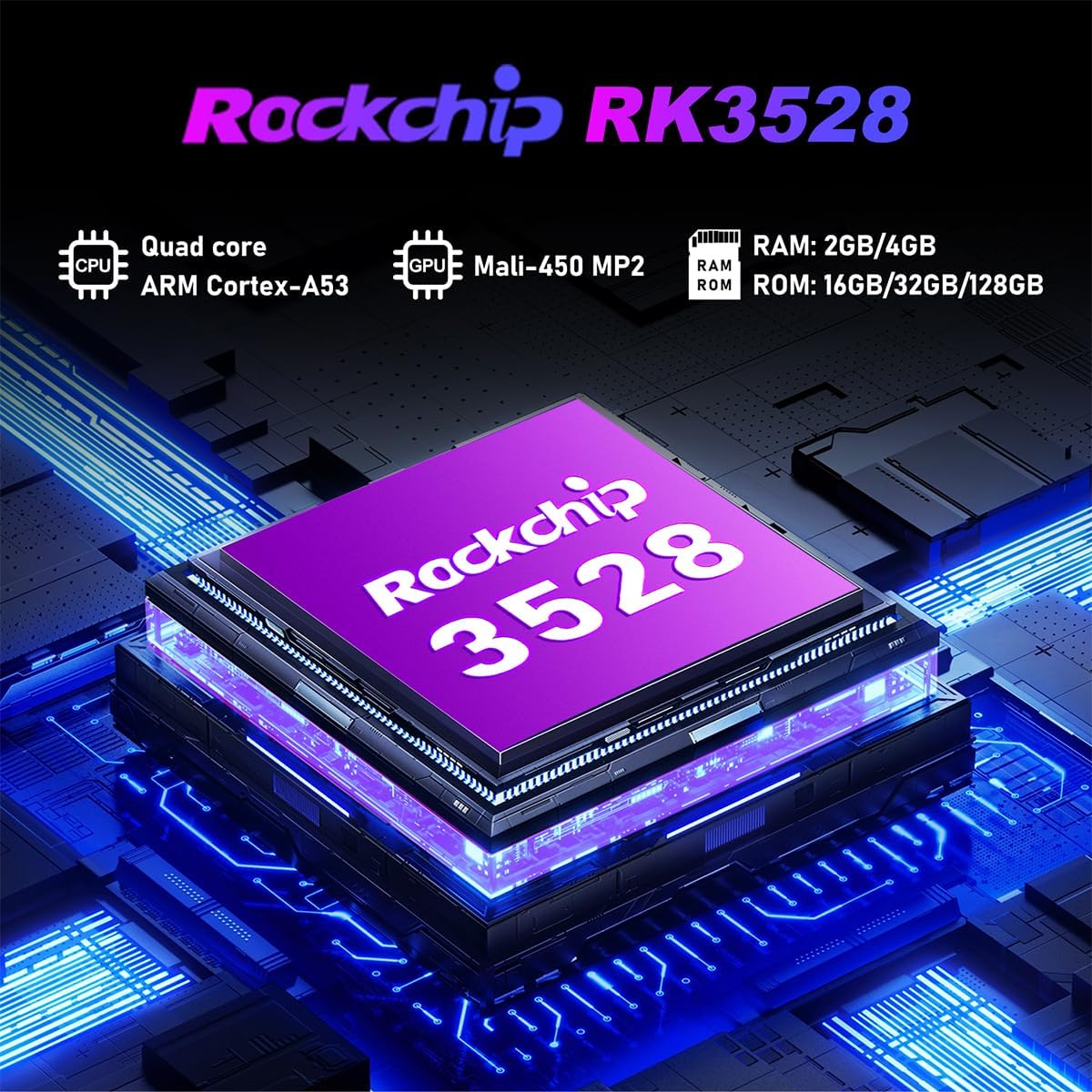
الصورة 9.1: تفصيلية view of the Rockchip RK3528 processor, highlighting its quad-core CPU, Mali-450 MP2 GPU, and memory configurations.
10. الصيانة
To ensure the longevity and optimal performance of your TV box:
- تنظيف: استخدم قطعة قماش ناعمة وجافة لتنظيف الجزء الخارجي من الجهاز. لا تستخدم المنظفات السائلة أو البخاخات.
- تهوية: Ensure the ventilation holes are not blocked. Do not place the device on soft surfaces that may obstruct airflow.
- تخزين: عند عدم الاستخدام لفترات طويلة، افصل محول الطاقة وخزن الجهاز في مكان بارد وجاف.
11. الضمان والدعم
LEFFOT products are designed for reliability and performance. This product comes with a standard manufacturer's warranty. Please refer to the warranty card included in your package for specific terms and conditions.
For technical support, troubleshooting assistance, or warranty claims, please contact LEFFOT customer service through the retailer where you purchased the product or visit the official LEFFOT webموقع لمعلومات الاتصال.
يرجى الاحتفاظ بإثبات الشراء لأغراض الضمان.