
1. المقدمة
This manual provides essential information for the safe and efficient operation, maintenance, and troubleshooting of your OMTech 60W CO2 Laser Engraver, Model SH-G570. Please read this manual thoroughly before operating the machine to ensure proper usage and to prevent injury or damage.
2. انتهى المنتجview
The OMTech 60W CO2 Laser Engraver is a versatile machine designed for precision cutting and engraving across a wide range of materials. It features a 28"x20" working area, autofocus, air assist, and 4-way pass-through capabilities, making it suitable for various creative and industrial applications.
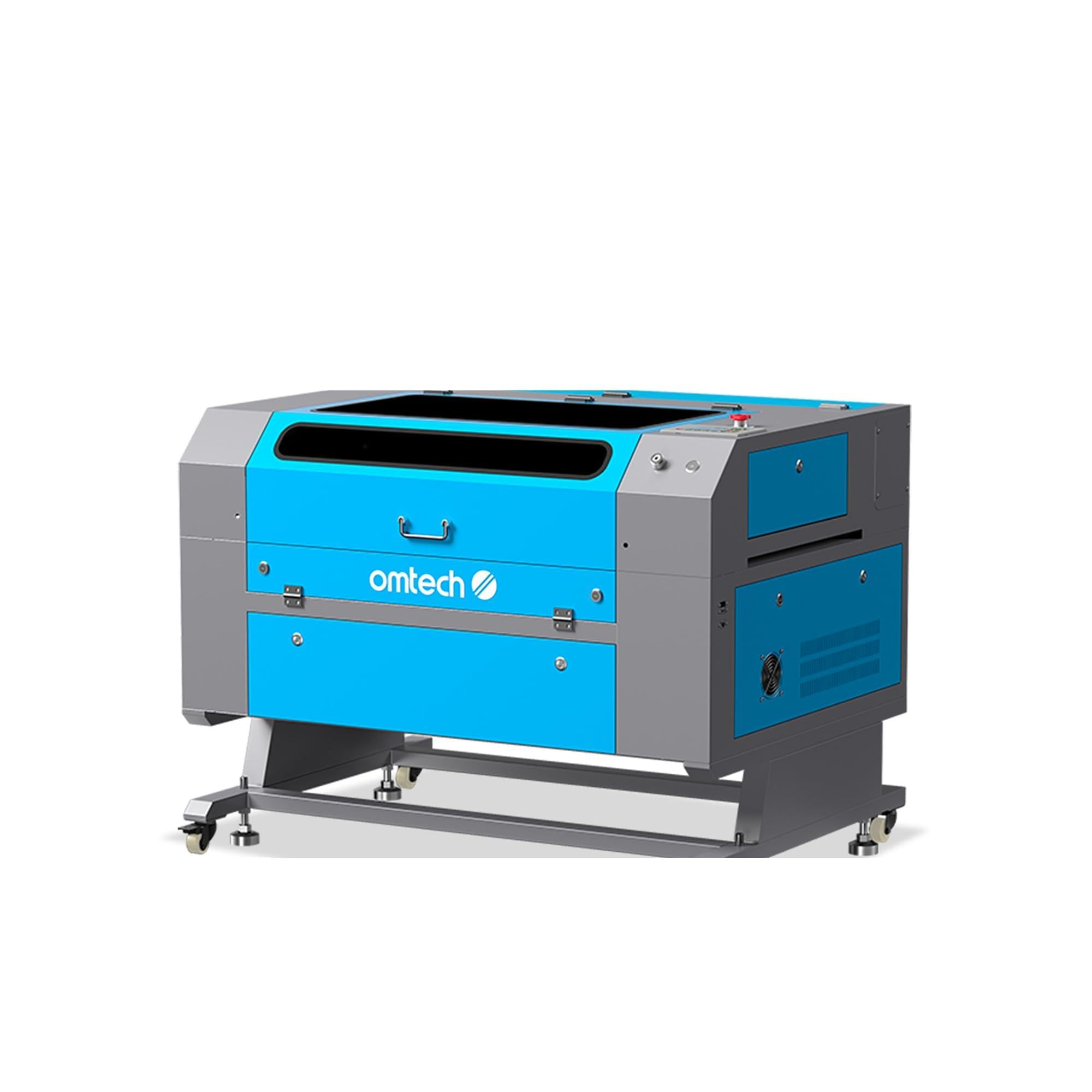
Figure 2.1: OMTech 60W CO2 Laser Engraver, Model SH-G570.
المميزات الرئيسية:
- أنبوب ليزر ثاني أكسيد الكربون بقوة 60 واط: Provides sufficient power for engraving and cutting various materials.
- 28"x20" Working Area: Accommodates a wide range of project sizes.
- وظيفة التركيز التلقائي: Simplifies setup by automatically adjusting the laser focal distance.
- المساعدة الهوائية: Helps to clear debris and reduce scorching during operation, resulting in cleaner cuts and engravings.
- ممر رباعي الاتجاهات: Allows for processing of oversized materials.
- توافق البرامج: Supports LightBurn, RDWorks, CorelDRAW, and AutoCAD.

الشكل 2.2: انتهىview of the laser engraver's main features including laser power, working area, engraving speed, autofocus, and software compatibility.

Figure 2.3: The built-in autofocus and air assist system ensures precise focusing and efficient debris removal for optimal results.

Figure 2.4: The machine offers wide compatibility with popular software like RDWorks, LightBurn, CorelDRAW, and AutoCAD.
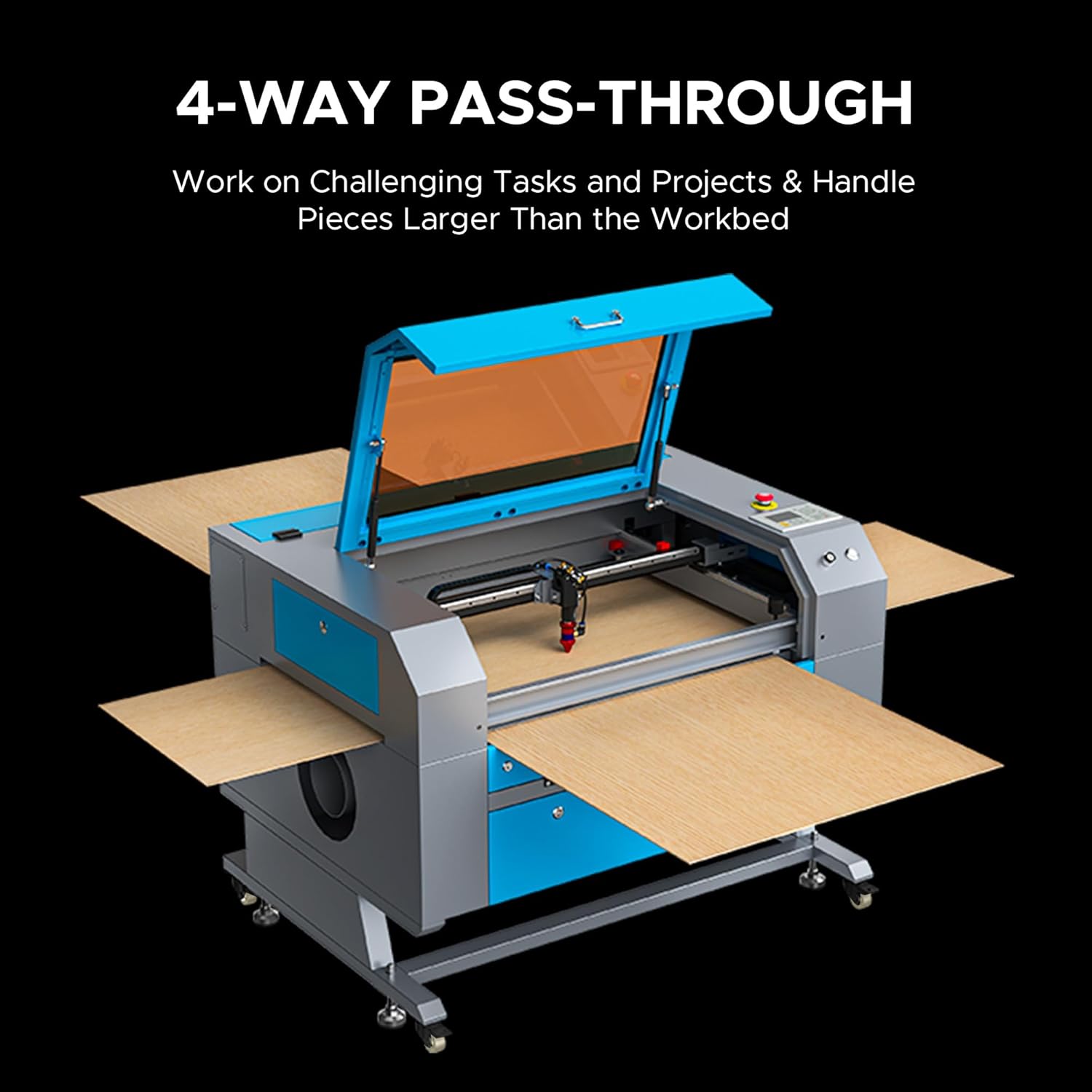
Figure 2.5: The 4-way pass-through design allows for working with materials larger than the internal workbed.
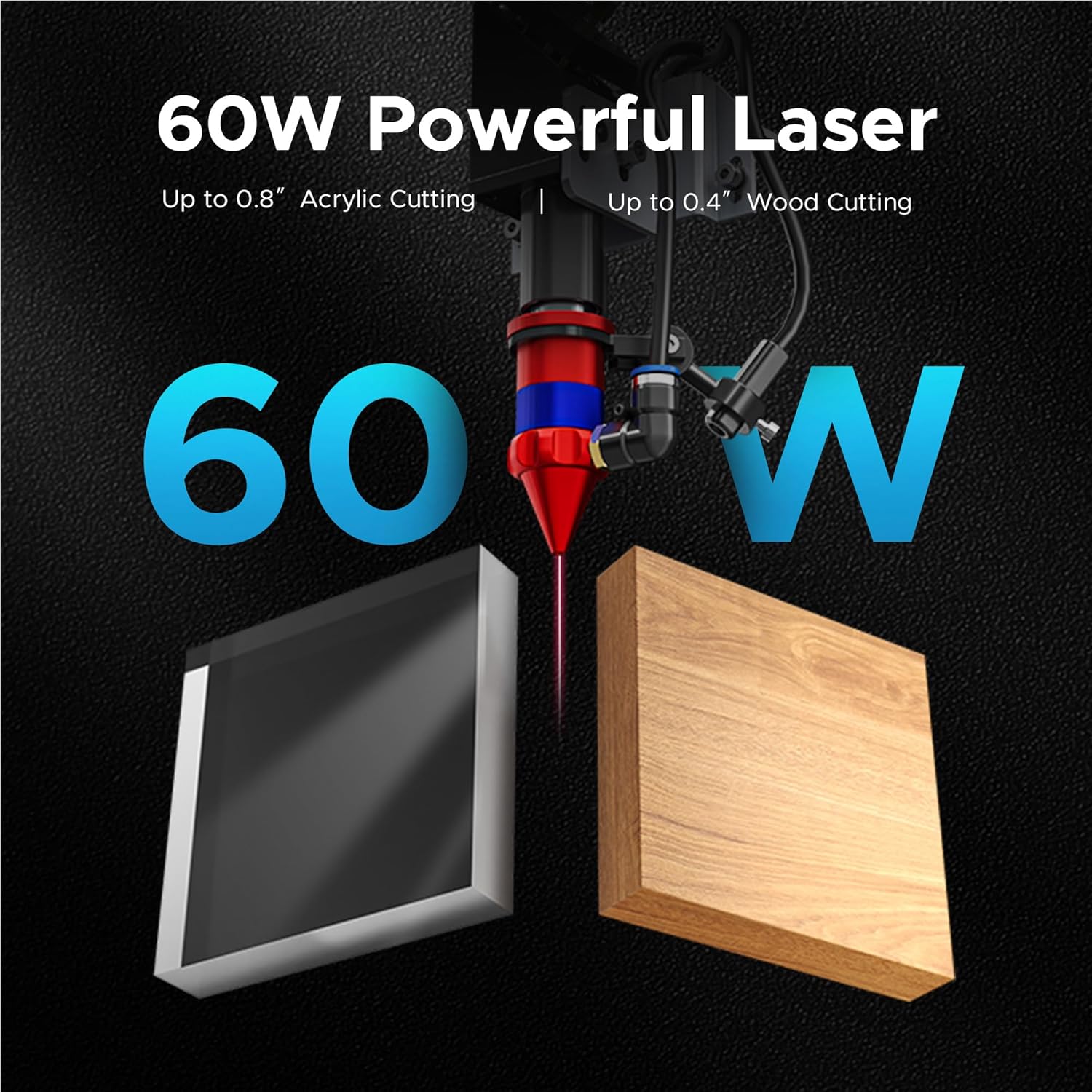
Figure 2.6: The 60W laser is capable of cutting up to 0.8 inches of acrylic and 0.4 inches of wood.

Figure 2.7: The laser head precisely engraves text onto a wooden surface, demonstrating its detailed capabilities.
3. معلومات السلامة
Operating a laser engraver involves inherent risks. Adhere to all safety guidelines to prevent accidents and ensure safe operation.
- حماية العين: احرص دائمًا على ارتداء نظارات السلامة المناسبة لليزر عند تشغيله.
- تهوية: Ensure adequate ventilation to remove fumes and smoke generated during engraving and cutting. An efficient exhaust system is crucial.
- السلامة من الحرائق: Keep a fire extinguisher nearby. Never leave the machine unattended during operation.
- التوافق المادي: لا تقم بنقش أو قطع إلا المواد المعتمدة للاستخدام مع ليزر ثاني أكسيد الكربون. تجنب المواد التي تنتج أبخرة سامة أو شديدة الاشتعال.
- السلامة الكهربائية: تأكد من أن الجهاز مؤرض بشكل صحيح ومتصل بمصدر طاقة مناسب.
- التوقف في حالات الطوارئ: تعرف على موقع وطريقة تشغيل زر التوقف في حالات الطوارئ.

Figure 3.1: An efficient exhaust system is vital for directing hazardous debris and fumes away from the engraving surface and into a ventilation system.
4. الإعداد
Follow these steps to set up your OMTech 60W CO2 Laser Engraver.
4.1 التفريغ والتنسيب
- قم بإزالة الجهاز من عبوته بعناية.
- Place the engraver on a stable, level surface in a well-ventilated area.
- Ensure sufficient space around the machine for operation and maintenance.
4.2 توصيل المكونات
- Connect the exhaust fan and ducting to the machine and vent outdoors.
- Connect the water pump/chiller to the laser tube's inlet and outlet ports. Ensure the water reservoir is filled with distilled water.
- Connect the air pump to the air assist inlet.
- قم بتوصيل كابل الطاقة بمأخذ أرضي.
4.3 تثبيت البرنامج
Your OMTech laser engraver is compatible with LightBurn and RDWorks. Refer to the software-specific installation guides provided with your machine or available on the OMTech webموقع للحصول على إرشادات مفصلة.
الفيديو 4.1: يوفر هذا الفيديو نظرة عامةview of OMTech laser engravers, demonstrating their capabilities and ease of use, which can be helpful during initial setup and understanding the machine's potential.
5. تعليمات التشغيل
This section outlines the basic steps for operating your laser engraver.
5.1 Powering On and Initial Checks
- Turn on the water chiller/pump and air pump. Verify water flow and air pressure.
- قم بتشغيل مفتاح الطاقة الرئيسي في الجهاز.
- The control panel will initialize.
5.2 وضع المواد والتركيز عليها
- Place your material on the honeycomb or blade workbed.
- أغلق غطاء الآلة.
- Use the autofocus function by pressing the designated button on the control panel. The laser head will automatically adjust to the correct focal distance.
5.3 Software Operation and Job Execution
- Open your design software (e.g., LightBurn) on your computer.
- Import or create your design.
- Set appropriate power and speed settings for your material. Refer to the material compatibility chart below for general guidelines.
- أرسل المهمة إلى جهاز النقش بالليزر.
- On the machine's control panel, select the job and press 'Start'.
- Monitor the engraving/cutting process through the flame-resistant window.

Figure 5.1: This table illustrates the wide range of materials compatible with the OMTech 60W CO2 laser for both engraving and cutting applications.

Figure 5.2: The machine's maximum engraving speed of 600 mm/s significantly enhances productivity.
6. الصيانة
Regular maintenance is crucial for the longevity and optimal performance of your laser engraver.
6.1 الصيانة اليومية
- Clean the workbed and interior of the machine to remove debris.
- Check the water level in the chiller and ensure proper circulation.
- Inspect the laser lens and mirrors for dust or residue.
6.2 الصيانة الأسبوعية
- Clean the laser lens and mirrors using a specialized lens cleaning solution and wipes.
- Clean the exhaust fan and ducting.
- Lubricate the guide rails and bearings.
6.3 Laser Tube Care
The CO2 laser tube has a lifespan of up to 1,000 hours, which can be extended with efficient use at lower power settings. Ensure the water chiller maintains a stable temperature to prevent overheating.

Figure 6.1: The high-performance laser tube is designed for long-lasting operation, providing up to 1,000 hours of use.
7. استكشاف الأخطاء وإصلاحها
يتناول هذا القسم المشكلات الشائعة التي قد تواجهها والحلول المحتملة لها.
7.1 No Laser Output
- التحقق من الطاقة: Ensure the machine is powered on and connected to a working outlet.
- مبرد المياه: Verify the water chiller is on and circulating water. The laser will not fire if the water protection sensor is triggered.
- إعدادات البرنامج: Confirm that the laser power and speed settings in your software are correctly configured and not set to zero.
- التوقف في حالات الطوارئ: تأكد من عدم الضغط على زر التوقف الطارئ.
7.2 جودة النقش/القطع رديئة
- ركز: Re-run the autofocus function or manually adjust the focal distance. An incorrect focus is a common cause of poor quality.
- Lens/Mirrors: Clean the laser lens and mirrors. Dirt or smudges can significantly degrade laser performance.
- القوة/السرعة: Adjust laser power and speed settings. Different materials require different settings.
- جودة المواد: Ensure the material itself is suitable and consistent in thickness.
7.3 الجهاز لا يستجيب
- اتصال البرنامج: Check the USB or network connection between the computer and the machine.
- إعادة تشغيل: Try restarting both the machine and the computer.
- لوحة التحكم: Ensure no error messages are displayed on the control panel.
8. المواصفات
Detailed technical specifications for the OMTech 60W CO2 Laser Engraver, Model SH-G570.

Figure 8.1: Summary of rated power, max engraving speed, machine weight, pass sizes, and machine dimensions.
| مواصفة | قيمة |
|---|---|
| رقم الموديل | ش-G570 |
| قوة الليزر | 60 واط |
| منطقة العمل | 28 بوصة × 20 بوصة (700 × 500 مم) |
| ماكس. سرعة الحفر | 600 مم/ثانية |
| عمق القطع (الخشب) | يصل إلى 0.4 بوصة |
| Cutting Depth (Acrylic) | يصل إلى 0.8 بوصة |
| دورة الليزر | Class 2 (0.874 mW output power) |
| التركيز التلقائي | نعم |
| مساعدة الهواء | نعم |
| المرور عبر | 4-الطريق |
| توافق البرامج | LightBurn, RDWorks, CorelDRAW, AutoCAD |
| وزن الماكينة | 249.1 رطل. |
| أبعاد الماكينة | 47.2 بوصة × 34.3 بوصة × 36.6 بوصة |
9. الضمان والدعم
OMTech provides comprehensive support for its products.
9.1 معلومات الضمان
Your OMTech 60W CO2 Laser Engraver comes with a two-year support period. For specific warranty terms and conditions, please refer to the documentation included with your purchase or visit the official OMTech webموقع.
9.2 دعم العملاء
For technical assistance, troubleshooting, or any inquiries regarding your laser engraver, please contact OMTech customer support. They offer U.S.-based technical support and 24/7 online customer service.

Figure 9.1: OMTech offers a demo room program with hosts across the United States for hands-on experience and support.
Video 9.1: This video features 'Laser Guys from OMTech' discussing their experience with OMTech lasers, highlighting the quality, pricing, and how the machines have supported their business growth and product development.