
مقدمة
Thank you for choosing the JUNJIEUNVO BT1638 Over-Ear Wireless Headphones. This manual provides detailed instructions for the proper use, setup, and maintenance of your headphones. Please read this manual thoroughly before using the product to ensure optimal performance and longevity.

Image: The JUNJIEUNVO BT1638 Over-Ear Wireless Headphones in blue, showcasing their design and padded headband.
محتويات الحزمة
يرجى التحقق من الحزمة للعناصر التالية:
- JUNJIEUNVO BT1638 Over-Ear Wireless Headphones
- كابل شحن USB-C
- 3.5 مللي متر كابل صوت AUX
- دليل المستخدم (هذا المستند)
يثبت
1. شحن سماعات الرأس
قبل الاستخدام الأول، اشحن سماعات الرأس بالكامل. يستغرق الشحن الكامل حوالي ساعتين.
- قم بتوصيل كابل الشحن USB-C بمنفذ الشحن الموجود على سماعات الرأس.
- قم بتوصيل الطرف الآخر من كابل USB-C بمصدر طاقة USB متوافق (مثل منفذ USB في الكمبيوتر، أو محول الحائط).
- The indicator light will show charging status (e.g., red for charging, blue/off for fully charged). Refer to the LED indicator section for details.
2. تشغيل / إيقاف التشغيل
- تشغيل الطاقة: اضغط مع الاستمرار على زر الطاقة لمدة 3 ثوانٍ تقريبًا حتى يومض مؤشر الضوء.
- إيقاف التشغيل: اضغط مع الاستمرار على زر الطاقة لمدة 3 ثوانٍ تقريبًا حتى ينطفئ مؤشر الضوء.
3. اقتران بلوتوث
The headphones use Bluetooth 5.0 for wireless connectivity, offering a range of up to 33 feet (10 meters).
- تأكد من إيقاف تشغيل سماعات الرأس.
- اضغط مع الاستمرار على زر الطاقة لمدة 5-7 ثوانٍ تقريبًا حتى يومض ضوء المؤشر باللونين الأحمر والأزرق بالتناوب، مما يشير إلى وضع الاقتران.
- على جهازك (الهاتف الذكي، الجهاز اللوحي، الكمبيوتر المحمول)، قم بتمكين البلوتوث وابحث عن الأجهزة المتاحة.
- Select "BT1638" or "JUNJIEUNVO BT1638" from the list of found devices.
- بمجرد توصيله، سيومض ضوء المؤشر باللون الأزرق ببطء أو سيظل أزرقًا ثابتًا.
- إذا طُلب منك إدخال كلمة المرور، أدخل "0000".
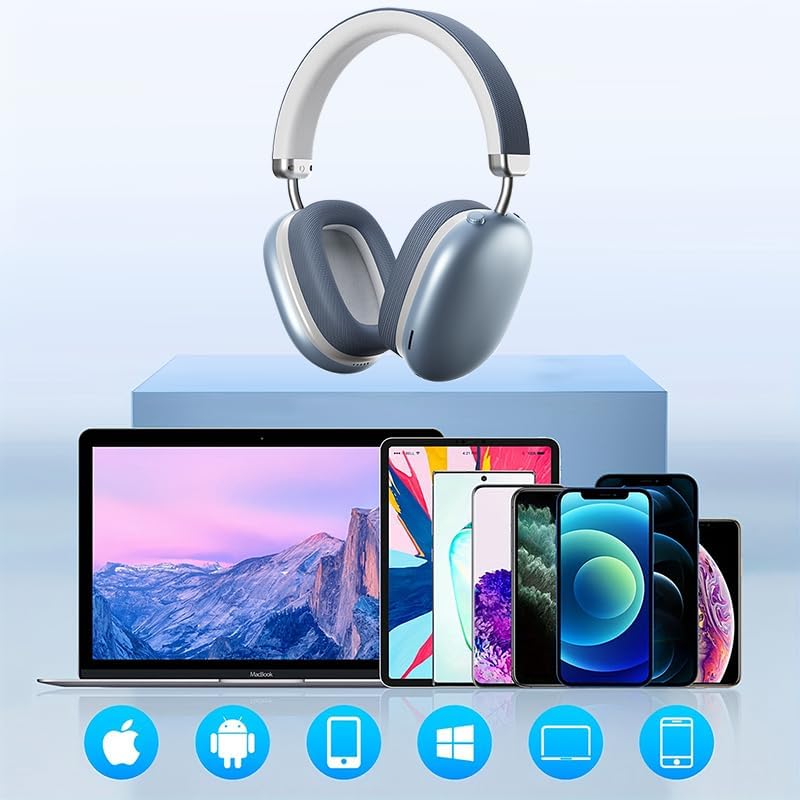
Image: The BT1638 headphones shown with a variety of compatible devices including laptops, smartphones, and tablets, illustrating broad connectivity.
تعليمات التشغيل
1. عناصر التحكم الأساسية
The headphones feature button and touch controls for various functions.
- زر الطاقة: تشغيل/إيقاف الطاقة، ثم الدخول إلى وضع الاقتران.
- رفع الصوت / المسار التالي: اضغط لفترة قصيرة لرفع مستوى الصوت، واضغط لفترة طويلة للانتقال إلى المسار التالي.
- خفض الصوت / المسار السابق: اضغط لفترة قصيرة لخفض مستوى الصوت، واضغط لفترة طويلة للانتقال إلى المسار السابق.
- Multi-function Button (MFB) / Touch Control:
- تشغيل/إيقاف مؤقت: ضغطة واحدة.
- الرد/إنهاء المكالمة: Single press during an incoming call.
- رفض المكالمة: اضغط مع الاستمرار لمدة ثانيتين أثناء المكالمة الواردة.
- تنشيط مساعد الصوت: اضغط مرتين.
2. تشغيل الصوت
Enjoy high-fidelity (HIFI) sound quality and immersive surround sound with your BT1638 headphones.

Image: The BT1638 headphones, emphasizing their HIFI sound quality and extended battery life of up to 40 hours.
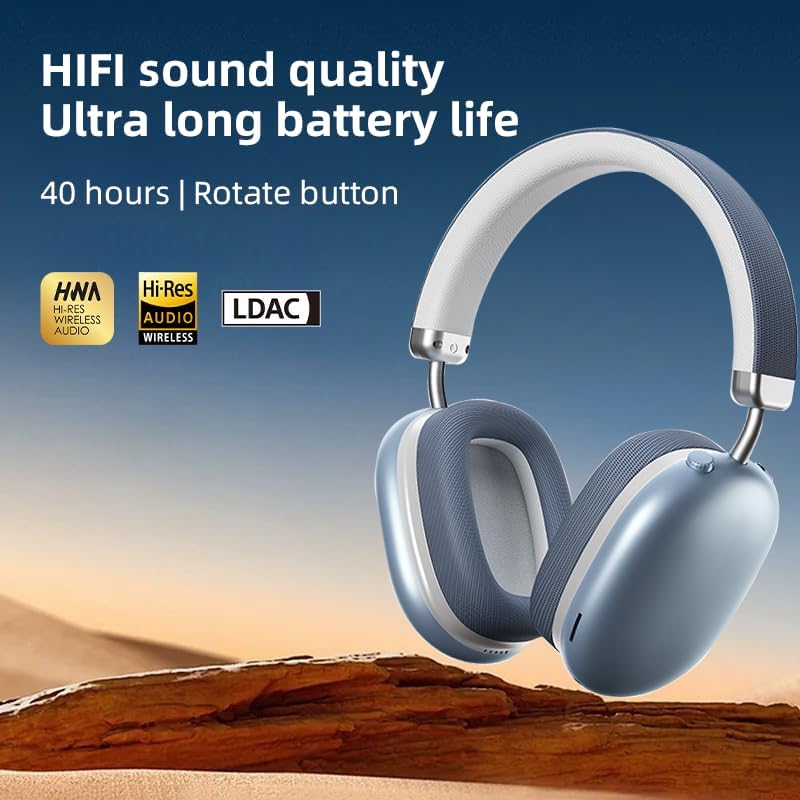
Image: The BT1638 headphones displaying Hi-Res Wireless Audio and LDAC compatibility, indicating advanced audio capabilities.
3. إلغاء الضوضاء السلبي
The over-ear design and cushioned ear cups provide passive noise cancellation, reducing ambient sounds for a more focused listening experience.

Image: A visual representation comparing sound waveforms before and after noise reduction, demonstrating the effectiveness of the headphones' passive noise cancellation.
4. التوصيل السلكي (AUX)
For situations where Bluetooth is not available or preferred, you can connect the headphones using an AUX cable.
- Plug one end of the 3.5mm AUX cable into the headphone's AUX port.
- Plug the other end into your audio source's 3.5mm audio jack.
- سيتم تحويل سماعات الرأس تلقائيًا إلى الوضع السلكي.
5. الراحة والملاءمة
The BT1638 headphones feature an adjustable headband and rotatable earcups for a comfortable and secure fit.

الصورة: عن قرب view illustrating the adjustable telescopic headband and earcups that can rotate 90 degrees, allowing for a customized and comfortable fit.

Image: The soft earmuffs of the BT1638 headphones, designed for comfortable and smooth listening experiences.
صيانة
العناية المناسبة ستطيل عمر سماعات الرأس وتحسن أدائها.
- تنظيف: Use a soft, dry, lint-free cloth to clean the surfaces of the headphones. Do not use harsh chemicals, cleaning solvents, or strong detergents.
- وسائد الأذن: The memory foam and fabric ear cushions can be gently wiped with a slightly damp cloth if necessary, then allowed to air dry completely.
- تخزين: عند عدم الاستخدام، قم بتخزين سماعات الرأس في مكان بارد وجاف، بعيدًا عن أشعة الشمس المباشرة ودرجات الحرارة القصوى.
- تجنب الرطوبة: هذه السماعات ليست مقاومة للماء. تجنب التعرض للماء أو المطر أو الرطوبة الزائدة.
- التعامل معها بحذر: تجنب إسقاط سماعات الرأس أو تعريضها لصدمات قوية.
استكشاف الأخطاء وإصلاحها
| مشكلة | السبب المحتمل | حل |
|---|---|---|
| لا يتم تشغيل سماعات الرأس. | بطارية منخفضة. | اشحن سماعات الرأس لمدة 30 دقيقة على الأقل. |
| لا يمكن الاقتران بالجهاز. | سماعات الرأس ليست في وضع الاقتران؛ البلوتوث غير مفعل على الجهاز؛ الجهاز بعيد جدًا. | Ensure headphones are in pairing mode (flashing red/blue). Turn on Bluetooth on your device. Move device closer to headphones (within 33 feet). |
| لا يوجد صوت أو مستوى الصوت منخفض. | مستوى الصوت منخفض جدًا؛ مصدر الصوت غير صحيح؛ سماعات الرأس غير موصولة. | Increase volume on both headphones and connected device. Ensure headphones are properly paired or AUX cable is fully inserted. |
| اتصال متقطع. | تداخل؛ الجهاز بعيد جدًا؛ بطارية منخفضة. | Move closer to the connected device. Avoid strong electromagnetic interference. Ensure headphones are sufficiently charged. |
تحديد
| ميزة | التفاصيل |
|---|---|
| اسم الموديل | سي-BT1638 |
| تكنولوجيا الاتصال | بلوتوث، AUX |
| تكنولوجيا الاتصالات اللاسلكية | بلوتوث، لاسلكي |
| نسخة البلوتوث | 5.0 |
| مدى البلوتوث | 33 قدم (10 متر) |
| نوع برنامج تشغيل الصوت | سائق ديناميكي |
| حجم برنامج تشغيل الصوت | 40 مليمتر |
| استجابة التردد | 20 Hz (lower bound) |
| حساسية | 102 ديسيبل |
| مقاومة | 32 أوم |
| التحكم في الضوضاء | إلغاء الضجيج السلبي |
| نوع التحكم | لاسلكي |
| طريقة التحكم | اللمس، الزر |
| وقت الشحن | 2 ساعة |
| عمر البطارية | Up to 40 Hours (playback) |
| مادة | Fabric, Memory Foam, Metal |
| وزن العنصر | 12 أونصة (حوالي 340 جرام) |
| مستوى مقاومة الماء | غير مقاوم للماء |
| الأجهزة المتوافقة | أجهزة الكمبيوتر المحمولة، والهواتف الذكية، والأجهزة اللوحية |
معلومات الضمان
Specific warranty details for the JUNJIEUNVO BT1638 headphones are typically provided with your purchase documentation or on the manufacturer's official webيرجى الاحتفاظ بإثبات الشراء الخاص بك لأي مطالبات بالضمان.
Generally, products are covered against defects in materials and workmanship for a specified period from the date of purchase. This warranty usually does not cover damage caused by misuse, accidents, unauthorized modifications, or normal wear and tear.
دعم العملاء
If you encounter any issues or have questions not covered in this manual, please contact JUNJIEUNVO customer support. You can typically find contact information on the product packaging, the official JUNJIEUNVO webالموقع، أو من خلال بائع التجزئة الخاص بك.
When contacting support, please have your product model (SY-BT1638) and proof of purchase readily available.