
مقدمة
The GAN 356 i Carry E is a 3x3 magnetic smart speed cube designed for enhanced cubing experience through real-time tracking and app connectivity. This manual provides essential information for setting up, operating, maintaining, and troubleshooting your smart cube.
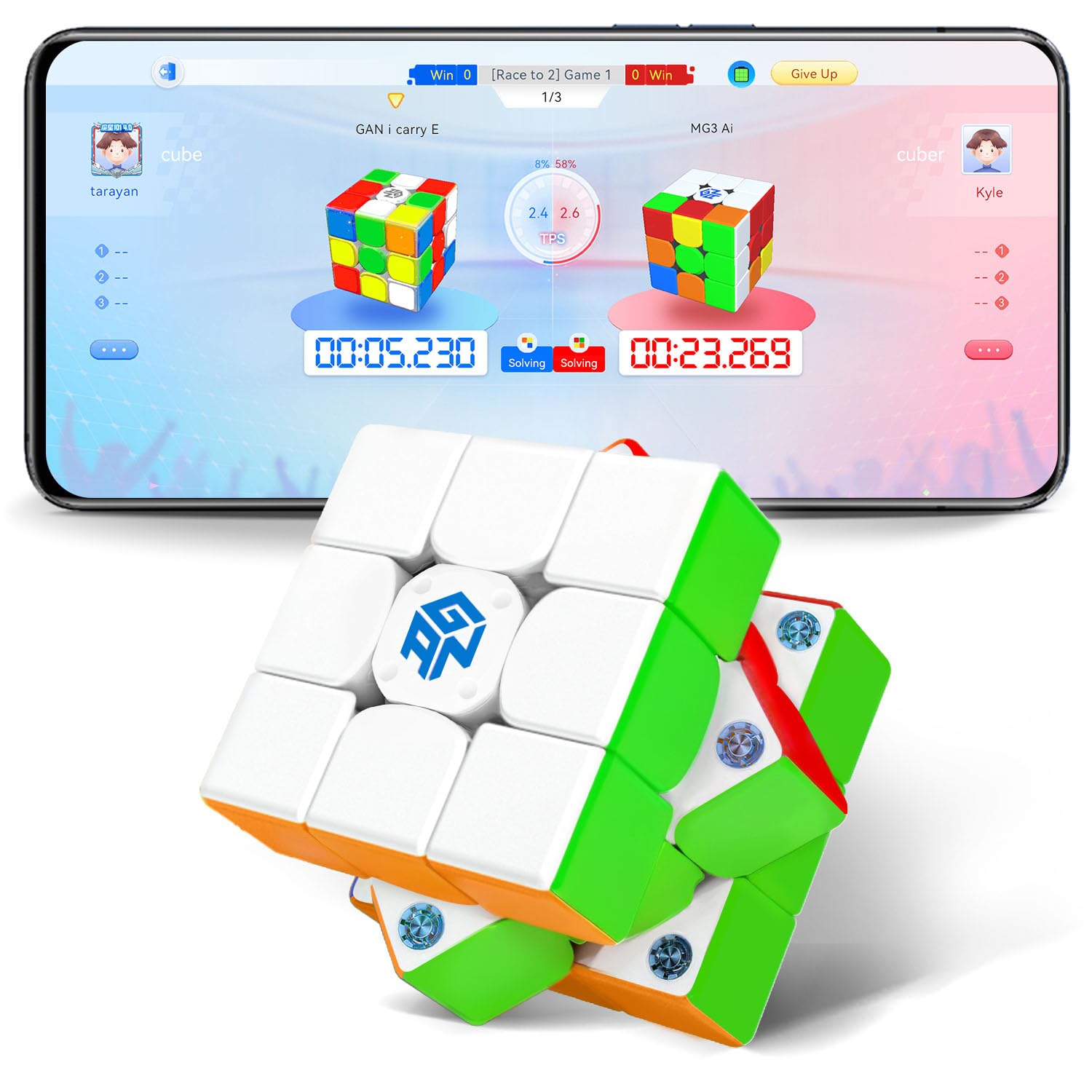
Image: The GAN 356 i Carry E Smart Speed Cube, showcasing its key features like app connectivity, 150-hour battery life, 12-level tuning, smart ball core, and 48 magnetic capsules.
معلومات السلامة
تحذير:
- غير مناسب للأطفال دون سن 36 شهرًا بسبب الأجزاء الصغيرة.
- يوصى بإشراف الكبار على الأطفال الصغار.
ماذا يوجد في الصندوق
تأكد من تضمين جميع العناصر التالية في الحزمة الخاصة بك:
- GAN 356 i Carry E Smart Cube
- Tuning Tool
- GAN Box (Storage Case)
- GAN Bag
- دليل المستخدم (هذا المستند)
يثبت
1. التفعيل لأول مرة
To activate your GAN 356 i Carry E for the first time, rotate the white side of the cube 360 degrees in the same direction within 3 seconds. This initiates the cube's internal electronics.
2. معلومات البطارية
The cube operates on 2 C batteries, which are included. The innovative dual-battery structure provides approximately 150 hours of battery life. Refer to the Maintenance section for battery replacement instructions.
3. Connecting to the CubeStation App
The GAN 356 i Carry E connects to the CubeStation app via Bluetooth for smart features. Ensure Bluetooth is enabled on your smartphone or tablet.
- Download the CubeStation app from your device's app store.
- Open the CubeStation app.
- Ensure your cube is activated (see First-Time Activation).
- The app should detect your GAN 356 i Carry E automatically. Follow the on-screen prompts to pair the cube.

Image: Illustration of the smart cube's internal chip, its connection to the CubeStation app, and how it facilitates interaction among global cubers.
4. Tuning the Cube
The GAN 356 i Carry E features a 12-level tuning system, allowing you to customize the cube's feel to your preference. Use the included tuning tool to adjust the tension and axis distance. The tuning mechanism is accessible by gently prying off the center caps with your fingernail or the tuning tool.

الصورة: مفصلة view of the cube's internal structure, highlighting the 12-level numerical tuning system and the 48 magnetic capsules for precise alignment.
Operating the Cube
Basic Cube Operation
The GAN 356 i Carry E functions as a standard 3x3 speed cube. Its design incorporates 48 magnetic capsules for enhanced stability and alignment, and a honeycomb contact surface with a track for silky smooth turns. The cube supports up to 90-degree full corner cutting (55-degree corner-cutting and 35-degree reverse corner-cutting) for seamless flow during solves.
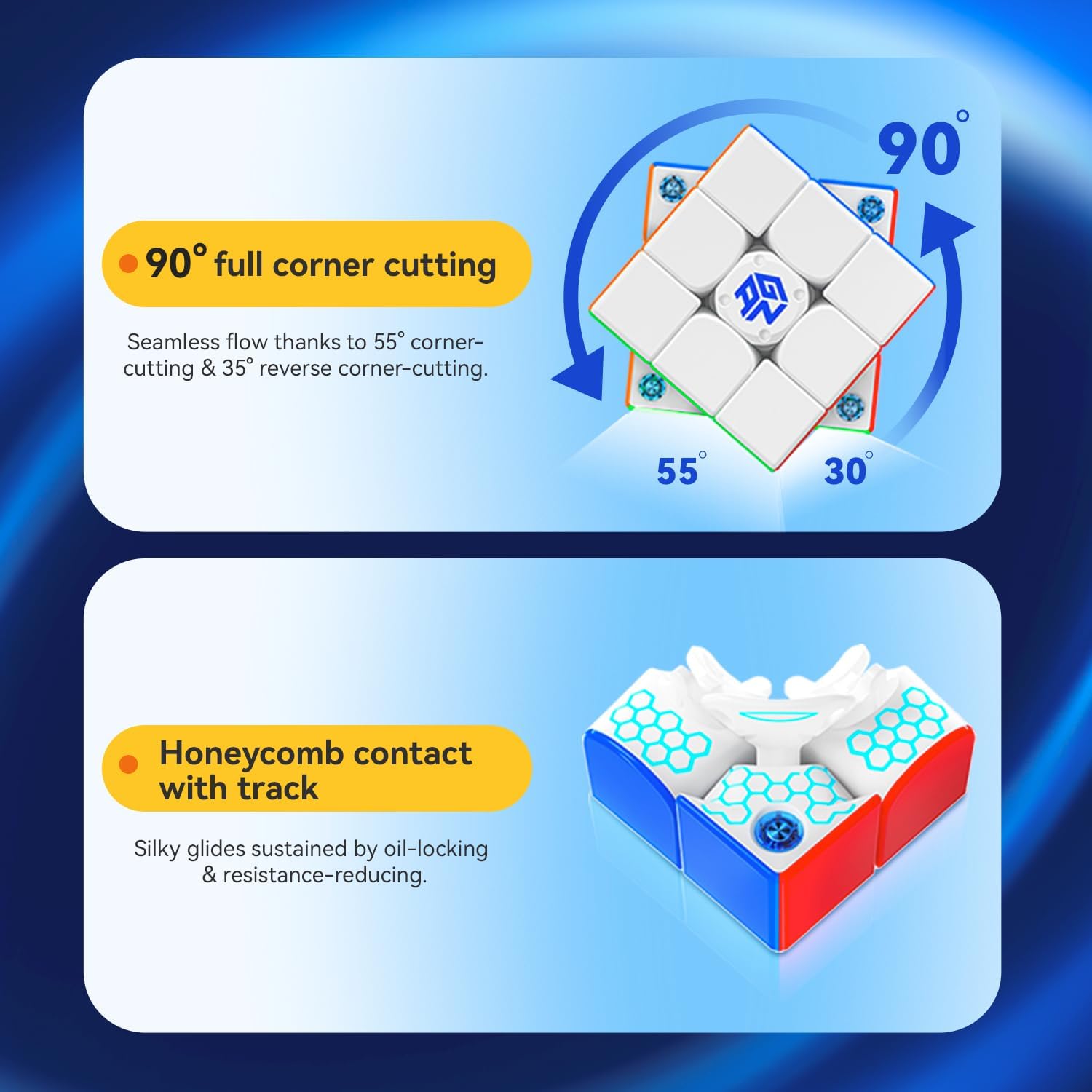
Image: Visual explanation of the cube's 90-degree full corner cutting ability and the honeycomb contact design that reduces resistance.
Using the CubeStation App
The CubeStation app unlocks the full potential of your smart cube, offering various features to improve your cubing skills and engage with a global community.
- Real-Time Tracking and Analysis: The app tracks your solve time, moves, and statistics instantly. This data helps you analyze your performance and identify areas for improvement.
- Learning and Training Features:
- Master Class: Access entry-level courses for 3x3 cubes and learn from expert instructors.
- Cube Coloring: Mark the colors (status) of your physical cube in the app to receive instructions on how to solve it.
- Specialized Training: Overcome specific cubing challenges with algorithm-based practices.
- إعادة البياناتview: Review your performance with data analysis and video replays after each solve.
- Algorithm Library: Access a comprehensive library of algorithms for practice anytime.
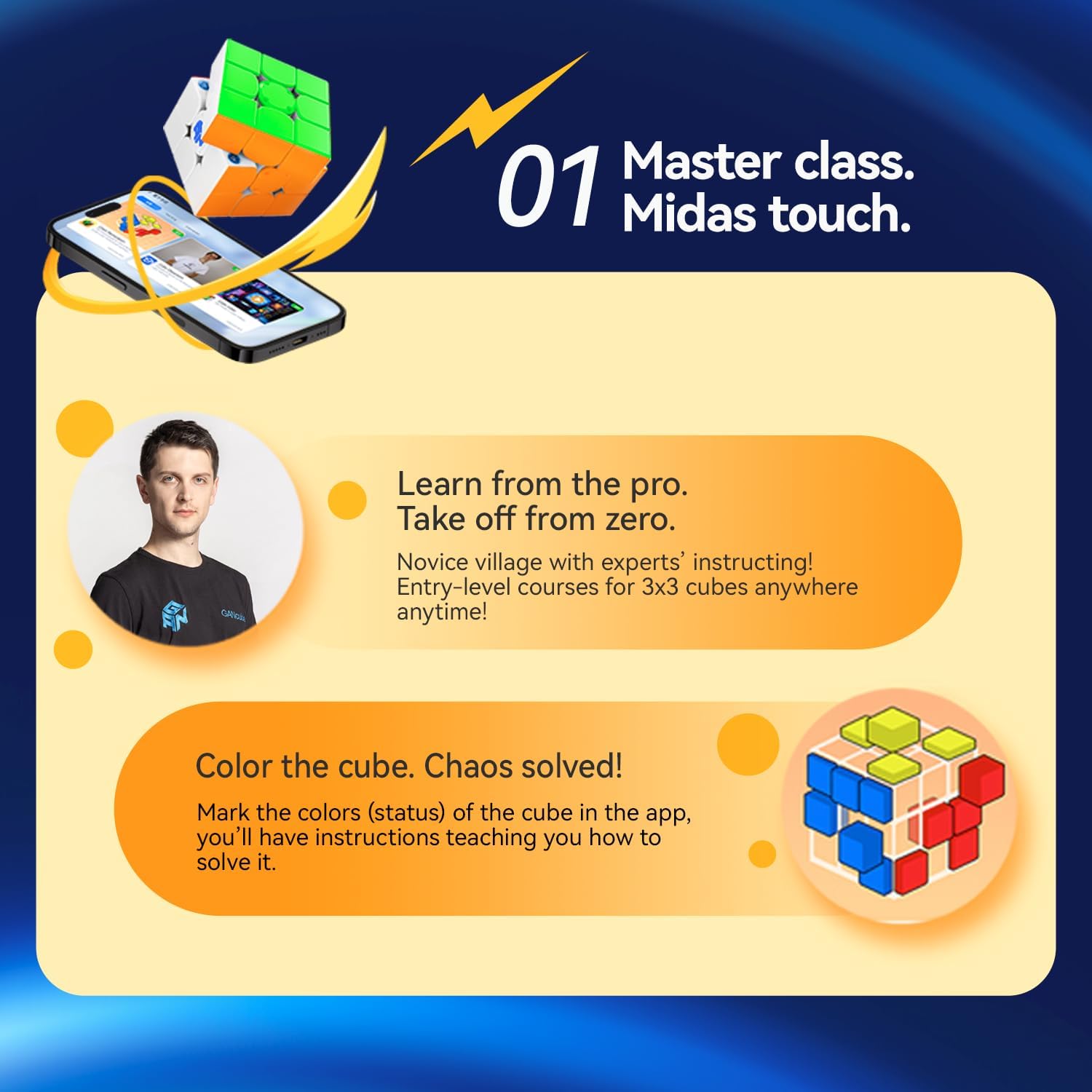
Image: The CubeStation app interface demonstrating learning resources and the feature to input your cube's current state for guided solutions.

Image: The CubeStation app displaying features for personalized practice, performance data review, and access to an algorithm library.
- Online Competition: Engage in real-time battles with cubers worldwide. Compete in various games, ranked matches, and custom rooms. Weekly updated global and local rankings allow you to track your progress and challenge others.

Image: The CubeStation app interface illustrating online competition options, including arena matches, rankings, and custom rooms, along with global leaderboards.
صيانة
الرعاية العامة
To ensure the longevity and optimal performance of your GAN 356 i Carry E Smart Cube:
- Keep the cube clean and free from dust and debris.
- Avoid exposing the cube to extreme temperatures or direct sunlight for prolonged periods.
- Store the cube in its GAN Box or GAN Bag when not in use to protect it from damage.
استبدال البطارية
The GAN 356 i Carry E uses replaceable batteries. When the battery life diminishes, replace the 2 C batteries. To access the battery compartment, gently remove the center cap on one of the faces. Carefully replace the old batteries with new ones, ensuring correct polarity, then reattach the center cap.
تشحيم
The cube may come with a light factory lubrication. If the cube's turning feel becomes less smooth over time, you may apply a small amount of speed cube lubricant designed for plastic puzzles. Apply sparingly to the internal contact surfaces and work it in by turning the cube. Avoid over-lubricating.
استكشاف الأخطاء وإصلاحها
If you encounter issues with your GAN 356 i Carry E Smart Cube, refer to the following common problems and solutions:
| مشكلة | السبب المحتمل | حل |
|---|---|---|
| Cube does not turn on or connect to app. | Not activated, low battery, or connectivity issue. | Ensure first-time activation (rotate white side 360°). Check and replace batteries if needed. Ensure Bluetooth is on and app is open. |
| Cube disconnects from app during fast solves. | Rapid movement exceeding sensor processing speed or temporary Bluetooth interference. | Ensure your device is close to the cube. Try restarting the app and re-pairing the cube. |
| Cube state in app does not match physical cube. | Synchronization error. | In the CubeStation app, navigate to the device section and use the 'reset' function to synchronize the cube's state. |
| Difficulty navigating or understanding the CubeStation app. | App interface complexity or language barrier. | The app is primarily available in English and Chinese. Explore the app's tutorial sections or online resources for guidance. |
| No step-by-step solution guide in the app. | Feature not implemented or located elsewhere. | While the app offers learning courses and algorithm libraries, a direct step-by-step solver for any scrambled state might not be a primary feature. Utilize the 'Color the cube' function for guided solutions. |
تحديد
| ميزة | التفاصيل |
|---|---|
| رقم الموديل | GAN3x3 |
| أبعاد المنتج | 2.2 × 2.2 × 0.04 بوصة |
| وزن العنصر | 7.4 أونصات |
| العمر الموصى به | 6 سنوات وما فوق |
| البطاريات | 2 C batteries (included), replaceable |
| عمر البطارية | حوالي 150 ساعات |
| النظام المغناطيسي | 48 magnetic capsules |
| نظام الضبط | 12 levels of tuning (tension and axis distance) |
| نوع النواة | Smart Ball Core (non-contact magnetic sensor) |
| Corner Cutting | Up to 90° full corner cutting (55° forward, 35° reverse) |
| سطح الاتصال | Honeycomb contact with track |
| الاتصال | Bluetooth, CubeStation App |

الصورة: انفجار view of the cube's internal components, highlighting the smart ball core and the innovative dual-battery structure providing 150 hours of life.
الضمان والدعم
For warranty information, product support, or further assistance, please refer to the official GAN webيمكنك زيارة الموقع الإلكتروني أو الاتصال بالبائع الذي اشتريت منه المنتج. احتفظ بإثبات الشراء لأي مطالبات تتعلق بالضمان.


