
مقدمة
Welcome to the instruction manual for your Dubstep Buzz X8 Wireless Earbuds. These earbuds are designed to provide a high-quality audio experience with advanced features. This manual will guide you through the setup, operation, and maintenance of your device.
ماذا يوجد في الصندوق
تحتوي الحزمة على العناصر التالية:
- سماعات أذن لاسلكية
- حافظة الشحن اللاسلكي
- كابل من النوع C
- دليل المستخدم
- وسائد الأذن (أحجام مختلفة)

Image: Contents of the Dubstep Buzz X8 Earbuds box, showing the earbuds, charging case, Type-C charging cable, and additional ear cushions.
المنتج انتهىview
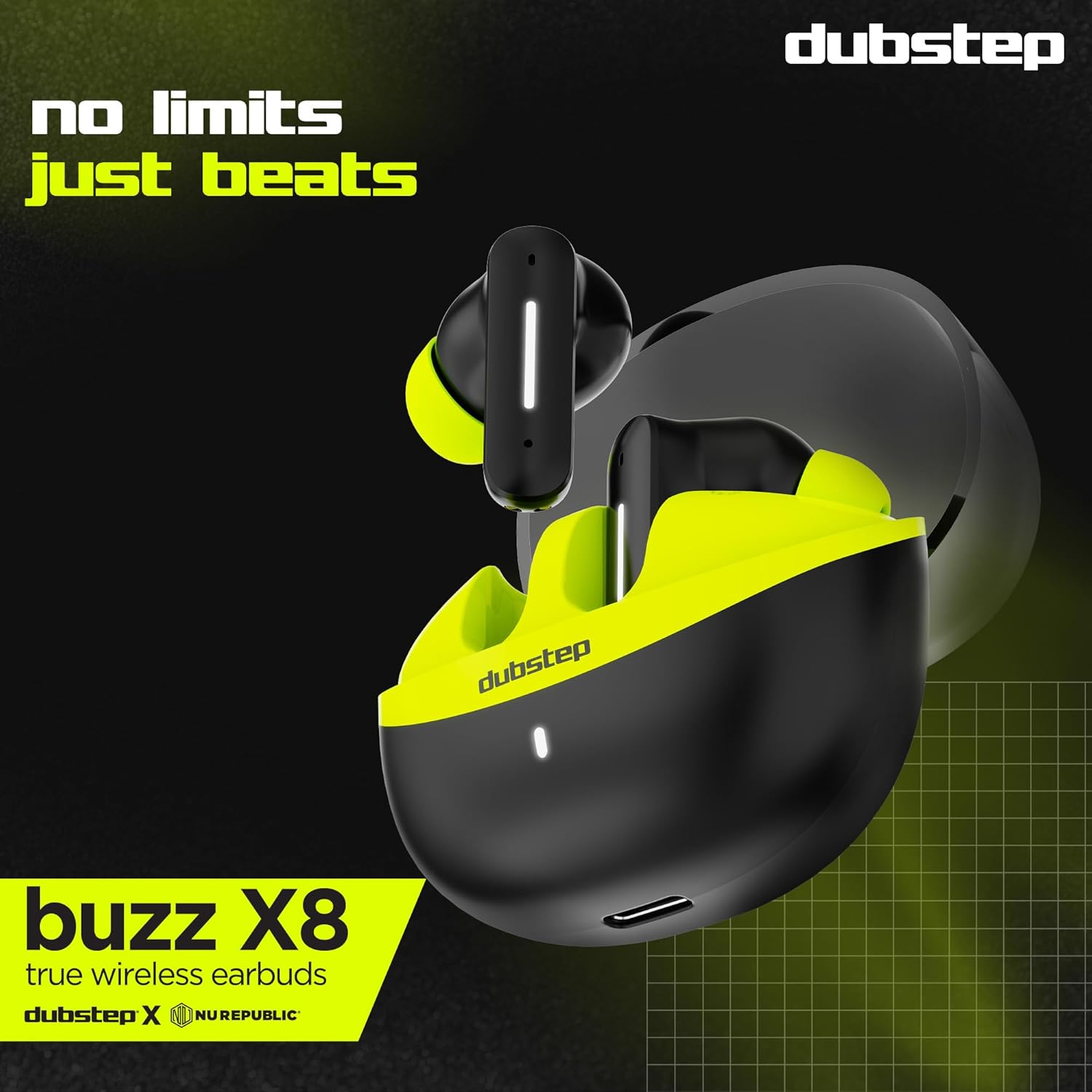
The Dubstep Buzz X8 Wireless Earbuds feature a sleek design and are equipped with 13mm dynamic drivers for powerful sound. The charging case provides extended battery life and convenient storage.

Image: Dubstep Buzz X8 Wireless Earbuds in Neon Green, placed within their open charging case.
مكونات سماعات الأذن
- منطقة التحكم باللمس: لإدارة التشغيل والمكالمات والمساعد الصوتي.
- الميكروفونات: ميكروفونان مزدوجان مع خاصية إلغاء الضوضاء البيئية (ENC) لإجراء مكالمات واضحة.
- نصائح الأذن: Silicone ear tips for a comfortable and secure fit.
الصورة: مفصلة view of the earbuds and charging case, illustrating their internal and external features.
يثبت
1. شحن سماعات الأذن والعلبة
قبل الاستخدام الأول، اشحن سماعات الأذن وعلبة الشحن بالكامل. وصّل كابل Type-C المرفق بمنفذ الشحن الموجود على العلبة وبمصدر طاقة USB متوافق. سيُظهر مؤشر LED الموجود على العلبة حالة الشحن.
- A 15-minute quick charge provides approximately 200 minutes of playtime.
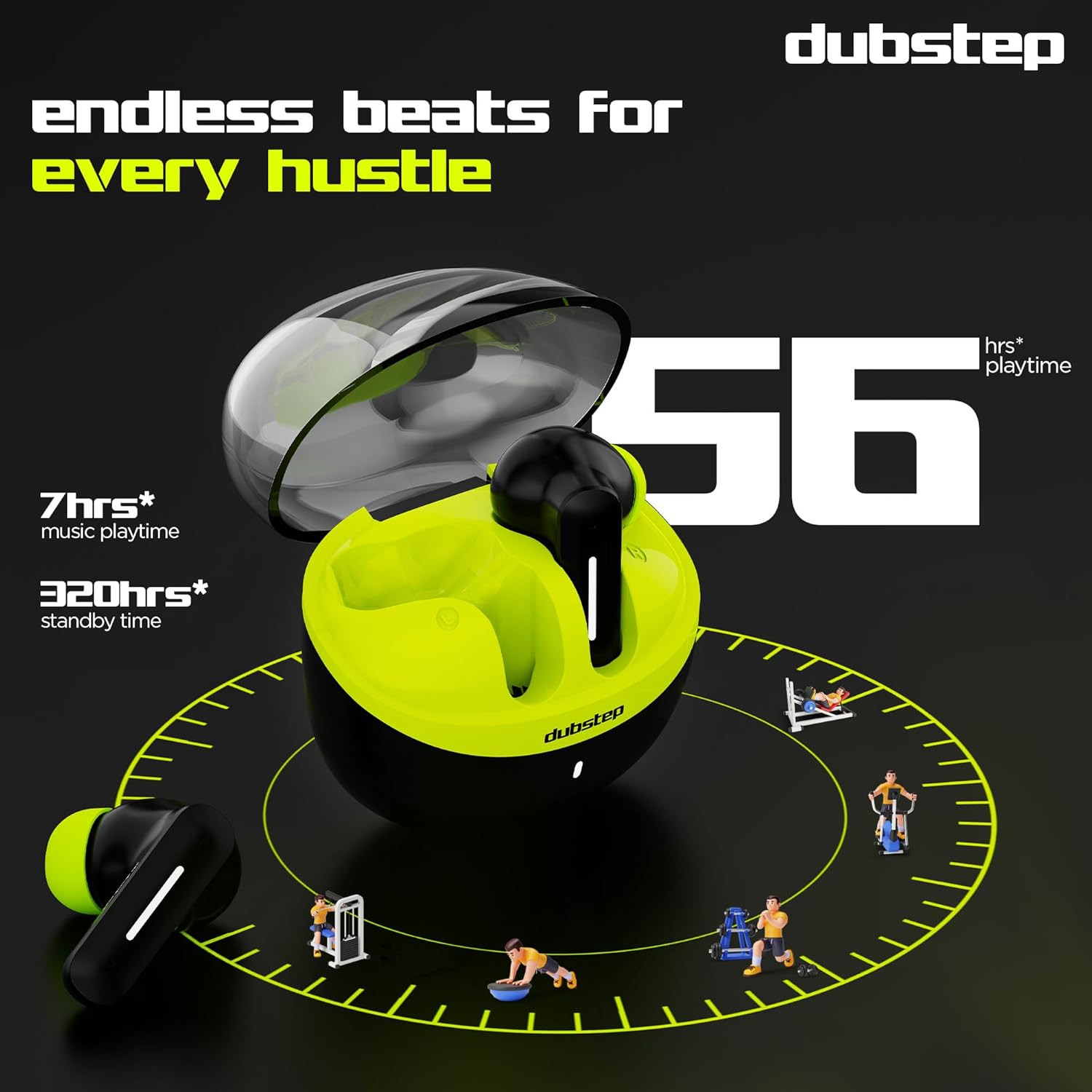
- Total playtime with the charging case is up to 56 hours.
- Earbuds provide 7 hours of continuous music playback on a single charge.

Image: The charging case of the Dubstep Buzz X8 earbuds connected to a Type-C cable for charging.
2. الاقتران بجهازك
- افتح علبة الشحن. ستدخل سماعات الأذن تلقائيًا في وضع الاقتران.
- على جهازك (الهاتف الذكي، الجهاز اللوحي، الكمبيوتر المحمول)، قم بتمكين البلوتوث.
- بحث عن "Dubstep Buzz X8" in the list of available Bluetooth devices.
- Select "Dubstep Buzz X8" to connect. Once connected, you will hear an audio prompt.
- The earbuds feature Bluetooth v5.3 for stable and efficient wireless connectivity.

Image: A smartphone displaying the Bluetooth connection screen, showing the Dubstep Buzz X8 earbuds successfully paired.
تعليمات التشغيل
عناصر التحكم باللمس
The Dubstep Buzz X8 earbuds feature intuitive touch controls on each earbud. Refer to the following table for common functions:
| فعل | وظيفة |
|---|---|
| نقرة واحدة | تشغيل / إيقاف الموسيقى ، الرد / إنهاء المكالمة |
| الضغط مرتين | Volume Up (+) / Volume Down (-) |
| الصنبور الثلاثي | المسار السابق / المسار التالي |
| الضغط لفترة طويلة | تنشيط/إلغاء تنشيط المساعد الصوتي |
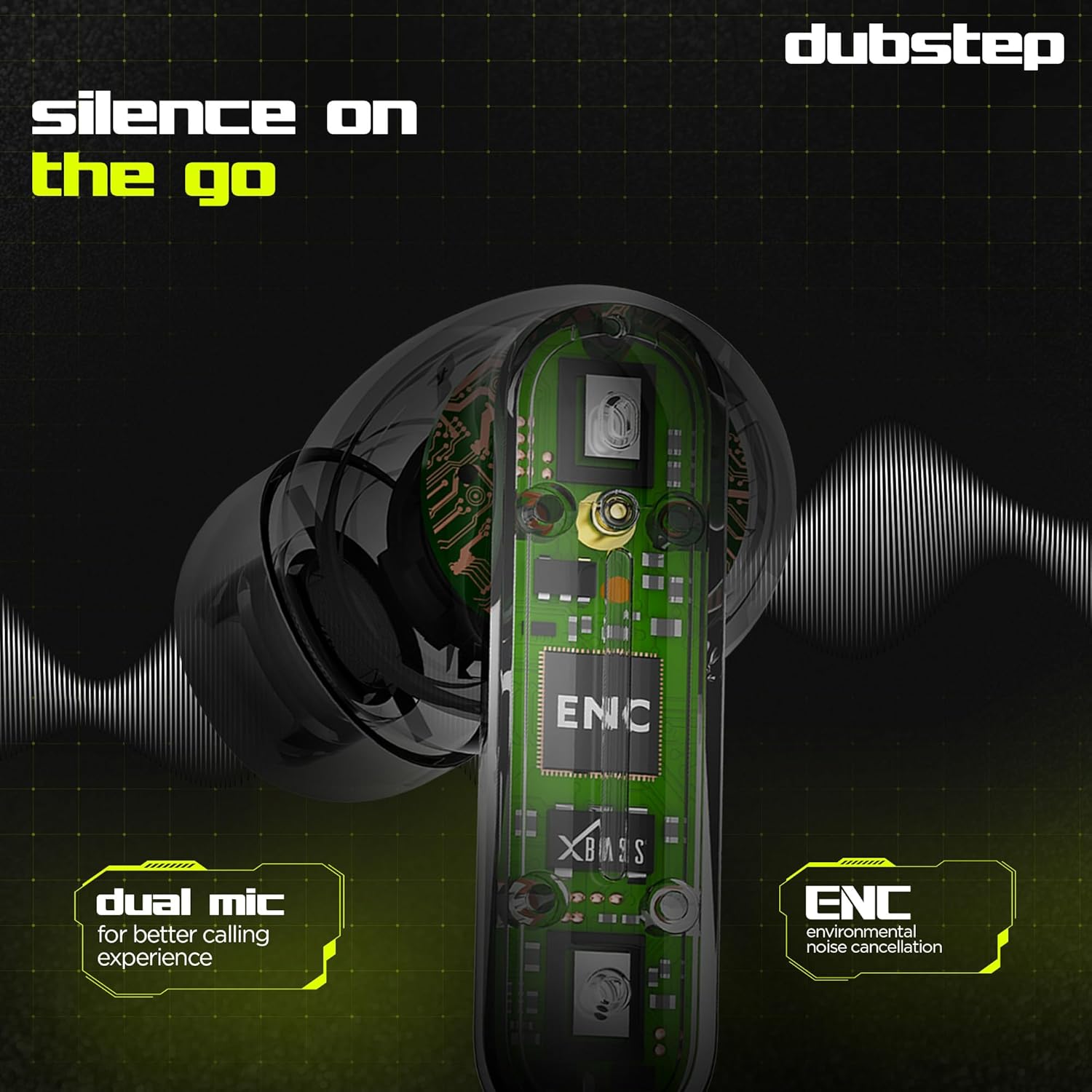
Image: Visual guide to the touch control gestures on the earbuds and their corresponding functions.
إلغاء الضوضاء البيئية (ENC)
The earbuds are equipped with ENC technology and dual microphones to reduce ambient noise during calls, ensuring clear communication.
الصورة: داخلية view of the earbud highlighting the ENC technology and dual microphone system.
صيانة
To ensure the longevity and optimal performance of your Dubstep Buzz X8 Wireless Earbuds, follow these maintenance guidelines:
- تنظيف: نظّف سماعات الأذن وعلبة الشحن بانتظام بقطعة قماش ناعمة وجافة وخالية من الوبر. تجنّب استخدام مواد كيميائية قاسية أو مواد كاشطة.
- نصائح الأذن: قم بإزالة أطراف الأذن وتنظيفها بشكل دوري بالماء والصابون الخفيف، ثم جففها جيداً قبل إعادة تركيبها.
- مقاومة الماء: The earbuds are splash and sweat resistant, making them suitable for workouts. However, they are not waterproof. Avoid submerging them in water.
- تخزين: عندما لا تكون قيد الاستخدام، قم بتخزين سماعات الأذن في علبة الشحن الخاصة بها لحمايتها والحفاظ عليها مشحونة.
- درجة حرارة: تجنب تعريض سماعات الأذن لدرجات حرارة قصوى (ساخنة أو باردة) أو لأشعة الشمس المباشرة لفترات طويلة.
استكشاف الأخطاء وإصلاحها
If you encounter issues with your Dubstep Buzz X8 Wireless Earbuds, refer to the following common solutions:
| مشكلة | حل |
|---|---|
| سماعات الأذن لا تقترن | تأكد من شحن سماعات الأذن. أعد تشغيل البلوتوث على جهازك. ضع سماعات الأذن في علبتها، ثم أغلقها، ثم أعد فتحها للدخول مجدداً في وضع الاقتران. |
| لا يوجد صوت من سماعة أذن واحدة | Check battery level of both earbuds. Try re-pairing the earbuds with your device. Clean earbud mesh for any blockages. |
| حجم منخفض | Adjust volume on both your device and the earbuds. Ensure ear tips provide a good seal. |
| علبة الشحن لا تشحن | Verify the Type-C cable is properly connected to both the case and the power source. Try a different cable or power adapter. |
| المساعد الصوتي لا يستجيب | Ensure the earbuds are connected to your device. Check your device's settings for voice assistant activation. Perform a long press on the earbud touch area. |
تحديد
| ميزة | التفاصيل |
|---|---|
| اسم الموديل | Buzz X8 |
| تكنولوجيا الاتصال | بلوتوث 5.3 |
| حجم برنامج تشغيل الصوت | 13 مليمتر |
| إجمالي وقت اللعب | ما يصل إلى 56 ساعة (مع علبة الشحن) |
| وقت تشغيل سماعات الأذن (شحنة واحدة) | 7 ساعات |
| وقت الاستعداد | 320 ساعات |
| الشحن السريع | شحن لمدة 15 دقائق = 200 دقيقة من وقت اللعب |
| منفذ الشحن | النوع-C |
| التحكم في الضوضاء | إلغاء الضوضاء البيئية (ENC) |
| الميكروفونات | نظام الميكروفون المزدوج |
| نوع التحكم | Touch Control, Voice Assistant |
| مستوى مقاومة الماء | Splash and Sweat Resistant |
| وزن العنصر | 40 جرام |
| أبعاد المنتج | 3.5 × 2.5 × 4.5 سم |
الضمان والدعم
Your Dubstep Buzz X8 Wireless Earbuds come with a standard brand warranty. For detailed warranty information, troubleshooting guides, and further support, please visit the official user manuals page: