
مقدمة
Thank you for choosing the taopodo L37 Multifunctional Cell Phone Stand with Wireless Bluetooth Speaker. This device combines a stable phone/tablet stand with a high-quality Bluetooth speaker, offering convenience for various activities such as watching videos, making video calls, and listening to music. This manual provides detailed instructions for setup, operation, maintenance, and troubleshooting to ensure optimal performance and longevity of your device.
المنتج انتهىview
The taopodo L37 integrates three core functions: a phone holder, a Bluetooth speaker, and a microphone for hands-free calls. It is designed for wide compatibility with most 4-13 inch smartphones, tablets, and e-readers.
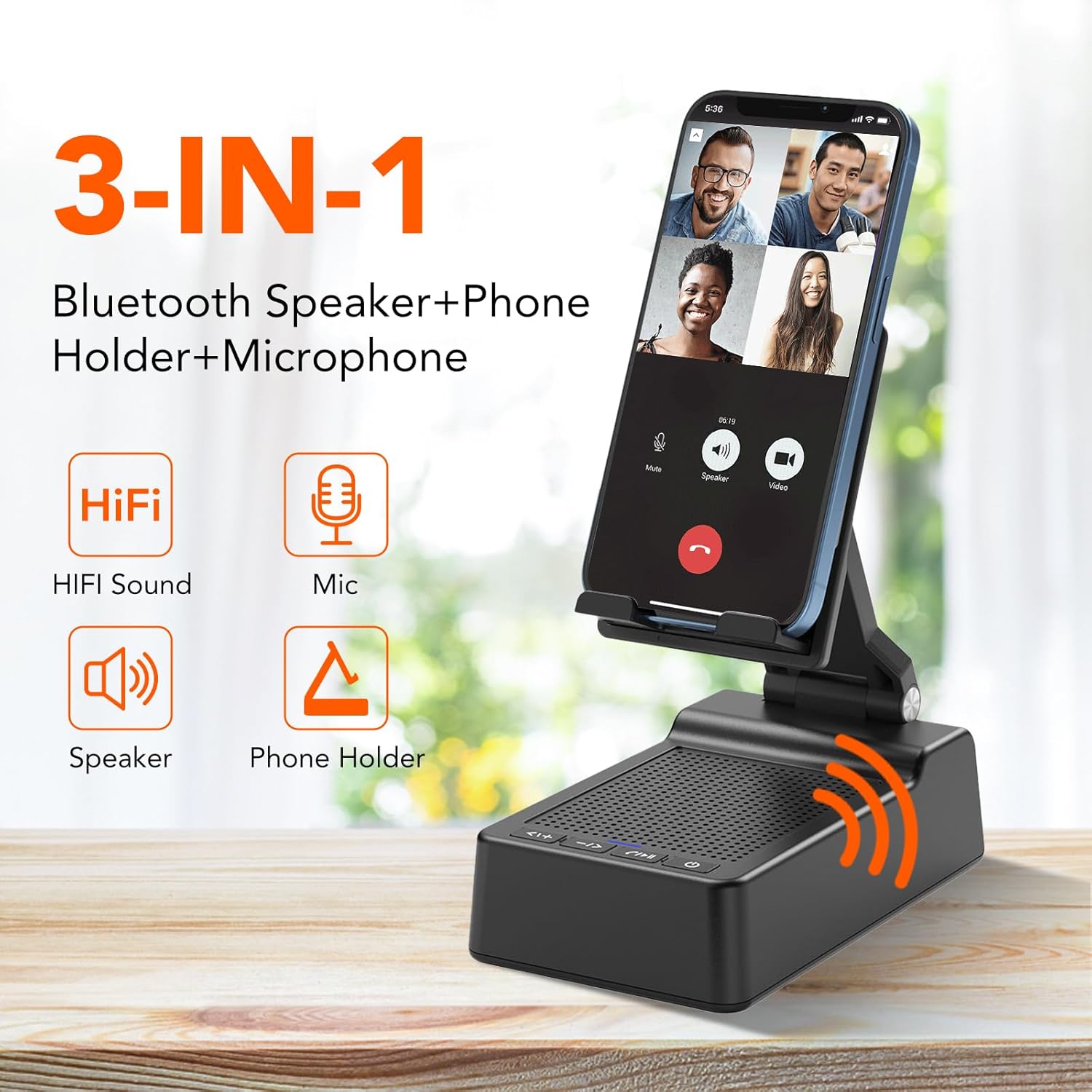
Image: The taopodo L37 device highlighting its 3-in-1 functionality: Bluetooth Speaker, Phone Holder, and Microphone.
المميزات الرئيسية:
- التصميم المتكامل: Combines a cell phone stand with a Bluetooth speaker and microphone.
- التوافق الواسع: Supports most 4-13 inch smartphones, tablets, and e-readers with Bluetooth functionality.
- قابل للتعديل Viewزاوية جي: Flexible design allows for multiple angle adjustments (90° to 145°) and height adjustments.
- مستقرة ودائمة: Constructed with high-quality materials, featuring a metal holder and anti-slip silicone pads for device security.
- صوت عالي الجودة: Equipped with high-quality Bluetooth speakers for rich bass and clear audio.
- بطارية قابلة لإعادة الشحن: Offers up to 96 hours of battery life with a full charge in less than 3 hours.
- IPX7 مقاوم للماء: Provides protection against water immersion.
ماذا يوجد في الصندوق:
- taopodo L37 Multifunctional Cell Phone Stand with Wireless Bluetooth Speaker
- USB-A to Type-C charger cable *1
- دليل المستخدم
يثبت
1. شحن الجهاز:
Before first use, fully charge the taopodo L37. Connect the provided USB-A to Type-C charger cable to the charging port on the device and a suitable USB power adapter (not included). The charging indicator light will show the charging status. A full charge typically takes less than 3 hours.

Image: The taopodo L37 device illustrating its rechargeable battery features, including up to 96 hours of battery life and quick charging.
2. تشغيل / إيقاف التشغيل:
- To power on, press and hold the Power ON/OFF button until the indicator light illuminates.
- To power off, press and hold the Power ON/OFF button again until the indicator light turns off.
3. الاقتران بالبلوتوث:
- Ensure the device is powered on and in pairing mode (the Bluetooth indicator light will typically flash).
- على هاتفك الذكي أو جهازك اللوحي أو قارئ الكتب الإلكترونية، انتقل إلى إعدادات البلوتوث.
- بحث عن available devices and select "taopodo L37" from the list.
- Once connected, the Bluetooth indicator light will become solid, and you will hear an audible confirmation.
تعليمات التشغيل
1. Adjusting the Stand:
The taopodo L37 features an adjustable design for optimal viewing angles and height. The stand can be adjusted from 90° to 145° and includes multiple height settings. Gently adjust the hinges to achieve your desired position. The anti-slip silicone pads on the base and panel ensure stability for your device.
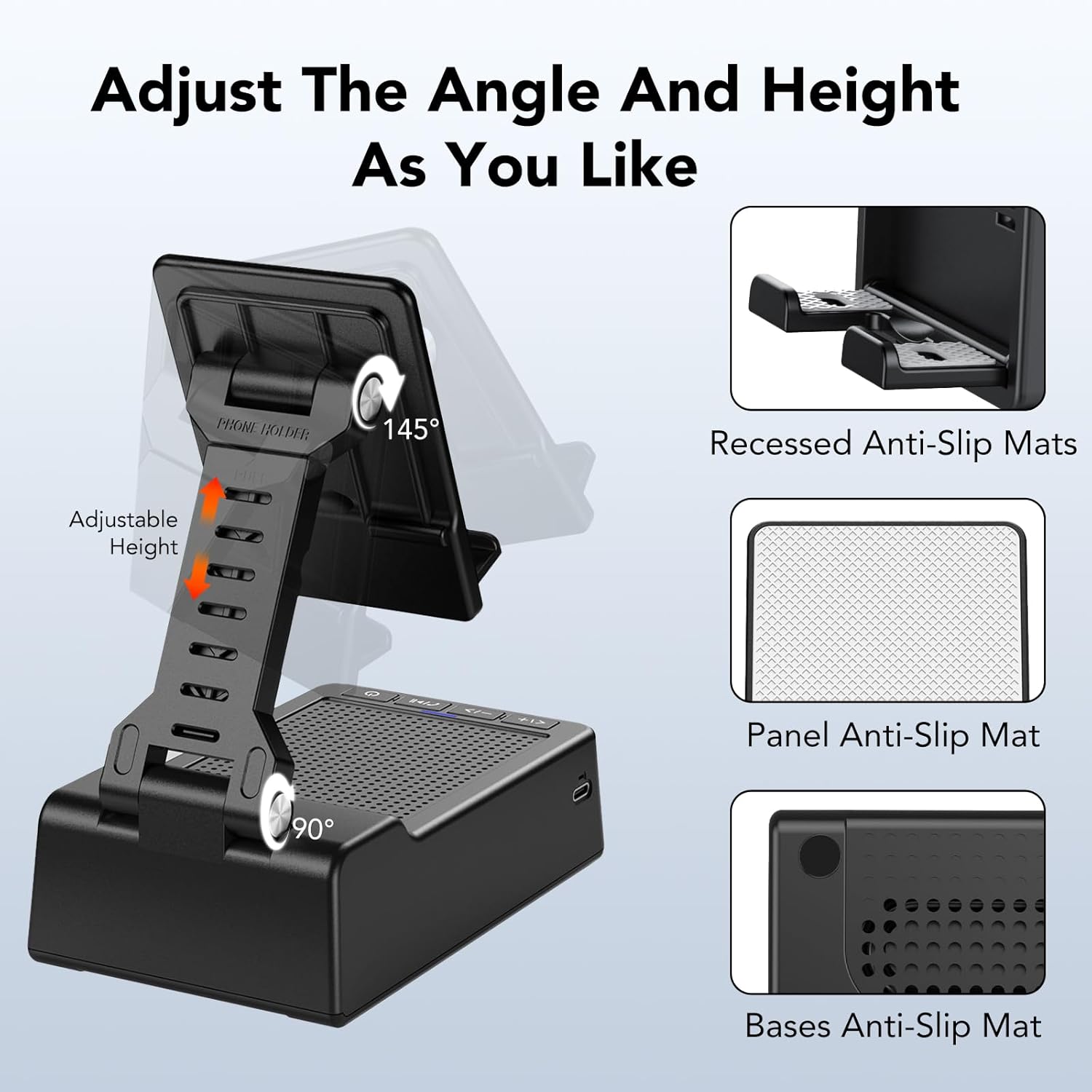
Image: The taopodo L37 stand demonstrating its adjustable angle (90° to 145°) and height features, along with recessed and panel anti-slip mats.
2. Using the Bluetooth Speaker:
After successful Bluetooth pairing, audio from your connected device will play through the taopodo L37 speaker. Use the control buttons on the device or your connected device to manage playback.
3. أزرار التحكم:
The taopodo L37 features intuitive control buttons located on the front panel:

Image: A detailed diagram of the multi-function buttons on the taopodo L37, indicating their respective controls for volume, track selection, playback, call management, and power.
- Previous / VOL +: Short press for previous track, long press for volume up.
- Next / VOL -: Short press for next track, long press for volume down.
- Play/Pause / Answer/Hang up: Short press to play/pause music. Short press to answer an incoming call, long press to hang up.
- تشغيل/إيقاف الطاقة: اضغط مع الاستمرار لتشغيل الجهاز أو إيقاف تشغيله.
4. الاتصال بدون استخدام اليدين:
When a call comes in while connected via Bluetooth, press the Play/Pause / Answer/Hang up button to answer. The built-in microphone allows for hands-free communication. Press the button again to end the call.
صيانة
1. التنظيف:
امسح الجهاز بقطعة قماش ناعمة وجافة. لا تستخدم المنظفات الكاشطة أو المذيبات أو المواد الكيميائية القوية، لأنها قد تتلف السطح أو المكونات الداخلية.
2. Water Resistance (IPX7):
The taopodo L37 is IPX7 waterproof, meaning it can withstand immersion in water up to 1 meter for 30 minutes. While it offers protection against splashes and brief immersion, it is not recommended for prolonged underwater use. Ensure the charging port cover is securely closed before exposure to water.

Image: The taopodo L37 in a kitchen and bathroom setting, demonstrating its IPX7 waterproof capability for use in various environments.
3. التخزين:
Store the device in a cool, dry place away from direct sunlight and extreme temperatures. When not in use for extended periods, charge the battery periodically to maintain its health.
استكشاف الأخطاء وإصلاحها
- الجهاز لا يعمل: تأكد من شحن البطارية. قم بتوصيل كابل الشحن وحاول مرة أخرى.
- لا يمكن الاتصال عبر البلوتوث:
- Ensure the taopodo L37 is powered on and in pairing mode.
- Make sure Bluetooth is enabled on your source device (phone/tablet).
- قرّب الأجهزة من بعضها البعض.
- قم بإزالة الجهاز من إعدادات البلوتوث في هاتفك وحاول الاقتران مرة أخرى.
- لا يوجد صوت أو مستوى الصوت منخفض:
- Check the volume levels on both the taopodo L37 and your connected device.
- Ensure the device is properly connected via Bluetooth.
- حاول تشغيل مصدر صوت مختلف.
- جودة الصوت سيئة: Ensure there are no obstructions between the taopodo L37 and your connected device. Move away from potential sources of interference (e.g., Wi-Fi routers, other Bluetooth devices).
- الحامل غير ثابت: Ensure your device is placed correctly on the stand. Verify that the anti-slip silicone pads are clean and intact.
تحديد
| ميزة | مواصفة |
|---|---|
| اسم الموديل | ل37 |
| مادة | Plastic + Non-slip Silicone |
| أبعاد المنتج | 4 بوصة عمق × 1.9 بوصة عرض × 2.5 بوصة ارتفاع |
| وزن العنصر | 12.8 أونصة (362 جرامًا) |
| لون | أسود |
| نوع السماعة | 3D |
| الحد الأقصى لقوة خرج السماعة | 10 واط |
| وضع إخراج الصوت | ستيريو |
| تكنولوجيا الاتصالات اللاسلكية | بلوتوث |
| نسخة البلوتوث | 5.3 |
| مصدر الطاقة | تعمل بالبطارية |
| طريقة التحكم | يلمس |
| مقاوم للماء | IPX7 |
| الأجهزة المتوافقة | الهواتف الذكية، أجهزة لوحية |
| نوع التركيب | جبل منضدية |
معلومات الضمان
The taopodo L37 Multifunctional Cell Phone Stand with Wireless Bluetooth Speaker comes with a full warranty. Please refer to the product packaging or contact customer support for specific details regarding the warranty period and coverage.
يدعم
For further assistance, technical support, or warranty claims, please refer to the contact information provided on the product packaging or the official taopodo webاحتفظ بإيصال الشراء كإثبات للشراء لخدمات الضمان.